 carjourney
From the CarJourney journal
How to Prevent Unauthorized Access to Car Data
Last Updated: November 25, 2026
Quick Summary
To prevent unauthorized access to car data, close all three control points: the infotainment privacy settings, the automaker's mobile app permissions, and your online vehicle account consents. Prioritize third-party data sharing and marketing opt-outs first, then turn off location history, driving-behavior collection, and voice recordings. Verify changes took effect and file formal access and deletion requests with the automaker.
- Privacy controls live in three places: infotainment system, mobile app, and online vehicle account.
- App permissions are not linked to vehicle settings, so disabling one does not disable the other.
- Turn off third-party data sharing and marketing consents first, as they are broadest and hardest to reverse.
- Before selling a car, unlink your cloud account first, then factory reset the infotainment system.
- A confirmation email is not proof of deletion; request a second data report and compare.
Table of Contents
- Why Your Car's Data Is More Exposed Than You Think
- What Data Your Car Collects and Who Can Access It
- Step-by-Step: Adjusting Connected Car Privacy Settings
- How to Delete Personal Data From Car Systems
- How to Remove Phone Data From Car Bluetooth and Infotainment
- Reading Your Car Data Privacy Report and Filing Requests
- Securing Shared, Rental, Fleet, and Used Vehicles
- Documenting Your Privacy Cleanup in Your Digital Garage
- Frequently Asked Questions
Why Your Car's Data Is More Exposed Than You Think
Your car is a computer on wheels, and it talks. According to Consumer Reports' investigation into connected car data sharing, modern vehicles send driver data, including location, VINs, and other identifiers, to outside companies.
Many enthusiasts assume their vehicle data stays between them and the dealer. It rarely does. Connected services, mobile apps, and infotainment systems all collect and share information.
The good news: you can take back control.
But first, here's what most guides get wrong. They treat this as a single toggle. It isn't. It's a set of decisions across your vehicle, your phone, and your accounts.
What Data Your Car Collects and Who Can Access It
Your car gathers far more than most drivers realize. The main categories include:
- Location data and route history
- Driving data: speed, braking, acceleration
- Driver behavior patterns tied to a driver profile
- Telematics shared with insurers or fleets
- Infotainment system activity
Who can access it? The automaker, connected services providers, mobile app developers, and sometimes data brokers. Research from the Texas A&M Transportation Institute on connected car data ownership shows that ownership of connected car data is genuinely contested among stakeholders. That ambiguity is exactly why you need to act.
The Difference Between Privacy Risk and Cybersecurity Risk
These two get blended together, and that confusion costs owners.
Privacy risk is about who collects your data and what they do with it.
The FTC's guidance on unlawful collection and use of car data makes a key point: companies with legitimate access must use data only for the purposes it was collected.
Fix privacy with settings and requests. Fix security with updates, strong passwords, and removing paired devices. You need both.
Step-by-Step: Adjusting Connected Car Privacy Settings
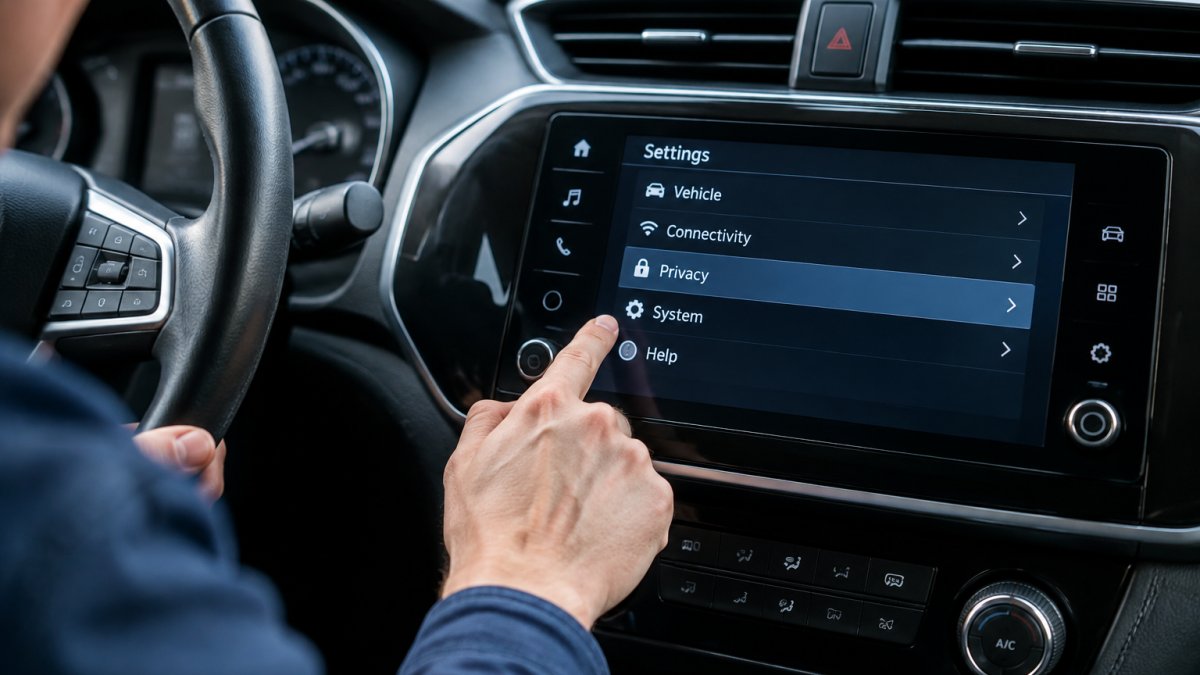
Most guides tell you to "turn off data sharing" and stop there. That advice fails in practice because the controls live in three separate places: the infotainment system, the automaker's mobile app, and your online vehicle account.
The three-door method
- Infotainment system. Open the main settings menu and look for a section labeled Privacy, Data, Connectivity, or Connected Services. Review each data-usage toggle: location and route history, driving-behavior collection, voice assistant recordings, and over-the-air diagnostic sharing. Turn off anything you do not actively use.
- Mobile app. Open the automaker's app, go to Account or Privacy settings, and review permissions separately. App permissions and vehicle settings are not linked; disabling sharing in the car does not always disable it in the app, and vice versa.
- Online vehicle account. Sign in to the automaker's owner portal on the web. Check the privacy dashboard, connected-services subscriptions, and any third-party data-sharing consents. This is where opt-outs for data brokers and marketing partners usually live.
After each change, save and confirm. Some systems require you to restart the vehicle or re-pair your phone before the setting takes effect.
Where to look by automaker
Menu paths change between model years, so treat these as starting points, not guarantees. Confirm against your owner's manual or the automaker's privacy page.
- Ford and Lincoln (SYNC 3 and SYNC 4): Settings > Connectivity > Connected Vehicle Features, plus a separate Data Sharing section. Ford's owner portal also has a privacy dashboard for account-level consents.
- General Motors (Chevrolet, Buick, GMC, Cadillac): Settings > Privacy, then review the OnStar and connected-services consents. GM's account portal controls marketing and third-party sharing separately from in-vehicle settings.
- Toyota and Lexus: Settings > Data Communication or Connected Services, plus the Toyota app's privacy menu. Toyota's owner portal has a data-sharing preferences page.
- Honda and Acura: Settings > System > Data Sharing, and a separate HondaLink or AcuraLink app privacy section.
- Hyundai, Kia, and Genesis: Settings > Data/Network or Privacy, plus the Bluelink or Kia Connect app and owner portal.
- Stellantis (Ram, Jeep, Dodge, Chrysler): Settings > Privacy or Connected Services, plus the Uconnect app and Mopar owner account.
If your make is not listed, search your owner's manual PDF for the terms "data sharing," "privacy," and "connected services." Those three terms appear in nearly every manual and point to the right menu. Once you have found the data-sharing controls, consider the other signals your car sends and take steps to protect car key signals from relay theft.
What to turn off first
Not every toggle carries the same risk. Prioritize in this order:
- Third-party data sharing and marketing consents in the web account, these are the broadest and hardest to reverse later.
- Location and route history if you do not use connected navigation.
- Driving-behavior collection tied to a driver profile, especially if you have not opted into an insurance telematics program.
- Voice assistant recording storage, which can capture conversations.
- Diagnostic and over-the-air data sharing last, since some of it supports safety recalls and warranty service.
Watch out: some automakers bundle the privacy opt-out behind a paid connected-services subscription. Canceling the subscription does not always stop the data collection, so confirm both the subscription status and the privacy toggle after canceling.
The controls live in three separate places, so close all three doors in this order.
| Where | What to review | Note |
|---|---|---|
| Infotainment system | Privacy, Data, Connectivity, or Connected Services toggles | Turn off anything you do not actively use |
| Mobile app | Account or Privacy settings and permissions | App permissions are not linked to vehicle settings |
| Online vehicle account | Privacy dashboard, subscriptions, third-party consents | Opt-outs for data brokers usually live here |
| Third-party data sharing and marketing consents | Web account | Broadest and hardest to reverse later |
| Location and route history | In-vehicle settings | Turn off if you do not use connected navigation |
| Driving-behavior collection | Driver profile | Especially if not opted into insurance telematics |
| Voice assistant recording storage | In-vehicle settings | Can capture conversations |
| Diagnostic and over-the-air data sharing | In-vehicle settings | Last, since some supports recalls and warranty |
How to Delete Personal Data From Car Systems
Deleting personal data from your car starts with a factory reset, but that's the blunt tool. Targeted deletion is smarter for most owners.
Factory Reset vs. Targeted Deletion
A factory reset wipes the infotainment system back to defaults. It's the right call before selling or trading in a vehicle.
Targeted deletion removes specific items: one paired phone, one driver profile, one navigation history. Use it when you're keeping the car but want to clear sensitive traces.
A common mistake is doing a factory reset without first unlinking your cloud account. The account can re-sync data back to the vehicle.
How to Remove Phone Data From Car Bluetooth and Infotainment
Removing phone data from your car means clearing three things: the Bluetooth pairing, the stored contact list, and any call or message history.
- Open Bluetooth settings on the infotainment system.
- Find your phone in the paired device list.
- Select it and choose Unlink or Forget Device.
- Delete the stored contact list and call history if the system keeps them separately.
- On your phone, remove the car from your Bluetooth list too.
Do this before lending your car, selling it, or returning a rental. Contact lists and text messages are the most personal data your car holds.
Reading Your Car Data Privacy Report and Filing Requests
Many automakers now publish a privacy policy and offer a data access request. Read the policy and look for what's collected, how long it's kept (data retention), and who it's shared with.
A car data privacy report is the record an automaker provides when you ask what data it holds on you. To file a request:
- Find the privacy contact in the automaker's policy or app.
- Submit a formal data access request and a deletion request.
- Keep a copy of every submission and the date.
For quick answers on how a platform handles your vehicle records, see our frequently asked questions. And if you're weighing how a digital logbook protects your data, our guide on whether a digital car logbook is secure breaks down encryption and access controls.
Verifying That Your Opt-Out and Deletion Requests Worked
Don't assume it worked. Verify. Re-check your privacy settings after a week. Request a second data report and compare it to the first. If data you asked to delete still appears, follow up in writing and reference your original request date.
This verification step is where most owners stop too early. A confirmation email is not proof of deletion.
Securing Shared, Rental, Fleet, and Used Vehicles
Shared and transferred vehicles carry the biggest privacy gaps. A rental car may hold the last driver's paired phone. A used car may still be tied to the previous owner's account.
- Before selling: factory reset the infotainment system, unlink your account, and remove all paired phones.
- When buying used: reset the system yourself and create your own vehicle account. Don't trust the seller's word.
- Rental cars: unlink your phone before returning it, and skip syncing contacts on the next rental.
- Fleet vehicles: use separate driver profiles and access controls, and review telematics sharing with your fleet manager.
Documenting Your Privacy Cleanup in Your Digital Garage
Once you've cleaned up, record it. At CarJourney, we built our digital garage around documenting work, parts, and intervals so nothing gets left out.
Log the date you changed settings, the deletion requests you filed, and the resets you performed. Our guide on what a digital garage platform should track shows how to keep those records complete, and why digital car logs matter explains how they protect resale value and simplify handoffs.
A common mistake is treating documentation as optional. Left-out details don't tell the whole story. A clean, documented history can help when you sell.
Your car's data exposure is real, but it's manageable with the right steps.
Frequently Asked Questions
How do I stop my car from collecting data?
You cannot fully stop a modern connected car from collecting data, but you can limit what leaves the vehicle. Open the infotainment settings and look for a privacy or data sharing menu, then turn off options for sharing driving data, location data, and usage analytics with the automaker and third parties. Decline connected services you do not use, and skip pairing your phone unless you need it. Assume some sharing happens by default and opt out deliberately.
How do I delete personal information from my car before selling it?
Run a factory reset on the infotainment system, which wipes paired phones, contact lists, call history, navigation history, and saved driver profiles. Before the reset, unlink every Bluetooth device individually so the car does not retain a pairing record. If the vehicle has a connected services account, close it or transfer ownership through the automaker's app. Keep a photo of the reset confirmation screen as proof, and note the date in your maintenance log so the next owner has a verifiable record.
Can a car manufacturer share my driving data?
Yes, often it can. Consumer Reports found that cars send driver data, including location and vehicle identifiers, to Big Tech companies. Sharing data beyond the purposes it was collected for can raise privacy concerns. Read the automaker's privacy policy, submit a data access request to see what is held, and use the opt-out settings in your vehicle and mobile app to limit sharing.
How do I secure my car's mobile app account?
Use a unique password and turn on two-factor authentication if the automaker app offers it. Review account permissions and revoke access for any third-party apps or family members you no longer want connected. Check the app's data usage settings and disable location or driving data sharing you do not need. If you sold the car, remove the vehicle from your account so the new owner cannot reach your profile, and confirm the removal by signing out and back in.