 carjourney
From the CarJourney journal
Best Apps for Managing Vehicle Service History in 2026
Table of Contents
- How We Evaluated the Best Apps for Managing Vehicle Service History
- Quick Comparison: Best Apps for Vehicle Service History
- CarJourney: Best for Enthusiasts Who Want a Car Maintenance Log App With AI Help
- Fuelly: Best for Fuel Tracking and Mileage Logging
- OBDeleven: Best for DIY Diagnostics and Repair Logging
- CarAdvise and Openbay: Best for Shop Comparison and Appointment Scheduling
- Fleetio and Lumiform: Best Multiple Vehicle Maintenance App Options for Fleets
- Which App Should You Pick for Digital Car Maintenance Records?
- Frequently Asked Questions
Last Updated: October 8, 2026
How We Evaluated the Best Apps for Managing Vehicle Service History
The best apps for managing vehicle service history do three things well: they capture records without friction, they keep those records retrievable years later, and they make the data portable when you sell the car. This guide compares seven options against those standards, not against marketing copy.

We scored every app on six tasks: logging an oil change, importing an existing paper record, setting a mileage-based reminder, tracking fuel, managing a second vehicle, and exporting your data. We also checked where each app gets its maintenance schedule from, since a reminder is only as good as the interval behind it. The FTC guidance on consumer data practices is worth reading before you upload years of receipts to any platform, because data ownership terms vary widely.
A common mistake is picking an app by its reminder feature alone. Reminders are easy to build. Exportable, verifiable service records are not.
Quick Comparison: Best Apps for Vehicle Service History
Here is how the seven apps stack up on the tasks that matter most for a vehicle service history.
| App | Best For | Free Tier | Service History Log | Export |
|---|---|---|---|---|
| CarJourney | Enthusiasts and project cars | Yes | Yes, unlimited | Shareable build profile |
| Fuelly | Fuel and mileage tracking | No | Limited | Not stated |
| OBDeleven | DIY diagnostics | No | Repair logging via device | Not stated |
| CarAdvise | Shop comparison and booking | Yes | Not a core feature | Not stated |
| Openbay | Price comparison and scheduling | No | Not specified | Not stated |
| Fleetio | Fleet workflow automation | No | Fleet-oriented | Not stated |
| Lumiform | Offline fleet inspections | No | Inspection records | Not stated |
The pattern is clear: most of these apps solve one job. Only a few treat your maintenance history as the product itself.
CarJourney: Best for Enthusiasts Who Want a Car Maintenance Log App With AI Help
CarJourney is the strongest pick for anyone who wants a genuine car maintenance log app rather than a fuel counter with a notes field. It is built for enthusiasts, which shows in how it handles modifications alongside routine service.
Key Features
VIN-based vehicle setup means you enter the VIN once and the app builds the vehicle profile for you, including older cars where manual entry is usually the only option. From there, AI-powered maintenance logs and Ask-AI Q&A let you ask questions about your own records instead of scrolling through them. Reminders run on both time and mileage, so a low-mileage car does not get flagged for an oil change it does not need yet.
The feature that separates CarJourney from a plain digital logbook is the shareable build profile. Every documented upgrade and service becomes part of a record a buyer can actually read.
Pricing
CarJourney offers a free plan, with paid tiers available. Current pricing is listed on the CarJourney pricing page.
Pros and Cons
What works: unlimited maintenance and modification tracking, VIN setup that handles project cars, and reminders tied to both date and odometer. The build profile helps turn record-keeping into resale value rather than a chore.
What does not: this is an enthusiast tool, not a fleet platform. If you manage a commercial fleet with work orders and driver assignments, Fleetio or Lumiform fit better.
Pro Tip When you import old receipts, log the odometer reading alongside each date. A service record without mileage is much harder to verify at resale, and it takes ten extra seconds per entry.Fuelly: Best for Fuel Tracking and Mileage Logging
Fuelly earns its place if fuel economy is your main concern. It tracks fill-ups and calculates mileage over time.
Where it falls short is depth. The available information identifies Fuelly as a car-maintenance app but does not verify detailed service-history features or pricing, so treat it as a fuel and mileage tool first.
OBDeleven: Best for DIY Diagnostics and Repair Logging
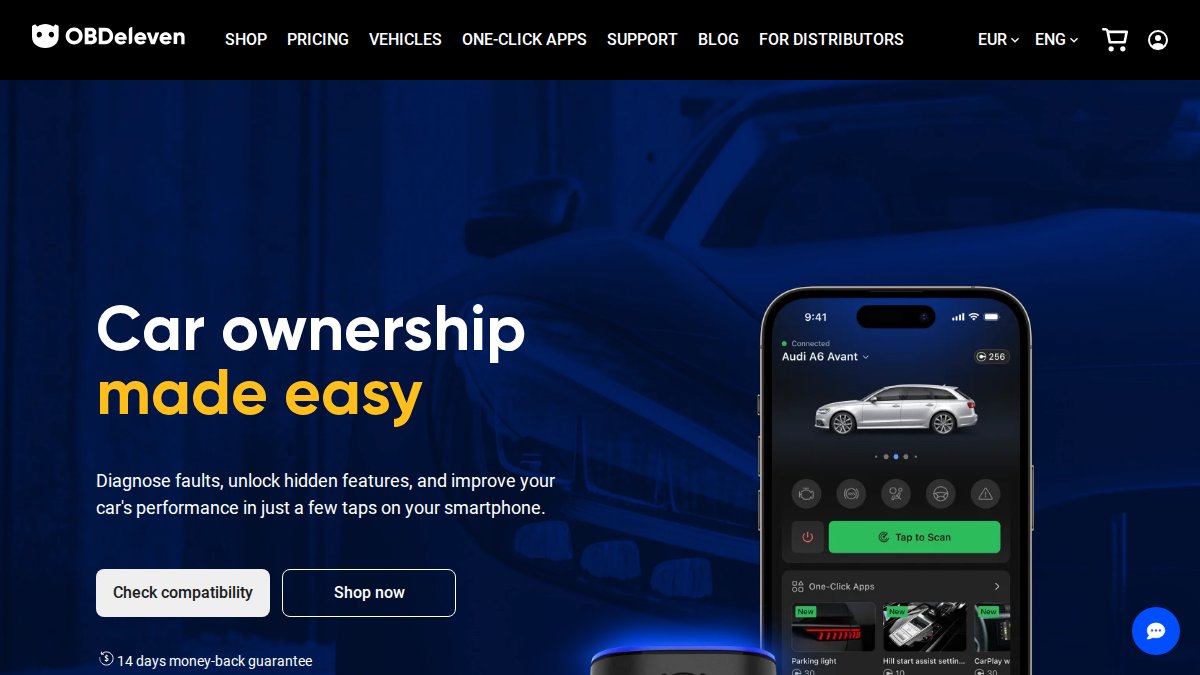
OBDeleven pairs an app with a physical diagnostic device, listed at €84.99 for the device. That hardware is the point: it reads fault codes directly from the car.
The caveat is scope. It is a diagnostic tool, not a record-keeping system, and the listed device price is in euros rather than dollars.
CarAdvise and Openbay: Best for Shop Comparison and Appointment Scheduling
CarAdvise and Openbay both target the moment you need to book service rather than the years you spend owning the car, but they solve that moment differently, and neither is a substitute for a service-history log.
CarAdvise is free for drivers and works as a shop-comparison and booking layer. You enter your vehicle, see participating shops in your area, compare quoted prices for a specific job (an oil change, brakes, a battery replacement), and book the appointment through the app. The value is price transparency on a per-job basis rather than a per-hour labor rate you have to interpret.
Openbay overlaps on shop comparison and scheduling but leans harder into the request-for-quote model: you describe the service, multiple shops respond with prices, and you pick one. It also surfaces service reminders. That reminder layer is the closest either app gets to maintenance tracking.
The practical gap for both is the same: a booking app knows about the jobs you booked through it and nothing about the oil change you did in your driveway, the tires you bought at a warehouse club, or the warranty repair the dealer performed.
A workable pattern is to use CarAdvise or Openbay to find the shop and lock in the price, then move the invoice into a dedicated log the same week. Capture four fields while the receipt is in front of you: date, odometer reading, the shop's name, and the specific parts or labor performed.
Watch Out Booking-app records are tied to your account with that platform. If you stop using the app, or the platform changes its terms, you may lose easy access to the job history you built there. Export or transcribe anything you want to keep.Neither app is verified here as a dedicated service-history log, and pricing beyond CarAdvise's free-for-drivers model is not stated in the available information. Treat both as front-end tools for the repair, not as the system of record for the car.
Fleetio and Lumiform: Best Multiple Vehicle Maintenance App Options for Fleets
Fleetio and Lumiform are the two picks here for anyone searching for a multiple vehicle maintenance app at fleet scale, and they are worth understanding even if you only own two or three cars, because the way they handle records is the opposite of how a consumer app handles them. These professional-grade systems prioritize granular data logging to ensure that every routine vehicle maintenance task is tracked with the same precision required for a commercial operation.
Fleetio is built around the work order. A vehicle gets a profile, a service task gets assigned, a technician closes it out, and the system tracks cost per vehicle, downtime, and parts. That structure is excellent for a business that needs to prove compliance and control spend across dozens of vehicles.
Lumiform takes a different angle. It is built for inspections and checklists, with offline capability that matters when a driver is walking a lot in a yard with no signal. Completed inspections become records with timestamps and photos. For a small operation that needs to document condition over time, that is genuinely useful. For a weekend project car, it is more structure than the job requires.
Both are priced for organizations, and neither publishes a simple consumer tier in the available information. That is the first signal that these may not be the right tools for a private owner.
The bigger issue, and the one most roundups skip, is what happens to your records when you stop paying, switch tools, or the vendor changes direction. Fleet platforms are designed around the account, not the vehicle. Your history lives inside their system, formatted for their reports. Before you commit years of records to any platform, answer three questions:
- Can I export the full history in a format I can read without the app (CSV, PDF, or both)?
- Does the export include the fields that matter for resale, date, odometer, service performed, parts, and shop?
- If the company shuts down or changes its terms, do I still have a usable copy?
A common pattern is that fleet tools export cleanly into accounting or compliance systems but not into a simple, human-readable vehicle history.
Watch Out Do not assume a fleet platform will export cleanly into a personal record system. Fleet tools are built around work orders and compliance reporting, not a buyer-friendly history document. Confirm export options in writing before you move your records in.If you manage a commercial fleet with work orders, driver assignments, and compliance reporting, Fleetio or Lumiform fit the job. If you are a private owner, a consumer app that treats your vehicle history as the product, and that lets you take that history with you, may be a better move.
Which App Should You Pick for Digital Car Maintenance Records?
Pick CarJourney if you want digital car maintenance records that survive a sale. It is built around a shareable, verifiable vehicle service history, with VIN-based setup, unlimited modification tracking, and reminders on both time and mileage.
Pick Fuelly for fuel economy, OBDeleven for diagnostics, CarAdvise or Openbay for booking, and Fleetio or Lumiform for fleet operations. Those are all reasonable single-purpose tools.
The deciding question is what happens when you sell. A folder of receipts and a fuel log may not fully answer a buyer's questions. A build profile with dated, mileage-stamped entries can help. For a closer look at how maintenance intervals are set, the NHTSA vehicle safety and recall information is a useful reference for recall alerts and manufacturer guidance.
Frequently Asked Questions
What is the best app for tracking car maintenance records?
The best app depends on your needs. CarJourney suits enthusiasts who want AI-powered logs, VIN-based setup, and shareable build profiles for resale. CarAdvise and Openbay work well for comparing shops and booking appointments. Fleetio and Lumiform target fleet operators. For a daily driver, a car maintenance log app that ties reminders to both time and mileage covers most routine needs like oil changes and tire rotations.
Can a car maintenance reminder app track multiple vehicles?
Yes, but support varies. A dedicated multiple vehicle maintenance app like CarJourney keeps every car, truck, and project in one digital garage with separate service histories and reminders. Fleetio and Lumiform also handle multiple vehicles, though they are built for fleet workflows. Before choosing, confirm the app lets you switch between vehicles without mixing up maintenance history, fuel logs, or odometer readings.
Are there free apps for tracking vehicle maintenance?
CarAdvise is described as free to use, and CarJourney offers a free plan. Many apps with free tiers limit the number of vehicles, records, or premium features like VIN decoding or receipt storage. If you only track one daily driver, a free plan may cover routine maintenance reminders and mileage logging. If you manage multiple vehicles or want digital car maintenance records for resale, a paid tier is usually worth it.
Can I share my car's service history with a potential buyer?
Some apps make this easy. CarJourney generates shareable build profiles that show documented maintenance and modifications, which helps prove vehicle care at resale. Others require exporting records manually or printing a log. If resale value matters to you, pick an app that supports exporting service records or sharing a read-only profile, so the buyer sees a verifiable maintenance history without needing an account.
What features should I look for in a vehicle maintenance tracking app?
Prioritize service records you can export, reminders based on both date and mileage, and support for multiple vehicles if you own more than one. VIN-based setup saves time on newer cars but check compatibility for older models. Also look at receipt and invoice storage, fuel tracking, and whether the app lets you import existing maintenance history so you are not starting from scratch.
Managing a vehicle's history across years, receipts, and multiple cars is where most record-keeping falls apart. CarJourney solves that with AI-powered maintenance logs and Ask-AI Q&A, VIN-based vehicle setup that works on older builds, and shareable build profiles that turn documented care into resale value. Start free with CarJourney and keep every car, truck, and project organized in one digital garage.
Start free