 carjourney
From the CarJourney journal
Best Car Maintenance Apps for Tracking in 2026

Table of Contents
- Quick Comparison: Best Car Maintenance Apps for Tracking
- CarJourney: AI-Powered Tracking for Enthusiasts and Project Cars
- Fuelly: Community-Driven Fuel Economy Tracking
- FIXD: Real-Time Diagnostics and Maintenance Alerts
- Vehicle Maintenance Tracker (VMT): Simple, Offline Logging
- OBDeleven: Professional-Grade Diagnostics for Advanced Users
- How to Choose the Best Car Maintenance App for Your Needs
- Using a DIY Car Repair Log App to Track Modifications and Custom Work
- Frequently Asked Questions
Last Updated: September 19, 2026
Quick Comparison: Best Car Maintenance Apps for Tracking
The best car maintenance apps for tracking combine service history, fuel economy, reminders, and cost records in one place, and the right pick depends on whether you drive a daily commuter or wrench on a project build. This guide from CarJourney breaks down five options by use case, hardware needs, and data portability so you can choose in minutes rather than weeks.
Digital record-keeping has moved from novelty to necessity. A vehicle identification number lookup now sets up a full maintenance schedule in seconds, and cloud backup means a decade of receipts no longer lives in a glovebox. Below, we compare the top contenders and flag the trade-offs most roundups skip: offline access, data export, and what a documented service history does for resale value.
| App | Best For | Hardware Needed | Offline Logging | Cost Model |
|---|---|---|---|---|
| CarJourney | Enthusiasts and project cars | None | Partial | Free tier, paid plans on pricing page |
| Fuelly | Fuel economy comparisons | None | No | Free, ad-supported |
| FIXD | Check-engine diagnostics | OBD-II sensor | No | Free app, hardware purchase |
| Vehicle Maintenance Tracker | Simple local logging | None | Yes | Free |
| OBDeleven | Advanced diagnostics and coding | OBD dongle | No | Hardware plus subscription |
CarJourney: AI-Powered Tracking for Enthusiasts and Project Cars
CarJourney is a smart maintenance and modification tracker built for enthusiasts who want one digital garage for every car, truck, and project. VIN-based setup populates your vehicle profile automatically, and AI-powered logs turn scattered receipts into a searchable service history.
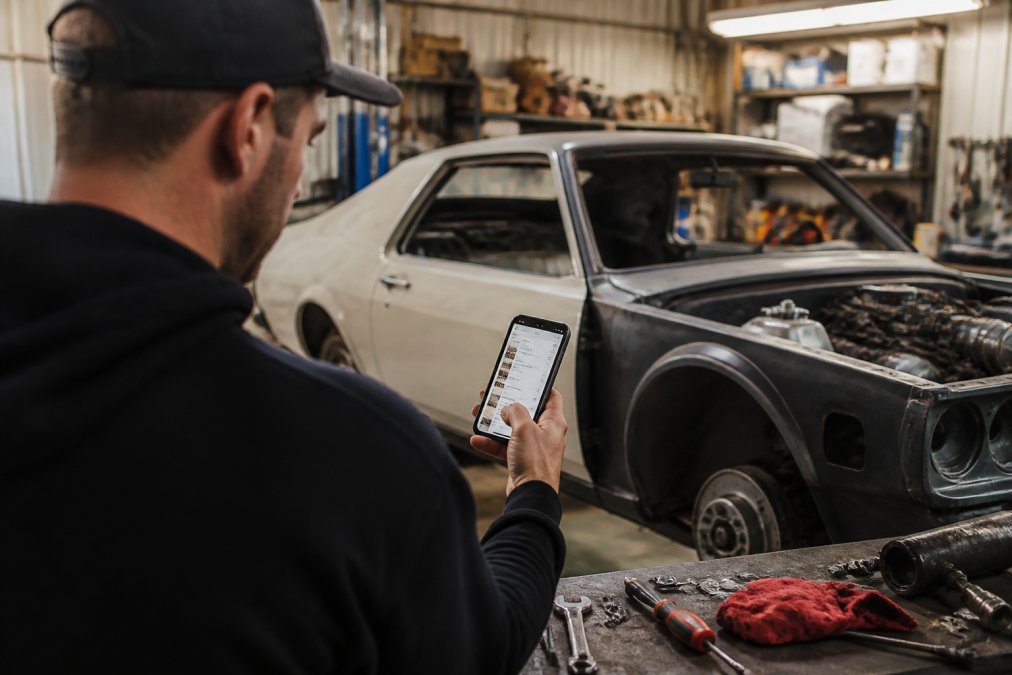
What separates it from a basic mileage log is scope. You can track unlimited maintenance and modifications, including one-off custom parts that generic apps have no field for. Reminders tie to both time and mileage, so oil change reminders fire correctly whether you commute daily or store the car for winter.
The shareable build profile matters at sale time. Instead of handing over a folder of paper, you send a link that proves vehicle care with dated entries and photos. That transparency supports resale value in a way a verbal "it's been maintained" never will.
Pro Tip When you log a modification, note the part number and torque spec in the same entry. Buyers and future-you both read those notes, and they make warranty claims far easier to support.Fuelly: Community-Driven Fuel Economy Tracking
Fuelly is a community-driven platform for tracking fuel efficiency and basic maintenance logs. It shines when you want to compare your real-world mileage against other owners of the same model.
The logging flow is simple: enter odometer reading and gallons at each fill-up, and the app calculates fuel efficiency trends over time. A large community database gives you a benchmark, which is genuinely useful if you suspect your car is underperforming.
Where it falls short is depth. There are no diagnostic trouble codes, no repair cost estimates, and no modification tracking. Treat Fuelly as a fuel log with a social layer, not a full maintenance schedule tool.
- Pros: Large comparison database, straightforward manual entry
- Cons: No advanced diagnostics, limited cost tracking
FIXD: Real-Time Diagnostics and Maintenance Alerts
FIXD pairs a Bluetooth OBD-II sensor with an app to read diagnostic trouble codes in real time. If a check-engine light worries you more than a spreadsheet does, this is the most direct route to an answer.
The sensor streams vehicle health data, and the app translates fault codes into plain language with repair cost estimates. Maintenance alerts trigger from actual sensor data rather than a fixed calendar, which catches problems a static schedule misses.
The catch is hardware. You must buy the OBD-II dongle before the app does anything, and older vehicles may not report every system. It also won't organize a build history or track modifications, so enthusiasts running both diagnostics and a project log end up using two tools.
- Pros: Actionable diagnostic data, helps avoid unnecessary shop visits
- Cons: Requires a physical sensor purchase
Vehicle Maintenance Tracker (VMT): Simple, Offline Logging
Vehicle Maintenance Tracker is a no-frills mobile app for logging service history and costs across multiple vehicles. It does one job well: manual entry that works without a signal.
Offline data entry is the headline feature. If you do your own work in a garage with poor reception, you can log a repair on the spot and attach a photo of the receipt. Cost tracking per service is clean and readable.
The trade-off is real. There's no cloud backup and no cross-device syncing, so your records live on one phone. If that device dies, so does your service history. For a free app that's a fair deal, but it's a deal you should make with open eyes.
- Pros: Completely free, easy to navigate, works offline
- Cons: No cloud backup or syncing, data trapped on one device
OBDeleven: Professional-Grade Diagnostics for Advanced Users
OBDeleven is a professional-grade diagnostic tool and app that scans, reads, and clears fault codes across vehicle control units. It goes deeper than a code reader, offering live data monitoring, service resets, and one-click coding apps.
For advanced users, that depth is the point. You can monitor live sensor data while diagnosing an intermittent fault, reset service intervals after your own oil change, and apply coding changes that dealership tools charge labor to perform.
- Pros: Deep control-unit access, professional-level capabilities
- Cons: Steep learning curve, hardware plus subscription cost
How to Choose the Best Car Maintenance App for Your Needs
The best car maintenance app for your needs is the one that matches your driving habits, your DIY appetite, and how much of your data you're willing to hand over. Most roundups stop at "pick one with reminders." That's not enough. Use the five tests below, the same ones a careful buyer would run before trusting an app with a decade of service records.
Score each candidate against this checklist before you commit:
- Privacy policy states what's collected, why, and how to delete it
- Full entries can be created offline and sync later
- Exports include attachments, not just text rows
- Reminders support both time-based and mileage-based intervals
- Supports your vehicle's year and VIN lookup
- Handles modifications, not just routine maintenance
- Free tier covers your realistic vehicle count
- Push notifications work on your phone's OS version
Using a DIY Car Repair Log App to Track Modifications and Custom Work
- Free-text description, so a turbo install reads as clearly as a tire rotation
- Part number and manufacturer, so a buyer can confirm the exact component
- Torque specs and fluid capacities for anything you touched
- Before/after photos attached to the entry, not buried in a camera roll
- Cost, so you can show investment without guessing
- Mileage at install, so wear items can be evaluated against the odometer
This is where CarJourney's approach fits naturally. Unlimited modification tracking, VIN-based setup, and a shareable build profile mean the documentation happens as you work rather than as a scramble before listing. You can start free and see how your own build history looks.
Frequently Asked Questions
What is the best app for tracking car maintenance and repairs?
The best app depends on your needs. CarJourney suits enthusiasts who want AI-powered logs, VIN-based setup, and shareable build profiles for resale. Fuelly works well for fuel economy tracking and community comparisons. FIXD provides real-time diagnostic codes via an OBD-II sensor. Vehicle Maintenance Tracker offers free, offline logging. OBDeleven gives advanced users deep diagnostic access. Try a few free tiers to see which fits your workflow.
Can a car maintenance app help increase my vehicle's resale value?
A documented service history gives buyers confidence and can support a higher asking price. Apps that generate shareable records, like CarJourney's build profiles, let you show proof of oil changes, tire rotations, and repairs. When you sell, you can transfer a verifiable log instead of a folder of receipts. That transparency often matters more than the app itself.
Are car maintenance apps worth using for DIY mechanics?
Yes, especially if you perform your own repairs. A DIY car repair log app lets you record custom work, attach photos of parts, and track costs per job. You can set reminders for service intervals and keep a digital logbook that travels with the car. For project cars with one-off modifications, apps like CarJourney handle custom entries beyond routine maintenance.
How do I keep an accurate digital record of my vehicle's service history?
Log every service immediately after it happens, including date, odometer reading, parts used, and cost. Use an app with VIN-based setup to avoid manual entry errors. Attach receipt photos and export data as CSV for backup. Set push notifications for upcoming maintenance alerts. Cloud backup ensures records survive a lost phone, and a vehicle maintenance schedule template can guide what to track.
Selling a car with a documented history is easier than selling one with a story. Buyers trust receipts, dates, and photos, and the sellers who provide them consistently get smoother transactions. CarJourney keeps every car, truck, and project in one digital garage, with AI-powered logs, VIN-based setup, and shareable build profiles that prove the care behind the car. Get started with CarJourney and turn your maintenance records into a history buyers trust.
Start free