 carjourney
From the CarJourney journal
Track Vehicle Modifications: 7 Best Methods for 2026
Table of Contents
- Why Tracking Vehicle Modifications Matters
- Quick Comparison: Top Tools to Track Vehicle Modifications
- 1. CarJourney: AI-Powered Modification and Maintenance Tracking
- 2. Track My Mods: Visual Logging for Multi-Vehicle Enthusiasts
- 3. AutoModList: Building Community-Driven Digital Garage Profiles
- 4. MotorMia: AI-Assisted Modification Planning and Documentation
- 5. Wheelscribe: Private DIY Modification and Maintenance Logs
- How to Document Car Mods: Step-by-Step Best Practices
Track Vehicle Modifications: 7 Best Methods for 2026
Last Updated: July 20, 2026
Why Tracking Vehicle Modifications Matters
Vehicle owners who maintain detailed modification records increase resale value by an average of 12-18%, according to automotive industry data from J.D. Power. Tracking modifications protects your investment by documenting warranty coverage, ensuring you remember what work was done and when, and helping you avoid duplicate services or conflicting upgrades. When you sell, detailed records become proof of quality work that buyers trust far more than verbal claims.
The challenge most enthusiasts face is simple: modification tracking feels overwhelming. Without a system, you lose track of which parts are under warranty, which services are due, and which modifications complement each other. This guide covers seven approaches to organizing your vehicle's complete story.
Quick Comparison: Top Tools to Track Vehicle Modifications
| Tool | Free Tier | Best For | Key Strength |
|---|---|---|---|
| CarJourney | Yes | All enthusiasts | AI-powered logs + shareable profiles |
| Track My Mods | Limited (1 vehicle) | Multi-vehicle owners | Visual mod logging + expense tracking |
| AutoModList | No | Community builders | Professional QR codes for car shows |
| MotorMia | Yes | Mod planners | AI tuning suggestions + documentation |
| Wheelscribe | Yes (1 car) | DIY mechanics | Private VIN-based service records |
1. CarJourney: AI-Powered Modification and Maintenance Tracking
CarJourney combines AI-assisted logging with shareable build profiles that prove your car's history to buyers. Instead of manually typing every service, you describe what you did and the platform's AI generates organized logs with automatic mileage and date tracking. The VIN-based setup eliminates manual vehicle detail entry.
What makes this strongest for most enthusiasts: unlimited modification and maintenance tracking without restrictions on vehicle count or entry limits. You can document everything from engine rebuilds to air filter swaps, with photos, receipts, and links attached to each entry. The platform generates a professional web page showcasing your build with a custom QR code for car shows or sale listings.
When you sell, instead of handing over a folder of receipts, you share a link showing your complete vehicle history. Buyers see every modification, every service date, every part upgrade, building trust and justifying your asking price.
Pro Tip Use CarJourney's Ask-AI feature to quickly categorize [old receipts and photos](/blog/how-to-organize-car-service-paperwork) from past work. The AI can extract dates, part names, and costs from photos, saving hours of manual data entry when organizing legacy records.The free tier gives you full access to core tracking and one shareable build profile.
2. Track My Mods: Visual Logging for Multi-Vehicle Enthusiasts
Track My Mods excels at capturing your build's visual progression through photos, videos, and detailed annotations. The visual timeline feature lets you scroll through your entire build journey month by month. The app supports cars, motorcycles, trucks, boats, and planes, critical if you maintain multiple vehicle types.
The expense tracking integration is useful for discovering exactly how much you've invested in engine work versus suspension upgrades versus cosmetic changes. Many enthusiasts use this insight to justify budget decisions for future projects.
The free tier covers one vehicle with up to 100 entries. The PLUS subscription removes these caps and adds unlimited vehicles, making it the right choice if you juggle multiple cars.
What it doesn't do well: community sharing or resale-focused documentation. Track My Mods is strongest for personal project documentation and expense tracking.
3. AutoModList: Building Community-Driven Digital Garage Profiles
AutoModList treats your vehicle documentation as a public or semi-public profile that connects you with other enthusiasts. The platform generates a professional web page for each vehicle with a custom QR code you can display at car shows. Scan the code and visitors see your complete build specs, modification timeline, and part list.
The community features distinguish this tool. Browse other builds in your vehicle category, find inspiration for your next upgrade, and connect with owners of similar cars. The platform offers exclusive member-only discounts on aftermarket parts.
Setup requires a subscription with no free tier. The investment makes sense if you plan to showcase your build publicly or attend car shows regularly. The QR code feature is particularly useful for car shows, allowing you to hand visitors a card linking to your complete build profile instead of explaining modifications verbally.
4. MotorMia: AI-Assisted Modification Planning and Documentation
MotorMia solves modification planning: the AI engine suggests compatible upgrades based on your vehicle and budget, then helps you source parts from integrated retailers. The "Glovebox" feature stores documentation, maintenance logs, and modification history.
The visual mod timeline with photos is clean and intuitive. Free access covers core features, making it an excellent starting point if you're new to modification tracking. The planning features are strongest here; if you're deciding between turbocharging versus supercharging, MotorMia's AI recommendations accelerate the decision process.
The documentation features feel newer than dedicated tracking apps. If modification planning is your priority and documentation is secondary, this tool delivers.
5. Wheelscribe: Private DIY Modification and Maintenance Logs
Wheelscribe is built for DIY mechanics who want detailed, private records of every wrench turned. There's no public profile or community feed, just your garage and your records.
The VIN auto-decode feature automatically populates your vehicle details. Log every oil change, brake job, and modification with mileage, dates, photos, and receipts. The platform distinguishes between maintenance entries and modifications, keeping your service history separate from your build documentation.
The free tier covers one vehicle forever, making it excellent for someone with a single project car or daily driver. Generate a complete service record PDF showing every bit of work performed, professional documentation that justifies your asking price and proves proper maintenance.
Watch Out Wheelscribe's free tier is limited to one vehicle. If you maintain multiple cars, the freemium model quickly becomes expensive. Calculate total vehicle count before committing.How to Document Car Mods: Step-by-Step Best Practices
The best way to track vehicle modifications starts with consistent documentation habits. Follow these steps to build a sustainable practice that actually saves time.
What to Record for Each Modification
Every modification entry should capture four essential details: what was changed, when it was done, why you made the change, and how much it cost. The "what" includes the part name, manufacturer, part number if available, and a brief description of the work performed. The "when" means the exact date and your vehicle's mileage at the time of modification, critical for warranty tracking and future service planning.
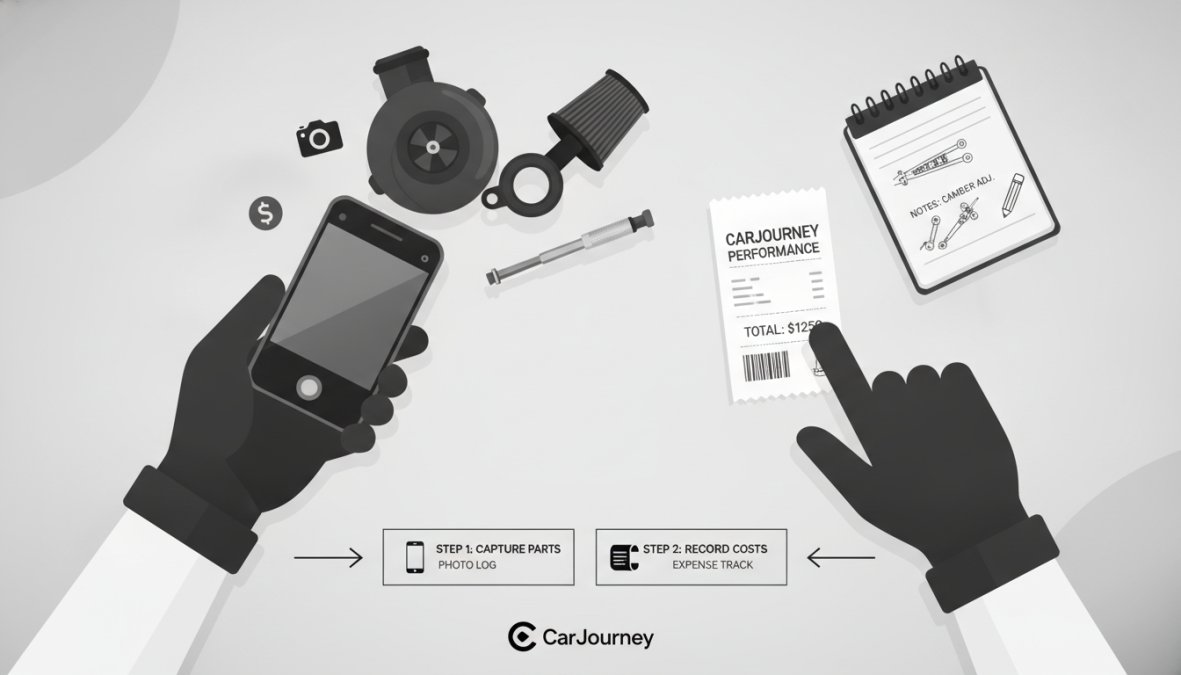
The "why" demonstrates thoughtful planning rather than random upgrades. When you're considering a complementary modification months later, understanding your original intent prevents conflicting decisions. Cost documentation shows your total investment and helps you budget for future modifications. Track parts cost separately from labor cost.
Organizing Photos and Receipts
Photos need context to be useful. Photograph the before state, the installation process, and the finished result. Include a photo of the receipt alongside the part itself. This visual proof matters enormously when proving authenticity to future buyers.
Create a consistent naming convention for photos. Use "2026-07-Suspension-Lowering-Before" rather than "IMG_1847.jpg." Descriptive names save hours of scrolling when searching for documentation months later.
Keep receipts digital from day one. Photograph paper receipts immediately and store them in your tracking app. Digital copies last forever and integrate seamlessly with modification tracking platforms.
Organize by category: engine modifications, suspension work, cosmetic upgrades, interior improvements, electrical upgrades. This structure makes it easy to see what you've invested in each area and identify gaps in your build.
(/blog/how-to-document-car-upgrades-a-complete-guide)]Legal Implications and Data Privacy Considerations
Documenting modifications raises questions about data security and privacy. When you upload photos and modification details to cloud-based platforms, you're trusting that service with sensitive information about your vehicle's specifications and upgrade details.
Choose platforms that clearly state their data privacy policies. The FTC's guidance on data privacy for consumer apps outlines what questions you should ask: Is your data encrypted in transit and at rest? Can the company sell your data to third parties? What happens to your information if the company is acquired?
Consider what information you're comfortable sharing publicly. A shareable build profile is valuable for resale, but it also broadcasts your vehicle's exact specifications. Some enthusiasts create two profiles: a detailed private log for personal reference and a simplified public profile for buyers that omits sensitive details.
Cloud-Based Versus Local Storage: Choosing Your Approach
Cloud-based platforms like CarJourney offer accessibility from any device with internet. Local storage gives you complete control over your data but sacrifices accessibility. The hybrid approach works best: maintain detailed records in a cloud platform for daily reference while periodically exporting your complete history as a backup stored locally.
Integration with Insurance and Resale Documentation
Insurance companies increasingly want documentation of modifications. Custom engine work, suspension upgrades, and expensive aftermarket parts affect your vehicle's value and insurability. Some modifications actually reduce insurance costs through safety discounts.
Detailed modification records simplify insurance claims if your vehicle is damaged, proving the value of custom parts and justifying replacement costs. For resale, modification documentation becomes your strongest selling tool. A buyer seeing a complete timeline of professional work, quality parts, and thoughtful upgrades will pay more than someone buying an identical car with no proof of quality.
Organizing your vehicle's modification history transforms scattered receipts and phone photos into a professional asset. Whether you're maintaining a daily driver, building a project car, or preparing to sell, the best way to track vehicle modifications is through a dedicated platform that combines ease of use with the features you actually need. CarJourney's AI-powered logs and shareable build profiles make it the strongest choice for most enthusiasts. Start free and upgrade only if you need additional features. The time you invest documenting your work today pays dividends when you're ready to sell, and it ensures you never forget which modifications you've completed or when they were done.
Frequently Asked Questions
What's the best way to track vehicle modifications for resale?
Document every modification with photos, dates, receipts, and parts information. Use a dedicated modification logbook app or spreadsheet to organize entries chronologically. Generate a complete vehicle modification history report before selling, buyers trust documented builds and may pay premium prices for well-maintained, transparent modification records. Apps like CarJourney offer shareable build profiles specifically designed to prove vehicle care to potential buyers.
Should I use a vehicle modification logbook app or a spreadsheet?
Apps are ideal if you track multiple vehicles, want automatic backups, or need photo/receipt integration. Spreadsheets work for single cars and simple tracking but lack media support and cloud sync. For serious enthusiasts with complex builds, a dedicated app like Track My Mods or CarJourney saves time and ensures nothing gets lost. Consider your vehicle count and how detailed your documentation needs to be.
How do I organize old modification receipts and photos?
Start by sorting receipts chronologically and grouping them by modification type. Photograph receipts clearly and store digital copies in your chosen app or cloud folder. Create a naming system (e.g., 'Date_PartName_Cost') for easy searching. Many apps like Track My Mods allow you to upload photos, videos, and documents directly, consolidating everything in one place. This prevents scattered files and makes resale documentation seamless.
Is there a free way to track vehicle modifications?
Yes, several apps offer free tiers. BuildSheet and Loggy are completely free. CarJourney, Track My Mods, and Wheelscribe offer free plans for one vehicle with limitations on entries or features. Free spreadsheets (Google Sheets, Excel) are also viable but lack automation and cloud sync. Free options work well for basic tracking, but paid plans unlock unlimited vehicles, advanced features, and better organization for serious car enthusiasts.
What information should I record for each vehicle modification?
Record the modification name, date installed, mileage, parts used, cost, vendor/seller, installation method (DIY or professional), performance impact, photos before/after, and receipts. For resale, also note warranty information and any tuning data or performance metrics. This comprehensive documentation proves the modification's legitimacy, quality, and value, critical for buyers evaluating custom builds and justifying premium pricing.
This article was written using GrandRanker