 carjourney
From the CarJourney journal
How to Organize Car Receipts for Tax Purposes
Table of Contents
- Why a Car-Specific Receipt System Beats a Shoebox
- How to Categorize Car Expenses for Taxes
- Build a Car Expense Spreadsheet for Taxes
- Keep a Mileage Log for Tax Purposes That Matches Your Receipts
- Standard Mileage Rate or Actual Vehicle Expenses?
- How Long to Keep Tax Receipts and Vehicle Records
- Conclusion: Set Up Your System Before Tax Season
- Frequently Asked Questions
Last Updated: October 4, 2026
Why a Car-Specific Receipt System Beats a Shoebox
Learning how to organize car receipts for tax purposes starts with one hard truth: a shoebox is not a system for car receipts. It is a delay tactic. When tax season arrives, you end up sorting a year of crumpled gas slips at the last minute, and that is when mistakes happen.
A car-specific system works better because vehicle costs follow their own rules. Gas, repairs, tires, parking, and tolls all connect to one thing: how many miles you drove for work. Our digital garage is designed to help your records tell one clean story instead of five messy ones.
The IRS guidance on recordkeeping for small business makes the standard clear. You must be able to prove your deductions with supporting documents. A shoebox can't do that. A labeled system can.
Key Takeaway One folder, one spreadsheet, one mileage log. Three tools, working together, beat any pile of receipts.What Belongs in Your Vehicle Records File
Your vehicle file should hold everything that proves a car expense happened. Keep it simple and keep it complete:
- Receipts for fuel, oil changes, and repairs
- Tire purchases and rotation records
- Parking and toll receipts
- Insurance and registration documents
- Your mileage log for the year
- Loan interest statements, if you finance the car
Each record needs four details: the date incurred, the payee, the amount paid, and a short expense description. Miss one, and the record gets weaker.
How to Categorize Car Expenses for Taxes
Categorizing car expenses means sorting every cost into a small set of buckets, then marking each one as business or personal. Most people use too many categories and quit by March.
Pick five to seven buckets and stay with them all year:
- Fuel
- Repairs and maintenance
- Insurance
- Registration and fees
- Parking and tolls
- Loan interest
- Depreciation
Labeled folders, color-coded by bucket, make paper sorting fast. Digital files work the same way. The IRS publication on how to prove your deductions notes that you can keep electronic records, as long as they are clear and easy to read.
Splitting Business Use From Personal Use
Business-use versus personal-use allocation is where most car owners get sloppy. The fix is a business-use percentage: the share of your total miles driven for work.
Say you drove 12,000 miles this year and 6,000 were for business. Your business-use percentage is 50%. That share applies to shared costs like insurance and repairs. Costs tied to a specific business trip, like a parking fee, count fully.
Track your total miles and business miles from day one. Rebuilding that split in April is close to impossible.
Build a Car Expense Spreadsheet for Taxes
A car expense spreadsheet for taxes is the fastest way to see your whole year at a glance. You do not need fancy software. A simple table with the right columns does the job.
Set up these columns:
- Date
- Vendor or payee
- Category
- Amount
- Business-use percentage
- Deductible amount
- Receipt filed (yes or no)
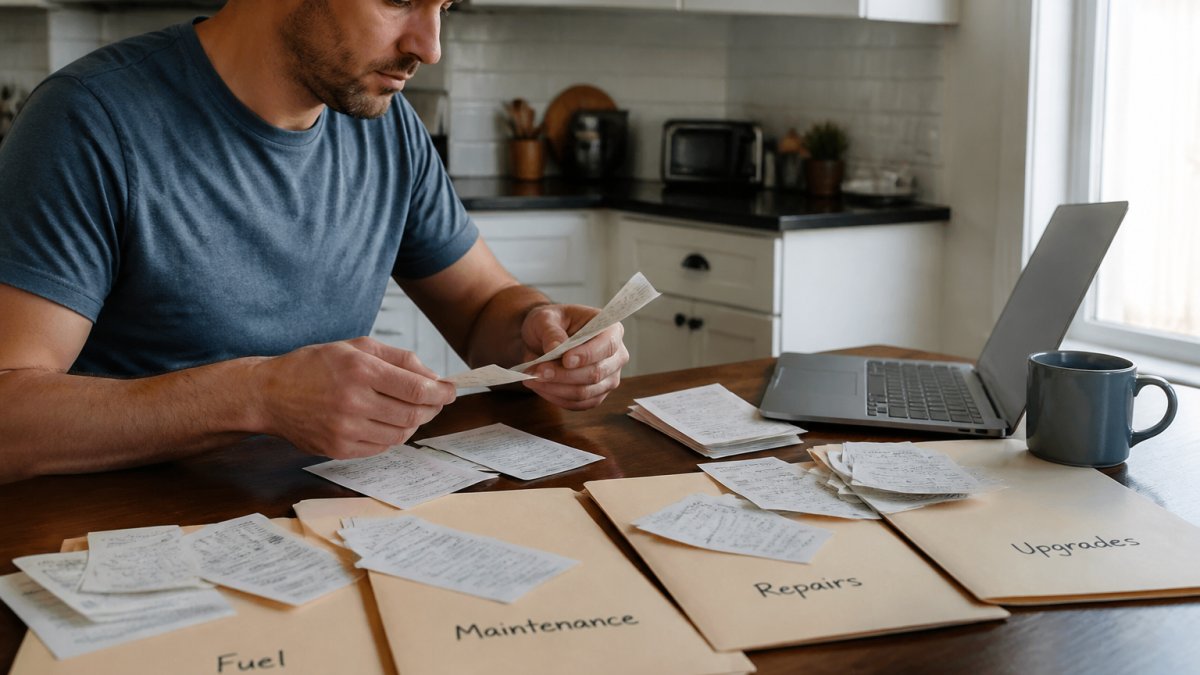
Add each expense as it happens, not in a batch at year end. Ten seconds at the pump saves an hour in April. Our small business expense tracking overview from the U.S. Chamber of Commerce points to the same habit: record it now, not later.
| Task | When to Do It | Time Needed |
|---|---|---|
| Log a fuel receipt | Same day | 1 minute |
| Update mileage log | End of each trip day | 2 minutes |
| Sort paper receipts into folders | Weekly | 10 minutes |
| Review spreadsheet for gaps | Monthly | 15 minutes |
| Full records check | Before tax season | 1 hour |
Keep a Mileage Log for Tax Purposes That Matches Your Receipts
A mileage log for tax purposes is a dated record of every business trip: where you went, why, and how far. It is the single most important car document you will keep, and it is also the document most people build wrong, either too sparse to be useful or too detailed to maintain.
How to Scan and Organize Receipts for Tax Season (Automatically Extract Key Details)
Wondershare PDFelement
The log and your receipts must tell the same story. If your log shows a 300-mile business trip on March 14, there should be a fuel receipt from that day, or a card statement entry, or a toll record that corroborates the route. Gaps between the two invite questions, and questions are what you are trying to avoid.
Your log needs these fields for every business trip:
- Date
- Starting and ending odometer readings
- Total miles
- Destination
- Business purpose
That last field is the one people skip and the one that matters most. "Client meeting" is weaker than "On-site estimate for Smith residence, 1420 Oak Street." The purpose should be specific enough that a stranger reading it a year later understands why the trip was business.
Matching Receipts to Log Entries
The matching workflow is simpler than it sounds. For each business trip, ask: what receipt would prove this trip happened? Fuel stops, parking, tolls, and repair visits all generate paper or digital trails. When you log the trip, note whether a receipt exists and where it is filed.
A practical pattern is to add a receipt-status column to your mileage log, filed, pending, or not applicable, and review it monthly. Anything marked pending for more than 30 days is probably never going to arrive, and you should either track down a replacement or note why the trip has no receipt.
Handling Missing, Faded, or Digital Receipts
Thermal paper fades. Gas station receipts left on a dashboard can be blank within a year. When a receipt is gone, you have three recovery paths:
- Card and bank statements. A dated charge to a fuel vendor or repair shop is supporting evidence, even without the itemized slip. Download the statement page and file it with a note explaining what it covers.
- Vendor records. Many repair shops and dealerships can reprint an invoice or email a copy. Fuel chains often let you pull purchase history from a loyalty account.
- Emailed receipts. If you pay at the pump with a card tied to an email address, the receipt may already be in your inbox. Search by vendor name and date, then save the message as a PDF.
For digital receipts, the same rule applies as for paper: keep them clear, readable, and stored where you can find them by date. A folder named for the year, with subfolders by month or category, is enough.
Pro Tip Scan or download receipts the same week you get them. A faded receipt proves nothing, and a replacement request six months later is far harder than a two-minute scan today.CarJourney ties reminders to both time and mileage, so service records and mileage entries stay in sync. That matching habit, trip logged, receipt filed, status confirmed, is what makes a log hold up under review.
Standard Mileage Rate or Actual Vehicle Expenses?
You have two ways to claim vehicle costs, and you can only pick one per car per year. The standard mileage rate is a set amount per business mile. Actual vehicle expenses means adding up real costs like fuel, repairs, and insurance, then applying your business-use percentage. Choosing between these methods requires a reliable system to track business expenses so that every deduction remains fully substantiated throughout the fiscal year.
Here is the trade-off in plain terms:
| Method | Best For | What You Need |
|---|---|---|
| Standard mileage rate | Simple records, older cars, mixed driving | A clean mileage log |
| Actual vehicle expenses | High-cost vehicles, lots of repairs | Every receipt plus a mileage log |
The standard mileage rate changes most years, so confirm the current figure on the IRS standard mileage rates page before you file. We do not quote a number here on purpose, because a wrong rate is worse than no rate at all.
If you use actual expenses in the first year, you generally must keep using it for that car. Choose with your records in mind, not just this year's math.
How Long to Keep Tax Receipts and Vehicle Records
Keep tax receipts and vehicle records for at least three years after you file, and longer in some cases. Three years is the general window for the IRS to question a return.
Stretch that to seven years if you:
- Claim a loss from a bad debt
- Underreport income by a large margin
- File a claim for a credit you later adjust
Keep your mileage log and purchase documents for as long as you own the car. When you sell it, the buyer wants service history, and you want proof of your basis for any gain or loss.
Digital storage makes this easy. Scan paper receipts, back up the files, and keep scanned copies in one central folder. The FTC advice on protecting your personal information is worth following here: back up your records and keep them secure.
Pro Tip Scan receipts the same week you get them. Faded thermal paper loses its ink within a couple of years, and a blank receipt proves nothing.Conclusion: Set Up Your System Before Tax Season
The hard part is not the paperwork. It is starting before you have to. A car expense system built in January takes an afternoon. The same system rebuilt in April takes days, and it will have holes.
CarJourney offers VIN-based vehicle setup to build your garage, AI-powered logs and Ask-AI Q&A to help you sort expenses and spot missing records, and shareable build profiles to turn your documented history into proof of care when you sell.
Start free with CarJourney and let your records do the arguing for you.
Frequently Asked Questions
What car receipts should I keep for taxes?
Keep receipts for fuel, repairs and maintenance, parking and tolls, insurance, registration, and any aftermarket parts or modifications tied to business use. Each receipt needs the date incurred, payee, amount paid, and an expense description. Gas station receipts, mechanic invoices, and toll statements all count as supporting documents. If you claim the standard mileage rate, you still need a mileage log, though fuel receipts matter less because the rate already covers those costs.
Can I use digital copies of car receipts for tax records?
Yes. The IRS accepts scanned copies and electronic records as long as they are legible, complete, and retrievable. Scan paper receipts within a week of getting them, name each file with the date and vendor, and back up to cloud storage plus a local drive. Digital receipts from email or apps work too. The key is that you can produce a clear copy on request, so faded thermal paper is not your only proof of payment.
What is the $75 rule for receipts?
For travel and certain business expenses, the IRS does not require a receipt for expenses under $75, but you still need to record the date, amount, and business purpose. This threshold does not remove your obligation to prove a deduction. For car expenses, keeping every receipt is simpler than tracking which ones fall under the threshold, and it protects you if your business-use percentage is questioned during an audit.
How should I organize mileage logs and car receipts together?
Log each trip as it happens with the date, destination, purpose, and odometer readings, then file the matching fuel or repair receipt under the same month. A car expense spreadsheet with one row per trip and a receipt column keeps the two linked. At year end, your total business mileage and your categorized receipts should reconcile against the same business-use percentage, which is what an examiner checks first.
Start free