 carjourney
From the CarJourney journal
Personal Vehicle Maintenance Log Alternatives to Carfax
Table of Contents
- Why a Personal Vehicle Maintenance Log Matters More Than Carfax
- Best Car Maintenance Tracker Apps for DIY Enthusiasts
- How to Organize Vehicle Service Records Effectively
- Carfax vs. Personal Maintenance Logging: What's the Real Difference
- How to Increase Resale Value With Maintenance Records
- Common Mistakes When Tracking Vehicle History and How to Avoid Them
- Frequently Asked Questions
Last Updated: September 21, 2026
Why a Personal Vehicle Maintenance Log Matters More Than Carfax
Carfax captures accident history and title status from third-party databases, useful for checking a vehicle's past. A personal vehicle maintenance log documents every service you performed, every upgrade you installed, and every decision you made about your vehicle's care. This creates a verifiable, shareable record that buyers actually trust.
A vehicle maintenance log gives you control. When you track your own service history, you know exactly when your last oil change happened and which parts you installed. You can prove quality work with receipts and photos. Carfax only aggregates data from shops that report to its network, so independent mechanics, DIY work, and custom modifications often disappear from the official record.
The best approach combines both: use free government tools to verify a vehicle's title and safety status, then maintain your own digital logbook like CarJourney to document everything that matters for your specific car.
Best Car Maintenance Tracker Apps for DIY Enthusiasts
CarJourney: AI-Powered Logs and Shareable Build Profiles
CarJourney treats your vehicle maintenance log as a central asset you can organize, share, and use when selling or trading in your car. Input your VIN and the system automatically pulls your vehicle's specs. Add service milestones, modifications, and maintenance intervals. The app reminds you when services are due based on both time and mileage.
CarJourney's shareable build profile lets buyers see exactly what you've done to the car instead of relying on Carfax's third-party data. For DIY enthusiasts and project car owners, you can showcase custom work, quality parts, and meticulous maintenance in one place.
Key strengths:
- AI-powered logging reduces friction
- Unlimited tracking of maintenance and modifications
- Reminders tied to both time and mileage intervals
- Shareable profiles for resale transparency
- Community insights and peer-reviewed maintenance guidance
- Free plan available with core features
Best for: DIY enthusiasts, project car owners, anyone selling a vehicle and wanting to prove its care history.
OBD-II Scanner Integration: The Automation Layer Most Apps Miss
OBD-II (On-Board Diagnostics, second generation) is the standardized port on every vehicle manufactured after 1996. It connects to your car's engine control unit and reads real-time data: fuel efficiency, engine temperature, emission readiness, and diagnostic trouble codes. A growing number of maintenance apps integrate with affordable OBD-II Bluetooth scanners (typically $25-$100) to automate data capture.
Plug a Bluetooth OBD-II scanner into your vehicle's diagnostic port. The scanner pairs with your maintenance app and automatically logs current mileage, engine diagnostics, fault codes, fuel economy, service interval status, and battery health. After service work, re-scan to verify fault codes are cleared, creating an automated before-and-after record.
When you sell a vehicle, a buyer sees not just that you performed maintenance, but that you verified the results. If you replaced a faulty oxygen sensor, your log shows the diagnostic code, the date you fixed it, and the follow-up scan proving it was resolved. For modified vehicles, OBD-II integration documents tuning parameters, codes during development, and the final clean scan, proof of professional work.
Not all maintenance apps support OBD-II integration yet. Compatibility varies by vehicle make and model; some have proprietary diagnostic systems that don't fully expose data through the standard OBD-II port. Advanced parameters require a premium scanner.
Best for: DIY enthusiasts who perform their own diagnostics, modified vehicle owners, and anyone who wants automated, verifiable proof of maintenance quality.
Free Government Tools: NHTSA VIN Decoder and NICB VINCheck
Before spending money on any third-party service, use the free tools the government provides. These are authoritative and cost nothing.
The NHTSA VIN Decoder lets you check your vehicle's safety recalls and specifications. Enter your VIN and get official recall data, which is critical for safety verification. This is the source of truth for recalls; no paid service can beat the government's own database.
The NICB VINCheck checks whether a vehicle has been reported stolen or totaled as a salvage vehicle. It's a quick fraud prevention check, and it's completely free. These two tools together give you the essential title and safety verification that Carfax charges for.
Key strengths:
- Completely free
- Official government data
- Essential for fraud prevention and safety checks
- No subscription required
Limitations: Neither tool tracks repairs, maintenance, or service history. They verify the vehicle's status, not its care.
Best for: Quick VIN verification before buying or to confirm your own vehicle's safety record.
How to Organize Vehicle Service Records Effectively
A vehicle maintenance log only works if you can find what you need and trust where your data is stored. Start by consolidating everything: dig through email, photos, filing cabinets, and notes to find every receipt, invoice, and photo from repairs and upgrades.
Choose a storage system that matches your privacy needs. Cloud-based apps (like CarJourney) sync across devices and back up automatically, but your data is stored on company servers. Local-first apps keep data on your device by default. Spreadsheets offer complete privacy but require manual backups. For most owners, a hybrid approach works best: use an app for day-to-day logging and maintain a local backup on your computer and external drive.
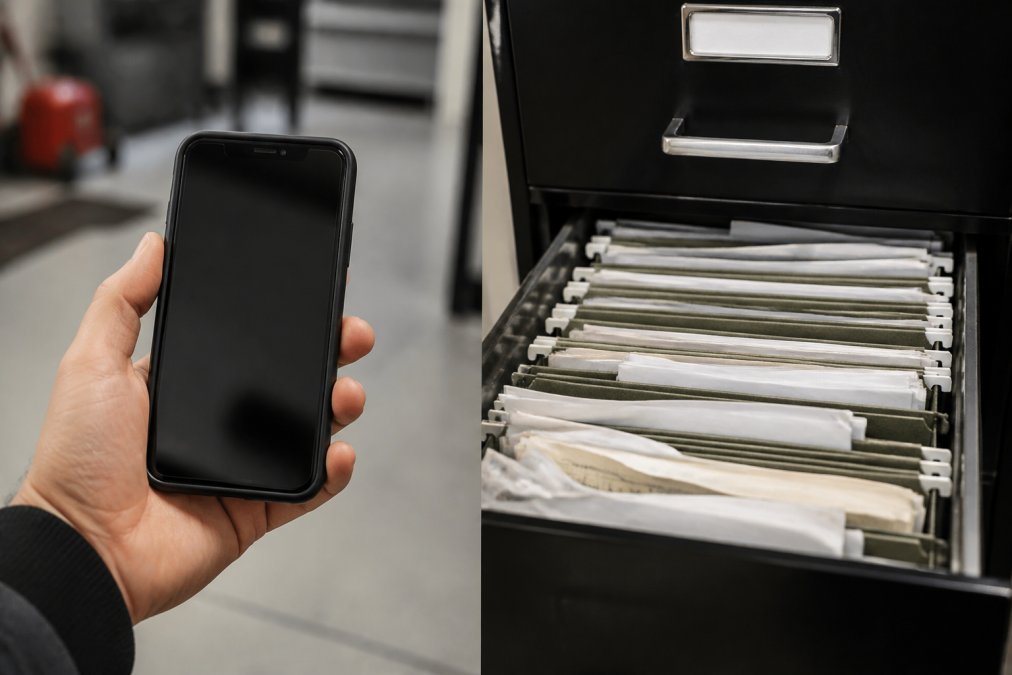
Log services immediately after they're completed. Photograph receipts and add them to your system right away. Set a phone reminder after each service visit. Most maintenance apps use OCR to extract key details from receipt photos automatically.
Use consistent labels: "Oil Change," "Brake Service," "Engine Upgrade," "Suspension." Include date, mileage, service provider, parts used, cost, photos, and notes in every entry. This detail separates a vehicle maintenance log that increases resale value from one that doesn't. A buyer will see not just that you changed your oil, but that you used synthetic 5W-30 at 45,000 miles for $65 at a certified shop, proof of quality maintenance. Maintaining this level of transparency extends to sourcing replacement parts, where selecting the right components ensures your vehicle remains in peak condition throughout its service life.
If you use a cloud-based app with shareable profiles, you're revealing your vehicle's complete service history, mileage, modifications, and service patterns. Some owners prefer to share selectively, provide a PDF summary to serious buyers rather than a live profile. Know your app's sharing options.
Back up your data redundantly. If using an app, export a backup copy quarterly. If using a spreadsheet, save copies to cloud storage and an external hard drive. Your records shouldn't disappear because your phone broke or a company's servers went down.
Carfax vs. Personal Maintenance Logging: What's the Real Difference
Carfax aggregates third-party data from insurance claims, repair shops, and DMV records. It shows accidents and title problems but misses independent mechanics, DIY work, and custom modifications. A personal vehicle maintenance log captures everything you do, your proof of care. Carfax is useful for buying because it reveals hidden problems. A personal log is useful for selling because it proves you took care of the car. Check Carfax when buying to verify the vehicle's past. Build your own maintenance log to document your ownership. A vehicle maintenance log app may be free or low-cost, making it a good investment for long-term record-keeping.
| Aspect | Carfax | Personal Maintenance Log |
|---|---|---|
| Data Source | Third-party databases | Your own records |
| Tracks DIY Work | No | Yes |
| Custom Modifications | Usually missing | Complete |
| Cost | Per-report fee | Free or low subscription |
| Best For | Buying verification | Selling proof & long-term care |
| Ownership Control | You don't control data | You own all data |
How to Increase Resale Value With Maintenance Records
Buyers pay more for vehicles with documented care. This is not theory, it's how used car markets work. A car with a complete service history is worth thousands more than an identical car with no records.
Start by keeping every receipt. Oil change receipts, brake service invoices, tire rotation records, diagnostic reports, all of it matters.
Common Mistakes When Tracking Vehicle History and How to Avoid Them
Most people start strong and fade. They log a few services, then stop. The system becomes useless because the data is incomplete.
Frequently Asked Questions
Is there anything better than Carfax for personal maintenance tracking?
Yes. Carfax is designed for buying used cars and checking accident history, not for logging your own repairs and upgrades. A personal vehicle maintenance log app like CarJourney is built specifically to track service intervals, modifications, and maintenance milestones over your ownership. These tools let you document everything from oil changes to custom parts, then share that history with future buyers to prove your vehicle's care. For personal record-keeping, a dedicated maintenance tracker outperforms Carfax because it's designed for your use case, not a buyer's verification.
What is the best free alternative to Carfax for logging repairs?
The NHTSA VIN Decoder and NICB VINCheck are free tools for checking recalls and salvage status, but they don't log repairs. For actual repair logging, many maintenance tracker apps offer free tiers with basic tracking capabilities. CarJourney includes a free plan that lets you start documenting your vehicle's service history and modifications without cost. The free tier typically covers essential features like mileage tracking, service reminders, and receipt uploads, though premium features like AI-powered insights or advanced reporting may require a paid subscription.
How can I prove my vehicle's service history to a future buyer?
A digital maintenance log with timestamped entries, photos, and receipts is your strongest proof. Apps that generate shareable build profiles or printable service reports let you hand over a complete ownership history to buyers. Include dates, mileage at service, shop name, parts replaced, and costs. This documentation increases buyer confidence and can justify a higher resale price because it proves preventative maintenance and quality repairs. Digital records are more credible than scattered receipts because they show a consistent pattern of care over time.
Can I track custom modifications and one-off upgrades, or is this just for routine oil changes?
Modern maintenance tracker apps handle both. While routine services like oil changes and tire rotations are core features, most platforms now support unlimited custom modification logging. You can document aftermarket parts, performance upgrades, suspension changes, and custom builds with photos, part numbers, and installation dates. This is especially valuable for project cars and enthusiast vehicles where modifications add resale appeal. The ability to track both scheduled maintenance and custom work in one place is what separates a basic service logger from a comprehensive vehicle history platform.
Start free