 carjourney
From the CarJourney journal
Top 6 carmaintenance.app Vehicle Maintenance Alternatives 2026
Keeping detailed, accessible maintenance records across multiple vehicles often means juggling manual logs, scattered receipts, and nonintegrated reminders. Most vehicle maintenance management software either restricts advanced features to paid plans or lacks proper mobile and community tools, making real-world usage difficult for hobbyists and fleet managers alike. This comparison lays out privacy controls, community features, and pricing for six vehicle maintenance management apps so you can select one that matches your maintenance needs and record-keeping style without wasted trial periods.
Table of Contents
CarJourney
At a Glance
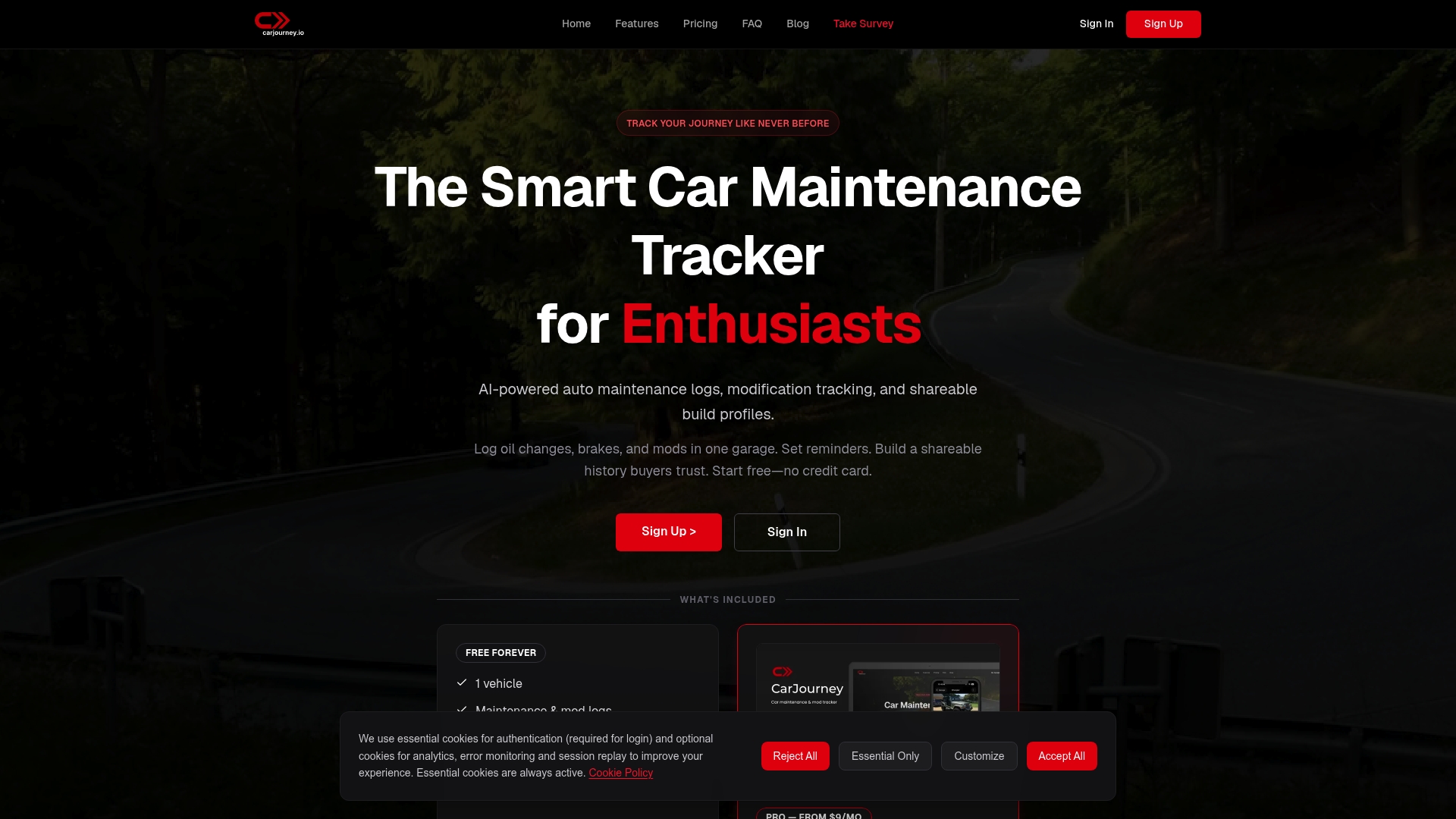
The free forever plan includes basic features for one vehicle plus community access, letting you log service history and share a build without paying. Paid tiers unlock AI tools and support for multiple vehicles, so the entry point is genuinely usable for a single-car hobbyist.
Core Features
CarJourney centralizes AI-powered document scanning, maintenance and service reminders by mileage and time, and shareable vehicle build profiles. The community layer lets members post builds, ask questions, and comment on parts and shops.
Mobile apps on iOS and Android make on-the-road logging quick, and VIN or plate lookup speeds initial vehicle setup. Paid tiers expand AI Q&A, multi-vehicle histories, and deeper modification tracking.
Key Differentiator
What sets CarJourney apart is the combination of vehicle document analysis, tailored maintenance recommendations, and a social community all in one place. That blend turns scattered receipts and forum threads into a single vehicle record you can show a buyer or reference during a repair.
Pros
-
The free plan gives a practical starting point: one vehicle, basic logs, and community access that are useful for casual owners and new hobbyists.
-
Document scanning and AI Q&A remove the manual guesswork when translating service receipts into a searchable history. This speeds record keeping after a shop visit or track day.
-
Shareable build profiles help with resale transparency. You can present a timeline of parts and services rather than handing a stack of loose receipts.
-
Mobile apps plus VIN and plate lookup cut setup time. I set up a car and logged three services in under ten minutes during a weekend project.
-
The community focuses on real builds and parts discussions, not just broad technical articles, so feedback tends to be practical and experience-based.
Cons
- Advanced AI features and unlimited vehicle management require a paid plan, so power users who track multiple builds should budget for upgrades.
Who It’s For
You if you are a car hobbyist who cares about tidy records, resale transparency, or documenting modifications for a personal archive. It fits owners who participate in community Q&A and value shareable build pages more than raw shop integrations.
Unique Value Proposition
The platform’s document scanning plus maintenance reminders changes how you present a used car to a buyer. Instead of a paper envelope, you can hand over a verified, chronologically organized build profile with AI-summarized service notes. That shifts the resale conversation from trust to verification.
Real World Use Case
Log an oil change and new brake pads with photos and the shop receipt. The app scans the document, tags parts, sets a mileage reminder, and adds the entry to your public build profile. A prospective buyer can then view the timeline and ask questions in the comments.
Website: https://carjourney.io
Carport
At a Glance
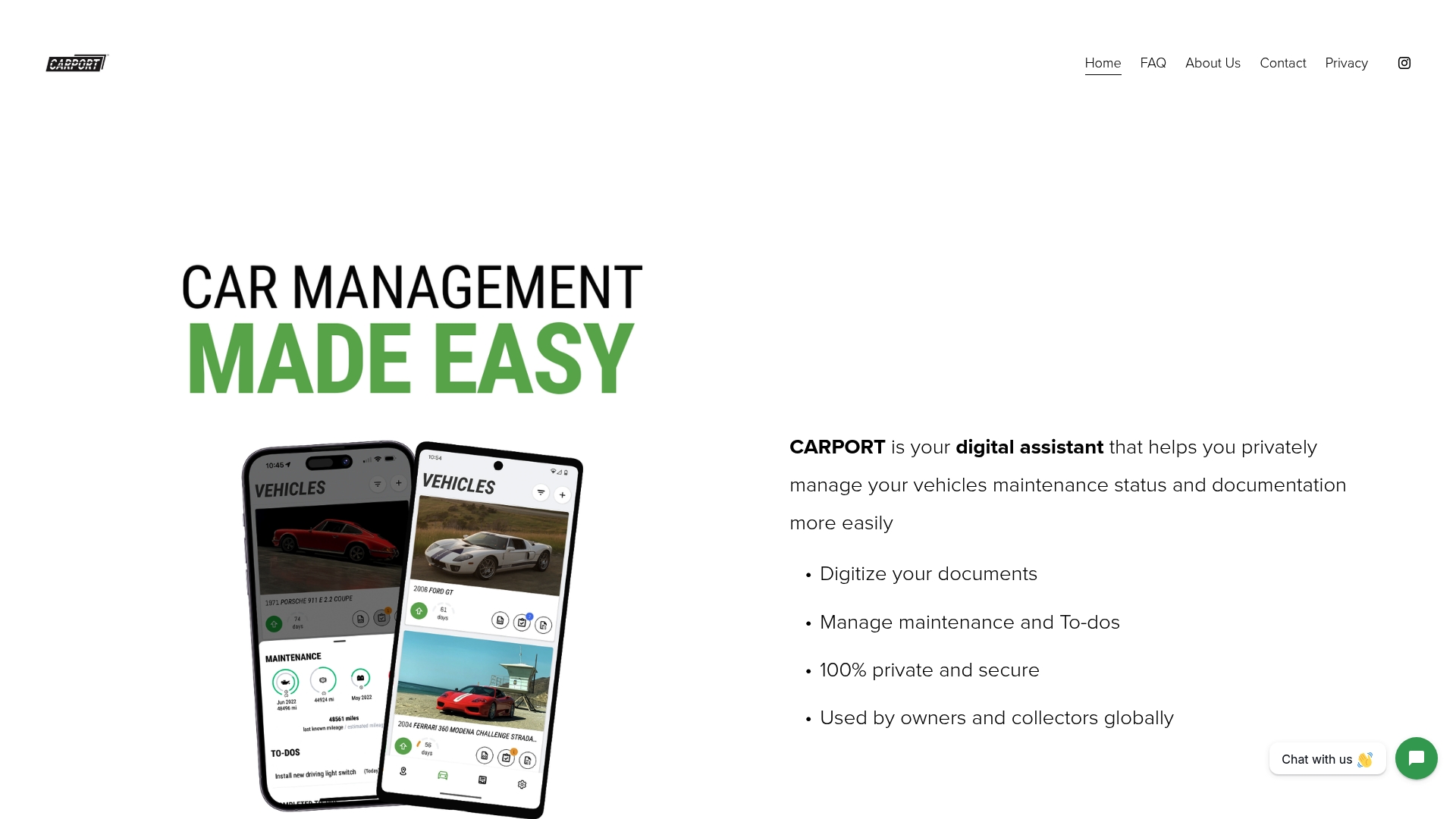
The vendor advertises that Carport is trusted by thousands worldwide and that its core promise is privacy first. The app is a closed system that does not link to social platforms or sell user data, and it runs on iOS, Android, tablets, and Apple Silicon laptops.
Core Features
- Digitize vehicle documents into organized records so receipts, manuals, and service notes are searchable.
- Manage maintenance and To-Do lists with reminders tied to mileage or dates.
- Create custom service intervals and rings for oil, brakes, and other recurring items.
- Record vehicle specifications and maintain photo albums and generated drive maps.
Key Differentiator
Carport’s single strongest claim is its privacy posture. The app deliberately avoids social integrations and third-party data sharing, keeping everything inside the closed system. For owners who treat a build or restoration as a private archive, that restriction reduces exposure and data leakage risk.
Pros
- Effective tracking. The app structures service history and reminders so you rarely miss scheduled maintenance, which matters for longevity and resale.
- Useful reminders. Interval and mileage alerts push you to act before wear becomes damage, especially on classic cars with tight service windows.
- Easy history transfer. You can move a vehicle’s records out for a sale or handoff without exporting scattered spreadsheets or digging through glove box receipts.
- Detailed reports. Built reports speed up insurance claims or sale listings by bundling receipts, mileage logs, and photos into a shareable package.
- Privacy-first design. No social hooks and no marketing data sales appeal to collectors and owners who prize confidentiality.
Cons
- Feature depth. Advanced capabilities are limited in the free release and the roadmap hints that more powerful tools are coming in paid tiers.
- Manual upkeep required. The app relies on consistent user input; if you skip entries the maintenance picture becomes incomplete.
- Preference for spreadsheets. Some users still prefer manual spreadsheets for absolute control and bulk edits, which Carport does not mirror exactly.
When It May Not Fit
If you need automated telematics, dealer integrations, or linked shop scheduling, Carport will feel narrow. Teams that require automatic data sync from an OBD device or fleet-scale APIs will find the closed system restrictive. Also, anyone who expects full advanced features in the free tier should plan for a paid upgrade when those features roll out.
Who It’s For
Private vehicle owners and collectors who want a tidy, confidential vehicle archive. Ideal for people who keep physical receipts and want a digital single source of truth without sharing records publicly or through social channels.
Real World Use Case
A car enthusiast digitizes ten years of service receipts and photos, then sets reminders for timing belt and brake service. When the owner lists the car for sale, they generate a clean report combining receipts, mileage logs, and images to speed buyer trust and negotiation.
Website: https://carport.app
Trackara
At a Glance
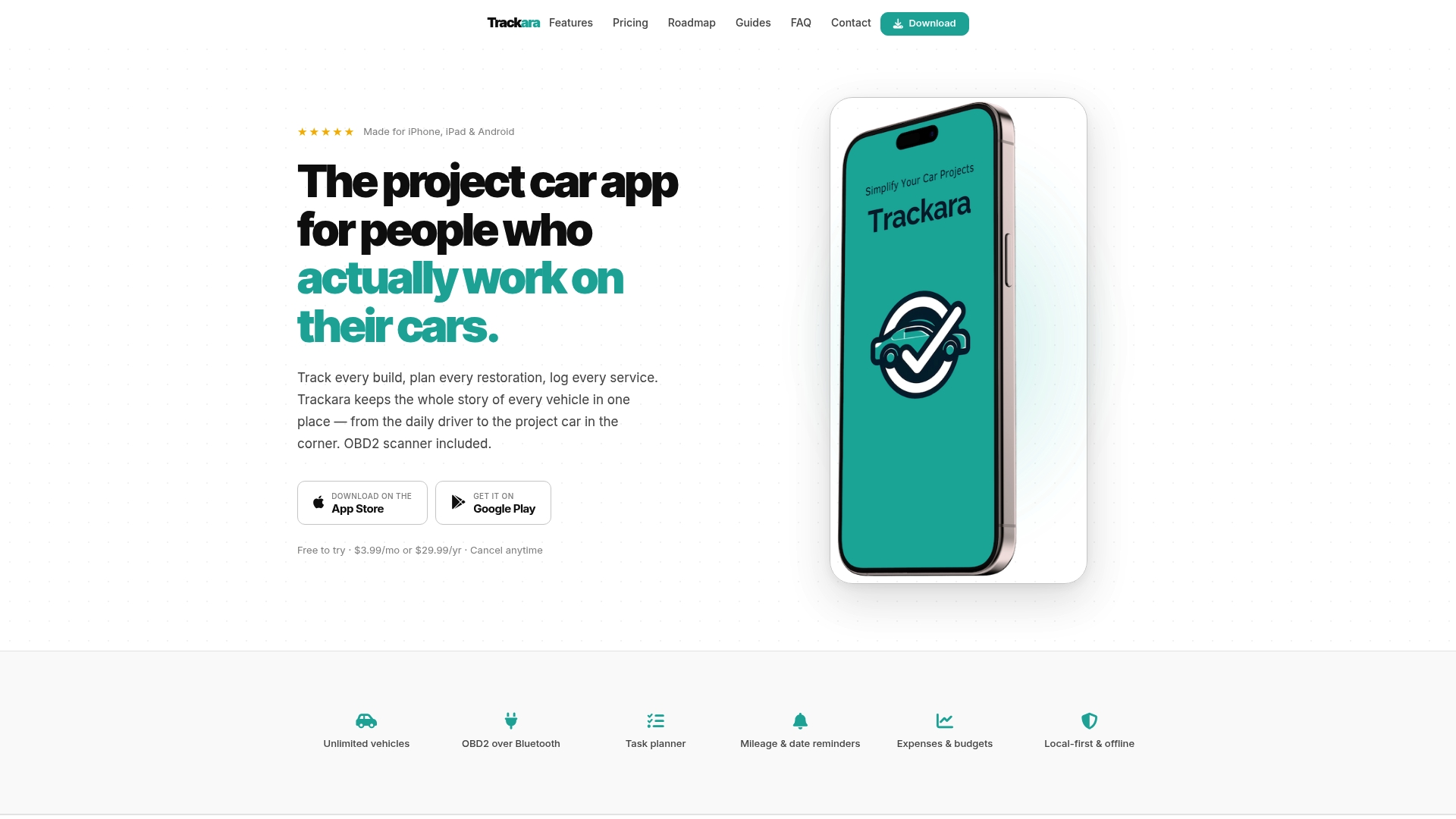
All features live behind a single low subscription: $3.99/month or $29.99/year, no tier gates. Trackara pairs long-term project planning with Bluetooth diagnostics so restorers can log build stages, parts, and costs while also pulling real-time OBD2 data.
Core Features
Trackara focuses on the tools project builders actually use every week.
- Vehicle & project management: Keep multiple cars and long-term restorations in one place with separate project timelines.
- OBD2 Bluetooth integration: Connect a scanner for live diagnostic reads and simple fault logging alongside work notes.
- Task planner for jobs and rebuilds: Break a restoration into phases, assign tasks, and attach parts or receipts.
- Expenses and budgets tracking: Log parts costs, labor estimates, and running totals per project.
- Reminders based on mileage and dates: Schedule alerts for maintenance, inspections, and milestone tasks.
Key Differentiator
Trackara combines hands-on build management and diagnostics in one app, which most general maintenance tools do not. The emphasis is on detailed project task planning plus integrated Bluetooth diagnostics, so your fault codes and service logs live beside the parts list and budget.
Pros
- Helps with project budgets and progress tracking. The app ties parts and labor to specific tasks so you see cost per build phase.
- Effective inventory and parts management. You can record part numbers, vendor notes, and where each item sits in the project.
- Suited for long restorations. The timeline and task planner keep months or years of work organized rather than scattered in notebooks.
- Supports multiple vehicles under one account, which keeps daily drivers and project cars separate but accessible.
- Reminders trigger by mileage or calendar date, which keeps preventive maintenance from slipping during busy rebuild phases.
Cons
- The interface requires time to learn. The organizational depth means an initial setup effort before you get fluid at logging tasks and parts.
- Accuracy depends on regular data entry. Trackara will not guess missing receipts or parts; it expects you to keep the log current.
- Several useful features are listed as coming soon, so users who need predictive maintenance or automated parts alerts now will find some gaps.
When It May Not Fit
If you want predictive parts alerts or automated maintenance forecasting immediately, this product lists those capabilities as upcoming. Teams that need heavy third-party integrations or automated fleet telemetry will find the current feature set focused on manual logging and local Bluetooth diagnostics instead.
Who It’s For
Enthusiast project car builders, DIY restorers, and owners who run both daily drivers and multi-year rebuilds. If you prefer a single app to combine receipts, timelines, and occasional OBD2 reads, Trackara targets that workflow.
Real World Use Case
A user restoring a vintage muscle car logs each disassembly step, links purchased parts with receipts, and assigns follow-up tasks. When a check-engine light appears, they pair a Bluetooth OBD2 scanner, capture fault codes into the same project, and update the budget without switching apps.
Pricing
All features are included in a single subscription. The vendor lists $3.99/month or $29.99/year, with no separate feature tiers. That makes it straightforward for hobbyists who want full functionality without per-feature decisions.
Website: https://trackara.app
CarMagic
At a Glance
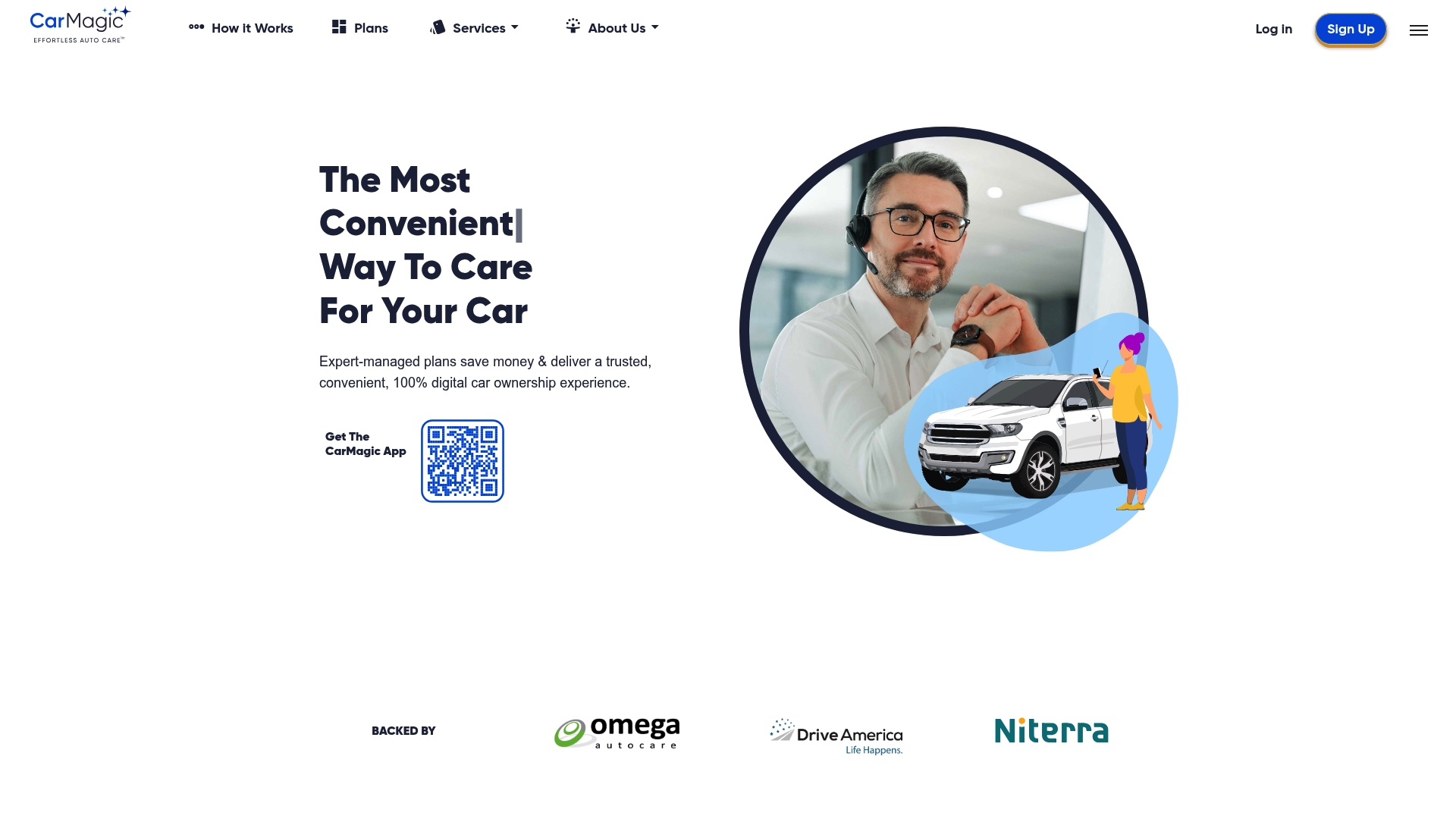
A 100% mobile experience handles scheduling, approvals, payments, and service records from your phone while expert staff manage work with a vetted shop network. The vendor positions CarMagic as a hands-off alternative that applies coverage automatically with minimal input.
Core Features
CarMagic pairs expert-managed maintenance and repair plans with a mobile app for scheduling, payments, and record keeping. It advertises proactive preventative care schedules to avoid common failures.
- Managed approvals and payments inside the app reduce back-and-forth calls.
- Coverage is applied automatically when a repair matches plan terms.
- The platform lists a vetted network of quality-approved shops and centralized service history for resale value.
Key Differentiator
CarMagic’s central claim is its fully digital, expert-managed workflow that removes homeowner involvement from day-to-day maintenance. That emphasis on managed care and automatic coverage sets it apart from DIY tracking apps and from services that only offer repair discount networks.
Pros
- Simplifies ownership by moving scheduling and approvals into the provider’s hands, which saves owners time and phone calls.
- Proactive maintenance schedules aim to catch wear items before they become breakdowns, a useful feature for families who drive daily.
- The vetted shop network reduces the guesswork of choosing a service provider when you need a repair quickly.
- Automatic application of coverage lowers friction for users who do not want to submit claims manually.
- Nationwide coverage is advertised for selected regions, making the service usable across multiple locations for owners who travel.
Cons
- Public user reviews report dissatisfaction with product quality and materials, and overall sentiment appears skewed toward negative experiences.
- Availability is limited to specific U.S. regions, so coverage may be inconsistent for cross-country drivers.
- Pricing information is not published in the product data, which makes upfront cost comparison difficult for buyers.
When It May Not Fit
If you expect consistently premium parts and build materials, user feedback indicates the delivered quality may not match the marketing imagery. Also, if you live outside the vendor’s serviced regions the service will be unusable.
Who It’s For
Busy vehicle owners and families who want a hands-off, phone-driven maintenance experience and who accept managed vendor choices. Dealerships and service shops can also partner to offer integrated care through the platform.
Real World Use Case
A family uses CarMagic to schedule regular oil, brake, and tire service. The app books a vetted shop, applies coverage, handles payment, and stores the invoice and history for future resale. The family spends minutes a month instead of hours chasing appointments.
Pricing
The product data lists pricing as informational only and does not include plan rates. Prospective buyers must contact CarMagic for detailed plan pricing and regional availability before committing.
Website: https://mycarmagic.com
MyRide901
At a Glance
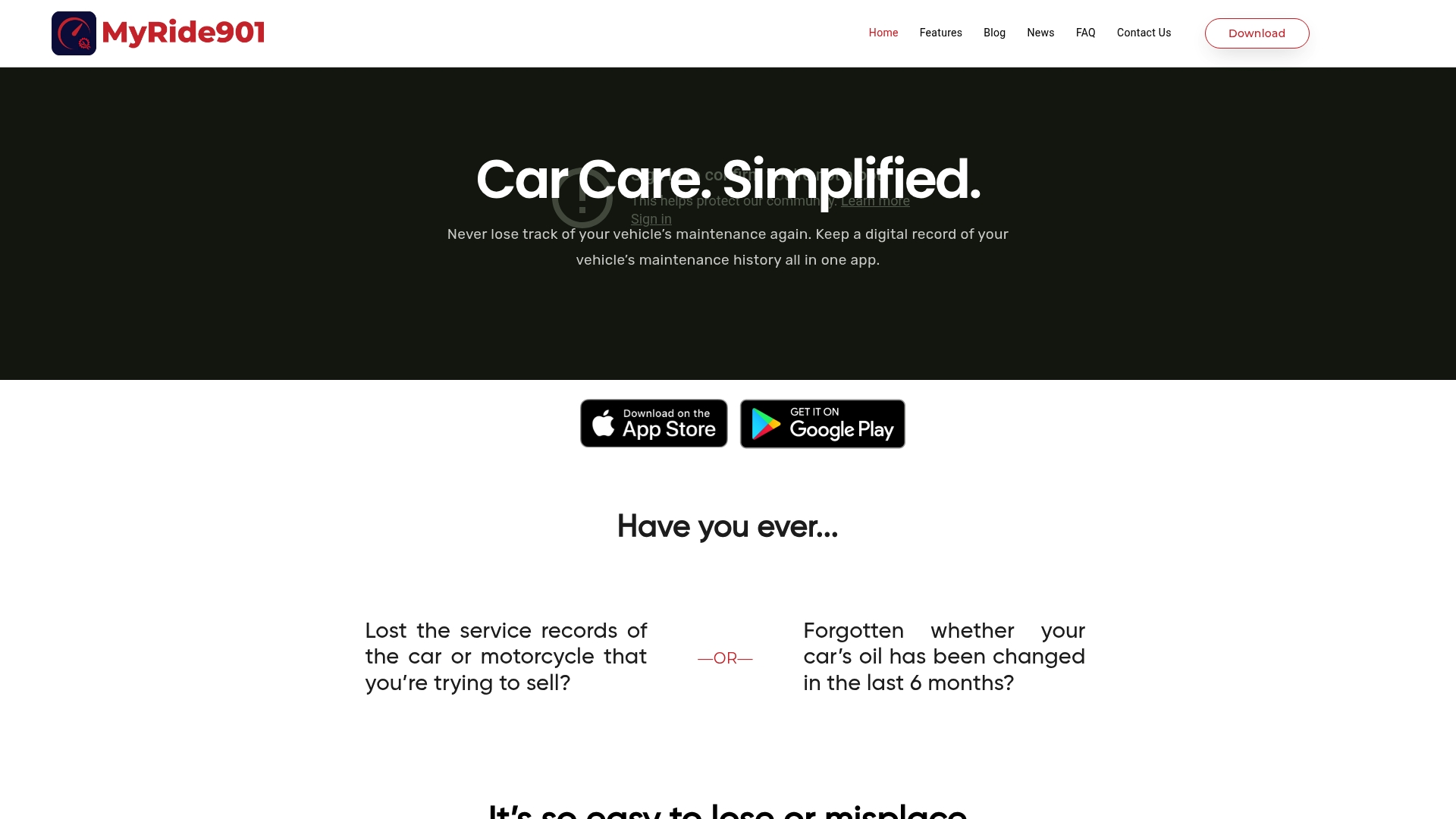
Offers a 14-day free trial and stores receipts, photos, and documents in the cloud for multiple vehicles. MyRide901 centers on an easy-to-scan maintenance timeline that you can share directly with mechanics or potential buyers.
Core Features
- Digital organization for receipts, images, and service documents so records stay searchable and tied to specific jobs.
- Maintenance planning and reminders that let you schedule next services and get push alerts before due dates.
- Shared vehicle maintenance timeline you can export or share with a shop or a buyer.
- Cloud storage for receipts and photos with support for multiple vehicles in one account.
Key Differentiator
MyRide901’s primary angle is the combination of a chronological maintenance timeline plus simple sharing. The approach makes handoffs to mechanics or resale buyers straightforward because the app packages history and media into a single narrative view.
Pros
- Allows comprehensive digital record keeping of vehicle maintenance, keeping receipts and photos linked to individual jobs rather than loose files.
- Facilitates sharing of vehicle history with others such as buyers or repair shops, which simplifies pre-sale inspections and service prep.
- Easy to use mobile interface for managing vehicle data so hobbyists and nontechnical owners can adopt it quickly.
- Supports multiple vehicles in one app, helpful for enthusiasts with several projects or families with multiple drivers.
- Provides a 14-day free trial so you can verify workflow fit before committing to regular use.
Cons
- User reviews indicate issues with app reliability and customer support, which affects trust when you depend on records for a sale or warranty claim.
- Some users report instability and slow customer responsiveness, making troubleshooting slower than desired for urgent repairs.
- The product lists limited integration or compatibility options beyond standard mobile features, so importing large historical datasets may be manual.
When It May Not Fit
If you manage a large fleet that requires guaranteed uptime and API integrations, MyRide901 is likely not the right choice because some users report reliability issues and limited integration options. Also avoid it if you need enterprise-grade support SLAs.
Who It’s For
Individual vehicle owners, home mechanics, and car enthusiasts who want a tidy, shareable record of maintenance activity. It also works for small fleet owners who prioritize straightforward record keeping over deep third-party integrations.
Real World Use Case
A classic car owner uses MyRide901 to scan and attach receipts, photos, and timing belt notes to each service entry. When the owner lists the car for sale, the buyer inspects the timeline on a phone and trusts the documented history during negotiation.
Website: https://myride901.com
Drivvo
At a Glance
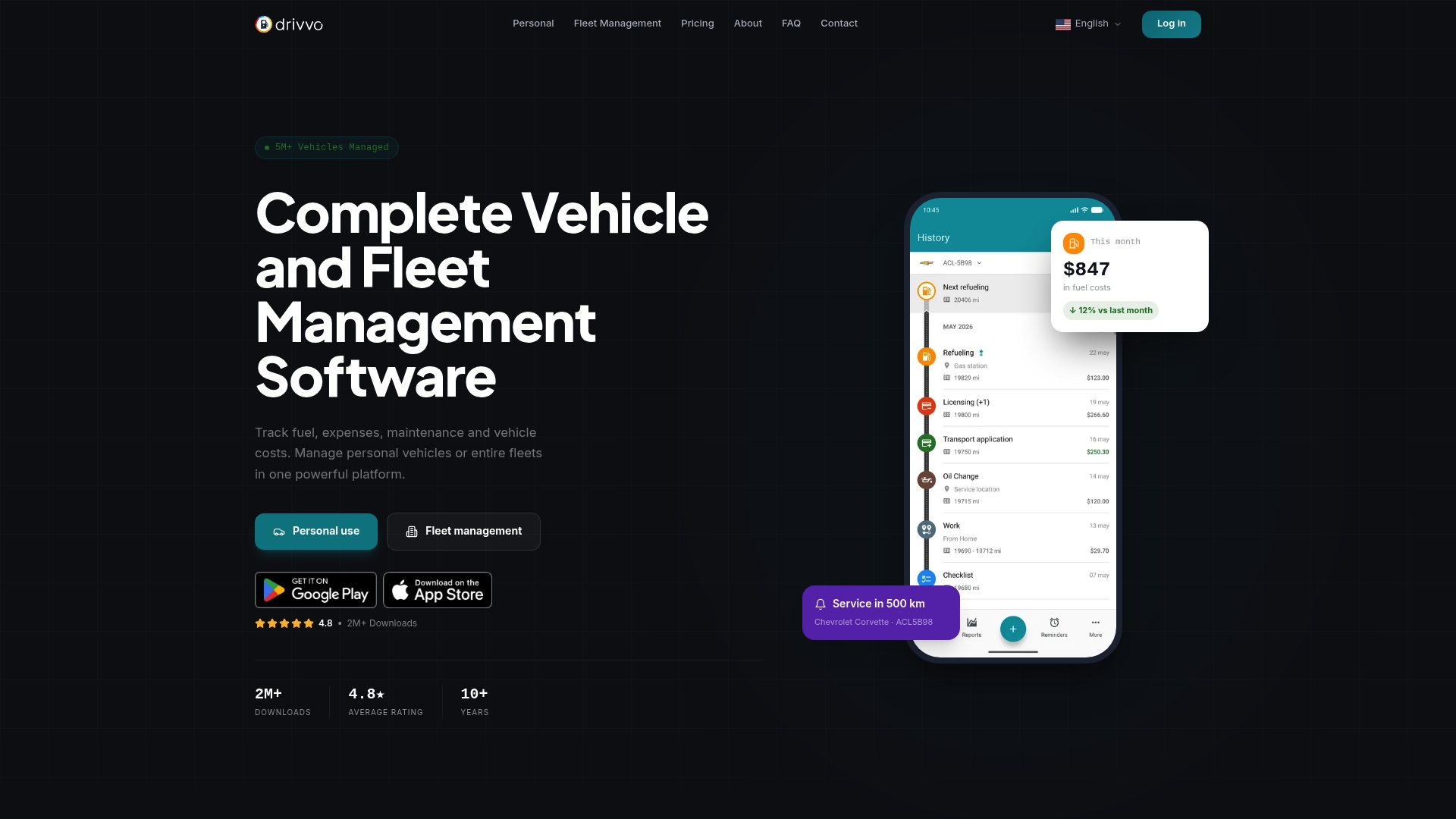
Fleet plans start at $42 per vehicle per year, with discounts for multi-vehicle accounts — a clear price signal for managers who buy by the fleet. The vendor reports millions of users worldwide and pairs free personal features with paid fleet tiers.
Core Features
Drivvo focuses on the operational details fleets and owners use every day.
- Fuel tracking and consumption analysis that ties fill ups to cost per mile.
- Expense and income management for receipts, repairs, and reimbursements.
- Maintenance scheduling and reminders to log services and upcoming tasks.
- Operational reports and analytics for month to month cost comparison.
- Trip logging and route records for both personal and fleet use.
Key Differentiator
What sets Drivvo apart is its emphasis on multi-platform synchronization and exportable reports that work the same on phone, tablet, and web. That repeatable cross-device record keeping makes it simple to hand operational data to accounting or a regional manager without rekeying.
Pros
-
Effective fleet visibility. The reporting tools let you compare fuel consumption and maintenance cost per vehicle, which helps spot underperforming assets.
-
Fast data entry. The interface is built for quick record keeping on a phone, so drivers can add expenses at the pump in under a minute.
-
Cross-device sync. Automatic sync across Android, iOS, and Web keeps records aligned when multiple people touch the same vehicle.
-
Supports many vehicle types. Cars, motorcycles, trucks, boats, and aircraft are all first class citizens in the UI.
-
Useful financial outputs. Exportable operational reports save time when you hand data to an accountant or upload to a spreadsheet.
Cons
-
Manual entry dependency. Accurate analysis requires consistent manual data input from drivers or an office admin.
-
Limited advanced features on the free plan. Fleet capabilities require paid tiers, which can be a barrier for very small operations.
-
Fleet features have a learning curve. Some users report an initial setup overhead for multi-vehicle workflows and permissions.
When It May Not Fit
If you need turnkey telematics integration or automatic OBD-II uploads, Drivvo may not match your needs because it relies on manual entries and device sync. Expect to budget time for driver training if you plan to scale beyond a handful of vehicles.
Who It’s For
Individual vehicle owners who want a simple app to track fuel and service costs and small to large fleet managers who need a low-cost way to centralize expenses, schedule maintenance, and produce month to month operational reports.
Real World Use Case
A regional fleet manager uses Drivvo to collect fuel receipts from drivers, schedule preventive maintenance across 35 vehicles, and generate monthly cost-per-mile reports. The manager exports the reports to share with finance and to justify replacing two aging trucks.
Pricing
Free for personal use with limited features. Fleet plans start at $42 per vehicle per year, and discounts apply for multiple vehicles. Paid tiers unlock fleet reports, reminders, and central account management.
Website: https://drivvo.com
Analyzing Vehicle Maintenance Apps
Car maintenance applications differ in features and target users, offering varied solutions for enthusiasts, professional users, and families. This analysis synthesizes which platforms excel under specific contexts.
Core Feature Focus
CarJourney emphasizes vehicle record creation and sharing through a blend of service timelines, AI-powered document scanning, and community interaction. Conversely, Trackara provides tools such as OBD-II Bluetooth diagnostics for restoration projects and Carport prioritizes privacy, restricting social sharing. MyRide901 offers a user-friendly interface for visualizing a vehicle’s maintenance history, while Drivvo excels in fleet management through multi-platform sync and operational cost analytics.
Distinct priorities emerge: Users valuing privacy yet needing service tracking will gravitate toward Carport, whereas builders needing diagnostic integration prefer Trackara. Enthusiasts documenting cars for resale or community benefit appreciate CarJourney’s unified profile feature, uniquely packaging maintenance and upgrades.
Cost and Accessibility
Subscription models influence value perception. CarJourney’s free forever plan appeals to single-car hobbyists, while Trackara bundles extensive features at a low subscription cost. Meanwhile, Drivvo’s fleet plans suit scalable needs despite higher initial pricing.
Support matters too. MyRide901 garners usability praise, yet reviews raise stability concerns. Conversely, Carport remains reliable but lacks some advanced tools offered by CarJourney.
Best Fit
- CarJourney: For hobbyists wanting AI documentation, community features, and streamlined resale preparations.
- Trackara: Ideal for restoration enthusiasts managing projects and diagnostics.
- Carport: Fits privacy-focused users handling multiple vehicle archives.
Our Pick
CarJourney excels where AI insight transforms vehicle upkeep into tangible resale and archival benefits. While not intended for fleet-wide or predictive diagnostics users, it leads by combining document scanning, interactive profiles, and community feedback. For enthusiasts consolidating records, this service maximizes value.
Vehicle Maintenance Management Apps Comparison
When choosing the best vehicle maintenance management app, consider features like document centralization, cost, and community integration to meet your needs effectively.
| Product | Key Feature | Best For | Pricing | Notable Limitation |
|---|---|---|---|---|
| CarJourney | AI-driven document scanning and reminders | Vehicle hobbyists | Free basic; Paid for advanced features | Paid plan required for advanced functionality |
| Carport | Privacy-focused document digitization | Private vehicle collectors | Not disclosed | Manual input needed for complete record accuracy |
| Trackara | Integrated project management and diagnostics | Project car restorers | $3.99/month or $29.99/year | Interface setup complexity at the start |
| CarMagic | Expert-managed automated maintenance scheduling | Families with busy schedules | Not disclosed | Service available only within specific regions |
| MyRide901 | Shareable maintenance timeline with cloud storage | Owners needing simple record sharing | Not disclosed | Reported app reliability issues in user reviews |
| Drivvo | Fleet-ready cost and maintenance analytics | Fleet managers | $42/vehicle/year for fleets | Requires manual input for accurate analysis |
Simplify Vehicle Maintenance with CarJourney
Managing your vehicle’s maintenance records and modifications can feel overwhelming, especially when documents and receipts are scattered across different places. This article highlights how alternative apps handle challenges like service tracking, document scanning, and reminders. CarJourney offers a unique solution by combining AI-powered document scanning, customized maintenance reminders, and an engaged community of car enthusiasts, all in one place.
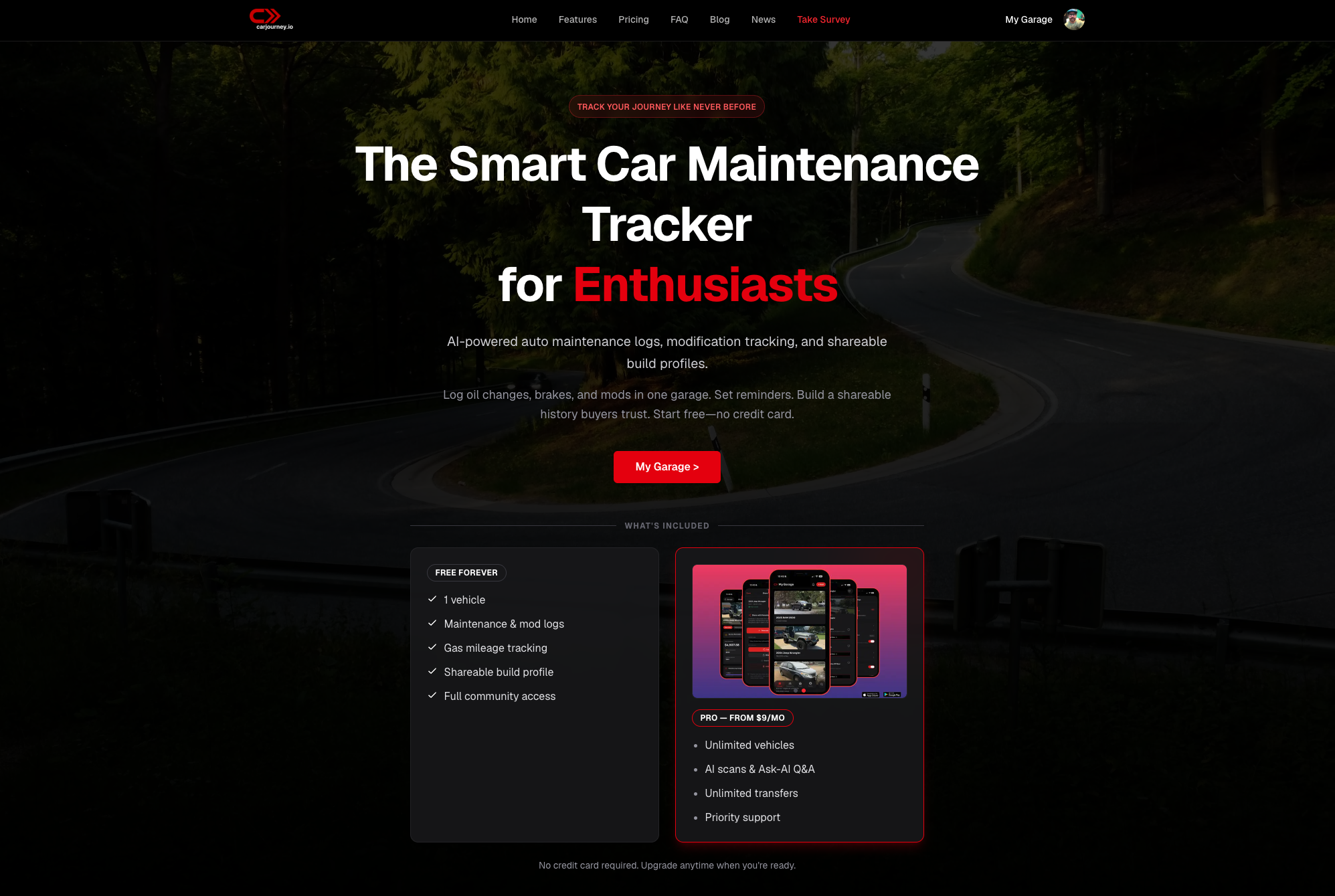
Take control of your car’s history with CarJourney’s easy setup using VIN or plate lookup and shareable build profiles that boost resale confidence. Don’t wait to organize your records efficiently. Visit CarJourney and import your service documents now to create a verified, searchable vehicle timeline you can access anytime.
Frequently Asked Questions
How does Carjourney facilitate vehicle maintenance record-keeping for hobbyists?
Carjourney simplifies vehicle maintenance by offering a free plan that includes basic features for one vehicle and access to a community for support. The platform allows users to log service history and share build profiles without any cost, making it an excellent starting point for casual car enthusiasts. Consider trying their free plan to see if it meets your basic documentation needs.
What is the difference between Carjourney and Carport regarding user privacy?
Carport emphasizes a strict privacy-first approach, not linking to social platforms or selling user data, which appeals to users who value confidentiality. In contrast, Carjourney focuses on community features that encourage sharing vehicle builds and experiences, making it less ideal for users who prefer keeping their data private. Choose Carport if privacy is your main concern.
Which platform provides the best AI tools for vehicle management between Carjourney and Trackara?
Carjourney offers advanced AI tools for document scanning and maintenance reminders, enhancing the user experience by automating many record-keeping tasks. Trackara, while solid for project management, does not currently emphasize AI features as strongly as Carjourney does. Carjourney’s AI capabilities can significantly save you time if you handle multiple vehicles or modifications.
Does Trackara support Bluetooth diagnostics for real-time data?
Trackara integrates Bluetooth diagnostics, allowing users to connect a scanner for live diagnostic reads alongside their work notes. This feature is particularly useful for those who want immediate access to OBD2 data while managing their vehicle projects. If real-time diagnostics is crucial for your workflow, Trackara would be the better choice.
How does CarMagic simplify the vehicle maintenance experience?
CarMagic automates scheduling and approvals for maintenance directly through its mobile app, significantly reducing the amount of time owners spend managing their vehicle care. This model contrasts sharply with hands-on solutions like Carjourney, where users actively manage records and schedules. Consider CarMagic if you are looking for a more hands-off approach to vehicle maintenance.