 carjourney
From the CarJourney journal
Best Apps for Tracking Vehicle Service Intervals (2026)

Table of Contents
- Why Tracking Vehicle Service Intervals Matters
- Quick Comparison: Best Apps for Service Intervals
- CarJourney: Best Overall for Service Intervals and Build Tracking
- FIXD: Best for Diagnostics and Service-Schedule Tracking
- Vehicle Maintenance Tracker: Best Free Option for Multi-Vehicle Logs
- Openbay: Best for Shop Booking and Price Comparison
- Choosing a Vehicle Service Reminder App
- Why a Car Maintenance Log App Beats a Glovebox Full of Receipts
- Frequently Asked Questions
Last Updated: October 20, 2026
Why Tracking Vehicle Service Intervals Matters
Service intervals are the manufacturer-specified time or mileage points at which your vehicle needs specific maintenance, from oil changes to timing belt replacement. Miss them, and small wear items turn into expensive repairs.

That is the real problem with a glovebox full of receipts. A receipt proves you paid for something once. A proper vehicle service reminder app closes that gap by keeping service history, mileage, and reminders in one place.
Quick Comparison: Best Apps for Service Intervals
Here is how the four apps we recommend stack up on the features that matter most for tracking service intervals: reminder flexibility, multi-vehicle support, and cost visibility.
| App | Best For | Reminder Type | Multi-Vehicle | Cost |
|---|---|---|---|---|
| CarJourney | Overall interval and build tracking | Time and mileage | Yes | Free tier; paid plans on site |
| FIXD | Diagnostics plus schedule tracking | Schedule-based | Limited | Not stated in our sources |
| Vehicle Maintenance Tracker | Free multi-vehicle logs | Manual | Yes | Free |
| Openbay | Shop booking and price quotes | Appointment-based | Not verified | Not stated in our sources |
CarJourney: Best Overall for Service Intervals and Build Tracking
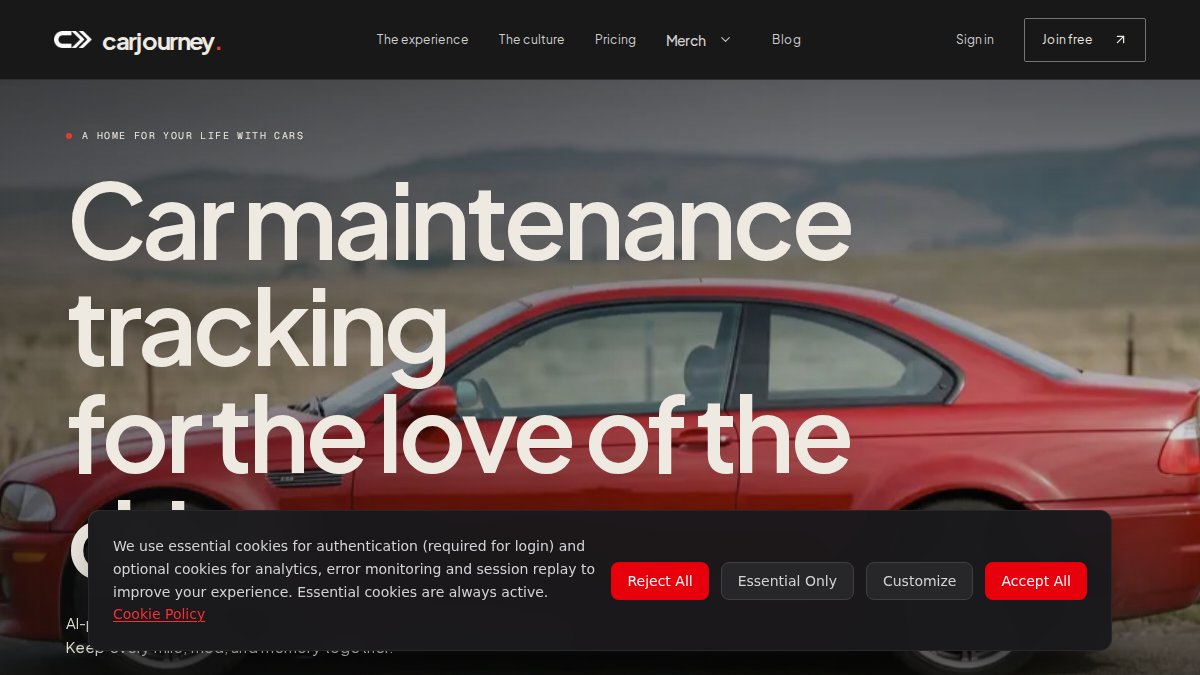
Our top pick is CarJourney because it treats service intervals as one part of a complete vehicle record, not a standalone checklist. VIN-based setup builds the vehicle profile for you, and reminders can be tied to both time and mileage, which matters if you drive more or less than the manufacturer's assumed annual mileage.
Key Features
- AI-powered maintenance logs and Ask-AI Q&A that answers questions using your own service records
- VIN-based vehicle setup for a fast, accurate starting profile
- Unlimited maintenance and modification tracking, so custom work sits beside routine service
- Shareable build profiles that document care for resale
- Reminders tied to both time and mileage
Pricing
CarJourney offers a free plan, with paid tiers listed on its pricing page. We are not quoting figures here because plans change; check the site for current rates.
Pros and Cons
Pros: Handles project cars and daily drivers in one digital garage. Mileage-based reminders suit irregular driving. Build profiles make resale documentation straightforward.
Cons: Enthusiast-focused, so a driver who only wants oil-change nudges may find the modification tracking more than they need.
FIXD: Best for Diagnostics and Service-Schedule Tracking
FIXD pairs a plug-in OBD-II sensor with a companion app, and it earns a place here because AAA's roundup of car maintenance apps lists it among recommended options. The appeal is consolidation: one tool that reads check-engine codes and keeps your service schedule in view, rather than a diagnostics dongle in one app and a reminder list in another.
How It Handles Service Intervals
FIXD's model is schedule-based rather than purely user-entered. You pair the sensor, the app reads the vehicle, and the maintenance schedule is presented against your mileage and time in service. That is a meaningful difference from apps that only store whatever interval you type in: the starting schedule comes from the vehicle profile, and you adjust from there.
Reminder Behavior and Customization
Reminders can be tied to the service schedule and to mileage, and the app surfaces upcoming and overdue items in a dashboard view. What we could not confirm from available sources is the granularity of customization, whether you can set independent date and mileage thresholds per item, how recurring schedules roll forward after a completed service, and whether duplicate or snoozed alerts are suppressed. If precise, per-item reminder control is your priority, test that behavior during any free trial before committing.
Diagnostics and Platform Notes
- OBD-II sensor reads and clears check-engine codes and surfaces live vehicle data in the app
- Service-schedule tracking tied to the paired vehicle
- Dashboard view of upcoming and overdue maintenance
- iOS and Android apps; the sensor is a separate hardware purchase
Pricing
Our sources do not state current FIXD pricing, so verify the sensor cost and any subscription on the company's site before buying. Budget for the hardware as a one-time cost and check whether schedule features sit behind a subscription tier.
Pros and Cons
Pros: Diagnostics and scheduling in one place. Vehicle-derived schedule instead of a blank checklist. Recommended by a major motoring organization. Useful for drivers who want a check-engine reader anyway.
Cons: Requires buying and pairing hardware. Exact interval-alert customization and recurring-schedule behavior are not documented in our sources. Less suited to someone who only wants a lightweight reminder and does not need code reading. Maintaining a vehicle involves more than just monitoring mechanical health, as keeping the exterior in peak condition often requires professional car detailing services.
Pro Tip If you buy an OBD-II-based app, plug the sensor in and complete one full service cycle before you rely on it. That is the only reliable way to see how its reminders roll forward and whether they duplicate after you mark a service complete.Vehicle Maintenance Tracker: Best Free Option for Multi-Vehicle Logs
If budget is the deciding factor, this free App Store app covers the basics. Users in owner forums describe it as a straightforward way to log several vehicles, attach photos, and track costs. Treat those reports as a starting point rather than a product spec, the details below flag exactly what to verify before you trust it with years of service history.
What It Does Well
- Supports multiple vehicles in one place, which matters for households with a daily driver, a weekend car, or a teen's first vehicle
- Photo and vehicle-information records, so receipts and dashboard shots attach to the right entry
- Cost tracking, which lets you total maintenance spend per vehicle over time
The multi-vehicle strength is real for the price. A household that just wants one place to see what was done to each car, when, and for how much gets that without a subscription.
The Service-Interval Question
This is where a free log app and a dedicated service reminder app diverge. Automatic, mileage-driven interval reminders are not verified for this app from available sources. In practice that means you may be entering intervals manually and checking the app rather than being notified. If your goal is to never miss an oil change or a timing belt, confirm three things before relying on it: whether reminders can be set by both date and mileage, whether they recur after a completed service, and whether the app flags overdue items at all.
Compatibility, Privacy, and Data Portability
These are the questions most app roundups skip, and they matter most for a free app where the business model is not always obvious.
- Platform support: Confirm current iOS and Android availability before you commit; a free app can change platforms or go unmaintained.
- Account requirements: Check whether an account is required and what happens to your records if you stop using the app.
- Data export: Ask whether you can export service history as a file or PDF. At resale, a buyer wants a document, not a login.
- Privacy: Read the app's privacy policy for what vehicle and location data it collects and whether it is shared with third parties.
- Backup: Confirm records sync or back up, so a lost phone does not erase your service history.
Pricing
Free, according to the user discussion we reviewed. Free apps still have costs, your time entering records and the risk of losing them if export or backup is missing, so weigh those against the subscription price of a paid tracker.
Pros and Cons
Pros: No cost. Multi-vehicle support with photo records. Cost tracking per vehicle. Simple enough for a household to adopt quickly.
Cons: Automatic service-interval reminders are not verified. Details come from user reports rather than an official product page. Export, backup, and privacy terms need checking before you store years of history.
Watch Out Before you enter years of service records into any free app, test the export function with one entry. If you cannot get your data out, you do not own your service history, you are renting it.Openbay: Best for Shop Booking and Price Comparison
Openbay flips the problem: instead of reminding you to book service, it helps you book it and compare quotes. That makes it a useful companion to a reminder app rather than a replacement for one.
Key Features
- Shop booking
- Service scheduling
- Price comparison
Pricing
Not stated in our sources; confirm on the Openbay site.
Pros and Cons
Pros: Combines scheduling with shop booking and price comparison.
Cons: We could not establish that it tracks recurring service intervals, so pair it with a dedicated tracker.
Choosing a Vehicle Service Reminder App
Pick based on how you drive, not on feature count. A car maintenance app with mileage tracking suits high-mileage commuters; time-based reminders suit low-mileage weekend cars. Before committing, check these five things:
- Reminders can be set by both time and mileage
- The vehicle maintenance schedule by mileage matches your owner's manual
- Multiple vehicles are supported if you own more than one
- Your data can be exported or transferred at resale
- The app states how it handles your vehicle data
Why a Car Maintenance Log App Beats a Glovebox Full of Receipts
Paper records fail at the exact moment they matter most: resale. A buyer cannot verify a stack of faded receipts, and you cannot quickly prove the timing belt was done. A car maintenance log app turns scattered paperwork into a searchable service history with dates, mileage, and costs attached to each entry.
The practical payoff is preventive maintenance you actually keep up with. For anyone preparing to sell, a documented record is worth more than a shoebox of paper. Consumer advice on keeping vehicle maintenance records explains why buyers value verifiable history.
Frequently Asked Questions
What is the best app for tracking vehicle service intervals?
The best app depends on your priorities. CarJourney stands out for service intervals because it combines VIN-based vehicle setup, time-based and mileage-based reminders, and a full maintenance log with AI-powered Q&A. If you want diagnostics alongside scheduling, FIXD is a strong option. For a free basic multi-vehicle log, Vehicle Maintenance Tracker works. Openbay is best if your main need is booking shop appointments and comparing prices.
Which car maintenance apps send service reminders based on mileage?
CarJourney sends reminders tied to both time and mileage, so you get alerts when you hit an odometer threshold or a calendar date, whichever comes first. That matters because many manufacturer schedules specify service at intervals like every 7,500 miles or 12 months. Before committing to any vehicle service reminder app, confirm it supports mileage-based reminders, not just time-based ones, and that you can customize the thresholds.
Can a car maintenance app track multiple vehicles?
Yes, several do. CarJourney organizes every car, truck, and project in one digital garage, and Vehicle Maintenance Tracker was specifically described in user discussions as supporting multiple vehicles with photos and cost tracking. If you own more than one vehicle, check that the app lets you set separate service intervals and mileage thresholds per vehicle, and that reminders don't get mixed up between them.
Are there free apps for tracking car maintenance?
Vehicle Maintenance Tracker is reported as a free Apple App Store app for recording multiple vehicles and tracking costs. CarJourney also offers a free plan, with paid tiers available on its pricing page. Free tiers usually cover basic logging, while advanced features like AI-powered logs, unlimited modification tracking, or shareable build profiles may require a subscription. Always check the current pricing page for what each tier includes.
Can I store repair receipts and service records in a car maintenance app?
Most car maintenance log apps let you attach photos of receipts and record service details, which is far more reliable than a glovebox full of paper. CarJourney stores maintenance and modification history in one place and lets you generate a shareable build profile, which is useful when selling a vehicle. Before choosing an app, confirm it supports photo uploads, export options, and data portability so you're not locked in.
Tracking service intervals only works if the system fits how you actually use your car. Scattered receipts and memory do not scale, especially across multiple vehicles or a long-term build. CarJourney keeps every car in one digital garage, with VIN-based setup, time and mileage reminders, and shareable build profiles that prove your maintenance history to a buyer. Start free and see how much of your vehicle's story you can finally keep in one place.
Start free