 carjourney
From the CarJourney journal
How to Document DIY Car Repairs Properly: 2026 Guide
Table of Contents
- Why Proper Documentation of DIY Car Repairs Matters
- What to Record for Every DIY Car Repair
- How to Prove DIY Maintenance for Warranty Claims
- DIY Car Maintenance Log Template: What to Include
- Best Apps for Tracking Car Repairs and Service History
- Digital vs. Physical Records: Which System Works Better
- How Organized Records Protect Vehicle Resale Value
- Conclusion
- Frequently Asked Questions
Last Updated: September 29, 2026
Why Proper Documentation of DIY Car Repairs Matters
Learning how to document DIY car repairs properly protects your wallet, your warranty, and your car's resale value. This guide breaks down exactly what to record, how to store it, and which tools make it painless.
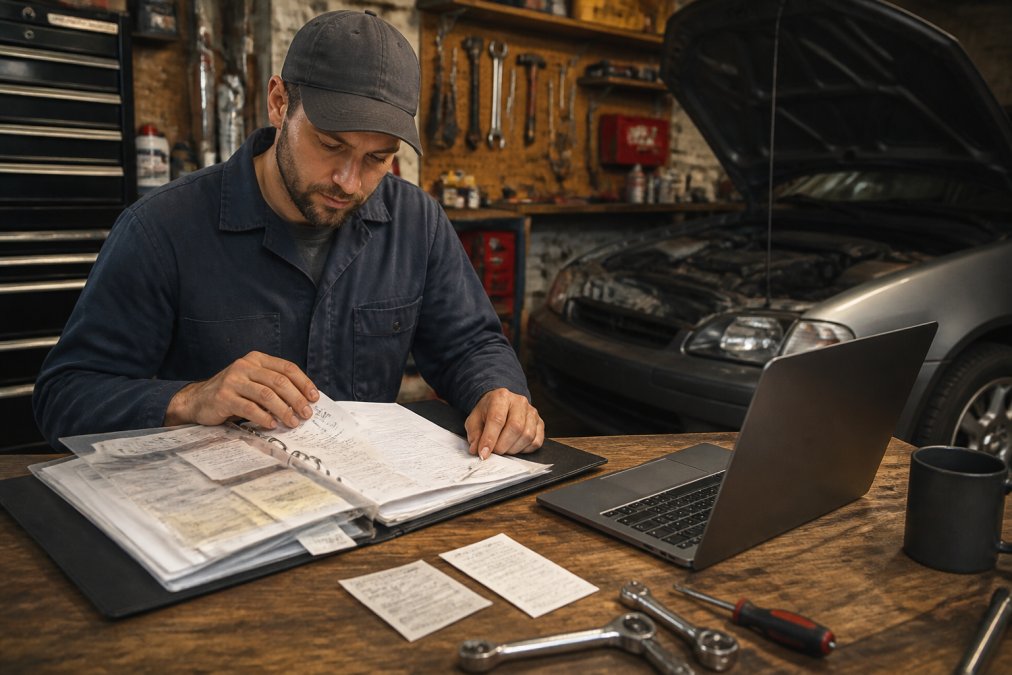
A thin folder of faded receipts is the norm for most home mechanics, until a warranty claim or a sale makes the missing proof cost real money.
Buyers and manufacturers trust records, not memories. A stamped logbook and dated receipts tell a story; a shoebox of crumpled slips tells nothing.
- Warranty claims hinge on proof you followed the maintenance schedule.
- Resale value climbs when you can show a complete service history.
- Your own memory fades fast across multiple vehicles and years.
What to Record for Every DIY Car Repair
Every DIY car repair entry needs four things: the date, the odometer reading, the part number, and the fluid specification used. Without these, a record is just a note.
Essential Data Points: VIN, Odometer, Part Numbers, and Fluid Specs
The vehicle identification number ties every record to one specific car. This matters if you own several vehicles or sell one later.
Here's what to capture for each job:
- Date of service (write it the same day, not from memory)
- Odometer reading at the time of the repair
- Part number and brand for every part installed
- Fluid specifications (oil weight, coolant type, transmission fluid)
- Labor documentation (what you did, torque specs, tools used)
Photography as Evidence: Timestamped Shots That Hold Up
Photos turn a written log into proof: a timestamped picture of the odometer, old part, and new part creates a chain of evidence.
- The odometer with the date visible
- The old part before removal
- The part number on the new box
- The finished job
How to Prove DIY Maintenance for Warranty Claims
To prove DIY maintenance for a warranty claim, you need a paper trail showing you followed the manufacturer's schedule with correct parts and fluids. The Magnuson-Moss Warranty Act protects your right to do your own work without voiding coverage.
But protection comes with conditions. You must show:
- The service was done on time per the maintenance schedule
- Correct parts and fluids were used
- The work did not cause the failure you are claiming
DIY Car Maintenance Log Template: What to Include
A DIY car maintenance log template is a simple grid capturing the same fields for every job, built in a notebook, spreadsheet, or app. The goal is a repeatable format that forces you to record the same data every time, so no entry is missing details a warranty claim or buyer will need.
Here is a template you can copy today:
| Field | What to Write | Example |
|---|---|---|
| Date | Day the work was done | 03/14/2026 |
| Odometer | Miles at service | 84,210 |
| Service type | Maintenance or repair | Oil change |
| Parts used | Brand and part number | Filter #PH2870A |
| Fluid specs | Type and amount | 5W-30, 4.5 qt |
| Cost | Parts and any labor | $42 |
| Notes | Torque, warnings, next interval | Next at 89,000 |
Build a Printable Glovebox Logbook
A printable template is the fastest way to start. Open a spreadsheet, set the seven columns above as headers, and print a fresh page each time you fill one. A few choices make the paper version last longer:
- Print on cardstock so pages survive heat, spills, and being folded into a glovebox.
- Leave the first page as a cover sheet with the VIN, make, model, year, and current mileage.
- Number the pages and write the page count on the cover, so a missing page is obvious.
- Use a pen, not pencil. Pencil fades and looks alterable in a dispute.
- Staple or clip receipts to the matching page rather than storing them loose.
Standardize the Schedule, Not Just the Log
Pro Tip Print a year's worth of blank pages at once and keep them in a binder clip in the glovebox. A template you have to find and print mid-job is a template you will skip.A printable template works fine, but a digital log with mileage-tied reminders prevents missed intervals and lets you search years of entries in seconds.
Best Apps for Tracking Car Repairs and Service History
The best apps for tracking car repairs store your records, remind you about service intervals, and let you share history with a buyer. The right pick depends on whether you want a simple log or a full digital garage. Maintaining a meticulous digital log ensures that your vehicle history remains transparent even when you must eventually seek professional collision repair to address more significant structural damage.
Here is how the main options compare:
| App Type | Best For | Standout Feature |
|---|---|---|
| CarJourney | Enthusiasts with builds and daily drivers | AI-powered logs, VIN setup, shareable profiles |
| Basic log apps | Single-vehicle owners | Simple mileage and date tracking |
| Spreadsheets | Full control, no cost | Custom fields, offline access |
Digital vs. Physical Records: Which System Works Better
Digital records win for most owners, but a hybrid approach works best: keep originals in a folder and a scanned copy in the cloud. Paper is durable until it is not; digital is searchable the moment it is filed.
Digital record keeping fixes those problems:
- Searchable by date, part number, or service type
- Backed up automatically across devices
- Easy to share with a buyer or dealer
- Photos attach directly to each entry
A Cloud Workflow That Takes Two Minutes Per Job
The gap most guides miss is the actual workflow. Here is one that works with free tools you likely already have:
- Photograph the receipt and the part number the day you buy the part. Use your phone's scanner mode if it has one, it auto-crops and straightens the page.
- Photograph the odometer with the date visible in the same session.
- Convert the photos to a single PDF using your phone's built-in scanner or a free scanning app. Name the file with a consistent pattern:
YYYY-MM-DD_odometer_service.pdf. - Upload the PDF to a cloud folder organized by vehicle, one folder per car, subfolders by year.
- Log the entry in your spreadsheet or app with a link or note pointing to the PDF.
Backup Rules That Prevent Data Loss
A cloud folder is not a backup by itself. Follow the IT rule: keep at least two copies in two places.
- Primary: cloud folder (Drive, Dropbox, iCloud, or similar)
- Secondary: a local copy on your computer or an external drive, synced periodically
- Tertiary (optional): a printed annual summary page kept with the paper originals
When Paper Still Wins
- Warranty disputes where a dealer wants to inspect an original receipt
- High-value receipts for expensive parts where a scan could be questioned
- Vehicles you plan to sell where a buyer wants to flip through a physical logbook
For most owners, the answer is not digital or physical. It is digital for search and sharing, physical for originals, and a backup rule that keeps both alive.
How Organized Records Protect Vehicle Resale Value
Clean records raise what a buyer will pay. A complete service history removes doubt, and doubt kills sale prices.
- Builds trust with a paper trail, not a promise
- Justifies your asking price with documented care
- Speeds up the sale because buyers stop second-guessing
Conclusion
Most owners lose money not because they skipped maintenance, but because they never documented it. The fix: log every job, photograph the key evidence, and keep it all in one place.
Frequently Asked Questions
Do I need to keep receipts for DIY car maintenance to keep my warranty?
Yes. Under the Magnuson-Moss Warranty Act, a manufacturer cannot void your warranty just because you did the work yourself. But if a failure occurs, they can ask for proof that the required maintenance was performed on schedule. Keep receipts for parts and fluids, note the date and odometer reading, and photograph the work. This creates a paper trail that shows you followed the maintenance schedule.
What information should be included in a DIY maintenance log?
A complete DIY car maintenance log should include the date of service, odometer reading, a description of the work performed, part numbers and brands of components used, fluid specifications, and any torque values or technical specifications you followed. Add a photo of the completed work and the receipt. If you used a DIY car maintenance log template, make sure it captures all these fields so nothing gets missed.
How does organized service history affect vehicle resale value?
A well-documented service history can increase buyer confidence and may support a higher asking price. When you can show a complete maintenance log with receipts, photos, and mileage records, buyers see that the vehicle was cared for. For DIY repairs, a timestamped digital record or a shareable build profile gives the same transparency as dealer stamps, which helps you sell faster and for more money.
How do I report DIY maintenance to CARFAX?
CARFAX pulls data from service shops, dealerships, and some partner apps. Individual DIYers cannot report directly to CARFAX. Instead, keep your own detailed service records. Some vehicle tracking apps let you export a maintenance history that you can share with a buyer or shop. That export can serve as proof of work even if it never appears on a CARFAX report.
Start free