 carjourney
From the CarJourney journal
How to Organize Car Repair Receipts: A Pro Guide
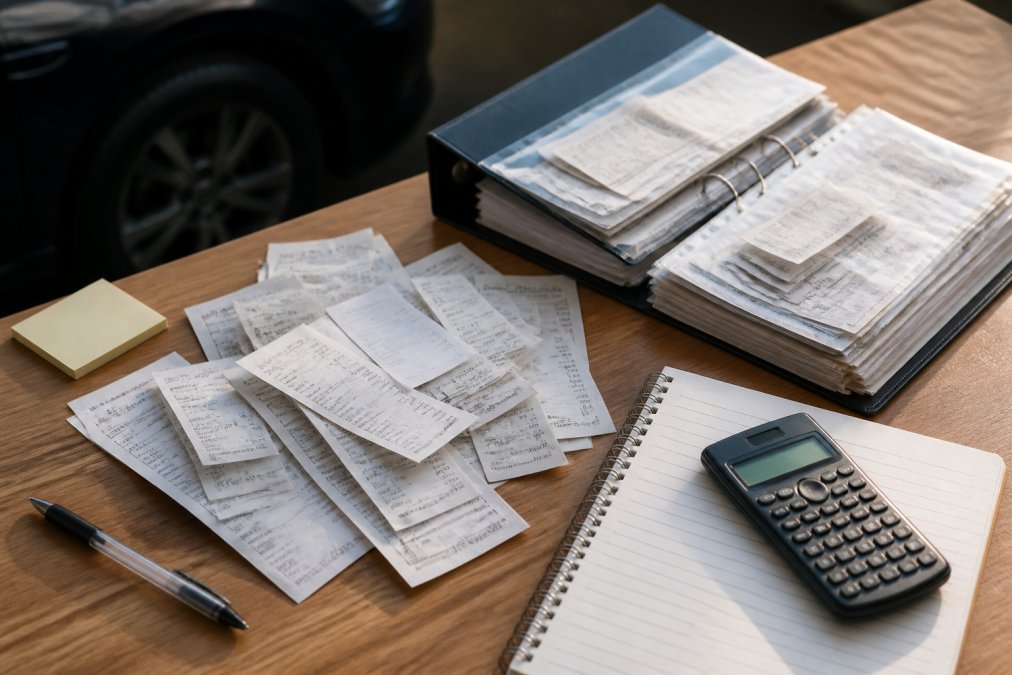
Table of Contents
- Why Organized Car Repair Receipts Matter for Resale and Warranty Claims
- Step 1: Gather and Sort Your Paper Receipts
- Step 3: Create a Standardized File Naming Convention
- Step 4: Build a Vehicle Maintenance Log Template
- Step 5: Use the Best Apps for Tracking Car Repairs
- How Long to Keep Car Service Records (And What to Toss)
- Advanced Tips: Tax Documentation, Telematics, and Digital Security
- Frequently Asked Questions
Last Updated: September 20, 2026
Why Organized Car Repair Receipts Matter for Resale and Warranty Claims
Learning how to organize car repair receipts is one of the highest-return habits a vehicle owner can build, because a complete service history directly protects resale value and warranty coverage. When a buyer or dealer asks for proof of maintenance, a clean paper trail answers the question before it's asked. When a warranty claim gets disputed, the receipt with the date, mileage, and parts listed is your evidence. A shoebox of faded receipts is not proof of anything. A dated, searchable log is.
Step 1: Gather and Sort Your Paper Receipts
Collect every receipt you can find: glovebox, garage shelf, filing cabinet, email inbox, and phone photos. Expect an hour or two for a typical vehicle, longer for a project car.
Sort everything into two piles: maintenance (scheduled work like oil changes, tire rotations, fluid flushes) and repairs (unplanned fixes, from a failed alternator to a brake job after a collision).

Choose the Right Scanner and Cloud Service
Any scanner that outputs searchable PDFs will work; the more important decision is where the files live. Pick a cloud service with version history and two-factor authentication, and confirm you can export your entire archive if you switch providers.
A practical checklist for the storage side:
- Two-factor authentication enabled on the account, not just a strong password
- Version history, so an accidental overwrite or deletion is recoverable
- Full-archive export in a standard format (PDF plus a CSV or JSON index)
- Client-side or at-rest encryption, and a clear statement of who can access your files
- A local backup on an external drive or NAS, so a locked account does not mean a lost history
Redact Before You Upload
This step matters most if your archive is ever exposed. Before a receipt goes into the cloud, decide what a stranger should see: a service history needs the date, mileage, VIN, shop, and work performed, not your home address, phone number, or partial card number.
A workable redaction workflow:
- Scan the receipt as normal.
- Open the PDF and use the redaction tool, not a black highlighter, which leaves the underlying text selectable and copyable. A true redaction removes the text layer.
- Mask the payment block, any full address, and any signature.
- Keep the VIN visible on the receipt itself, because it is the link between the paper and the vehicle, but never put the full VIN in a public-facing file name or shared link.
- Save the redacted version as the archive copy and keep the unredacted original in a separate, access-controlled folder if you need it for a warranty or insurance dispute.
Step 3: Create a Standardized File Naming Convention
A file naming convention is a fixed pattern applied to every scanned document so any file can be identified without opening it. For vehicle records, use date, vehicle, service type, and mileage.
Use this pattern:
YYYY-MM-DD_[VIN last 6]_[service-type]_[odometer].pdf
A real example looks like this:
2026-03-14_4T1BF1_ oil-change_87420.pdf
Step 4: Build a Vehicle Maintenance Log Template
A vehicle maintenance log template is a spreadsheet or app-based record listing every service event in one place, with the date, mileage, service performed, cost, and location of the supporting receipt. The template matters less than the fields: capture those five columns consistently and you have a service log that holds up to scrutiny.
Build it in any spreadsheet tool with these columns:
- Date of service
- Odometer reading
- Service or repair performed
- Parts and labor cost
- Shop or vendor name
- Receipt file name or link
Step 5: Use the Best Apps for Tracking Car Repairs
The best apps for tracking car repairs combine a maintenance log, receipt storage, and reminders in one place, so you're not juggling a spreadsheet, a cloud folder, and a calendar separately, that fragmentation is where most manual systems collapse. But most guides treat every entry as something you type by hand, when modern vehicles and cheap aftermarket hardware can feed the log automatically.
Where the Data Can Come From Automatically
There are three common sources of automatic vehicle data, and each has a different trade-off:
- Manufacturer connected-car portals. Most major automakers now offer an owner portal or app that shows service history performed at franchised dealers, open recalls tied to your VIN, and in some cases mileage snapshots. The catch is that independent shop work usually does not appear, so the portal is a partial record, not a complete one.
- Aftermarket OBD-II dongles. A plug-in device in the diagnostic port can log trips, mileage, and diagnostic trouble codes, and sync them to a phone app over Bluetooth or cellular. This is the most complete mileage source for an older car, but it only captures what the vehicle's computer reports, it will not know a shop replaced your brakes unless you tell it.
- Fuel and expense apps. These capture fill-ups and odometer readings at the pump, which builds a mileage timeline without any hardware. The trade-off is that you have to enter the reading at every fill-up, so the habit is only as good as your consistency.
What to Score an App Against
- Whether setup pulls your vehicle data automatically from the VIN
- Whether you can attach scanned receipts to each entry
- Whether reminders trigger on both time and mileage
- Whether you can export or share the full history in a standard format
- Whether it can ingest data from an OBD-II device or a manufacturer portal, or at least import a CSV of mileage readings
VIN-based setup populates your vehicle details without manual entry, AI-powered logs let you record a service or custom modification in plain language, and reminders fire on both time and mileage intervals so a low-mileage car doesn't miss a calendar-due service. When you're ready to sell, a shareable build profile turns your records into a history a buyer can verify.
How Long to Keep Car Service Records (And What to Toss)
Keep service records for as long as you own the vehicle, and hand the full set to the next owner at sale, a gap in the history reads as a gap in maintenance.
| Record Type | Keep Paper? | Keep Digital? | Retention Period |
|---|---|---|---|
| Major repairs (engine, transmission) | Yes | Yes | Life of vehicle |
| Routine maintenance | No | Yes | Life of vehicle |
| Parts purchase receipts | Optional | Yes | Life of vehicle |
| Post-sale copies | No | Yes | 3-5 years after sale |
| Duplicates and inserts | No | No | Discard immediately |
Advanced Tips: Tax Documentation, Telematics, and Digital Security
Three areas separate a basic filing system from one that holds up under pressure: tax treatment, telematics integration, and security.
Frequently Asked Questions
How long should I keep car repair receipts?
Keep receipts for at least three years for general warranty and tax purposes. For major repairs or if you plan to sell the vehicle, hold onto them for the entire time you own the car. The IRS recommends keeping records that support tax deductions for at least three years, but for resale value, a full service history from day one is most valuable.
What information should be included in a vehicle maintenance log?
Record the date, odometer reading, vehicle identification number (VIN), service performed, parts used, cost, and the service center or mechanic's name. Also note any warranties or follow-up needed. This data helps with preventative maintenance scheduling and provides proof of service for warranty claims or resale.
Do organized service records increase a car's resale value?
Yes, a complete and organized service history can increase resale value by showing potential buyers that the car was well-maintained. It provides transparency and can justify a higher asking price.
How can I digitize my paper car repair receipts?
Use a smartphone scanner app or a dedicated document scanner to convert paper receipts to PDF. Then store them in a cloud service like Google Drive, Dropbox, or a specialized vehicle maintenance app. Organize files by date and service type using a consistent naming convention, such as 'YYYY-MM-DD_ServiceType_Mileage'.
Keeping years of scattered receipts organized is genuinely hard, and most owners abandon the effort within a month of starting. CarJourney makes it stick: VIN-based setup gets your vehicle in the system in minutes, AI-powered logs let you record routine service and custom modifications in plain language, and shareable build profiles turn your history into something a buyer trusts on sight. Start free and build a digital garage you'll actually keep up with.
Start free