 carjourney
From the CarJourney journal
Digital Service Records: Car Resale Benefits
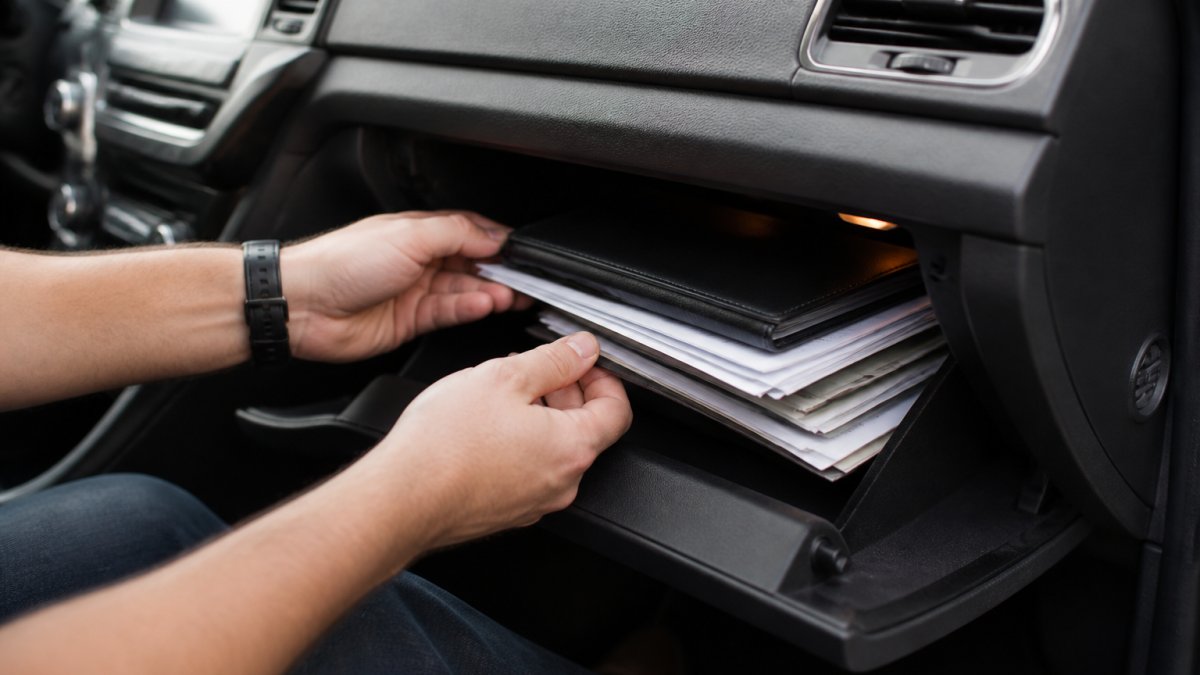
Table of Contents
- Why Digital Service Records Matter for Car Resale
- The Importance of Vehicle Service History for Resale
- What Documents to Keep When Selling a Car
- Best Car Maintenance Tracking Apps for Enthusiasts
- How to Digitize Your Paper Records: A Step-by-Step Guide
- Security and Privacy of Digital Service Records
- Common Mistakes to Avoid with Digital Records
- Frequently Asked Questions
Last Updated: September 28, 2026
Why Digital Service Records Matter for Car Resale
A complete maintenance history is one of the few things a seller controls that directly influences what a buyer will pay. Digital service records solve the oldest problem in used-car sales: proving the work you claim was actually done. CarJourney built its platform around this gap, giving owners a single digital garage where every oil change, tire rotation, and modification lives in one verifiable place.
The Importance of Vehicle Service History for Resale
Vehicle service history is the single strongest evidence of how a car was treated. According to Consumer Reports' used car buying guidance, buyers consistently rank maintenance documentation among the top factors in their purchase decision, right alongside mileage and accident history.
How Documentation Affects Buyer Confidence
A buyer comparing two identical cars will pay more for the one with records, because the risk differs. Records answer what a buyer cannot verify alone: Was the oil changed on schedule? Was that transmission noise addressed? Was the timing belt skipped?
Impact on Resale Value and Depreciation
Depreciation is unavoidable; undocumented depreciation is not. A car with a maintenance gap gets appraised as though the worst case happened, because the appraiser has no evidence otherwise.
What Documents to Keep When Selling a Car
Keep everything that proves a service happened, when, and at what mileage, but not every document carries equal weight. Treating them as one pile leaves sellers with a folder of tire rotations and no proof of the timing belt.
Tier 1, Records that directly defend price
- Major repair invoices with parts and labor broken out (engine, transmission, timing belt, head gasket, turbo, clutch)
- Warranty and recall service paperwork, especially any manufacturer campaign completed at a dealership
- Oil change and fluid service receipts with dates and odometer readings
- Emission and state inspection certificates
Tier 2, Records that support the Tier 1 story
-
Tire rotations, replacements, and alignment records
-
Brake service, suspension work, and diagnostic reports tied to resolved issues
-
Aftermarket part receipts and installation records
-
Proof of ownership and title documents
-
Cosmetic receipts (detailing, paint correction, tint)
-
Fuel and mileage logs
-
Photos of work in progress
Why the Tiering Matters
A buyer's inspection focuses on three questions: Was the oil changed on schedule? Was the car in a major accident or repair? Is anything about to fail? Tier 1 answers all three, Tier 2 corroborates them, and Tier 3 signals care without changing the risk profile.
Essential Paperwork and Digital Equivalents
Every paper item above has a digital counterpart: a scanned receipt becomes a logbook entry, a warranty card a stored PDF, a folder of invoices a searchable vehicle documentation archive.
What a Complete Service History Actually Looks Like
"Complete" does not mean every receipt since new, it means no unexplained gaps in the manufacturer's maintenance schedule. If the manual calls for oil changes every 7,500 miles and records show 7,200, 15,100, and 22,400, that is complete. Entries at 7,200 and 22,400 with nothing between means the buyer assumes the worst.
Pro Tip Log the mileage at the moment of service, not the mileage when you get around to entering it. A record that says "oil change, ~47,000 miles" is worth far less than one that says "oil change, 47,213 miles, March 4."Best Car Maintenance Tracking Apps for Enthusiasts
Most tracking apps handle oil changes; fewer handle a swapped turbo, coilover install, or one-off custom bracket, a distinction that matters when documenting a build, not just a commute.
Key Features to Look For
- VIN-based vehicle setup that auto-populates make, model, and year
- Unlimited modification tracking for custom parts and one-off work
- Shareable build profiles so buyers can review history without an account
- Reminders tied to both time and mileage, not just one
- Data export so your records are never trapped in one app
This is where CarJourney fits: AI-powered maintenance logs and Ask-AI Q&A let you log a modification in plain language, VIN-based setup keeps the vehicle profile accurate from day one, and the shareable build profile turns your history into something a buyer can read.
| Feature | Why It Matters at Resale |
|---|---|
| VIN-based setup | Prevents mismatched records across vehicles |
| Modification tracking | Documents custom work buyers would otherwise question |
| Shareable build profile | Gives buyers verifiable history without an account |
| Time + mileage reminders | Keeps service intervals from being missed |
| Data export | Preserves your records if you switch tools |
How to Digitize Your Paper Records: A Step-by-Step Guide
Digitizing a decade of receipts takes an afternoon if you work in the right order: build the structure first, then fill it.

- Gather everything in one place. Pull receipts from the glovebox, the filing cabinet, email attachments, and photo galleries.
- Sort by date, then by mileage. Chronological order prevents gaps later.
- Photograph or scan each document. A phone camera works if the text is legible and the corners are visible.
- Name files consistently. Use a format like
2026-03-04_oil-change_47213.jpg. - Enter each item as a logbook entry in your tracking app, matching the file to the date and mileage.
- Flag anything missing. A gap in the paper trail is worth noting before a buyer finds it.
Scanning and Organizing Receipts
Faded thermal receipts are the enemy. Scan at the highest resolution your phone allows and back up to cloud storage separate from your tracking app, two copies in two places for anything you might need to prove.
Using VIN-Based Setup for Accuracy
Enter the VIN once and let the app populate the vehicle profile, preventing the most common digitization error: records attached to the wrong car. With multiple vehicles, VIN-based setup keeps each history separate.
Watch Out Do not rely on a single app as your only copy. If the service shuts down or you lose access, your history goes with it. Export your records periodically and keep the export somewhere you control.Security and Privacy of Digital Service Records
Security stops most people from digitizing, and fairly so: your maintenance history can reveal your address, schedule, and spending. But the bigger problem is not theft, digital service records are not standardized, and a record locked in the wrong format is worth less than the paper it replaced.
The Standardization Problem: Manufacturer Portals vs. Third-Party Apps
There are two broad categories of digital service records, and they behave very differently at resale.
How Digital Records Sync with Vehicle History Reports
Vehicle history reports draw from public records, insurance claims, dealership service submissions, and state registration data. They are strong on accidents, title brands, and odometer readings, but weak on routine maintenance because most independent shops do not report to them.
Reducing the Real Risks
Three practices reduce the risk of digitizing:
- Never post your full VIN publicly. It can be used to look up your vehicle's history and, in some cases, to facilitate fraud.
- Share build profiles through the app's own sharing feature, not by posting screenshots on public forums.
- Review what a buyer can see before you send a link, and revoke access after the sale.
A fourth, less obvious practice: export your records periodically. If a platform changes sharing rules, restricts exports, or shuts down, your history should not go with it, a dated export you control is the difference between a portable asset and a hostage.
Key Takeaway The value of a digital record is proportional to how easily it can be verified by someone else. A private folder of scans is better than nothing. A shareable, timestamped, VIN-linked history that a buyer can cross-reference against a vehicle history report is what actually moves the price.Common Mistakes to Avoid with Digital Records
The most expensive mistake is treating digitization as a one-time project. Records hold value only if they stay current, and a gap in the last two years raises more questions than one from a decade ago.
- Backfilling only the big repairs. Routine service intervals matter just as much as major work.
- Skipping mileage. A date without an odometer reading is half a record.
- Mixing vehicles. Keep each car's history separate, especially if you own a project car and a daily driver.
- Deleting the paper originals. Scan them, then keep them. Originals carry weight with some buyers and appraisers.
- Never reviewing the history. Before you list, read your own records the way a buyer would. You will spot the gaps they would.
Frequently Asked Questions
How do digital service records increase the resale value of a vehicle?
Digital service records provide verifiable proof of maintenance, which builds buyer confidence and reduces perceived risk. A well-documented history can justify a higher asking price and attract serious buyers. Digital records also make it easy to share a transparent logbook with potential buyers, giving you a stronger negotiating position.
Are digital service records more reliable than paper logbooks?
Digital records offer several advantages over paper logbooks. They are less prone to loss, damage, or tampering, and can be backed up securely. With features like timestamps and VIN-based verification, digital records provide a clear audit trail. Paper records can be easily forged or misplaced, while digital platforms often include data integrity checks. However, reliability depends on the platform; choose one that prioritizes security and allows you to export your data.
What information should be included in a digital service history?
A complete digital service history should include the vehicle identification number (VIN), dates and mileage at each service, detailed descriptions of work performed, parts used, and the service provider's name. It should also capture repair receipts, warranty documents, and any modifications. For resale, include proof of ownership and a clear logbook entry for every maintenance event. This comprehensive record helps buyers verify the car's condition and maintenance schedule.
Can digital service records help verify a car's maintenance history for buyers?
Yes. Digital service records allow buyers to independently verify maintenance history through shareable links or reports. Unlike paper records, which can be altered, digital logs often include timestamps and can be integrated with vehicle history reports. This transparency builds trust and can prevent odometer fraud. Buyers appreciate the ability to review a car's service schedule and confirm that preventative maintenance was performed on time.
Selling a car with incomplete records puts you in a defensive position before the first message arrives. CarJourney gives you a way out of that: VIN-based vehicle setup, unlimited maintenance and modification tracking, time and mileage reminders, and shareable build profiles that let a buyer verify your car's care without an account. Start free and turn your paperwork into proof.
Start free