 carjourney
From the CarJourney journal
Top 5 motormia.co Vehicle Maintenance Tracking Alternatives 2026

Keeping accurate maintenance records and tracking expenses for multiple vehicles quickly becomes chaotic when apps limit vehicle counts, restrict document attachments, or lack reliable reporting features. Free tools often gate attachment options, hide maintenance reminders behind paywalls, or fail to support cross-device syncing for owners with both phone and desktop workflows. This comparison details shareability, privacy, automatic logging, platform coverage, and pricing across five vehicle maintenance tracking apps so you can match the right system to your car collection or small fleet without risking lost records or scattered receipts.
Table of Contents
- CarJourney
- Carport
- Simply Auto
- Trackara
- CarSavvy
- Comparative Analysis of Vehicle Maintenance Tracking Providers
CarJourney
At a Glance
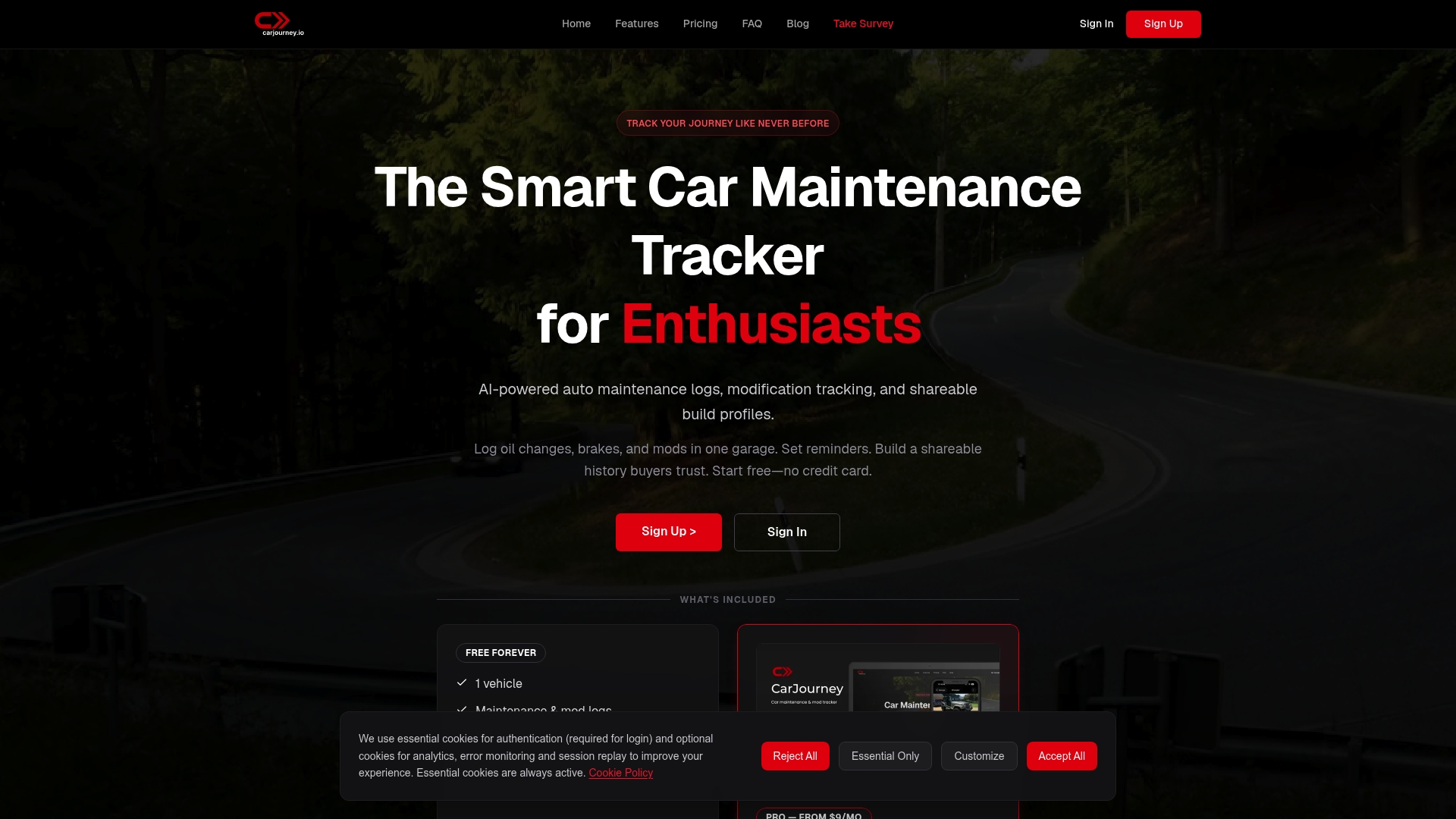
Pro plans start at $2.99/month and there is a lifetime option at $99.99, plus a usable free tier for basic tracking. CarJourney centers on AI-assisted document scanning and shareable build profiles aimed squarely at enthusiasts who track multiple cars.
Core Features
CarJourney offers AI-powered maintenance logs and modification tracking, service reminders triggered by mileage or time, and vehicle import via license plate or VIN. The app includes a Digital Garage for organizing builds and a community area for sharing knowledge and parts experiences.
It runs on web, iOS, and Android so you can access service history from the shop or the driveway. The platform supports shareable vehicle histories for resale transparency and buyer confidence.
Key Differentiator
What sets CarJourney apart is its focus on AI-powered vehicle documentation and personalized maintenance insights built specifically for car enthusiasts. The AI scans receipts and service documents to populate logs and suggest maintenance windows tailored to each build and its usage patterns.
Pros
-
Offers a dedicated system for hobbyists who care about build history and modification timelines, not just oil-change reminders. This helps when you want a tidy story to show a buyer.
-
Shareable build profiles let you export or display a car’s complete service and modification record, which reduces back-and-forth during private sales.
-
Cross-platform access on web, iOS, and Android keeps records available in the shop, at a track, or at home. No need to email photos to yourself.
-
Flexible pricing with a free tier and low-cost Pro plans makes the tool accessible for casual users while supporting collectors who track many vehicles.
Cons
- The document scanning and AI extraction can be imperfect; receipts and handwritten notes sometimes require manual cleanup.
Who It’s For
CarJourney fits serious car enthusiasts, collectors, and hobby mechanics who maintain multiple vehicles and want detailed, organized records plus community feedback. If you want a simple odometer reminder app, this is more than you need.
Unique Value Proposition
The combination of document scanning plus build-focused shareability changes how you sell or preserve a car. Rather than a stack of loose receipts, you present a cleaned, timestamped history that buyers and shops can review quickly, which speeds inspections and raises confidence.
Real World Use Case
A collector uses CarJourney to record service on five classic cars. Receipts are scanned into each car’s profile, reminders keep timing on consumables, and a potential buyer reads the share link before viewing. Negotiations go faster because maintenance gaps are visible or explained.
Pricing
Free for basic use with one vehicle. Pro plans start from $2.99/month or $39.99/year. A lifetime option is available at $99.99 for long-term collectors who prefer a single payment.
Website: https://carjourney.io
Carport
At a Glance
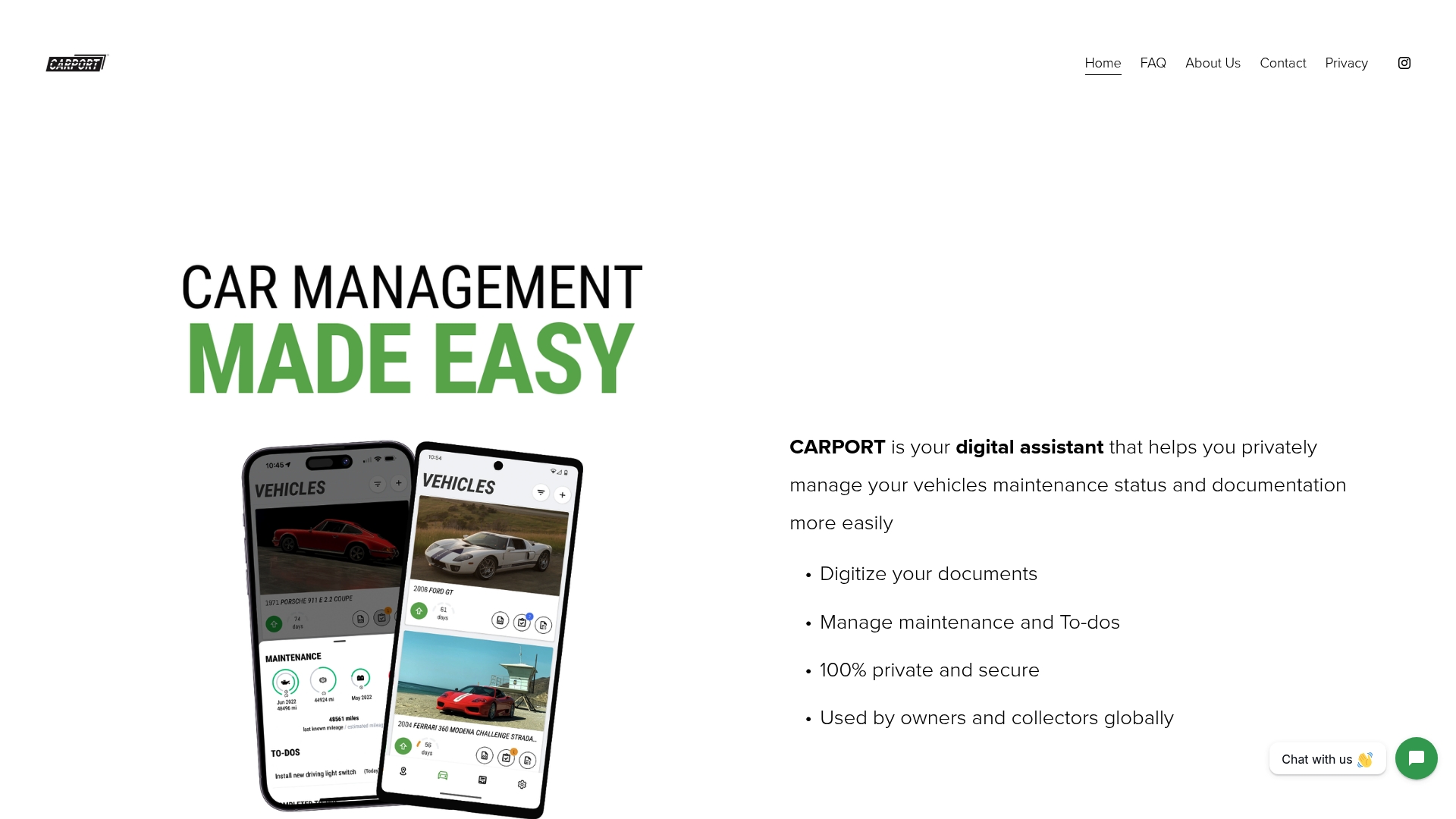
Free to use with no limit on the number of vehicles and native Apple Silicon desktop support alongside iOS and Android apps. The app packages document scanning, maintenance tracking, drive logs, and spend monitoring into a private, device-first workflow.
Core Features
Carport lets you digitize receipts, service records, and photos. It aggregates those files into a searchable vehicle archive.
- Digitize documents and receipts with mobile scanning and attach them to specific vehicles.
- Manage maintenance schedules and simple To-Do lists to track upcoming service items.
- Track activity, rotations, and total spend while monitoring a vehicle’s market value over time.
Key Differentiator
The vendor advertises a fully private and secure vehicle management experience with no ties to social platforms or third-party data sales. That privacy-first claim is Carport’s primary angle, aimed at owners who do not want their vehicle history or receipts shared outside their devices.
Pros
- Free to use: All core features are available without a charge, which lowers the barrier to getting every car in your garage cataloged.
- Strong privacy focus: The product positions itself as private and offline friendly, appealing to owners wary of cloud sharing and data resale.
- Available on iOS, Android, and Apple Silicon desktops, which helps owners who switch between phone and native desktop apps.
- Comprehensive vehicle management tools cover receipts, maintenance, logs, spending, and market value so you can keep a single record for each vehicle.
- No vehicle limit lets collectors store entire fleets without per-vehicle fees.
Cons
- Limited third-party user feedback is available, so real world reliability and long term support are harder to verify.
- No web-based desktop interface currently; users who prefer a browser client will need an Apple Silicon device or a mobile app.
- The roadmap mentions possible future subscription features but they are not available now, which leaves product maturity uncertain for power users.
Who It’s For
Private vehicle owners and collectors who want a single, private place to organize receipts, service records, and drive logs. It fits people who value privacy over social sharing and who use Apple devices or mobile apps as their primary interface.
Real World Use Case
A classic car enthusiast scans decades of service invoices and restoration photos into Carport. They schedule routine maintenance reminders, log show drives, and track total spend and market value so the car is ready for sale or display with a clean, verifiable history.
Website: https://carport.app
Simply Auto
At a Glance
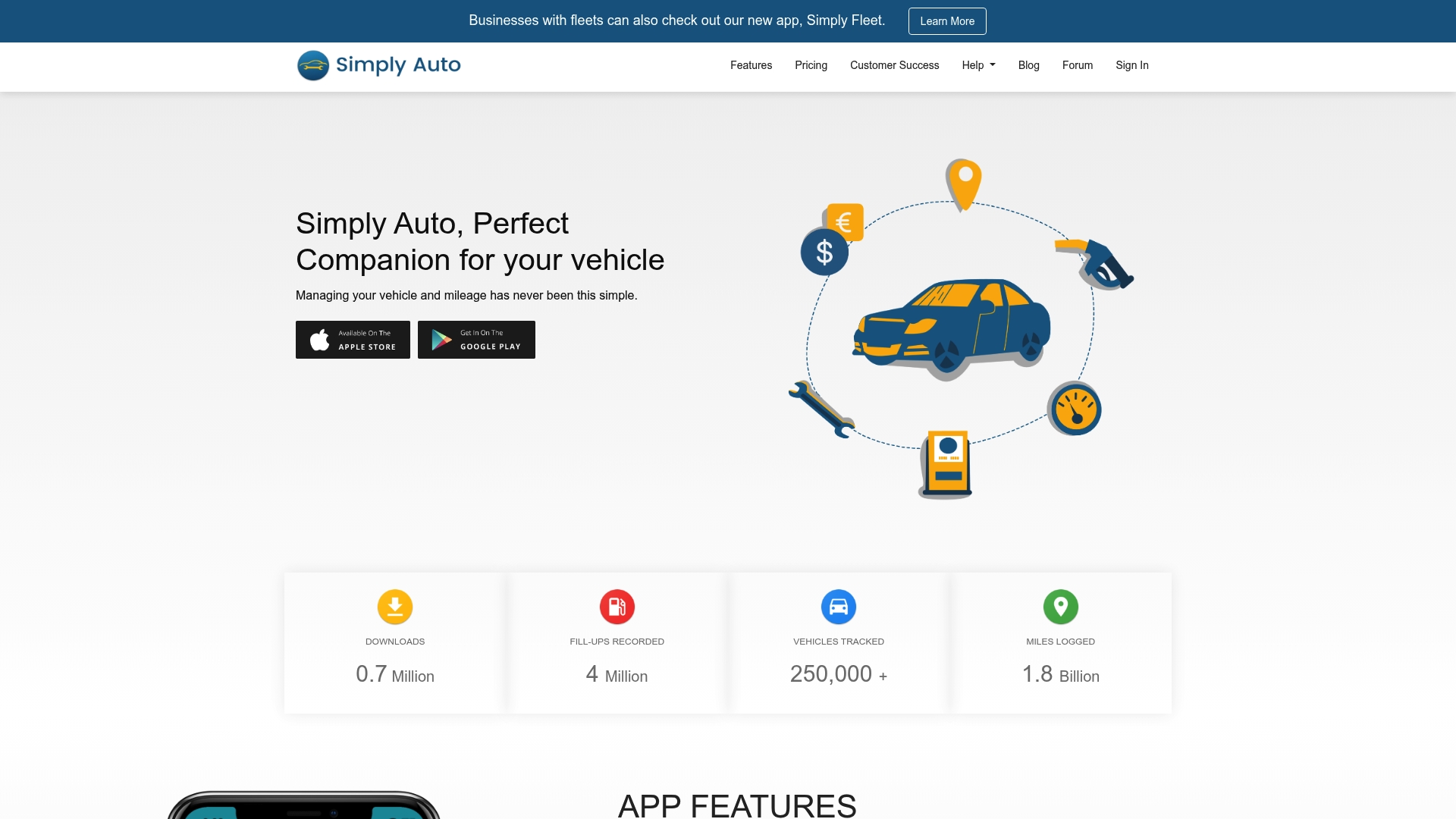
Automatic trip logging combined with multi device sync and web access for Pro users makes mileage capture almost hands free. The app focuses on fuel, maintenance, expenses, and mileage so you can build tax records and routine service histories without spreadsheets.
Core Features
-
Fuel fill up recording and monitoring with per vehicle logs and basic trend views.
-
Automatic mileage tracking that logs trips without manual input and service reminders that trigger before scheduled maintenance.
-
Expense management, secure cloud backup for Pro users, scheduled reports, and multi device synchronization with web access for Pro subscribers.
Key Differentiator
What sets this apart is the pairing of automatic trip logging with comprehensive maintenance and expense records across multiple vehicles. That mix makes Simply Auto useful for owners who want passive mileage capture and for small fleet operators who need a single place to link fuel, receipts, and service reminders.
Pros
-
Straightforward interface. The screens are uncluttered and let you record fill ups and services in seconds, which reduces data drift over months.
-
Useful for long term maintenance tracking. Service histories attach to each vehicle so you see patterns in repairs and can schedule recurring tasks.
-
Multi vehicle support and device sync. If you manage more than one car or a few work trucks, data stays consistent across phones and tablets.
-
Web access for Pro users. Remote access makes monthly reporting and exporting receipts easier than dealing with phone only tools.
-
Helps with tax and reimbursement records by grouping mileage and expense items per trip or service entry.
Cons
-
Recent community discussion reports growing user dissatisfaction, which suggests quality of experience has slipped for some people after updates.
-
Stability and feature consistency can vary. Several users report crashes or missing data in edge cases, which matters if you rely on a clean audit trail.
-
Important features like receipt attachments and secure cloud backup require the Pro upgrade, leaving free users with limited reporting.
When It May Not Fit
If you run a large fleet with formal accounting and need vetted enterprise grade uptime, this app can feel light. The reported stability issues and the Pro gated features make it a weaker choice for heavy duty operations that need guaranteed data integrity.
If you want advanced analytics out of the box without paying for Pro, you will find the free tier restrictive.
Who It’s For
Individual vehicle owners, self employed professionals, and small fleet managers who want fast mileage capture, service reminders, and simple expense tracking. It fits people who prefer phone first workflows and who are willing to pay for cloud backup and web access when they need remote reporting.
Real World Use Case
A small business fleet manager logs every fill up and service across five vans. Automatic trip logging collects employee mileage, scheduled reminders keep oil changes on time, and the manager pulls monthly reports from the web interface for tax and reimbursement documentation.
Pricing
Free to start, with optional one time and annual Pro upgrades that unlock cloud backup, receipt attachments, web access, and scheduled reporting. The basic free tier handles simple logging but Pro adds the syncing and export tools many small businesses need.
Website: https://simplyauto.app
Trackara
At a Glance
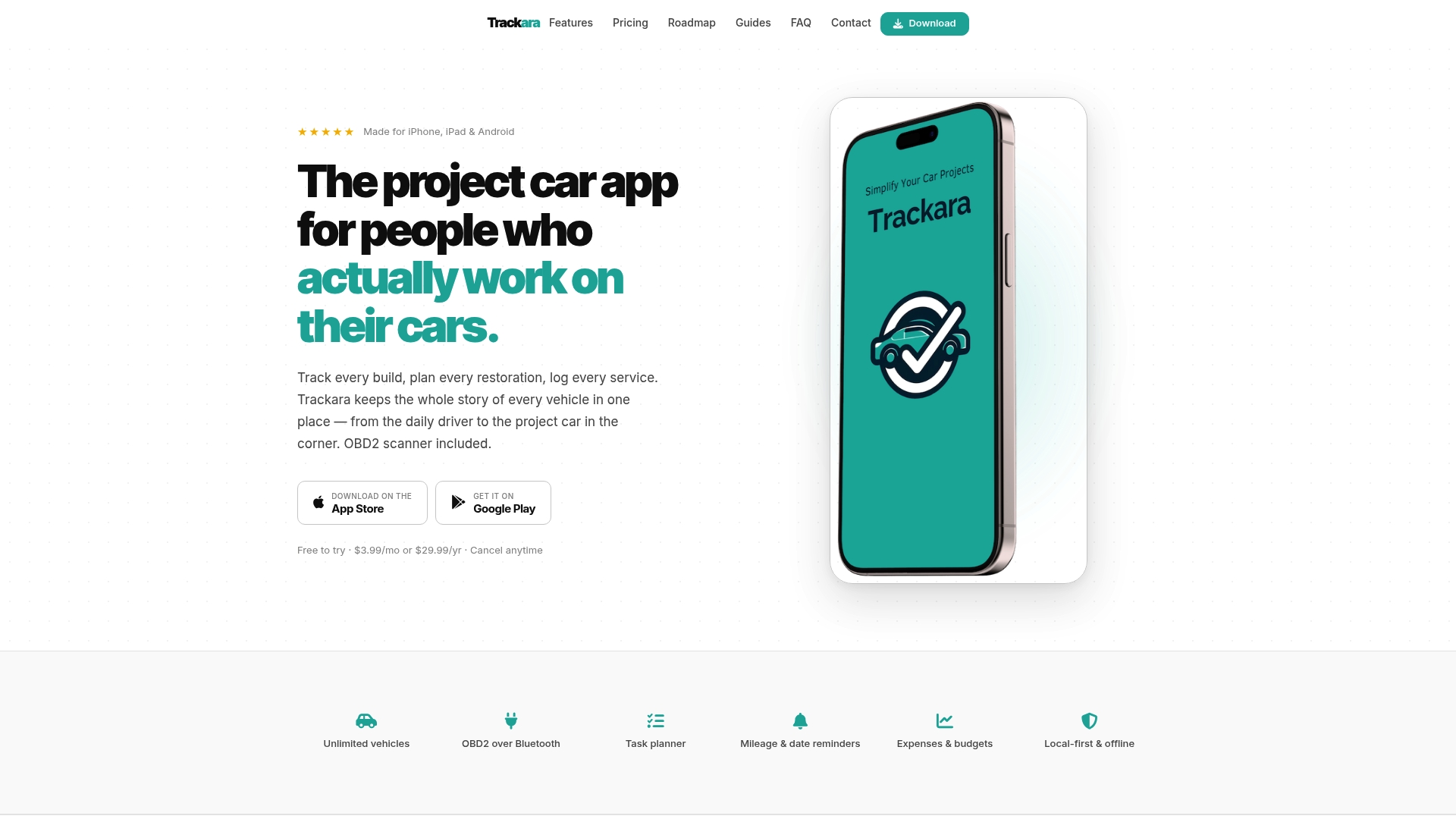
A flat $3.99 per month or $29.99 per year unlocks every feature in Trackara with no tiers or upsells. The app pairs with Bluetooth OBD2 scanners for live diagnostics while keeping project planning, expenses, and reminders in one place for restorers and mobile mechanics.
Core Features
- Vehicle and project management that lets you split a car into multiple projects and track parts, labor, and photos over years.
- OBD2 Bluetooth diagnostics and live sensor data for real time fault reading and quicker troubleshooting during a shop visit.
- Task planner with customizable checklists plus tool and part specifications to reproduce work reliably.
- Expenses and budgets tracking per vehicle or project so you keep a running cost ledger for restorations or fleet maintenance.
- Mileage and date reminders with factory maintenance schedules included for common makes and models.
Key Differentiator
Trackara brings diagnostics, planning, and accounting into a single mobile app tailored to car builders and shop owners. That combined workflow reduces toggling between scanner apps, spreadsheets, and photo folders during a multi stage build or roadside diagnosis.
Pros
- Specialized tools for hands on work. The task planner and part specs match how mechanics actually organize jobs on the drive or in the bay.
- Diagnostic data and service logs live together. Reading a fault code and immediately attaching the repair ticket cuts follow up time.
- Works across vehicle types. Classic restorations, motorcycles, daily drivers, and fleet vehicles all fit the same project model.
- Built in factory schedules and troubleshooting resources save time hunting PDFs and forum threads.
- Branded app options let shops present a polished client experience without developing their own software.
Cons
- The product lacks broad market recognition beyond niche forums and professional circles, so independent reviews are scarce.
- No free tier is available; the flat price is low but there is no no cost trial level for casual users.
- If you depend on a specific enterprise integration or an external dealer database the app does not advertise deep third party validation or wide integrations.
Who It’s For
Enthusiast owners, DIY mechanics, restoration builders, and mobile repair shops that need OBD2 data and job tracking on the same device. Trackara fits users who want a single app to log work, attach photos, and bill repair hours.
Real World Use Case
A restoration builder logs every part and service across a multi year build. They attach photos at each stage, use the checklist to keep wiring runs consistent, and set reminders for deferred maintenance. Diagnostics from a Bluetooth scanner helps isolate recurring faults during test drives.
Pricing
Flat subscription model at $3.99/mo or $29.99/yr. The vendor positions this as an all features included price with no tiers or upsells.
Website: https://trackara.app
CarSavvy
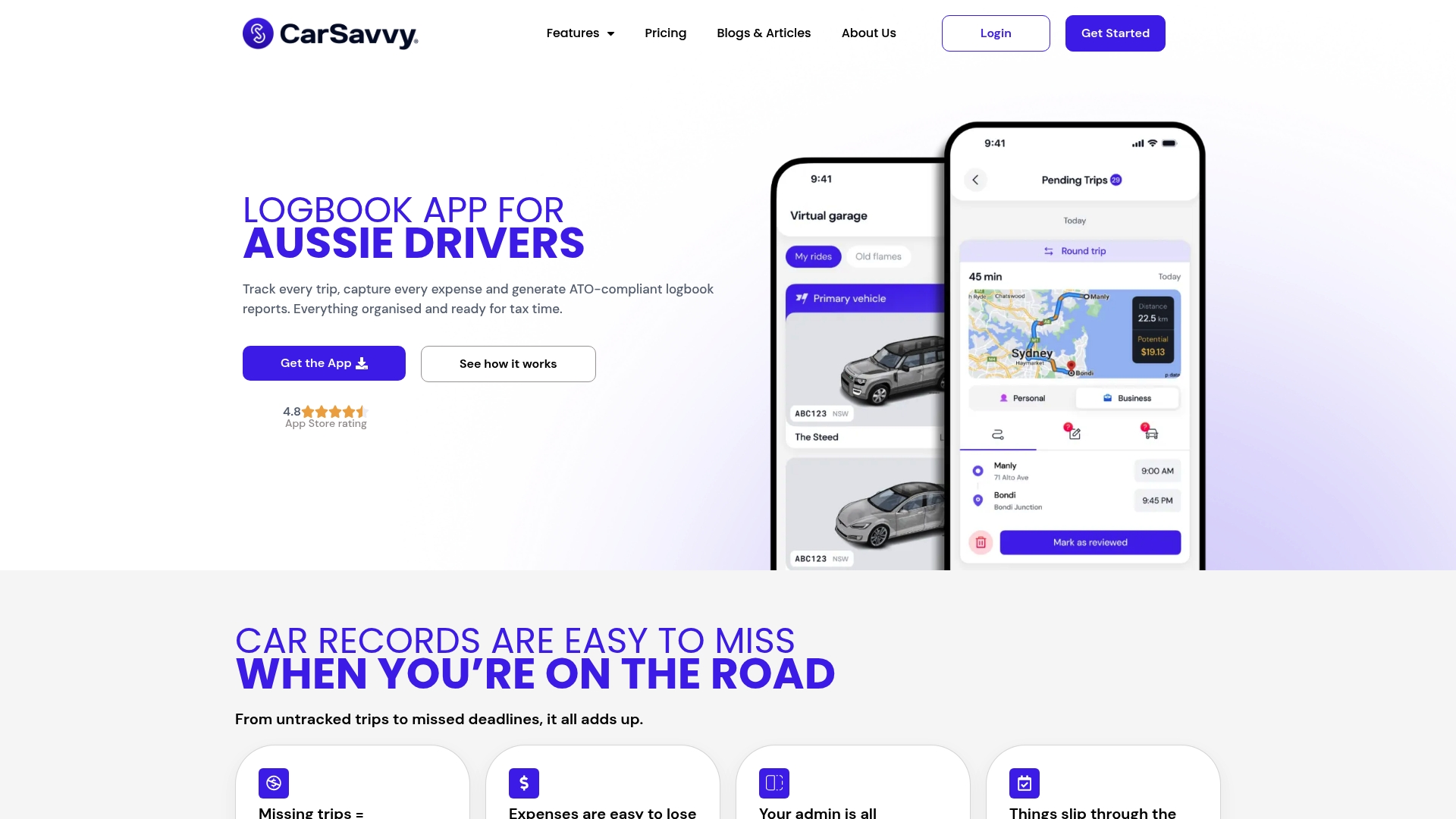
At a Glance
CarSavvy advertises automated trip detection combined with AI receipt capture and ATO-compliant logbook reporting for Australian drivers. The vendor positions those features as the app’s core time saver for sole traders and rideshare drivers who juggle tax paperwork with driving shifts.
Core Features
- Automatic trip tracking using GPS and Bluetooth to detect work trips without manual start and stop.
- AI-powered receipt capture that scans receipts and attempts automatic expense categorization.
- ATO-compliant logbook and reporting designed to produce the paperwork the Australian Taxation Office expects.
- Nationwide fuel finder to compare prices and in-app reminders for rego, insurance, and servicing.
- Multi-vehicle management so small fleets or families can keep separate records.
Key Differentiator
CarSavvy’s single-minded focus on Australian tax rules and logbook formatting separates it from generic mileage apps. Because the vendor targets ATO requirements, the app bundles trip detection, receipt capture, and reporting into one workflow rather than leaving tax output as an export afterthought.
Pros
- Comprehensive feature set aimed at Australian drivers reduces the number of apps you need for trips and expenses.
- Automation cuts manual entry. Let the phone detect work trips and scan receipts so you spend less time on admin after a long shift.
- ATO-compliant reports mean the output is shaped for tax submission rather than raw CSV files that require rework.
- The nationwide fuel finder can save cash on frequent driving routes and makes route planning slightly cheaper.
- The interface is approachable for nontechnical users, which matters for tradies and older drivers who do not want a learning curve.
Cons
- There are no cited third-party reviews in the product data so independent performance records are unavailable.
- The product data lists limited information on advanced integrations or API access for accounting software.
- If you prefer entirely manual control, the automation could misclassify trips and creating a full manual override workflow is unclear.
Who It’s For
Australian sole traders, tradies, small business owners, and rideshare drivers who need an easy way to capture trips and receipts that align with tax reporting. It fits people who want lower admin overhead and a mobile-first record system.
Real World Use Case
A rideshare driver runs the app all day. Trips are logged automatically, receipts for fuel and tolls are scanned after each stop, and at tax time the driver exports a formatted logbook and expense report that matches the ATO layout the app advertises.
Pricing
The vendor lists a free tier and mentions premium features but does not publish detailed pricing in the provided data. Expect a free entry point with optional paid upgrades; verify exact costs on the vendor site before committing.
Website: https://carsavvy.app
Comparative Analysis of Vehicle Maintenance Tracking Providers
When selecting a vehicle maintenance tracking solution, evaluating the options based on their distinct features and target applications ensures alignment with user objectives.
Feature Specialization and Innovation
CarJourney stands out for its AI-powered maintenance logs and shareable build profiles tailored toward enthusiasts managing multiple vehicles. This focus on providing accessible historical documentation, particularly for vehicle modification enthusiasts, distinguishes CarJourney in this market. Alternatively, Simply Auto excels in automatic mileage tracking, a beneficial feature for professionals requiring effortless and accurate record-keeping for expenses, emphasizing its practicality.
Data Privacy and Accessibility
Carport appeals significantly to individuals prioritizing privacy through its offline-friendly operations and device-focused storage. This distinguishes it strongly within a consumer segment that values a secure and autonomous data environment. Meanwhile, Trackara caters to specialized users like mechanics with its integrated OBD2 diagnostics, enabling real-time fault assessment and job-planning tools. This integration minimizes reliance on external devices during vehicle diagnostics.
Best Fit for Different Use Cases
- CarJourney: For multi-vehicle enthusiasts seeking maintenance and modification documentation enhanced by AI-driven organization and insights.
- Carport: For users valuing privacy and a local data ecosystem without reliance on cloud-based services.
- Trackara: For professional and DIY mechanics who benefit from integrated diagnostic tools and project tracking.
- Simply Auto: For professionals requiring automatic mileage tracking to simplify client billing or tax documentation.
Our Pick: CarJourney
CarJourney emerges as the recommended choice for car enthusiasts aiming to meticulously document and manage vehicle maintenance and modification histories. Its AI tools and shareable profiles offer tangible benefits for individuals selling or preserving vehicles. CarJourney may not suit users who prioritize privacy over cloud integration or require professional diagnostic tools, who might benefit instead from Carport or Trackara respectively.
Vehicle Maintenance Tracking Apps Compared
Explore which vehicle maintenance app fits best for enthusiasts, professionals, or casual vehicle owners by examining their features and focuses side by side.
| App Name | Key Features | Best For | Pricing | Limitation |
|---|---|---|---|---|
| CarJourney | AI-powered maintenance and logs sharing | Enthusiasts managing multiple detailed histories | Free; Pro $2.99/month, Lifetime $99.99 | Document scanning AI may require manual adjustments |
| Carport | Private, secure document and maintenance archive | Privacy-focused users with large car collections | Free | Limited third-party user feedback |
| Simply Auto | Auto trip logging and cloud-synced maintenance | Small business fleets needing expense management | Free; Pro tier adds features | Some features like receipt attachments Pro only |
| Trackara | OBD2 diagnostics with planning and tracking tools | DIY mechanics working on projects | $3.99/month or $29.99/year | No free tier for casual users |
| CarSavvy | Trip logging and reporting aligned with tax rules | Australian business owners or rideshare drivers | Free tier; paid plans not disclosed | Lacks advanced integrations and independent third-party reviews |
Find Your Ideal motormia.co Alternative with CarJourney
If you have explored the top motormia.co alternatives for 2026, you likely want a vehicle maintenance tracking tool that goes beyond basic reminders and generic logs. CarJourney tackles the common frustration of scattered receipts and generic maintenance plans by using AI to scan your service documents and tailor schedules specifically for your vehicle. This means clearer records and fewer surprises on upkeep.
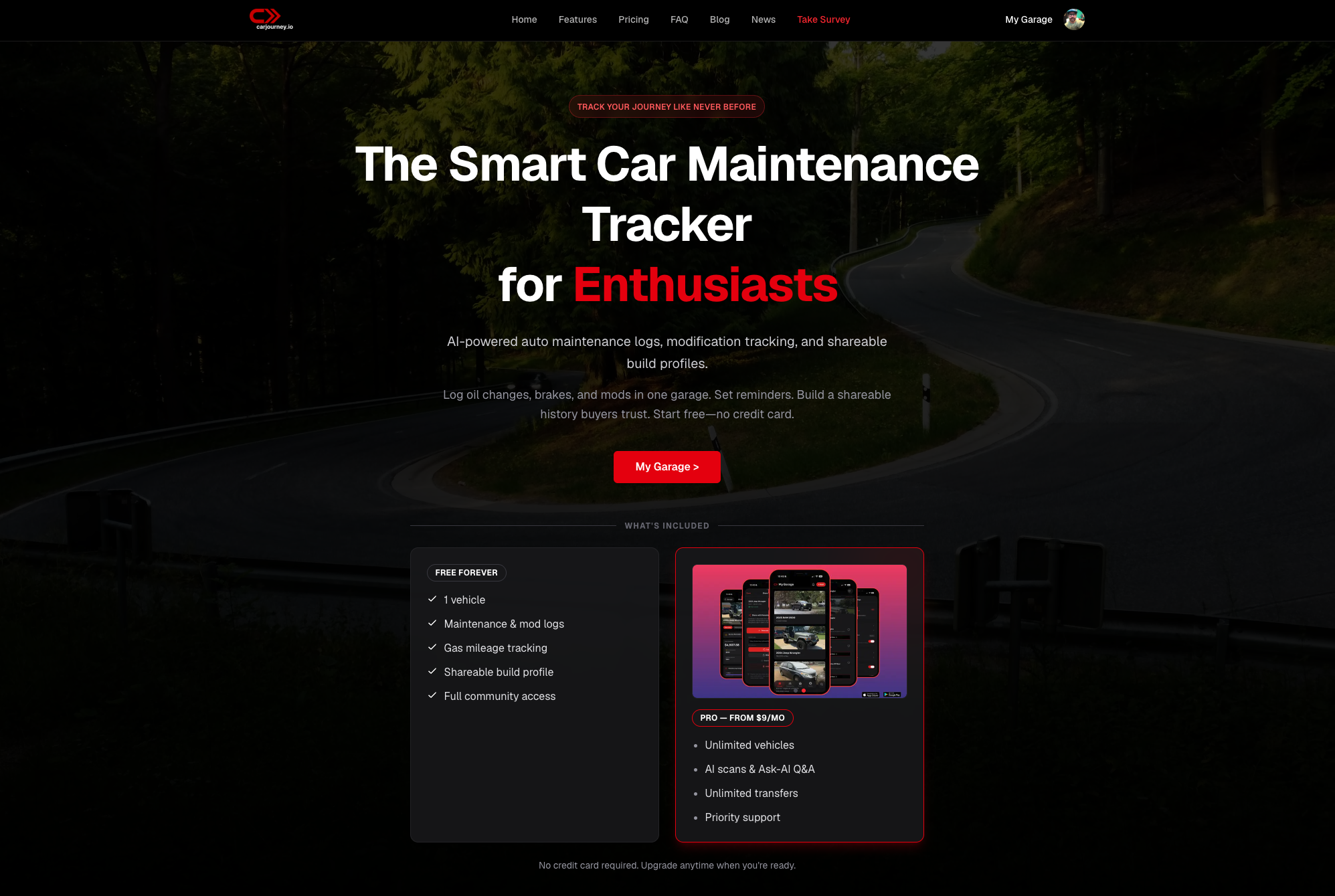
Discover how CarJourney helps enthusiasts and hobby mechanics track multiple vehicles with precise logs and shareable build histories. Don’t let incomplete records slow your next sale or repair. Visit CarJourney and import your maintenance details to get a detailed, AI-powered vehicle profile crafted just for you.
Frequently Asked Questions
How does Carjourney assist with tracking vehicle modifications?
Carjourney offers AI-powered maintenance logs and modification tracking tailored specifically for car enthusiasts. This feature helps users maintain detailed records of vehicle history, making it easier to share this information during resale, which is particularly useful for enthusiasts who want to present a tidy story to potential buyers.
What is the difference between Carjourney and Carport?
Carport focuses on privacy and offers a completely free service without any vehicle limits, making it appealing for users concerned about data sharing. In contrast, Carjourney excels in providing shareable build profiles and advanced AI insights to document vehicle modifications, which is better for collectors who want detailed reports for multiple vehicles.
Can I use Carjourney for automatic service reminders?
Yes, Carjourney includes service reminders that are triggered by mileage or time, ensuring you do not miss scheduled maintenance. This functionality is designed to help users manage their vehicle’s upkeep efficiently and maintain optimal performance.
Does Carport support document scanning for vehicle records?
Carport enables users to digitize receipts and service records, creating a searchable archive for their vehicles. This feature ensures that users can keep their vehicle histories organized and easily accessible without needing to rely on cloud services, which is crucial for those prioritizing privacy.
How does Carjourney’s pricing compare to Simply Auto’s?
Carjourney offers a free tier for basic use and Pro plans that start at $2.99 per month, while Simply Auto also has a free tier but charges for advanced features like cloud backup and web access. This makes Carjourney a more accessible option for casual users who may not require extensive features.
What unique feature does Trackara provide compared to Carjourney?
Trackara integrates OBD2 Bluetooth diagnostics, allowing for real-time fault readings during vehicle maintenance. This is particularly beneficial for mobile mechanics or restoration builders who need immediate access to diagnostic data while managing their projects.