 carjourney
From the CarJourney journal
5 Best Diagnostic Tools for DIY Car Repair
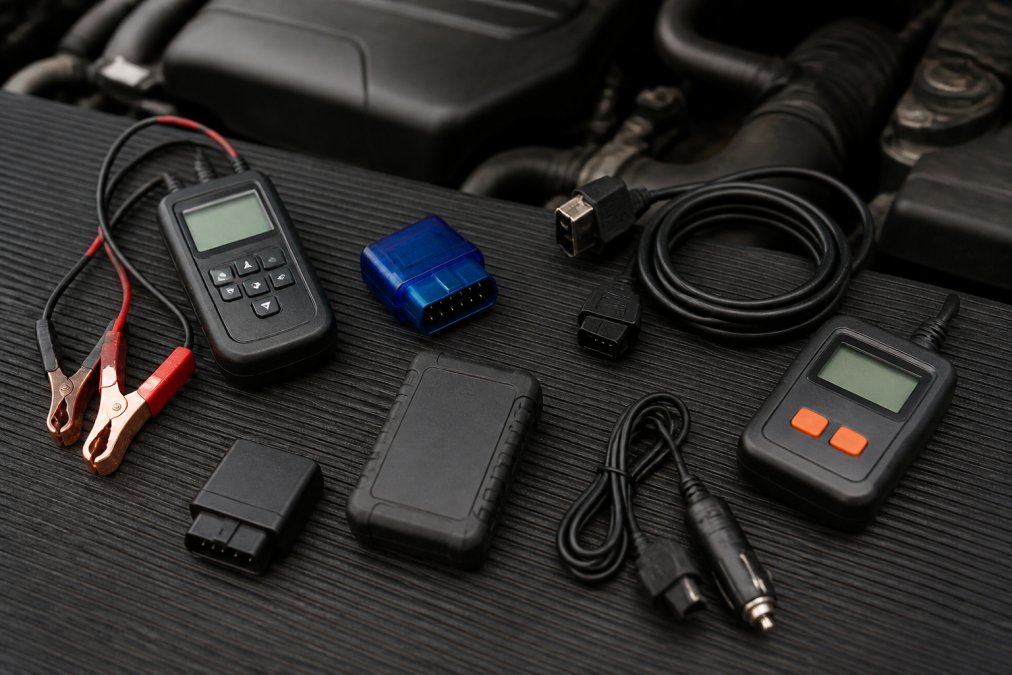
Table of Contents
- Why DIYers Need the Right Diagnostic Tools
- OBD2 Scanner vs Code Reader: What's the Difference
- How to Read Car Dashboard Warning Lights and Codes
- Quick Comparison: Top 5 Diagnostic Tools at a Glance
- The 5 Best Diagnostic Tools for DIY Mechanics
- How to Use an OBD2 Scanner for Car Maintenance
- Software Costs and Subscription Fees: What to Expect
- Smartphone-Based vs. Handheld Devices: Which Is Right for You
Last Updated: August 27, 2026
Why DIYers Need the Right Diagnostic Tools
Today, 85% of DIY mechanics use diagnostic tools to determine whether they can complete repairs themselves, according to a TOPDON survey of over 3,000 automotive technicians and DIY mechanics across North America (topdon.com). You can now plug a device into your vehicle's diagnostic port and get answers in minutes instead of hours.
The real question isn't whether to use diagnostic tools, it's which one fits your needs and budget. Most DIYers find that the right tool pays for itself on the first major repair, one owner saved $800 by using a cheap OBD2 scanner to diagnose a MAF sensor issue that would have cost far more at a dealership.
Key Takeaway Diagnostic tools let you read [trouble codes](/blog/why-scan-obd-codes), monitor live engine data, and perform maintenance resets without a mechanic. DIY users are the fastest-growing segment with a 6.45% annual growth rate through 2035, according to SNS Insider ([snsinsider.com](https://www.snsinsider.com/reports/predictive-maintenance-market-5569)).OBD2 Scanner vs Code Reader: What's the Difference
An OBD2 scanner connects to your vehicle's onboard diagnostic port and reads data from the engine control unit and other modules. A code reader is simpler and only reads and clears diagnostic trouble codes from the engine system.
A basic code reader costs $30-$70 and tells you what trouble code triggered your check engine light. An OBD2 scanner costs $100-$400 and shows live data streams, freeze frame information, and can diagnose multiple vehicle systems like transmission, ABS, and airbags. A code reader answers "What's wrong?" An OBD2 scanner answers "Why is it wrong?" and "What's happening right now?"
According to the TOPDON survey, 81% of DIY mechanics cite reading and clearing trouble codes as their primary use case, while 60% use diagnostic tools specifically to avoid unnecessary repair costs at service shops.
Pro Tip Most modern vehicles (1996 and newer) use the OBD2 standard, so compatibility isn't usually the problem. The difference is in what data the tool can access and how it presents that information.How to Read Car Dashboard Warning Lights and Codes
Your dashboard warning lights signal that something needs attention. The check engine light (a small engine symbol) triggers when the engine control module detects an emissions problem, sensor malfunction, or drivability issue.
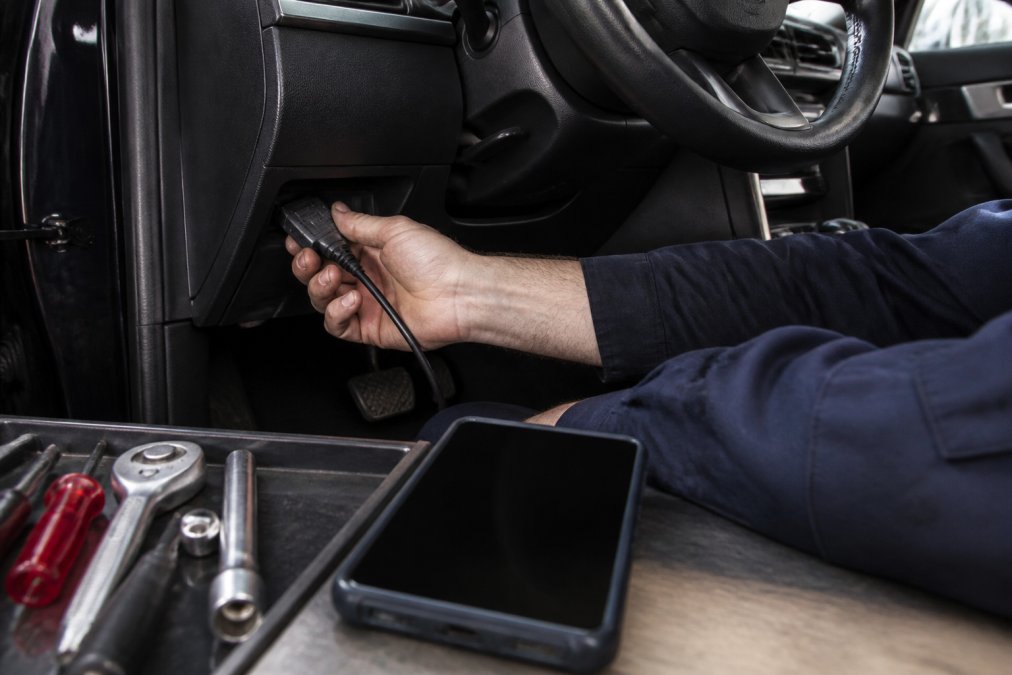
Reading the actual trouble code requires an OBD2 scanner or code reader. Plug the device into the diagnostic port (usually under the steering wheel on the driver's side), turn on the ignition without starting the engine, and the scanner retrieves stored diagnostic trouble codes (DTCs). These codes are alphanumeric, P0101 means "Mass Air Flow Sensor Performance," for example. The "P" prefix means powertrain; other prefixes indicate transmission (T), ABS (C), or airbag (B) codes.
Freeze frame data is a snapshot of engine conditions at the moment the code was triggered, showing RPM, vehicle speed, fuel trim, and sensor voltages. This context helps you understand whether the issue is intermittent or consistent. A P0101 code tells you the MAF sensor isn't performing correctly, but not whether the sensor itself is dirty, the wiring is corroded, or the air intake is leaking. That's where live data monitoring and experience come in.
Not every warning light requires immediate repair. An emissions-related code might indicate a loose gas cap. But a flashing check engine light indicates a serious misfire and demands immediate attention.
Quick Comparison: Top 5 Diagnostic Tools at a Glance
| Tool | Type | Starting Price | Best For | Key Strength |
|---|---|---|---|---|
| ANCEL AD310 | Handheld code reader | $29.99 | Budget beginners | Ultra-affordable, simple interface |
| BlueDriver | Bluetooth adapter | $99.95 | Smartphone users | App-based repair guidance, no subscriptions |
| TOPDON ArtiDiag500 | Tablet scanner | $168 | Mid-range DIYers | Multi-system diagnostics, lifetime updates |
| Autel MaxiCOM MK808S | Professional tablet | $389 | Advanced diagnostics | Bi-directional control, 28+ service functions |
| Launch CRP123X V3.0 | Tablet scanner | $185 | Multi-system scanning | Four-system coverage, lifetime Wi-Fi updates |
The 5 Best Diagnostic Tools for DIY Mechanics
1. ANCEL AD310: Best for Budget-Conscious Beginners
The ANCEL AD310 is the entry point for DIY diagnostics at under $70. It reads and clears trouble codes from your engine system with a 2.8-inch LCD screen and simple button controls, no smartphone required, no subscriptions. It displays live sensor data, freeze frame information, and performs I/M readiness checks for emissions testing.
Best for: Someone buying their first diagnostic tool or maintaining an older vehicle where engine diagnostics cover most needs.
Pros:
- Extremely affordable ($29.99-$69.99)
- No batteries required; powers directly from the vehicle
- Straightforward interface without smartphone dependency
- Lifetime free updates
Cons:
- Engine diagnostics only, no ABS, SRS, transmission access
- Small screen compared to tablet options
- No smartphone integration
2. BlueDriver: Best for Smartphone Integration
BlueDriver is a Bluetooth adapter that pairs with your smartphone to deliver professional-grade diagnostics through a mobile app. The app reads and clears enhanced diagnostic codes across engine, ABS, SRS airbag, and TPMS systems, and generates VIN-matched repair reports with verified fixes and causes. There are no subscription fees to unlock this guidance.
Best for: DIYers who want comprehensive diagnostics without subscription fees and trust their smartphone as their primary tool.
Pros:
- No subscription fees for full functionality
- VIN-matched repair reports with professional data
- Reads enhanced codes across multiple systems
- User-friendly app with detailed guidance
Cons:
- Requires a smartphone to operate
- Price fluctuates ($99.95-$139.95)
- Dependent on app connectivity
3. TOPDON ArtiDiag500: Best Mid-Range Tablet Scanner
The TOPDON ArtiDiag500 is a tablet-style scanner that scans four main vehicle systems, engine, transmission, ABS, and SRS, and includes six reset functions like oil reset, throttle adaptation, and TPMS reset. The 5-inch color touchscreen makes navigation intuitive. Live data streaming lets you monitor up to four data streams simultaneously. Firmware updates are free for life.
Best for: DIYers who want multi-system diagnostics and reset capabilities without professional-grade complexity or cost.
Pros:
- Large color touchscreen with Android interface
- Lifetime free firmware updates
- Covers four essential vehicle systems
- Includes six maintenance reset functions
- Affordable ($168-$179)
Cons:
- Only four systems (not full module coverage)
- Short cable can be inconvenient
- No bi-directional control
4. Autel MaxiCOM MK808S: Best for Advanced Diagnostics
The Autel MaxiCOM MK808S is the professional-grade option for DIYers who want shop-level diagnostics. It diagnoses all available vehicle modules across 150+ car makes from 1996 onward, covering engine, transmission, ABS, SRS, body control, and specialty modules. The standout feature is bi-directional control, you can send commands to the vehicle to test components, revealing whether a component is truly faulty or if the wiring is the problem.
The 7-inch LCD touchscreen runs Android 11 with 4GB of RAM and 64GB of storage. Over 28 maintenance functions cover everything from oil resets to DPF regeneration. The cost reflects that capability: $389-$449 upfront, then $110-$124.50 annually for continued software updates.
Best for: Serious DIYers, small repair shops, or anyone tackling complex diagnostics on multiple vehicles.
Pros:
- Comprehensive all-system diagnostics
- Bi-directional control for active testing
- 28+ maintenance and service functions
- Wide vehicle coverage (150+ makes, 1996+)
- Fast, responsive 7-inch Android interface garage floor coatings.
Cons:
- Highest price point ($389-$449)
- Annual subscription required ($110-$124.50/year)
- More features than most DIYers need
5. Launch CRP123X V3.0: Best for Multi-System Scanning
The Launch CRP123X V3.0 is a compact Android-based scanner that scans four key systems, engine, transmission, ABS, and SRS, and includes three essential reset functions: oil reset, steering angle sensor reset, and throttle adaptation. The 5-inch touchscreen is responsive, and live data streams display in both text and graph formats. Lifetime free Wi-Fi updates mean no annual subscription.
Best for: DIYers and small workshops who want reliable multi-system diagnostics with lifetime free updates and no annual fees.
Pros:
- Diagnoses four critical systems
- Lifetime free Wi-Fi software updates
- User-friendly Android touchscreen
- Three essential reset functions
- Affordable ($185-$209)
Cons:
- Limited to four systems (no full module coverage)
- No wireless diagnosis (cable only)
- No bi-directional control

How to Use an OBD2 Scanner for Car Maintenance
Locate your vehicle's diagnostic port, usually under the steering wheel on the driver's side. Turn off the engine and plug the scanner into the diagnostic port. Power on the scanner and turn the ignition to the "on" position without starting the engine. The scanner communicates with the engine control module and retrieves any stored trouble codes.
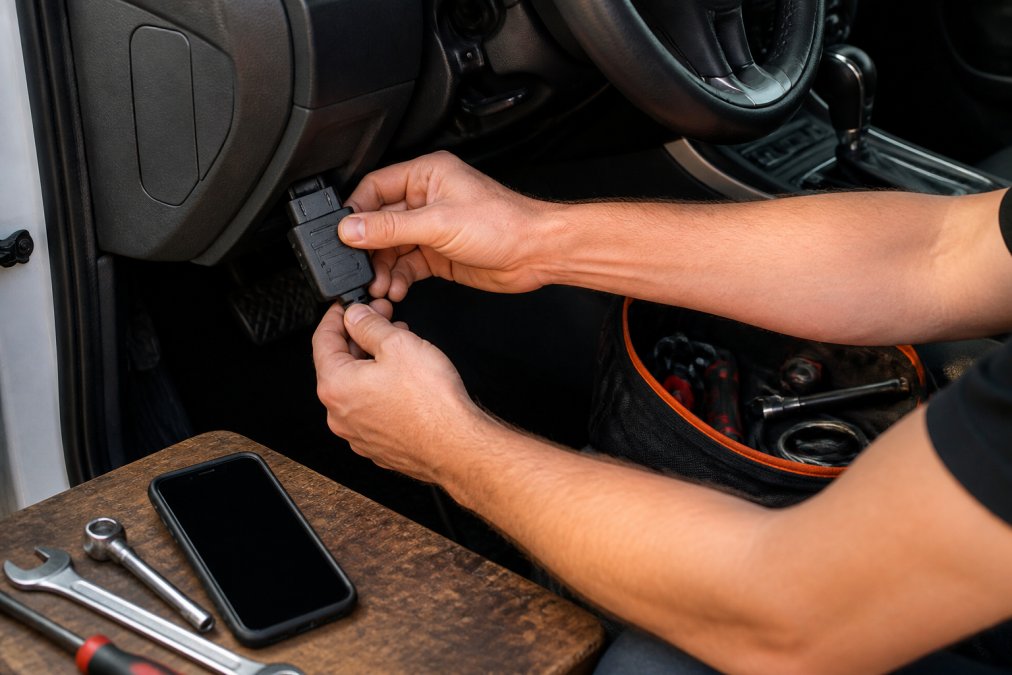
Once you have the trouble code, write it down. Select "live data" on your scanner to watch sensor values update in real time. For a MAF sensor code, monitor the MAF sensor voltage and airflow readings while the engine idles and revs. If the values are erratic or out of range, the sensor is likely dirty or failing.
Freeze frame data captures a snapshot of engine conditions at the moment the code triggered. For maintenance resets like oil change reminders, tire pressure sensor resets, and service lights, consult your vehicle's service manual or the scanner's documentation for the correct procedure.
Watch Out Never ignore a flashing check engine light. It indicates a severe misfire that can damage the catalytic converter. Stop driving immediately and address the issue before continuing.Software Costs and Subscription Fees: What to Expect
Not all diagnostic tools charge the same way. The ANCEL AD310, BlueDriver, TOPDON ArtiDiag500, and Launch CRP123X V3.0 all offer lifetime free updates. The Autel MaxiCOM MK808S includes the first year of updates, then requires $110-$124.50 annually to keep the software current.
Check what's included in the base purchase and what requires ongoing fees. A tool that costs $200 upfront with no annual fees is often cheaper over five years than a $100 tool with $50-$100 annual subscriptions.
Pro Tip If you're buying your first scanner, prioritize tools with lifetime free updates. You'll avoid surprise costs and won't feel pressured to upgrade just to keep features working.Smartphone-Based vs. Handheld Devices: Which Is Right for You
Smartphone-based tools like BlueDriver connect via Bluetooth and run diagnostics through an app. The advantage is that you already own a smartphone, and the app interface is often polished with automatic updates. The disadvantage is dependence on your phone, if the battery dies or the Bluetooth connection drops, you lose diagnostics.
Handheld and tablet-style devices like the TOPDON ArtiDiag500, Launch CRP123X V3.0, and Autel MaxiCOM MK808S are self-contained. They have their own screens, processors, and power supplies. You plug them in and they work, no smartphone required. The disadvantage is cost and portability.
For most DIYers, the smartphone route makes sense if you want simplicity and low cost. The dedicated handheld route makes sense if you want a tool optimized for diagnostics and you're willing to invest in a device you'll use regularly.
Conclusion
The right diagnostic tool depends on your repair ambitions, budget, and vehicle complexity. A basic code reader works fine if you only need to clear a check engine light. A mid-range scanner like the TOPDON ArtiDiag500 or Launch CRP123X V3.0 covers most DIY repairs on modern vehicles. A professional-grade device like the Autel MaxiCOM MK808S is overkill for casual maintenance but invaluable for serious troubleshooting.
The best diagnostic tools for DIY car repair all share one thing: they save money by letting you understand what's wrong before paying a mechanic. According to the TOPDON survey, 60% of DIYers use diagnostic tools specifically to avoid unnecessary repair costs (topdon.com). That's the real value, not the features, but the confidence to make informed decisions about your vehicle.
As you document repairs and maintenance, tools like CarJourney help you build a complete service history. Pairing a diagnostic tool with maintenance tracking gives you the full picture: what codes appeared, what you fixed, and how your vehicle performed afterward. Start free with CarJourney and connect your diagnostic work to a complete maintenance record.
Frequently Asked Questions
What is the best diagnostic tool for a DIYer just starting out?
The ANCEL AD310 is ideal for beginners. It reads and clears check engine codes, displays live data, and costs under $70. It has a simple interface and requires no subscription fees. For those wanting smartphone integration, the FIXD OBD-II sensor ($59.99) offers an affordable entry point with a user-friendly app. Both tools handle the most common diagnostic tasks: reading trouble codes and clearing check engine lights that 81% of DIYers rely on.
Do I need bi-directional control on my diagnostic tool?
Bi-directional control lets you send commands to test vehicle components like fans and EGR valves, moving beyond simple code reading. Most DIYers don't need this feature for routine troubleshooting. However, if you plan advanced diagnostics or testing specific actuators, the Autel MaxiCOM MK808S offers bi-directional control. For basic maintenance and code reading, standard OBD2 scanners handle 85% of DIY repair scenarios.
What's the difference between a code reader and an OBD2 scanner?
A code reader reads and clears diagnostic trouble codes (DTCs) and displays basic check engine light information. An OBD2 scanner does all that plus streams live sensor data, shows freeze frame data, performs emissions readiness checks, and often diagnoses multiple vehicle systems (ABS, SRS, transmission). Scanners offer deeper diagnostics but cost more. Choose a code reader for simple fault identification; choose a scanner if you need detailed sensor monitoring and multi-system troubleshooting.
Are smartphone-based diagnostic tools as good as handheld devices?
Smartphone-based tools like BlueDriver and Carly offer convenience and portability. They connect via Bluetooth and provide comprehensive diagnostics through apps. However, handheld tablet-style scanners like the TOPDON ArtiDiag500 and Launch CRP123X offer larger screens, faster processing, and don't depend on phone battery life. Choose smartphone-based for convenience and affordability; choose handheld devices if you prefer a dedicated screen and longer usage sessions.
How do I know which diagnostic tool will work with my vehicle?
Most modern OBD2 scanners support vehicles from 1996 onward. Check the product specifications for your vehicle's make, model, and year. The Autel MaxiCOM MK808S covers 150+ car makes, while Launch CRP123X and TOPDON ArtiDiag500 support most domestic and imported vehicles. If you drive an older vehicle (pre-1996), an OBD2 scanner won't work. For electric vehicles or newer ADAS systems, verify the tool explicitly supports those technologies before purchasing.
Start freeThis article was written using GrandRanker