 carjourney
From the CarJourney journal
Top 6 karupkeep.com Alternatives for Vehicle Maintenance 2026
Comparing vehicle maintenance trackers that balance modern features, shareable histories, and privacy is confusing for car owners, hobbyists, and small fleets. Many trackers restrict features behind device compatibility, limit vehicles on free plans, or hide advanced analytics until a future update or higher tier. This list explains price plans, privacy options, and sharing features for each tracker so you can pick the one that matches your needs without wasting time or money.
Table of Contents
CarJourney
At a Glance
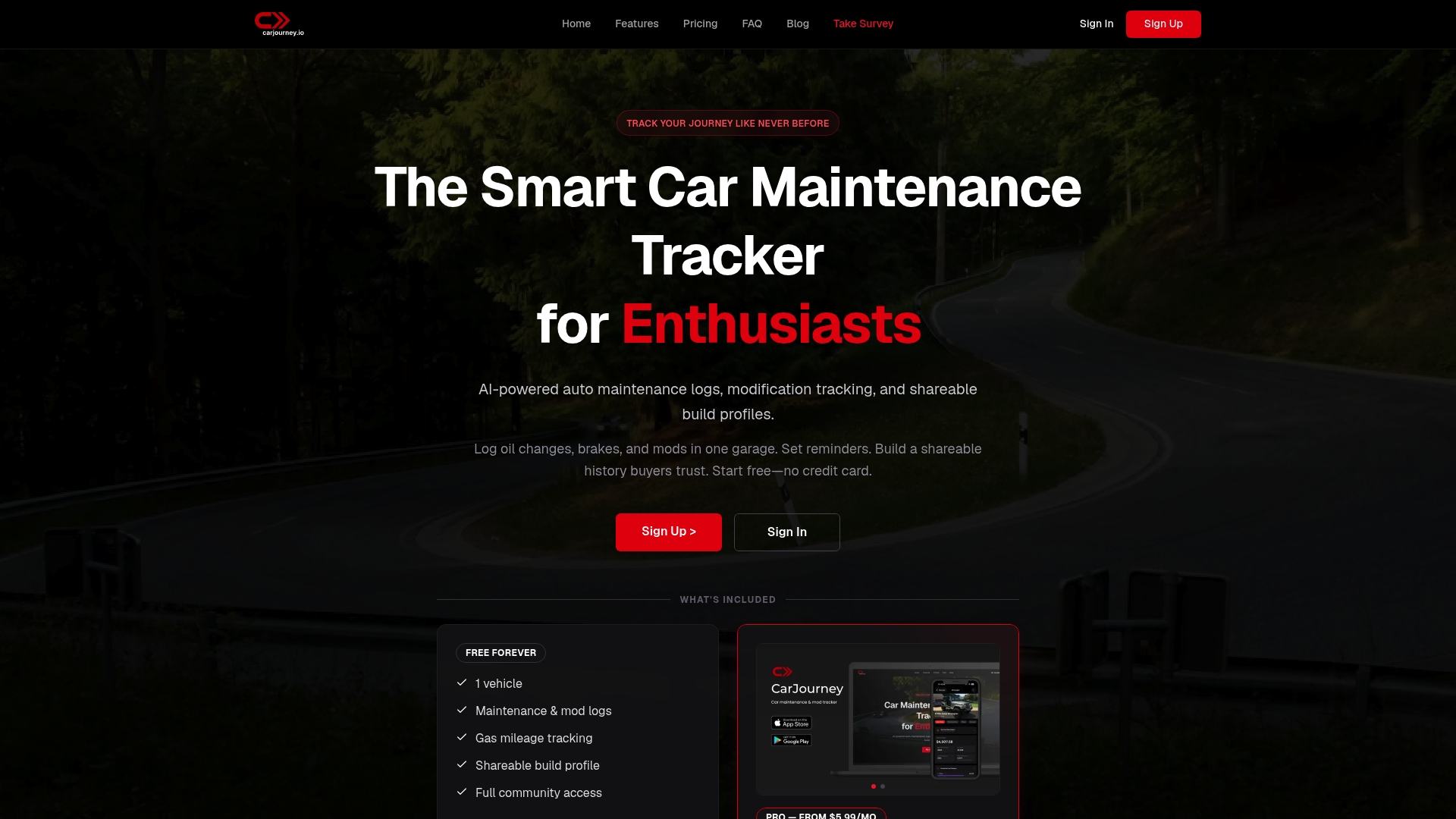
Automated setup can identify a car from its license plate or VIN so you add a vehicle in minutes. CarJourney is built and owned by Blue Shed Digital, LLC, a small team of gearheads and software engineers based in Virginia. The platform pairs vehicle records with a community for sharing builds and maintenance history.
Core Features
CarJourney stores a garage of vehicles and lets you log oil changes, brakes, inspections, and receipts in a single place. It offers AI powered maintenance logs and a Vehicle journal that summarizes uploaded documents and receipts for paid plans. Service reminders tie to odometer readings or time, and mobile apps keep entries in sync across devices so you can access history on the go.
Key Differentiator
The product centers on AI powered vehicle insights combined with community driven modification and maintenance logs, which links automated analysis to real owner builds. That blend makes it easier to document custom parts and show maintenance history when selling a car. The community sharing features also surface real examples of similar builds and repair histories.
Pros
A free forever plan exists so you can start tracking one vehicle and access community features without paying. Paid plans add AI driven Q&A and document summaries, and a subscription removes vehicle limits for people who manage multiple cars. Cross platform access, shareable build profiles, and mod tracking make the app useful for hobbyists who need evidence of care for resale or forum posts.
Cons
- Full AI features require a paid plan and the free tier limits you to a single vehicle, which may push owners of multiple cars toward the subscription.
Who It’s For
This product fits car enthusiasts who keep frequent modifications and want a centralized history for each build. It suits hobbyists, restorers, and sellers who need shareable proof of maintenance and upgrades. Owners who prefer manual paper logs will still gain value from searchable digital records.
Unique Value Proposition
AI that scans service documents and answers detailed questions about your exact vehicle speeds up troubleshooting and buyer transparency. The tool recommends maintenance schedules and suggests modifications that the platform says are verified by multiple AI models. For someone selling a car, that turns scattered receipts and forum threads into a concise, shareable history buyers can review.
Real World Use Case
A builder logs a turbo swap, brake upgrades, and subsequent oil changes into the Vehicle journal and tags receipts to each event. Service reminders alert the owner when the next oil change is due based on odometer entries. The builder then shares a public build profile with photos and records to prove maintenance history to a prospective buyer.
Pricing
A free basic tier covers one vehicle and community access. Pro starts at $5.99/month or $39.99/year, and a lifetime option costs $99.99 as a one time purchase. Subscriptions unlock unlimited vehicle tracking and the full set of AI features.
Website: https://carjourney.io
CARPORT
At a Glance
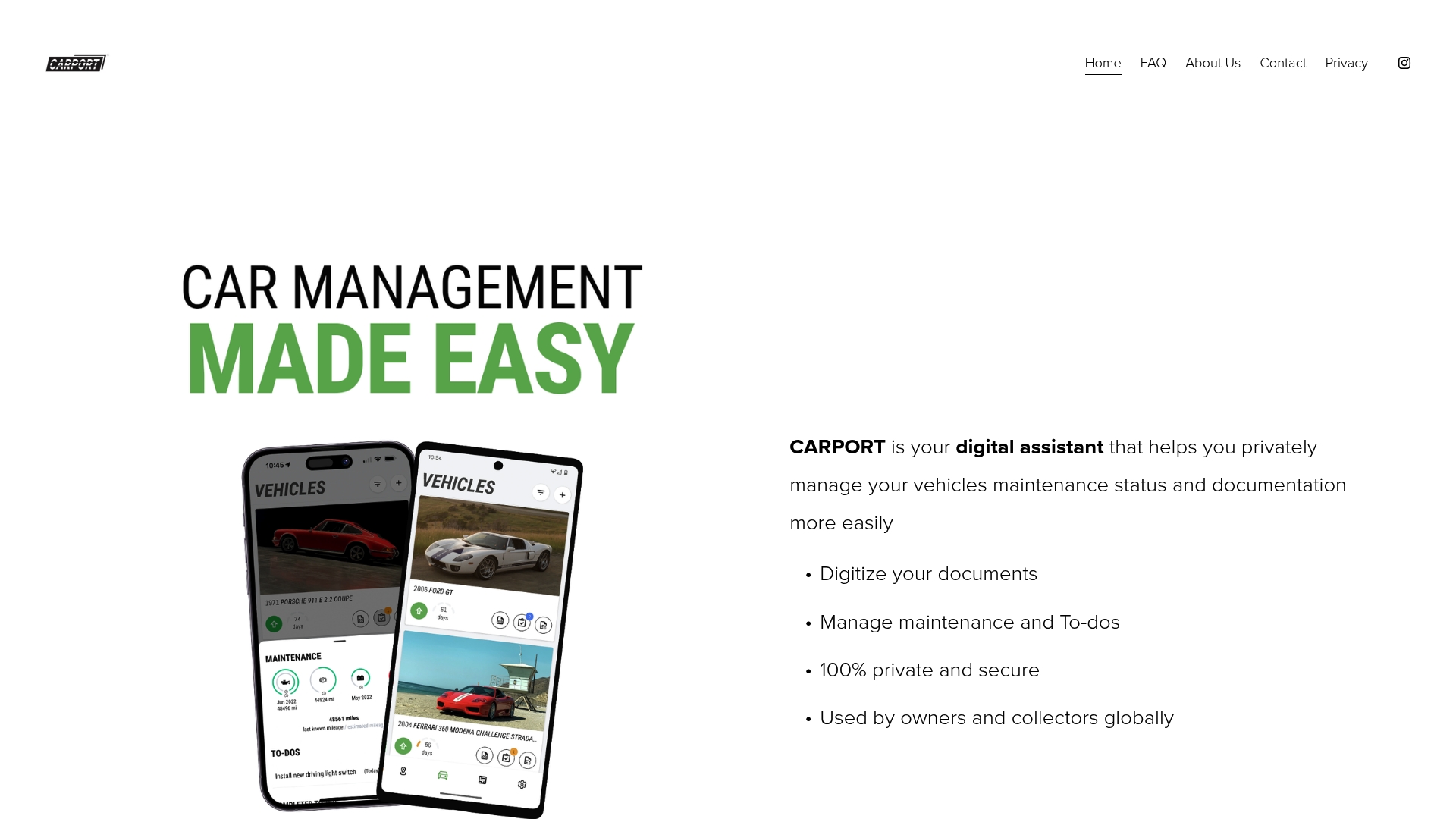
Free to use with no ads and support for unlimited vehicles across cars, trucks, and motorcycles. The app stores scans of receipts, photos, and service documents so records stay organized. It runs on iOS, Android, tablets, and Apple Silicon desktops, and it keeps data private to the account holder.
Core Features
CARPORT digitizes vehicle documents and receipts, and it organizes them by vehicle and date for quick retrieval. The app manages maintenance schedules, sends reminders, and creates service rings that group related work and history. It logs drives, tracks rotation between vehicles, and stores vehicle photos and specifications for easy reference.
Key Differentiator
The product centers on end-to-end private vehicle management with secure, account-only storage for every item you upload. That focus makes it a practical choice for collectors and private owners who do not want third-party data sharing or advertising. The straightforward interface aims to keep maintenance and history tracking simple across any vehicle type.
Pros
CARPORT is free to use with no current fees and no advertising, which lowers the barrier for casual owners and collectors. The app supports any vehicle type and unlimited entries, so you can track a single commuter car or a multi-vehicle collection without plan limits. It runs on mobile devices and on Apple Silicon desktops, which makes it easy to add documents and log drives from the garage or on the road. The privacy model restricts access to the account holder only, reducing the risk of data exposure to third parties.
Cons
- Features may be basic compared with specialized paid vehicle management tools. Expect fewer advanced analytics and partner services than premium products offer.
- No full web-based desktop app is available outside Apple Silicon or Chromebook environments, which limits browser-based access for some users.
- Advanced paid features and subscription tiers are planned but not yet available, so power users may need to wait for richer capabilities.
When It May Not Fit
If you need integrated repair shop scheduling, dealer service feeds, or automatic parts ordering, this app may not meet those workflow needs. Teams or fleets that require multi-user roles and centralized billing will find CARPORT too limited for that scale. Users who want a browser-first desktop experience on non-Apple Silicon machines should plan around the current device compatibility.
Who It’s For
Individual vehicle owners and collectors who value private record-keeping will get the most from this app. Hobbyists who keep paper receipts and service photos in shoeboxes will appreciate quick digitization and searchable storage. Owners who want a lightweight, device-first tool for maintenance reminders will find the interface fits that need.
Real World Use Case
A vintage motorcycle owner scans decades of service receipts and parts invoices into the app, tags each item by year, and sets a reminder for valve service. The owner generates a compact maintenance report to share with a prospective buyer, showing scanned receipts and scheduled work. That package streamlines the sale and preserves the bike’s documented history.
Website: https://carport.app
Trackara
At a Glance
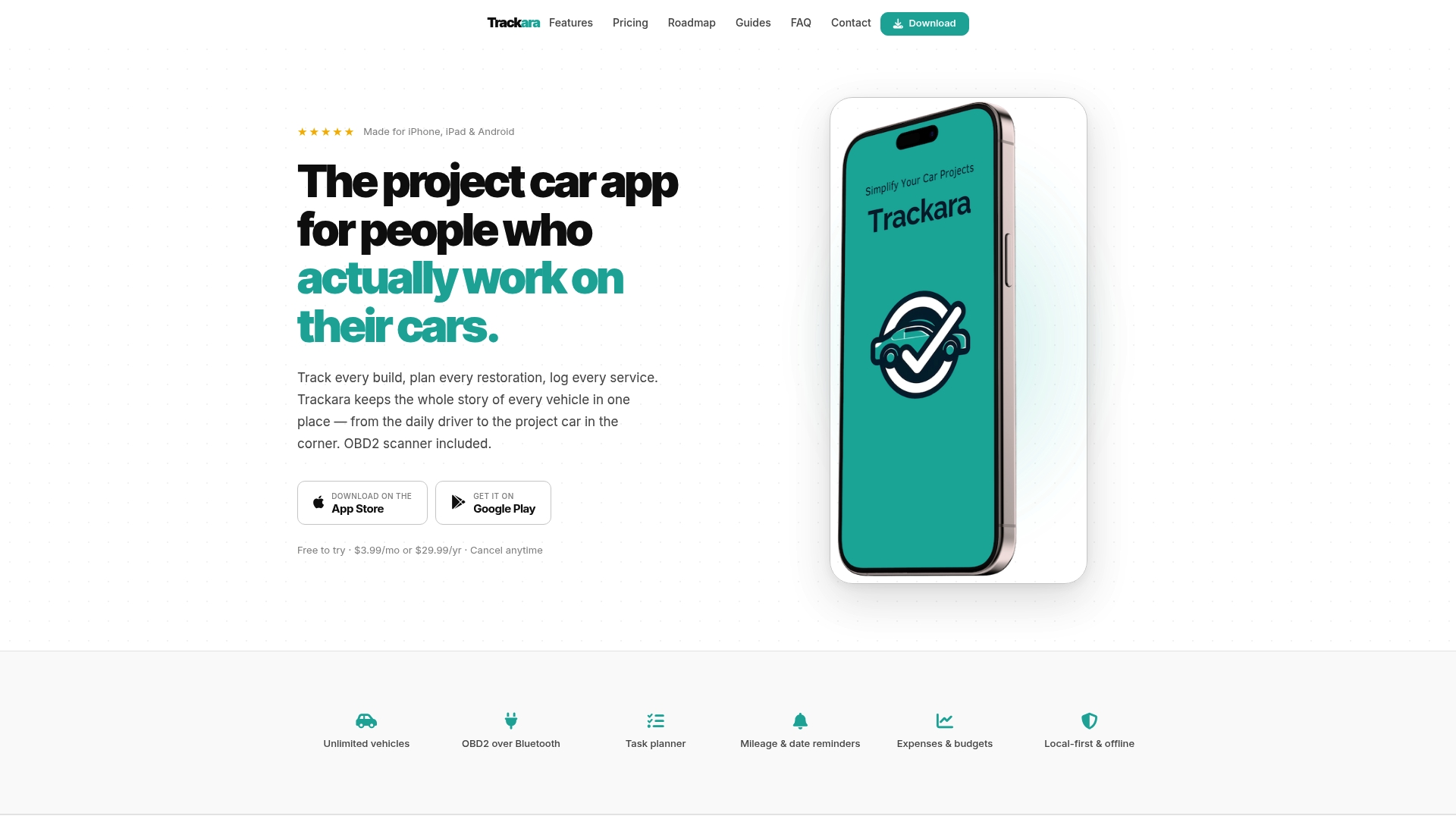
Trackara supports an unlimited number of vehicles and projects in a single account, which makes long term restoration logs practical. The app pairs with Bluetooth OBD2 scanners for real time engine data and fault codes. It targets DIY mechanics who want both diagnostics and project records on mobile devices.
Core Features
Trackara combines vehicle and project management with a task planner that uses checklists and job templates. It connects to Bluetooth OBD2 scanners for live telemetry and basic fault code reads, while expenses and budget tracking record receipts and costs. The app also issues reminders based on mileage and date and includes offline support for remote work sites.
Key Differentiator
Trackara blends live Bluetooth OBD2 diagnostics with detailed project planning and expense tracking in the same app. That mix reduces the need to jump between separate diagnostic tools and project notes when you restore or maintain vehicles. The product focuses on long term history and collaboration for restorations and fleet use.
Pros
Trackara keeps diagnostics, maintenance logs, and project notes together, which shortens the time you spend switching tools. The app supports OBD2 scans in real time and stores fault codes alongside photos and receipts for each job. Cross platform support for iPhone, iPad, and Android means your phone and tablet stay in sync. Pricing is simple: one price unlocks all features so you do not face hidden upsells.
Cons
- Beginners may face a learning curve when they first map OBD2 data to maintenance tasks.
- Several planned features such as parts price alerts are still in development and not available yet.
- Some users report occasional syncing or stability issues when handling many photos and large projects.
When It May Not Fit
Trackara may frustrate owners who want a stripped down mileage log without diagnostics because the interface surfaces many restoration tools. Owners who need advanced telematics or OEM level diagnostic detail will need a dedicated scan tool. Teams that demand enterprise grade fleet reporting or audited compliance reports may find the feature set too narrow.
Who It’s For
DIY car owners, restoration hobbyists, and small fleet managers who want one app for diagnostics and project records will get the most from Trackara. Owners who document phases, collect receipts, and run OBD2 checks during each build will find the workflow matches common restoration needs. It suits people willing to learn a fuller feature set.
Real World Use Case
A classic car collector logs each rebuild step, attaches photos, and records parts costs under a single project. They run Bluetooth OBD2 scans after engine work and attach fault reports to jobs to prove the engine is healthy. The account holds the full service history across many years and vehicles.
Pricing
Trackara charges $3.99/month or $29.99/year, and the vendor lists all features included at that price. There are no tiers or add on upsells according to the product page.
Website: https://trackara.app
MyRide901
At a Glance
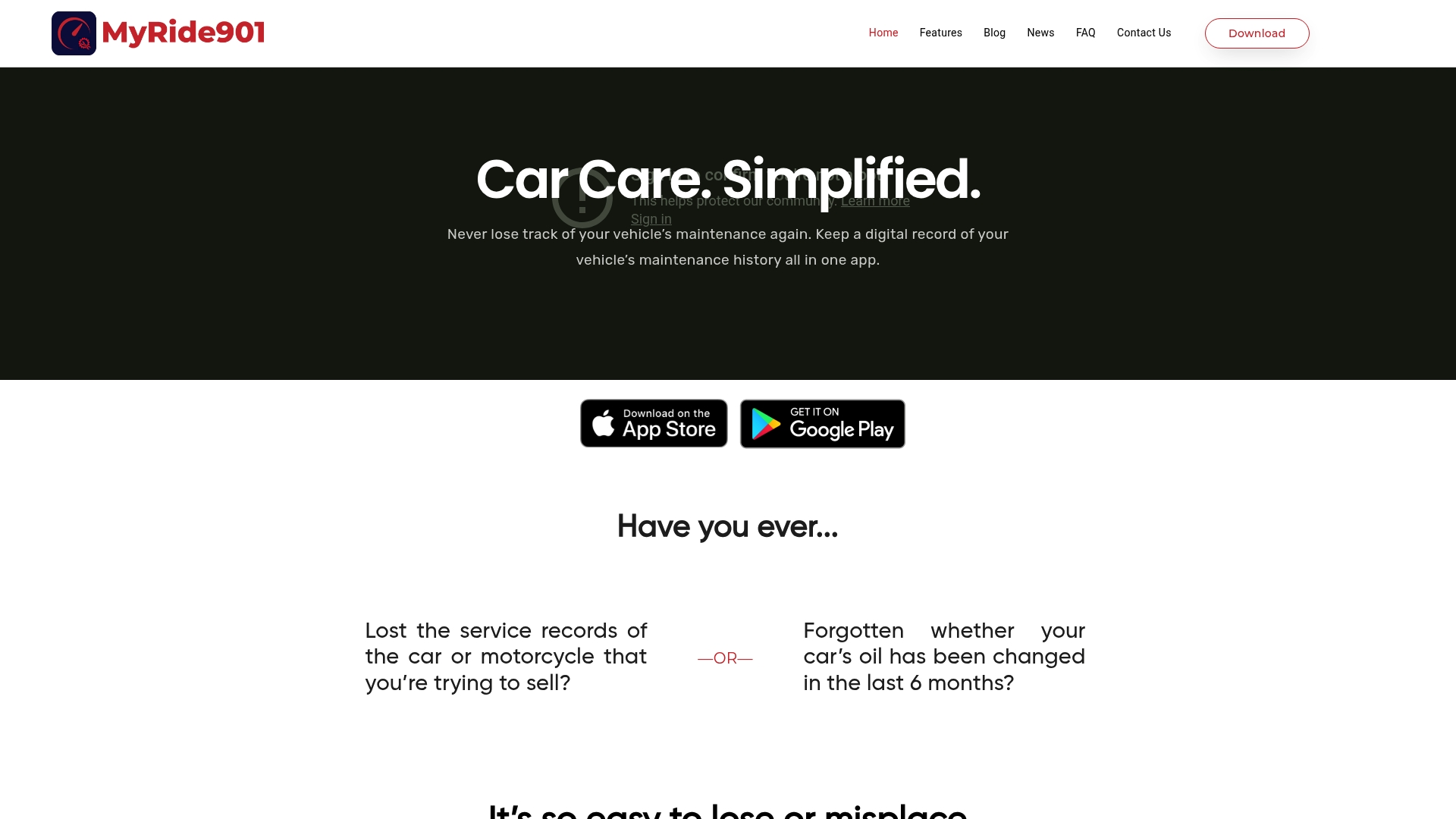
Includes 2GB cloud storage for vehicle files. The app stores receipts, photos, and documents in one place for each vehicle. It also creates shareable service timelines that you can send to mechanics or buyers.
Core Features
MyRide901 organizes maintenance and repair history and stores receipts, photos, and documents alongside each record. The app offers a next service lookup based on mileage and scheduled maintenance and provides shared timelines so multiple people can view the same history. Cloud backup keeps records available across iOS and Android devices.
Key Differentiator
The app centers records around a single, shareable timeline that combines maintenance, repair, and modification entries for every vehicle. That timeline makes it simple to hand a prospective buyer or a technician a complete service story. This focus on portable, human-readable histories sets it apart from generic note apps.
Pros
Digital record keeping removes paper and scattered receipts and makes ownership records easier to present during a sale. Shareable timelines improve communication with mechanics and potential buyers by showing service history in context. The mobile apps for iOS and Android and a straightforward interface make managing multiple vehicles quick and repeatable.
Cons
- Pricing details are not publicly listed, so plan costs and premium features are unclear.
- No documented integrations with diagnostic tools or other automotive platforms limit automated data import.
- Export and customization options for records are not well described, which may frustrate users who need specific file formats.
When It May Not Fit
If you need automatic syncing from OBD devices or dealer systems this app may fall short because it lacks known integrations. If your workflow depends on bulk exports or custom reporting the limited export information could be a blocker. Buyers who require clear subscription tiers before adopting software will find the pricing opacity problematic.
Who It’s For
Vehicle owners who want a simple mobile place to collect service receipts and photos will get immediate value. Small dealerships that need shared access to a vehicle’s service history will appreciate the timeline feature. Enthusiast groups and motorcycle owners who trade build histories will find the share function useful.
Real World Use Case
A seller compiles three years of service receipts and saved photos into a single timeline to show a buyer. The buyer opens the shared timeline on their phone and reviews timestamps, images, and service notes before test driving. That single view speeds trust and reduces back-and-forth email or paper exchange.
Pricing
Pricing is not specified publicly. The product listing identifies itself as informational only and does not present tier names or a starting price. Prospective users should visit the website or contact the vendor for current plan details.
Website: https://myride901.com
MyMech
At a Glance
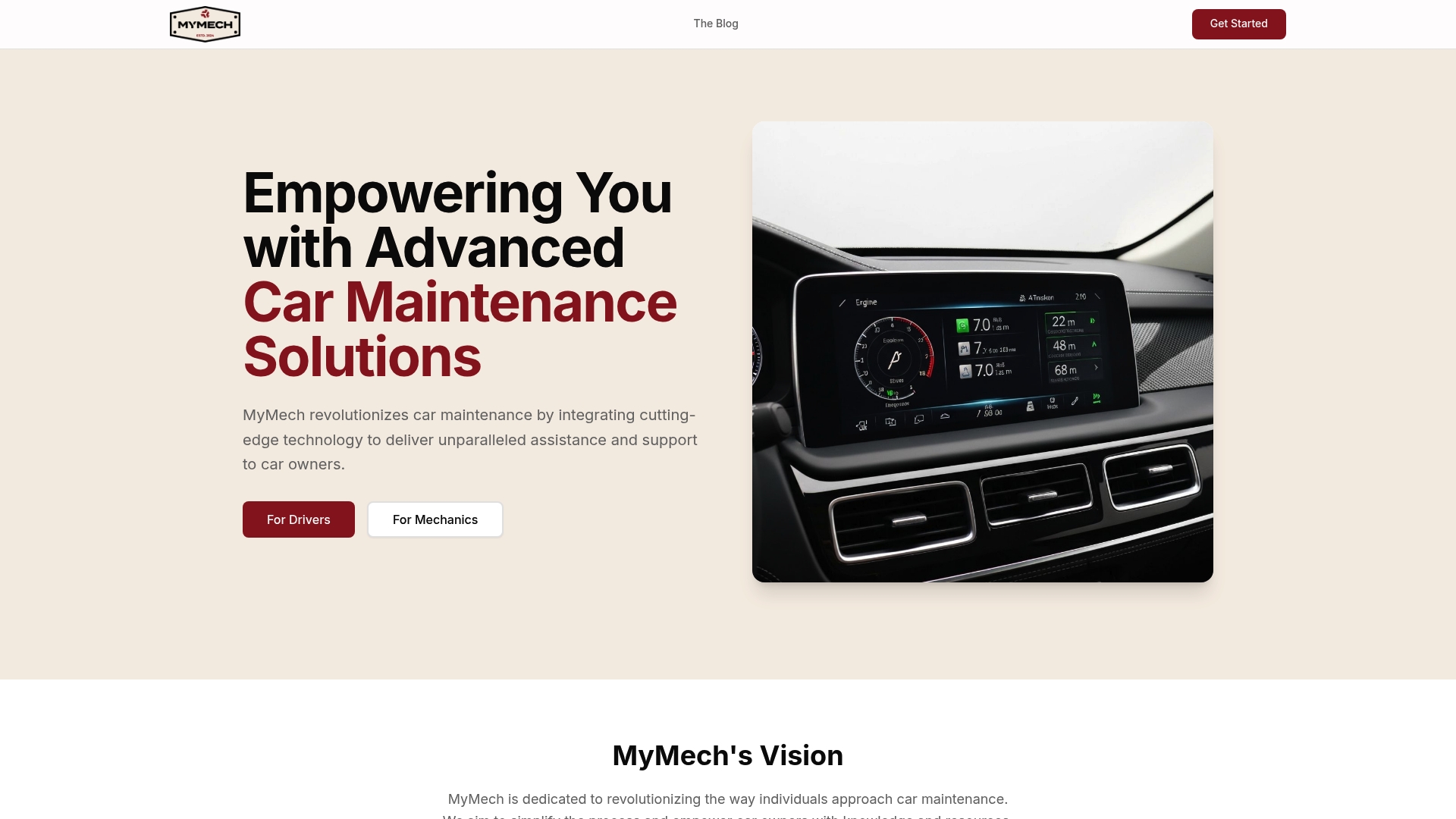
Includes an AI diagnostic assistant called MIRA plus live vehicle telemetry via OBD II integration, aimed at drivers, shops, and fleet operators. The app groups AI results with OEM manuals and technical service bulletins to back up repair guidance. The vendor describes partnerships with parts shops and VIN connections for parts and service coordination.
Core Features
MyMech bundles AI diagnostics, live OBD II sensor feeds, and access to OEM manuals and technical service bulletins into a single diagnostic workflow. The product also offers community forums for peer advice and an option to link VINs for parts and local shop referrals. Those elements work together to give both owners and technicians evidence they can act on during a repair.
Key Differentiator
MyMech centers its value on combining MIRA AI diagnostics with community-sourced advice and parts-shop partnerships. That combination aims to move diagnostics beyond raw codes by matching machine readings to documented OEM fixes and locally available parts. The result is a workflow that supports owners and mechanics with both data and practical next steps.
Pros
The app helps car owners diagnose issues before a shop visit, which can cut no-problem trips and clarify repair needs for technicians. Its AI plus OEM bulletin access gives technicians a clearer starting point than a code reader alone. Community forums add a second opinion layer and let owners compare similar fixes. Plans appear to support profiles for families and multiple vehicle roles, and the vendor states partnerships with parts and repair shops to streamline sourcing.
Cons
- Pricing for individual subscriptions is not publicly listed, which makes cost comparison difficult for drivers.
- The system depends on an OBD II device connection, so hardware purchase and compatibility checks are required.
- The vendor has limited public detail on data privacy and security, leaving unanswered questions for sensitive fleet data.
- Regional availability is not fully listed, which could limit access for some users.
When It May Not Fit
If you cannot install or buy an OBD II device the product will not function as intended. The software may not support some rare or older vehicle makes and models yet. Organizations that require documented security certifications should confirm policies before committing.
Who It’s For
Drivers who want to troubleshoot faults before a shop visit, DIY mechanics tracking repairs, repair shops seeking faster diagnostics, and fleet managers monitoring multiple vehicles. The product fits teams that value linking sensor data to OEM documentation and local parts options.
Real World Use Case
A driver connects an OBD II dongle, runs MIRA, and gets a prioritized list of suspected faults with links to OEM bulletins. The owner sends that report to a trusted shop, which uses the same report to verify the fault and order the correct part through a partnered supplier. Both parties save time and reduce misdiagnosis.
Pricing
Most plans use a subscription model with tiers for individuals, shops, and enterprise fleets. The vendor lists driver plans in marketing materials as “$$$$/month” without public line item pricing, and shows a similar tier structure for shops and fleets. Prospective buyers must contact sales for exact figures.
Website: https://mymechapp.com
KarUpKeep
At a Glance
KarUpKeep stores a visual service timeline so you can scan a car’s full maintenance history at a glance. The app accepts receipt photos and both manual and automatic entries to build that timeline. That combination makes it easy to find past services and spot spending patterns quickly.
Core Features
KarUpKeep tracks multiple vehicles and shows spending and cost analytics alongside service history. It offers maintenance reminders driven by AI, personalized recommendations, and a clean dashboard that groups receipts and records by vehicle. Family sharing and fleet controls let you grant access across vehicles without copying files.
Key Differentiator
The product stands out for its maintenance reminders driven by AI. That feature pairs your vehicle records with suggested service timing and brief explanations of recommended work. The reminders aim to cut through generic schedules by using each car’s recorded history.
Pros
KarUpKeep has a Free forever plan that covers core tracking and receipt uploads, so you can start without paying. The interface remains clean and professional while exposing spending analytics and a visual timeline that highlights service gaps. Family and small fleet controls let you share insights across vehicles and keep centralized records.
Cons
- Limited detail on advanced features beyond basic tracking and reminders.
- Several features are listed as upcoming and are not yet available.
- Subscription costs apply when you add extra vehicles beyond the free plan.
When It May Not Fit
If you need advanced fleet reporting or bulk export formats for accounting, KarUpKeep may feel limited. Organizations that expect features listed as coming soon will have to wait for those additions. Buyers who plan to track dozens of vehicles should expect subscription costs.
Who It’s For
Car owners who want a tidy, privacy minded way to log services and receipts will like KarUpKeep. Small family garages and managers of a few cars will find the shared access and timeline useful. Fleet operators with light reporting needs can use it, but larger fleets may outgrow the feature set.
Real World Use Case
A household with three cars uses KarUpKeep to photograph receipts after every service. The family receives AI driven reminders for oil and brake checks based on each car’s history. Shared access means the primary driver sees upcoming items without asking for paper records.
Pricing
KarUpKeep offers a Free forever plan for single vehicles and basic features. The Pro tier costs $4.99/month for expanded tracking and extras. A Family tier costs $9.99/month to cover multiple vehicles under one account.
Website: https://karupkeep.com
Comparison of alternatives
Evaluating alternatives to KarUpKeep, there exist several distinctive platforms that cater to vehicle maintenance and record-keeping needs, including CarJourney and its competitors.
Maintenance record complexity and diagnostic combinations
Trackara excels in providing a solution for restoration projects, combining diagnostic tools with detailed job planning and cost tracking. Its integration with Bluetooth OBD2 scanners offers real-time engine data and fault codes, making it appealing to restorers and hobbyists desiring advanced real-time diagnostic features. This combination streamlines restoring classic cars or complex builds.
Record privacy and platform accessibility
CARPORT places a strong emphasis on user privacy, offering end-to-end data retention solely accessible by the account owner. This approach ensures an added layer of security for sensitive vehicle data. Moreover, its compatibility with multiple devices and support for scanning receipts, photos, and service records simplify usage across diverse vehicle portfolios, including motorcycles and vintage cars.
Best fit
- Vehicle hobbyists managing frequent customizations will benefit from CarJourney’s AI-powered maintenance logs and enthusiast community interaction.
- Restoration planners valuing diagnostics paired with project records will find Trackara advantageous for its OBD2 integration and planning features.
- Vehicle owners prioritizing secure and accessible record-keeping will appreciate CARPORT’s privacy-oriented storage and device support.
- Enthusiasts looking to create shareable yet straightforward service timelines should explore MyRide901 for its user-centric timeline features.
Our pick
CarJourney offers a unique combination of AI-powered maintenance management and community-sharing functionalities, making it the preferred choice for vehicle enthusiasts focused on maintaining and sharing thorough documentation of their automotive projects.
Choosing the right vehicle maintenance platform involves assessing features, pricing, and user compatibility. Below is a comparison of top options including Carjourney:
| Product | Best For | Key Differentiator | Pricing | Notable Limitation |
|---|---|---|---|---|
| Carjourney | Enthusiasts with multiple cars | AI-powered insights and community-driven maintenance | Free for 1 car; $5.99/month; $99.99 lifetime | Free tier limited to one vehicle |
| CARPORT | Owners valuing unlimited vehicle tracking | Private storage with no ads or integration | Free | No planned advanced analytics available currently |
| Trackara | Hobbyists needing diagnostics | Combines OBD2 scans with project planning | $3.99/month or $29.99/year | Users must learn to map OBD2 data to tasks |
| MyRide901 | Simple, shareable maintenance logs | Shareable and timeline-based service records | Pricing not provided | Missing integrations with diagnostic tools |
| MyMech | Advanced diagnostics integration | AI diagnostics integrated with OBD II and OEM manuals | Pricing not provided | Requires OBD II device for primary functionality |
| KarUpKeep | Logging services and spending | AI-driven reminders and shared access features | Free for 1 car; $4.99/month | Limited feature set for large fleet operators |
What Happens When Vehicle Maintenance Tracking Feels Overwhelming?
Many vehicle owners struggle to organize receipts, track custom parts, and set accurate maintenance reminders across multiple cars. CarJourney addresses these issues by combining AI-powered insights with a connected community of car enthusiasts. It scans service documents to answer detailed questions about your exact vehicle and recommends maintenance schedules matched to your build.
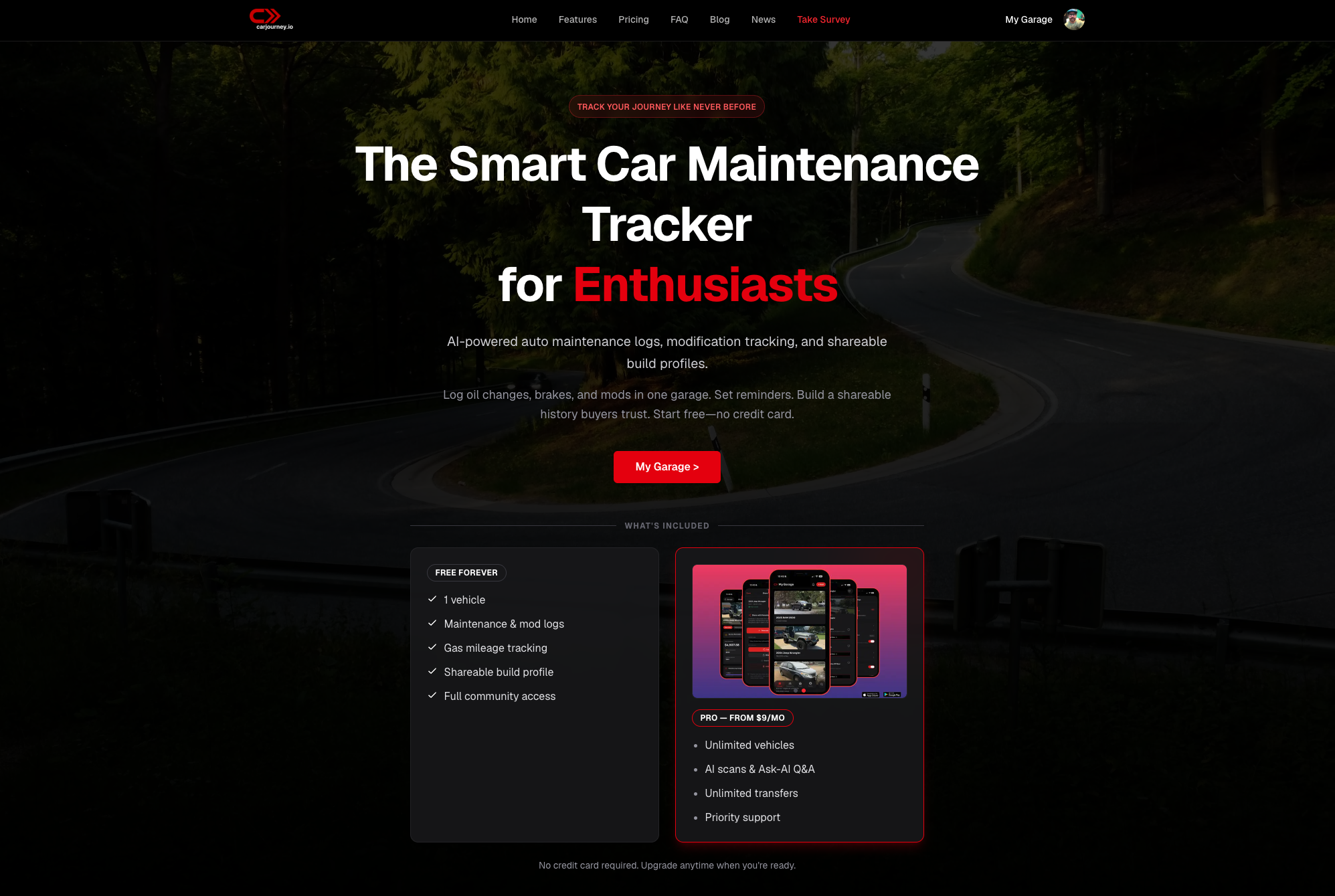
If you want to move beyond generic schedules and scattered records, visit CarJourney to store and share vehicle histories with ease. Start tracking your garage, uncover tailored maintenance advice, and create shareable build profiles that prove care and upgrades in minutes.
FAQ
What features does Carjourney offer for vehicle maintenance tracking?
Carjourney provides an AI powered maintenance log and a Vehicle journal that summarizes uploaded documents and receipts for paid plans. This means users can easily track and document service history, simplifying vehicle maintenance management.
How does Carjourney compare to CARPORT in terms of cost and features?
CARPORT is completely free to use with no ads and supports unlimited vehicles, making it a strong choice for casual owners. Carjourney shines for those who want AI features, as it offers advanced maintenance insights but requires a subscription for full access, which may not be ideal for users with only one vehicle.
Which platform provides better community-driven features for vehicle modification?
While both platforms have community features, Carjourney focuses on community driven modification and maintenance logs that link automated analysis to owner builds. This makes it particularly valuable for enthusiasts who want to showcase their custom parts and track detailed maintenance histories.
Can I track multiple vehicles with Carjourney?
Carjourney allows users to start with a free forever plan for one vehicle, but tracking multiple vehicles requires a subscription. This could be a limitation for users managing several cars, as they would need to pay for the additional vehicle tracking.
What is the difference between Carjourney’s reminders and those offered by Trackara?
Carjourney offers service reminders tied to odometer readings or time, whereas Trackara includes reminders based on mileage and date, along with real-time engine data integration. Carjourney may be more suitable if users prefer a simpler reminder system linked to service history.