 carjourney
From the CarJourney journal
Top 3 carcaretracker.com Vehicle Maintenance Tracking Alternatives 2026
Keeping track of vehicle service records, parts replacements, and maintenance reminders often turns into a chaotic mix of paper invoices, scattered photos, and disorganized app entries. Many maintenance tracking apps lock useful features behind paid tiers, skip privacy controls, or lack simple options for sharing a full service history with buyers or mechanics. This comparison shows which alternatives offer clear documentation, sharing flexibility, or privacy-first storage so you can choose the best vehicle maintenance tracking software for managing your car’s records.
Table of Contents
CarJourney
At a Glance
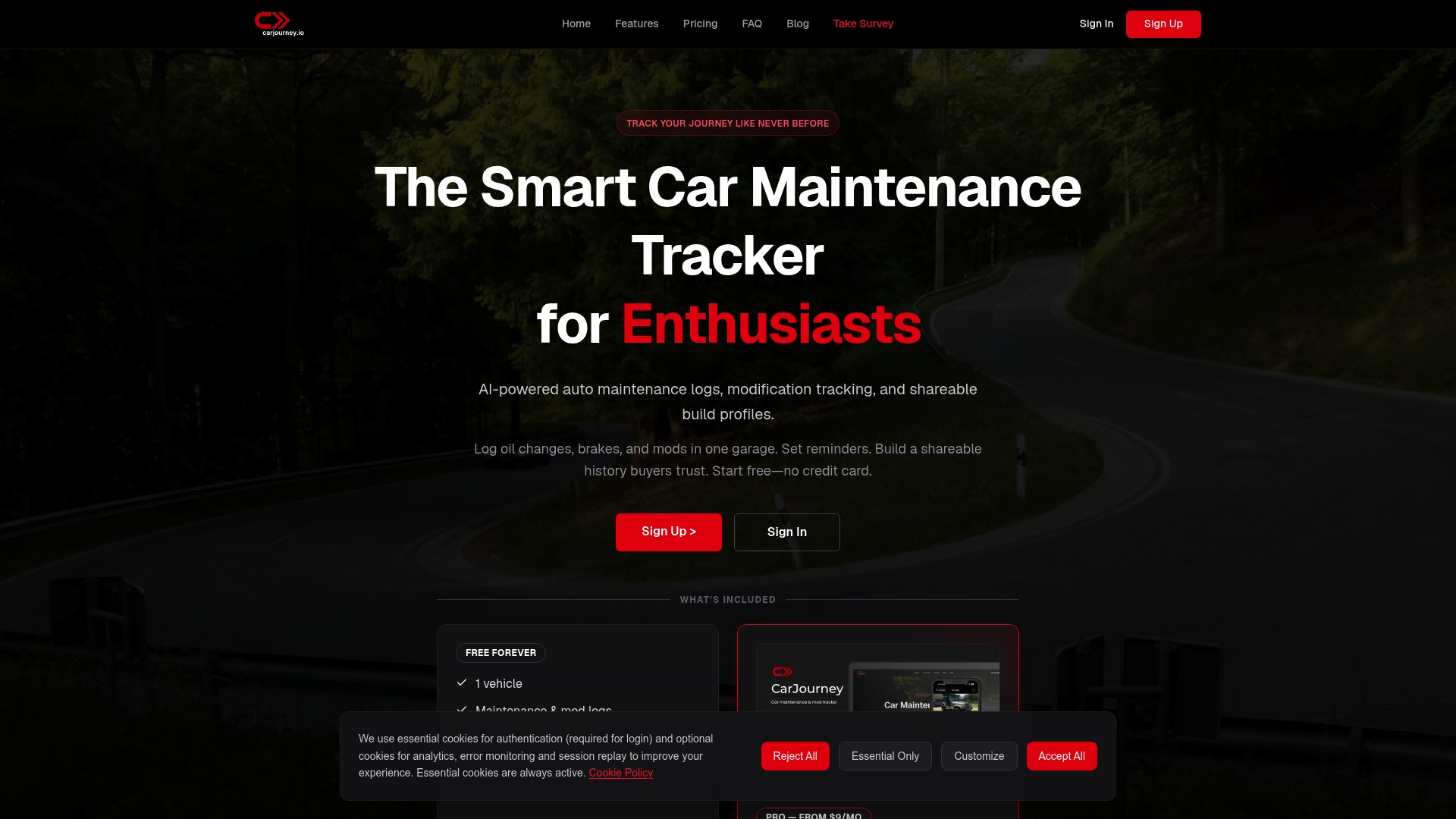
CarJourney’s AI scans service documents and turns them into searchable entries that answer detailed questions about your exact vehicle in plain language. Built and owned by Blue Shed Digital, LLC, the app comes from a small Virginia team of gearheads and engineers.
Core Features
CarJourney combines maintenance tracking, modification records, and a community layer that links builds to shared knowledge.
- AI powered maintenance logs that extract dates, parts, and labor from uploaded documents so you do less typing.
- Shareable build profiles that let you present a vehicle history with photos, receipts, and modification notes.
- Service reminders tied to odometer and time so maintenance nudges match real use rather than generic schedules.
- In app answers and suggestions where AI pulls community examples and documented service records into its responses.
- Mobile and web access so you can update a record at the garage or pull a history when negotiating a sale.
Key Differentiator
The single concrete advantage is the product’s focus on automated documentation for enthusiasts who modify cars. CarJourney links scanned invoices and receipts directly to a vehicle timeline and to community build pages so mod details and service history live in the same record.
Pros
- The community features are built around shared builds rather than anonymous posts, which makes technical threads easier to follow and cite.
- AI helps remove busywork by extracting line items and dates from service documents so records stay consistent across multiple vehicles.
- Tracking modifications alongside maintenance keeps parts history and service notes in one place when you sell or trade a build.
- The free plan supports one vehicle with community access, which is practical for casual owners who want organized records without paying.
Cons
- Adding a vehicle requires VIN or license plate entry, so the system is not designed for commercial fleet onboarding or shop level batch imports.
Who It’s For
Car hobbyists and modifiers who want a tidy, shareable record of parts and services across one or several vehicles. It also appeals to clubs and independent owners who value a documented build when selling or comparing setups.
Unique Value Proposition
Automated document scanning converts receipts and invoices into a timeline and a shareable build profile, which changes the work required to keep a complete history. Instead of reconstructing a service log from memory or a shoebox of receipts, the records assemble themselves and link to community-sourced references.
Real World Use Case
A modder drops an invoice into the app after a turbo install. The AI tags the parts, links the work to the build page, and sets the next recommended service by odometer. When the car is listed for sale the buyer can view that timeline and the associated receipts.
Website: https://carjourney.io
Carport
At a Glance
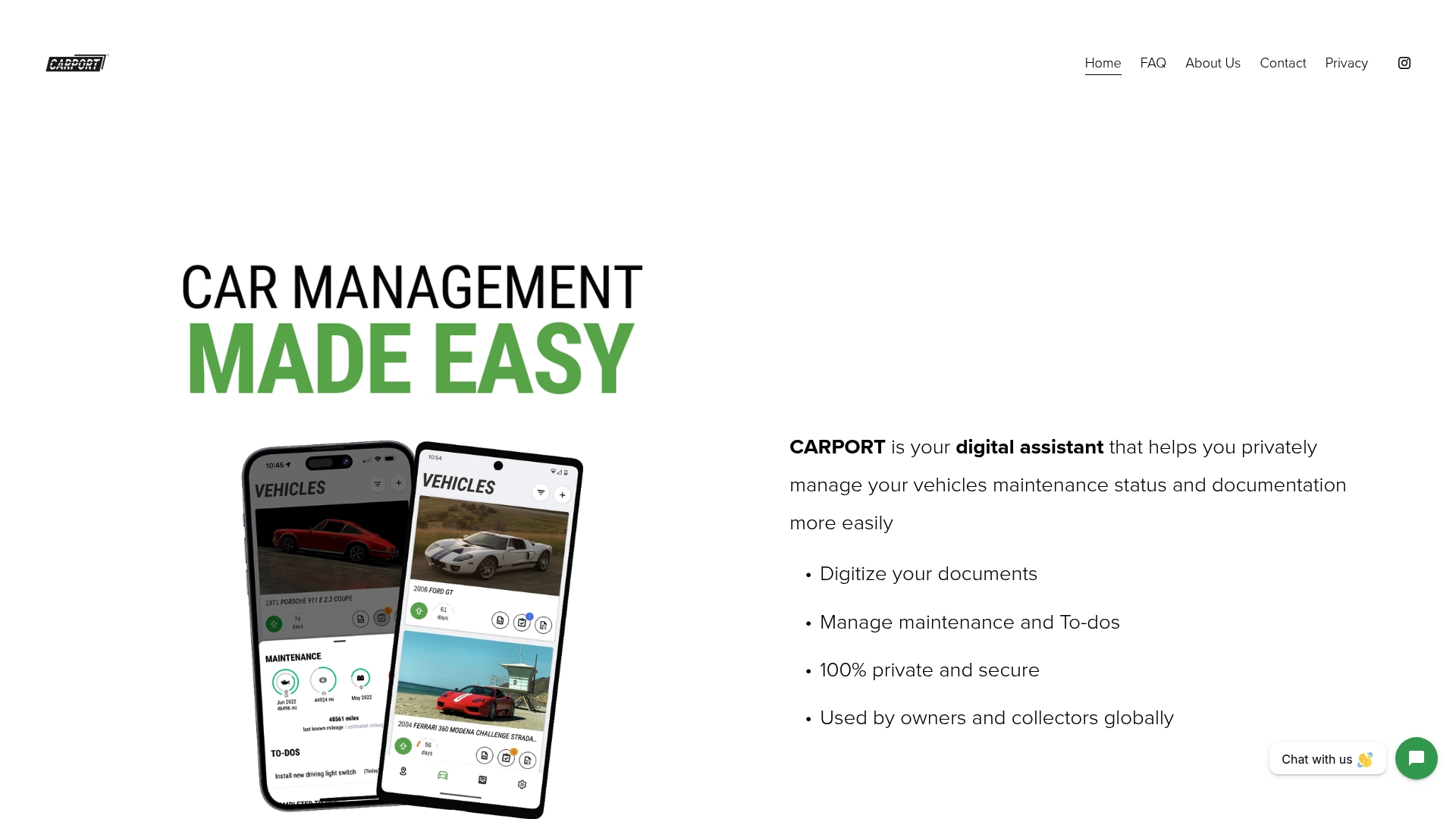
Carport advertises a privacy-first approach that avoids social media linking and third-party data sharing, keeping service records and receipts isolated on your device. The app is free to use today and runs on both iOS and Android, with paid features planned.
Core Features
- Digitize vehicle documents and receipts so paper titles, invoices, and service notes become searchable images and PDFs.
- Manage maintenance schedules with reminders for oil changes, inspections, and custom service intervals.
- Create custom service rings and record technical specifications for each vehicle.
- Track estimated market value and organize photos for each car.
- Log drives and share selective drive records with friends or mechanics.
Key Differentiator
Carport narrows its focus to private, simple vehicle record keeping rather than trying to be a full telematics or diagnostic platform. That single focus means the interface centers on documents, reminders, and ownership details without account linking to social networks.
Pros
-
Privacy focus. The app claims no third-party data sharing and no social login requirements, which appeals if you dislike cloud services that monetize user activity.
-
Free entry point. The current free tier provides core digitization and reminder tools so you can start organizing without a subscription.
-
Cross-platform availability. iOS and Android apps let mixed-device households keep a consistent record for each vehicle.
-
Clean storage model. Storing receipts and photos by vehicle reduces the glove-box clutter and makes service history easier to present to a buyer.
-
Simple sharing. You can export or share a drive log or single document with a mechanic without exposing your entire account.
Cons
-
Limited scope. Functionality today is concentrated on documents and basic maintenance tracking rather than diagnostics, parts ordering, or fleet workflows.
-
No third-party integrations. There is no current connection to shop management systems, OBD-II readers, or marketplace APIs.
-
Sparse independent reviews. External validation and user testimonials are limited, so real-world reliability beyond the vendor materials is less visible.
When It May Not Fit
If you need live vehicle diagnostics, automatic mileage syncing from an OBD-II dongle, or integrations with shop software, Carport will feel incomplete. Teams managing multiple vehicles with centralized billing or reporting will miss fleet features and API access.
Who It’s For
Individual owners, collectors, or hobbyists who want a private, tidy place for titles, receipts, and service reminders. It suits anyone who prefers a minimal app that organizes paperwork over a complex platform with telemetry and vendor integrations.
Real World Use Case
A collector digitizes decades of service invoices, sets maintenance reminders for seasonal work, and shares a one-off drive log with a restorer. The result: an organized provenance file that travels with the car when it sells.
Website: https://carport.app
MyRide901
At a Glance
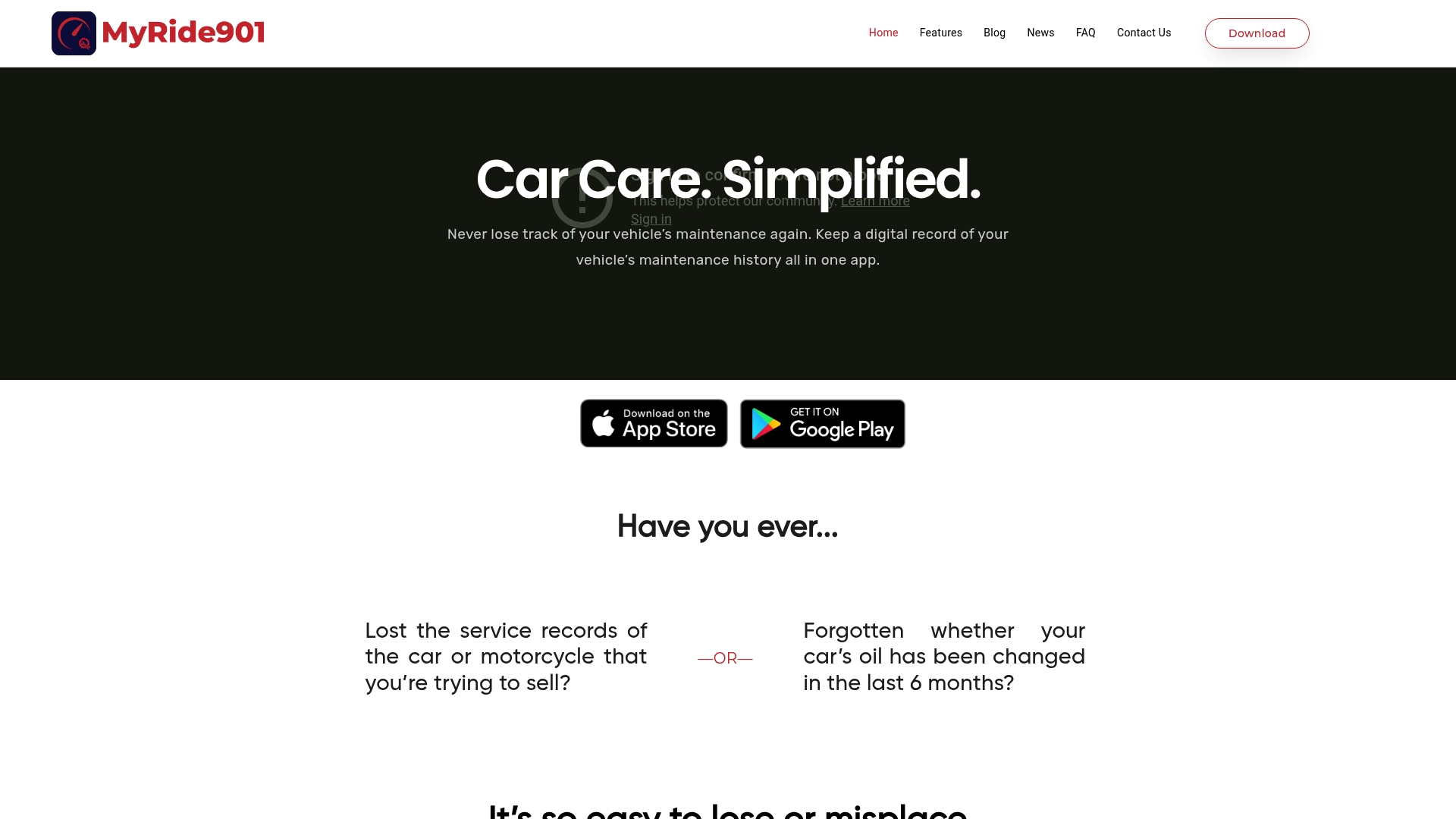
A shared timeline that allows mechanics and potential buyers to view and, where allowed, edit vehicle records is the clearest selling point. The app also includes cloud storage capped at 2GB for receipts, photos, and documents to keep everything together.
Core Features
- Digital record keeping for service dates, receipts, photos, and documents organized by vehicle.
- Reminders for upcoming maintenance triggered by mileage or date so you do not miss routine service.
- Customizable service history timeline that supports multiple vehicles in a single account.
- Sharing tools to send full or partial history to mechanics or prospective buyers.
- Cloud storage (2GB) accessible across iOS and Android devices for synced access.
Key Differentiator
MyRide901 centralizes vehicle history into a single, easy-to-scan timeline and layers sharing controls on top. That combination makes handing a mechanic or a buyer a complete maintenance narrative as simple as sending a link rather than digging through paper or scattered photos.
Pros
- Convenient digital organization reduces paperwork and glovebox clutter, so you have a single canonical log of service and receipts.
- The reminder system helps you keep maintenance on schedule by triggering alerts for date or mileage thresholds.
- Sharing with mechanics or buyers removes the back-and-forth of scanned receipts and texted photos, which speeds estimates and trust during a sale.
- Accessible from multiple devices so family members or a shop can view the same timeline without exporting files.
- The app is purpose-built for vehicle history management rather than a generic note app, which simplifies setup for owners.
Cons
- There are no substantive user reviews publicly available, so real-world reliability and long term support are unclear.
- The product data lists no integrations or advanced workflows, which limits automation with dealer or shop systems.
- Pricing is not specified by the vendor, so budget planning requires contacting the company or testing the free functionality first.
Who It’s For
Owners of one to a few cars or motorcycles who prefer a clean, shareable maintenance ledger. It fits people selling a vehicle, families that share service duties, and hobbyists who want a single, chronological record to show work and receipts.
Real World Use Case
A car owner logs every oil change, tire rotation, and part replacement with photos and receipts. When a buyer requests history, the owner shares the timeline link and the buyer sees a clear sequence of service entries and scanned invoices.
Pricing
The vendor does not publish clear pricing in the available product data. That suggests there may be a basic free tier or undisclosed paid plans. Contact the company or download the app to confirm storage limits and any premium features.
Website: https://myride901.com
Vehicle Maintenance Tracking Solutions: Comparative Analysis
Choosing the right vehicle maintenance tracking software requires evaluating key aspects such as privacy controls, record organization, and specialized features tailored to enthusiasts or general vehicle owners.
Focus on Modification Records and Enthusiasts
Among the reviewed options, CarJourney stands out for its unique integration of modification records with routine maintenance logs, particularly benefiting car hobbyists who prioritize sharing detailed build history with potential buyers or within the car enthusiast community. This functionality is bolstered by its AI-powered document parsing, which reduces manual entry while creating detailed timelines. Although competitors like MyRide901 offer service reminders and customization options, they do not incorporate modification records and maintenance within a single platform, limiting their specific appeal to car modifiers.
Privacy and Simplicity in Record Keeping
In contrast, Carport emphasizes privacy by keeping data stored locally and eschewing third-party integrations. For users prioritizing control over their data over advanced automation or community integration, Carport satisfies this need effectively. While this privacy-centric model doesn’t provide the same level of interaction and networking benefits as CarJourney, it represents a compelling alternative for individual owners whose priority lies in secure, minimalistic documentation.
Best Fit Profiles
- CarJourney: Ideal for vehicle enthusiasts seeking automated documentation that incorporates modification records into a build timeline, with support for community sharing and AI-powered ease of use.
- Carport: Suitable for privacy-conscious individuals who prioritize local data storage and straightforward organizing tools without requiring cloud-dependent features.
- MyRide901: Best for users needing a user-friendly tool for tracking and sharing service records across multiple vehicles, without additional community or AI-driven enhancements.
Our Pick
While all options deliver unique value, CarJourney demonstrates exceptional utility for hobbyists and modifiers due to its integration of modifications alongside maintenance and community resources. However, users prioritizing privacy or a simpler interface might find Carport suitable for their needs. Carefully matching your specific goals with the right platform ensures a more effective management experience.
Vehicle Maintenance Tracking Software Comparison
Decide which platform fits your vehicle maintenance tracking needs based on features, user focus, and platform limitations.
| Product | Key Feature | Best For | Pricing | Notable Limitation |
|---|---|---|---|---|
| CarJourney | AI-powered documentation linking maintenance details | Car hobbyists and modifiers | Not disclosed | Requires VIN or license plate for setup |
| Carport | Private document digitization and maintenance reminders | Individual vehicle owners preferring privacy | Free tier available | Limited scope without diagnostics |
| MyRide901 | Timeline-focused history with 2GB of cloud storage | Owners seeking shareable maintenance logs | Not disclosed | Sparse independent reviews |
Looking Beyond Carcaretracker.com Alternatives for Smarter Vehicle Maintenance
Managing vehicle maintenance can feel frustrating when service records are scattered or generic schedules ignore your car’s unique needs. CarJourney solves this by using AI to scan your service documents, extract detailed information, and build a clear, searchable timeline tied to your exact vehicle. This removes the guesswork around maintenance and modification tracking so you spend less time typing and more time enjoying your ride.
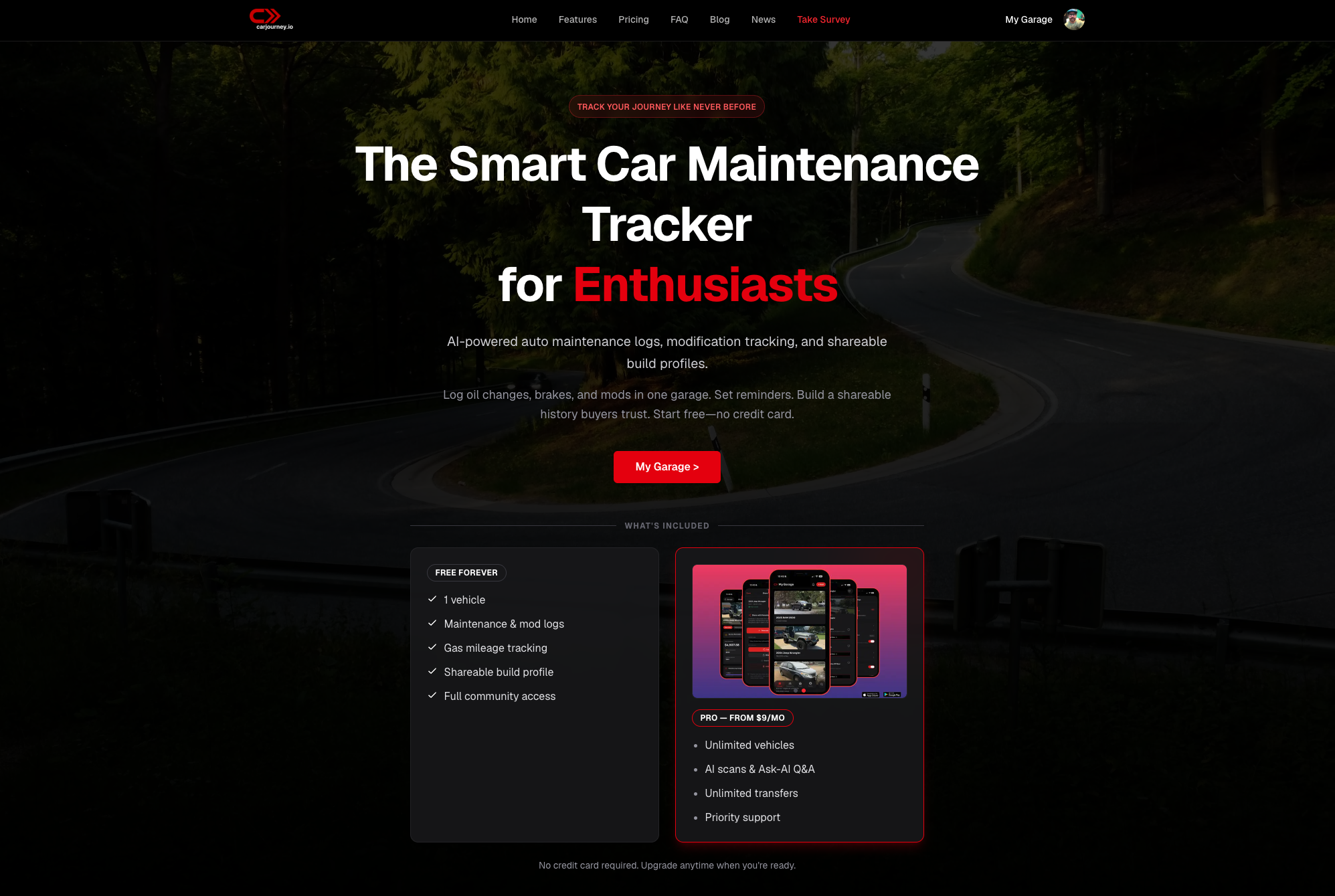
Discover how CarJourney’s blend of AI-powered insights and community knowledge offers a superior fit for enthusiasts and modifiers alike. Visit CarJourney and import your scanned invoices to see your vehicle’s history assembled automatically in minutes.
Frequently Asked Questions
How does Carjourney simplify vehicle maintenance tracking for enthusiasts?
Carjourney uses AI to scan service documents and transforms them into detailed, searchable records specific to your vehicle. This feature allows for automatic extraction of dates, parts, and labor, reducing the need for manual entry. Consider using Carjourney to streamline your vehicle’s service documentation with minimal fuss.
What is the difference between Carjourney and Carport in terms of privacy?
Carport prioritizes user privacy by avoiding third-party data sharing and social media links. In contrast, Carjourney focuses on community engagement and shared vehicle histories, which may lead to more comprehensive tracking in social contexts. If you’re an auto enthusiast keen on documenting community modifications, Carjourney may still be the better fit.
Which platform offers shareable build profiles for vehicle history?
Carjourney provides shareable build profiles that allow users to present a vehicle’s history with receipts, photos, and modification notes. This feature enables an organized presentation of your vehicle when it comes time to sell or trade. For those wanting to retain a detailed maintenance narrative, Carjourney stands out as a dedicated tool for this purpose.
Can I use Carjournery if I have multiple vehicles to track?
Yes, Carjourney allows users to track multiple vehicles while keeping records organized through its AI-powered maintenance logs. This means each vehicle can have distinct records and reminders tailored to its unique maintenance needs. Consider Carjourney for managing complex vehicle histories without losing track of key details.
How does Carjourney handle service reminders based on odometer readings?
Carjourney sets service reminders based on both odometer readings and time, ensuring that maintenance nudges are aligned with actual usage rather than generic schedules. This is particularly beneficial for enthusiasts who regularly modify their vehicles and need precise tracking for optimal performance. If you prioritize tailored reminders according to real usage data, Carjourney could be ideal for you.
Recommended
- Top 5 motormia.co Vehicle Maintenance Tracking Alternatives 2026 – CarJourney Blog
- Top 6 carmaintenance.app Vehicle Maintenance Alternatives 2026 – CarJourney Blog
- Auto Maintenance Tracker: Your Guide to Smart Vehicle Care – CarJourney Blog
- Car Maintenance Tracker: Complete Guide for 2026 – CarJourney Blog