 carjourney
From the CarJourney journal
OBD2 Data Logging: Track Service, Fuel, and Mods
OBD2 data logging, in the context of this guide, means keeping a complete digital vehicle logbook: service history, fuel and mileage records, modification notes, and AI-generated maintenance recommendations, all in one app. If you want to stop losing receipts and start making smarter maintenance calls, the move is simple.
Start here:
- Install a logbook app that supports OCR receipt scanning and AI recommendations (Carjourney fits this exactly)
- Add your vehicle using its VIN
- Import or photograph your most recent service record to set a real baseline
That’s the whole setup. Everything else is habit.
Key takeaways
A complete, consistently maintained digital vehicle log improves resale outcomes, sharpens AI maintenance recommendations, and cuts troubleshooting time, making it one of the highest-return habits an enthusiast can build.
| Point | Details |
|---|---|
| Resale value impact | Dealer service records can add 3–8% to appraised value; a complete log fills gaps national databases miss. |
| Essential fields | Always capture date, odometer, shop name, work performed, parts used, cost, and an invoice photo. |
| AI recommendation quality | Condition-based AI needs clean odometer history and detailed service records to produce reliable suggestions. |
| Export is non-negotiable | Schedule monthly CSV and PDF exports; an app that won’t let you take your data is a liability. |
| Carjourney | Offers OCR scanning, fuel logging, mod profiles, and AI recommendations; free plan available at carjourney.io. |
Table of Contents
- What does OBD2 data logging actually do for enthusiasts?
- Why does a complete service history matter so much?
- What should you log for every vehicle?
- How do you capture records without it becoming a chore?
- How do AI maintenance recommendations actually work?
- How do you choose the right app for this job?
- How do you set up and maintain a log with minimal effort?
- How do you keep your vehicle records safe and portable?
- What does pricing typically look like for logbook apps?
- Carjourney is built for exactly this workflow
- Why the logbook problem is harder than it looks
- Sources
What does OBD2 data logging actually do for enthusiasts?
The phrase “OBD2 data logging” usually calls up images of a Bluetooth dongle pulling live RPM data to a laptop. That’s a different tool for a different job. Here, it means a digital logbook that stores every service event, fuel fill-up, modification, and reminder in one place, then uses AI to tell you what to do next based on your actual vehicle history, not a generic calendar.
The core functions look like this:
- Service receipts and invoices: stored as photos or PDFs, parsed by OCR
- Fuel and mileage logs: every fill-up, with MPG trends over time
- Modification records: parts installed, brands used, dates, and costs
- Reminders: tied to mileage or date, not just manufacturer defaults
- AI recommendations: condition-based suggestions drawn from your specific history
- Community notes: real-world data from other owners of the same build
Who gets the most out of this? Restorers tracking every part swap, track-day owners who push components harder than the manual assumes, long-term keepers who want a complete ownership record, and anyone planning to sell and wanting documented proof of care.
Pro Tip: Import your most recent service record before anything else. The AI can’t give you accurate recommendations without an odometer baseline and a starting point for service intervals.
Why does a complete service history matter so much?
A complete digital log does two concrete things: it protects resale value and it makes troubleshooting faster. Service history directly affects resale value because buyers and appraisers use it to gauge condition when they can’t inspect the car’s internals. Missing records create doubt, and doubt costs money.
The numbers back this up. Dealer service records can add a moderate percentage to an appraised value, and dealer-recorded work surfaces in national history services in ways that independent-shop work often doesn’t. That gap is exactly why keeping your own documented log matters: it fills in what the national databases miss.
Beyond resale, a complete log cuts troubleshooting time. When a warning light appears, knowing the last oil change mileage, the brake fluid replacement date, and which aftermarket parts are installed narrows the diagnosis fast. Warranty claims also go smoother when you can show a timestamped service trail.
Buyer-facing records that carry the most weight:
- Dated receipts with odometer readings
- Shop name and location for each service
- Parts used, including OEM vs. aftermarket distinction
- Modification history with install dates
- A one-page summary exportable as PDF
Carjourney’s service history and resale value guide walks through exactly how these records translate to buyer confidence and better offers.
What should you log for every vehicle?
Practical record-keeping for resale comes down to a consistent set of fields captured every time work is done. The table below maps each field to why it matters and who typically records it.

| Field | Why it matters | Who records it |
|---|---|---|
| Date of service | Establishes timeline for AI interval calculations | Owner or shop |
| Odometer reading | Anchors mileage-based recommendations | Owner |
| Shop name and location | Validates service provenance for buyers | Shop invoice |
| Work performed (detailed) | Feeds AI model with specific service types | Shop invoice / owner |
| Parts used (OEM vs. aftermarket) | Affects warranty status and AI parts suggestions | Owner |
| Total cost | Tracks ownership cost and flags anomalies | Shop invoice |
| Invoice photo or PDF | Buyer-facing proof; OCR source for AI parsing | Owner (photo) |
| Modification description | Informs AI of non-stock components | Owner |
| VIN or chassis number | Ties records to a specific vehicle permanently | Auto-populated |
Missing even one of these fields consistently weakens both the AI’s output and the record’s value to a buyer. The odometer reading is the single most critical field: without it, interval-based recommendations are guesswork.
How do you capture records without it becoming a chore?
The best capture workflow is the one that requires the least effort at the moment of service. Auto-capture beats manual entry every time.
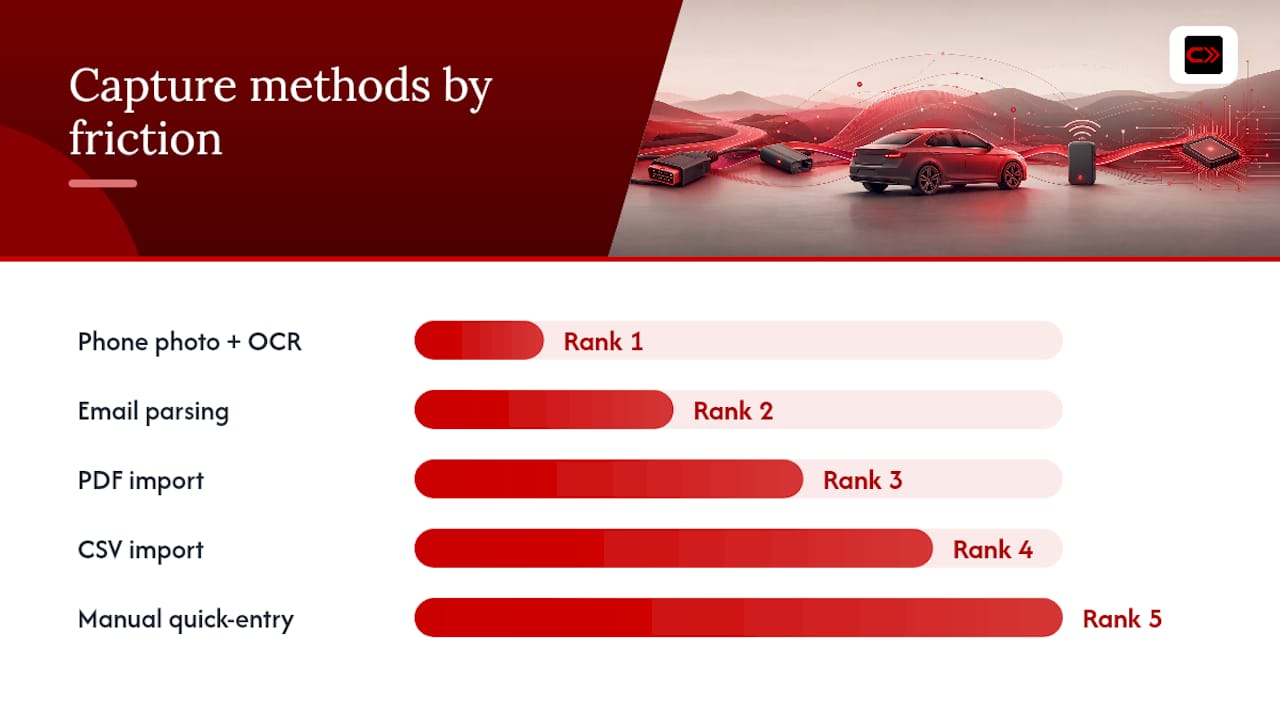
Capture methods, ranked by friction:
- Phone photo + OCR: photograph the invoice at the shop; the app parses date, odometer, work, and cost automatically
- Email parsing: ask your shop to email the invoice; forward it to the app or let it pull from a connected inbox
- PDF import: upload invoices directly from your downloads folder or cloud storage
- CSV import: useful for bulk-importing past records from a spreadsheet
- Manual quick-entry: fastest for fuel fill-ups; takes under 30 seconds with a good template
Getting shops to cooperate is easier than it sounds. Most shops already email invoices as standard practice. If yours doesn’t, ask once and they’ll usually set it up. A shop like Taylor Automotive that emails digital invoices makes this workflow nearly frictionless. After each visit, verify that the OCR parsed the odometer correctly — that’s the field most likely to misread on a handwritten receipt.
Pro Tip: Name every saved invoice file with the format YYYY-MM-DD_VehicleName_ServiceType (e.g., 2025-11-03_Mustang_OilChange). When you export your full log, the files sort chronologically without any manual sorting.
How do AI maintenance recommendations actually work?
AI recommendations in a vehicle logbook app are condition-based, not calendar-based. The difference matters. A calendar-based reminder tells you to change your oil every six months regardless of how many miles you’ve driven or how hard you’ve pushed the engine. A condition-based model looks at your actual odometer history, service intervals, modification records, and any error-code patterns to generate a prioritized recommendation with a timing window.
The model’s inputs typically include:
- Service history records (dates, odometer, work type)
- Fuel and mileage trends (average miles per week, driving pattern)
- Modification records (non-stock parts that affect service intervals)
- Error code summaries from manual entry or imported scan reports
Published research on this approach is encouraging. A machine-learning study in the automotive sector found that a data-driven maintenance scheduling approach reduced service response times and improved resource utilization, with XGBoost outperforming other tested algorithms. The same research showed that combining CRM, vehicle, and maintenance tables through ETL pipelines and feature engineering (such as calculating days-between-service) produces the most reliable predictive features.
What you get as output: a prioritized maintenance list, a timing window (perform within the next X miles or Y weeks), a confidence level, and parts or labor estimates where available. Vendor benchmarks for condition-based programs that ingest vehicle data report unplanned downtime reductions of 45–60% in year one, though those figures come from fleet contexts. The principle transfers directly to individual vehicle ownership.
How do you choose the right app for this job?
Start with a short checklist. An app that doesn’t export your data is a liability, not an asset. Prioritize these features before anything else:
- OCR document parsing with editable output
- AI recommendations with explainable reasoning (not just “change your oil”)
- CSV and PDF export
- Multi-vehicle support
- VIN-based auto-population
- Multi-device sync and offline mode
- Community or knowledge-base features for your specific make and model
Red flags to walk away from: apps that lock your data behind a proprietary format, unclear pricing that changes after you’ve entered years of records, no encryption on stored documents, and no audit trail showing when a record was edited.
Pro Tip: Before paying for any Pro tier, run this three-step test: import a recent receipt and check OCR accuracy, export the record as a PDF, and trigger an AI recommendation. If any of those three steps fails or feels broken, the app isn’t ready for your data.
How do you set up and maintain a log with minimal effort?
Setup takes about ten minutes. Keeping it current takes one to two minutes a week.
Day 1 setup:
- Create your account and add your vehicle with its VIN
- Import or photograph the last 12 months of service records
- Enter the manufacturer’s “severe” schedule from your owner’s manual, not just the standard one
- Connect your email or shop import if available
- Enable OCR scanning and cloud backup
Week 1 habit:
- Log your next fuel fill-up immediately after pumping
- Photograph any receipt from a service visit before leaving the parking lot
- Review the AI recommendation list and note anything due within 1,000 miles
Month 1 routine:
- Run a full export (CSV + PDF) and save it to a cloud folder
- Check that all odometer readings are in sequence with no gaps
- Update any modification records from work done in the past month
The whole system works because the friction is front-loaded into a one-time setup. After that, it’s a 30-second photo at the gas station and a two-minute review on Sunday.
How do you keep your vehicle records safe and portable?
Exportability is the single most important feature for long-term data safety. An app that won’t let you take your records with you when you switch platforms or sell your car is a risk, not a convenience.
Core security practices:
- Enable two-factor authentication on your account
- Schedule a monthly cloud export of all records in both CSV and PDF formats
- Keep an offline encrypted backup on a USB drive or local hard drive
- Restrict sharing permissions so only you can edit records (read-only links for buyers)
One legal note: if your records include personally identifying information about third parties (a mechanic’s personal contact details, for example), keep notes focused on vehicle facts rather than personal data.
Pro Tip: Set up an automated monthly email that delivers your exported backup directly to a private cloud folder. Most apps support scheduled exports; if yours doesn’t, a calendar reminder to export manually takes 60 seconds.
What does pricing typically look like for logbook apps?
Expect a freemium core with a paid Pro tier that unlocks the features that actually matter for enthusiasts.
Common pricing structure:
- Free tier: one or two vehicles, basic manual entry, limited AI scans
- Monthly subscription: full AI features, unlimited vehicles, priority support
- Annual subscription: same as monthly at a lower per-month rate
- Lifetime unlock: one-time payment for permanent Pro access
Features typically behind the paywall: unlimited vehicle slots, AI-powered OCR document parsing, advanced maintenance forecasting, full export options, and community build profiles.
The buyer math is simple. A year of Pro subscription costs a fraction of that. The question isn’t whether the subscription pays for itself; it’s whether you’ll actually use it consistently enough to build the record.
Carjourney is built for exactly this workflow
Carjourney gives you OCR receipt scanning, fuel and mileage logging, modification and build profiles, AI maintenance recommendations, and full export and cloud backup, all in one app built by gearheads who were tired of managing their own records across spreadsheets and glove-box receipts.
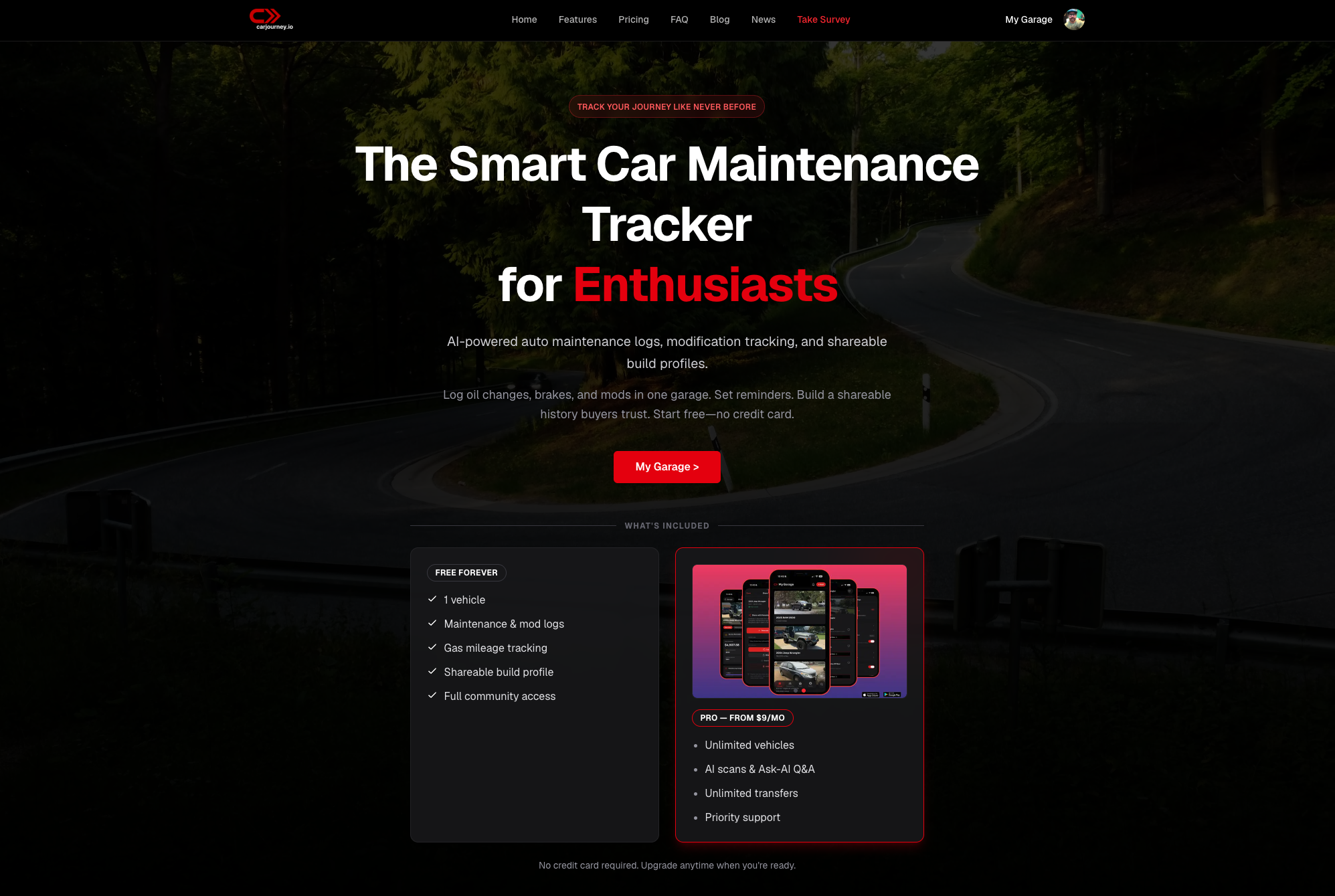
How Carjourney matches the checklist from this guide:
- OCR scanning: photograph any invoice and the AI parses it automatically
- VIN import: add a vehicle and pull manufacturer specs instantly
- AI recommendations: condition-based suggestions verified across multiple AI models
- Export: CSV and PDF export available on Pro
- Community: build profiles and real-world data from other owners of your exact make and model
The free plan covers the basics. Pro unlocks unlimited vehicles, full AI scanning, and advanced forecasting. Start your free account at Carjourney and import your last service record today to see your first AI recommendation within minutes.
Why the logbook problem is harder than it looks
The real problem with vehicle record-keeping isn’t motivation. Most enthusiasts genuinely want complete records. The problem is that the effort spikes at exactly the wrong moment: you’re standing in a parking lot after a service visit, you’re in a hurry, and logging feels like one more task.
Apps that solve this understand that the capture moment is the bottleneck, not the storage or the analysis. OCR that works on a crumpled receipt, a fuel log that takes three taps, a modification entry that auto-populates the part number from a photo: these aren’t nice-to-haves. They’re what separates a log you’ll actually maintain from one you abandon after three entries.
The AI piece is genuinely useful, but only if the underlying data is clean. A recommendation built on two years of consistent, accurate records is worth acting on. One built on three entries and a gap is noise. That’s why the setup workflow matters more than the AI itself. Get the data right first.
Sources
The claims in this guide draw on the following research and references:
- Does service history affect car value | carwow
- AI-Driven Predictive Maintenance for Workforce and Service Optimization in the Automotive Sector | MDPI
- How to Keep a Car Service History That Actually Helps at Resale | Bumper
- Fleet Preventive Maintenance Scheduling: Complete AI Guide
- Car Service History and Resale Value | Long Island