 carjourney
From the CarJourney journal
How to Document Project Car Builds: A Complete System
Table of Contents
- Why Documentation Matters for Project Cars
- Phase 1: Planning Your Documentation System
- Phase 2: Creating Your Project Car Build Log
- Phase 3: Organizing Receipts, Invoices, and Mod History
- Phase 4: Building Your Car Build Photo Album
- Benefits of Documenting a Car Build
- Project Car Management Software and Tools
- Common Mistakes to Avoid When Documenting Builds
How to Document Project Car Builds: A Complete System
Last Updated: July 19, 2026
Why Documentation Matters for Project Cars
Documenting a project car build is about creating a verifiable history that protects your investment and proves the work you've done. Poor documentation costs real money: lost resale value, missed warranty claims, and inability to prove you've maintained your vehicle to the standard you deserve.
A common approach, photos scattered across your phone, receipts in a glove box, notes lost to memory, fails the moment you need to reference something or prove work was done professionally. Project car enthusiasts who maintain organized documentation see tangible benefits: faster resale transactions, higher buyer confidence, and the ability to track performance improvements over time.
Below is a system that works whether you're restoring a classic, building a track car, or modifying a daily driver. This framework has helped automotive enthusiasts organize decades of scattered records into accessible, shareable build profiles.
Pro Tip Start documenting from day one of your project, even if you're just planning. Early documentation makes it exponentially easier to fill gaps later and ensures you capture details while they're fresh.Phase 1: Planning Your Documentation System
Decide your documentation approach before you begin, or at minimum, before you've accumulated too many scattered records.
Set Documentation Goals and Scope
What does success look like for your project? Are you documenting for personal satisfaction, future resale, or community sharing? Your answer determines what you track and how detailed you go.
If resale is your goal, you'll want comprehensive documentation: every receipt, modification date, before-and-after photos, and performance metrics. For personal records, focus on major modifications and maintenance milestones. For community sharing, emphasize visual progress and storytelling alongside technical details.
Define scope early: Which systems will you document? Engine modifications? Suspension? Interior? Electrical? Bodywork? A narrower scope is easier to maintain consistently. Many builders find success focusing on three to five key systems rather than attempting comprehensive documentation of every bolt.
Establish a naming convention now. Something like "2008-Mustang-GT-Build" or "Project-RX7-Restoration" gives you a consistent prefix for all related files, photos, and folders.
Choose Digital vs. Physical Documentation
The best system is the one you'll actually maintain. However, most successful builders use a hybrid approach: a digital system for day-to-day tracking and quick reference, plus a physical archive of original receipts and invoices for major purchases.
Digital documentation offers searchability, automatic backup, and easy sharing. Physical documentation provides undeniable proof of authenticity that digital records alone cannot match. Many builders maintain both for maximum benefit.
The key decision: Will you use a dedicated automotive tracking platform, spreadsheets and folders, or a combination? Dedicated platforms handle VIN-based setup automatically, offer modification-specific fields, and organize by system or date. Spreadsheets and folders give you complete control but require more manual organization and discipline.
Watch Out If you choose purely physical documentation, you risk losing everything in a single accident or storage failure. At minimum, photograph all original receipts and store digital copies in cloud storage.Phase 2: Creating Your Project Car Build Log
A build log is the narrative backbone of your project documentation. It captures context: why you chose specific modifications, what problems you encountered, how you solved them, and what the results were.
Establish Standardized Naming Conventions
Standardized naming conventions for files, photos, and folders make it exponentially easier to find information months or years later.
For photos, use: YYYY-MM-DD_ProjectName_System_Stage_Description.jpg
Example: 2026-03-15_2008-Mustang-GT_Engine_Teardown_CylinderHeads.jpg
This format ensures photos sort chronologically, identify the system being worked on, and describe the specific modification stage.
For documents, use: YYYY-MM-DD_ProjectName_DocumentType_Vendor.pdf
Example: 2026-02-10_2008-Mustang-GT_Invoice_JET-Performance.pdf
For modification entries in your build log, create a consistent structure:
- Date completed
- System modified (engine, suspension, interior, electrical, bodywork)
- Part name and part number
- Vendor and cost
- Installation notes
- Before/after metrics (horsepower, lap time, handling response)
Document Initial Vehicle State and VIN Tracking
Before your first modification, document the baseline. Capture the vehicle's original condition with current mileage, VIN, exterior color and condition, interior condition, engine specifications, service history, and known issues.
Take a full set of baseline photos: exterior from all angles, interior, engine bay, undercarriage if accessible. These become your "before" reference that makes your final "after" photos compelling.
VIN tracking serves multiple purposes. It's the unique identifier that ties all documentation to the specific vehicle. For resale, it proves the documentation belongs to this specific vehicle. Store your VIN prominently in your documentation system so files can be reconnected to the correct vehicle if separated.
Phase 3: Organizing Receipts, Invoices, and Mod History
The moment receipts scatter across multiple locations, your documentation system becomes fragile.
Digitize Scattered Documentation
If you're starting with years of existing receipts and invoices, digitization is non-negotiable. Gather all existing receipts and invoices. Use a smartphone app or scanner to photograph each one at high resolution. Name each file using your standardized convention.
As you digitize, create a spreadsheet with columns for date, vendor, description of work/parts, cost, system affected, and file location. This spreadsheet becomes your quick-reference spending summary and helps you identify gaps in documentation.
Store digital copies in cloud storage with automatic backup. A single cloud folder containing all photos, invoices, and documentation files ensures you have redundancy.
Key Takeaway The single biggest regret from builders with poor documentation is not digitizing original receipts early. Once a receipt fades, gets lost, or water-damages, it's gone. Digital copies are your insurance policy.Create a Parts Inventory and Aftermarket vs. OEM Log
As your project grows, a parts inventory prevents duplicate purchases and helps you track what's been done versus what's still planned.
Create a spreadsheet to track part name and part number, manufacturer, cost, date purchased, status (installed, on shelf, pending, returned), system category, OEM or aftermarket designation, and installation date.
The OEM versus aftermarket distinction matters for resale. Documenting that you replaced OEM suspension with a specific aftermarket performance coilover (with part number and installation date) is far more compelling than "upgraded suspension."
Organize this inventory by modification system: engine, suspension, interior, electrical, bodywork. This makes it simple to generate a summary for potential buyers.
Phase 4: Building Your Car Build Photo Album
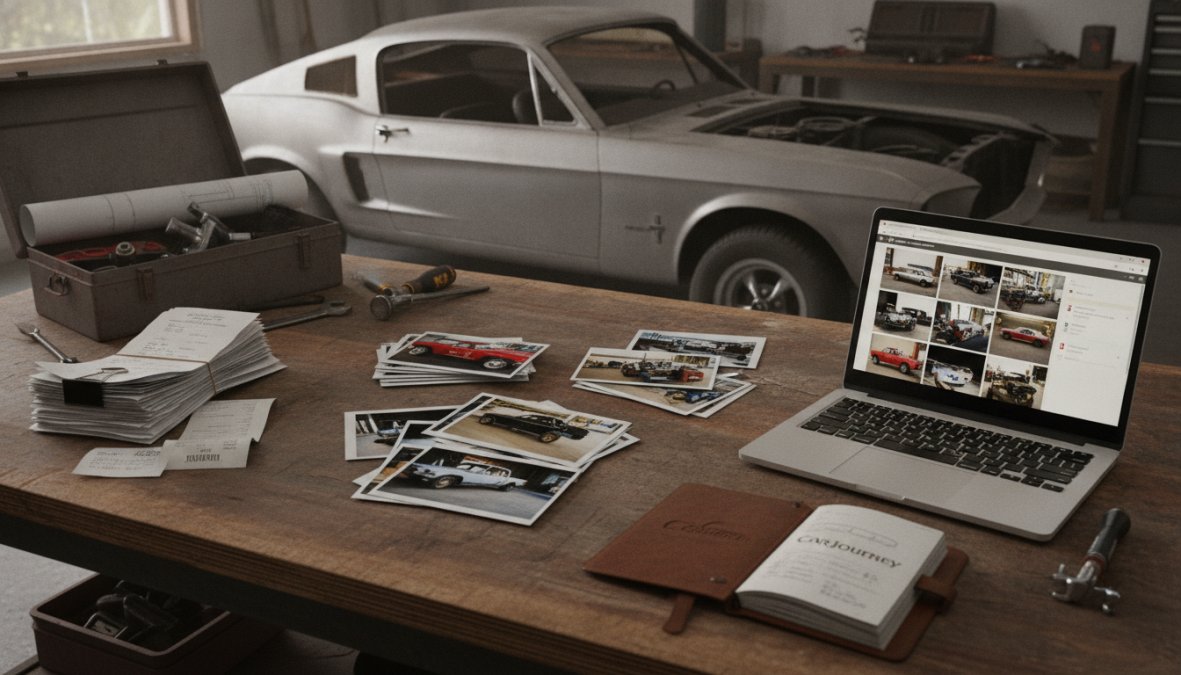
Photography is where your documentation becomes compelling. Photos prove modifications were completed, show the quality of work, and create a visual narrative of your project's transformation.
Establish Photography Standards and Angles
Inconsistent photos make your build documentation look amateurish. Establish standards for lighting, angles, and composition before you start shooting.
Natural daylight is your friend, it reveals detail and color accurately. Avoid harsh shadows and backlit shots. Overcast days provide even, diffuse lighting that works beautifully for automotive photography.
Photograph each major modification from multiple angles: wide shot showing the modification in context, medium shot showing the specific part and its installation, close-up showing detail and quality of work, and before and after comparison when possible.
Create a photo naming convention that matches your document naming: YYYY-MM-DD_ProjectName_System_Stage_Angle.jpg
Organize Photos Chronologically and by Modification
Your photo library should be organized two ways: chronologically (to see the project's progress over time) and by modification system (to show all engine work together, all suspension work together, etc.).
Create folder structure like this: 2008-Mustang-GT-Build/ ├── 2026-01-BaselinePhotos/ ├── 2026-02-EngineWork/ ├── 2026-03-SuspensionInstall/ ├── 2026-04-InteriorUpgrades/ └── 2026-05-FinalPhotos/
Create a photo inventory spreadsheet with columns for date taken, system, description, file location, before/after designation, and quality rating. The quality rating helps you quickly identify which photos to use when creating a shareable build profile or selling the car.
Benefits of Documenting a Car Build
Organized documentation transforms your project from a personal hobby into a verifiable asset. Potential buyers pay premiums for documented builds. A car with comprehensive documentation, invoices, photos, performance data, and maintenance records commands 15-20% higher prices than an identical undocumented car.
Beyond resale, documentation helps you manage the project itself. A detailed build log reminds you what you've done, what problems you solved, and what remains. Performance metrics show whether modifications actually delivered promised results.
Insurance and warranty claims become straightforward when you have documented proof of work. If a modification fails and you need to claim warranty, invoices and installation photos prove the work was done correctly.
Community engagement becomes richer when you can share detailed build progress. Other enthusiasts can learn from your choices, mistakes, and solutions. Personal satisfaction is underrated, reviewing your documented build history and seeing the progression from baseline to finished project is deeply rewarding.
Project Car Management Software and Tools
The right software simplifies documentation dramatically. The wrong choice becomes abandoned after a few weeks.
Digital Platforms vs. Spreadsheets and Manual Tracking
Spreadsheets offer complete control and require no subscription. However, they lack automation. You manually enter every detail, manage photo organization separately, and generate reports by hand.
Dedicated automotive documentation platforms automate much of the work. They offer VIN-based vehicle setup (automatically populating year, make, model, engine specs), modification-specific fields, automatic photo organization, and built-in reporting. CarJourney, for example, uses AI-powered logs to track modifications alongside maintenance, generates shareable build profiles that prove your vehicle's history, and handles unlimited modification tracking. The platform lets you organize by system, date, or cost, and export comprehensive reports for potential buyers.
For most builders, a dedicated platform wins because you'll actually use it consistently. The friction of manual spreadsheet entry leads to abandoned documentation.
Legal and Insurance Documentation Considerations
Documentation takes on legal significance when you're selling the vehicle or making insurance claims. Original receipts carry more weight than digital copies, though high-quality digital scans are increasingly accepted.
Keep original receipts for major purchases and modifications in a fireproof safe or safe deposit box. Digital copies serve as your working reference; originals are your legal backup.
For insurance purposes, document modifications clearly. Some modifications affect your insurance rates or coverage. A documented engine upgrade with horsepower specifications helps insurers understand your vehicle's value. Undisclosed modifications can void coverage, so transparency is essential.
When you sell the vehicle, provide potential buyers with a comprehensive documentation package: original receipts for major work, before-and-after photos, performance data, and maintenance records. This transparency builds trust and justifies higher asking prices.
Pro Tip For high-value modifications, keep the original invoice AND take photos of the work in progress. This combination is nearly impossible to dispute and maximizes your protection.Common Mistakes to Avoid When Documenting Builds
Most documentation failures follow predictable patterns.
Starting documentation too late: By the time you realize you should be documenting, you've already completed half the project. Receipts are scattered, photos don't exist, and you're relying on memory. Start from day one.
Inconsistent naming: You start with a system, then abandon it when busy. Files end up named "Receipt," "IMG_2024," and "Mustang_Stuff." Enforce your naming convention from the beginning.
Poor photo organization: You take hundreds of photos but never organize them. Organize photos immediately after taking them, same day if possible.
Incomplete invoices: Request detailed invoices that include part numbers, descriptions, and dates. If you get a vague receipt, photograph it immediately and write notes.
Abandoning your system: As the project grows, documentation feels overwhelming. Simplify your system before it becomes unmanageable. A simpler system you maintain consistently beats a complex system you abandon.
Not backing up digital documentation: Use cloud storage with automatic backup. A single cloud folder with all documentation ensures you never lose everything to hardware failure.
Treating documentation as separate from the build: Treat documentation as part of the build process itself. When you complete a modification, photograph it, file the invoice, and update your build log.
Documenting your project car build transforms a personal hobby into a documented asset that holds value, tells a story, and protects your investment. The system you establish now determines whether your documentation becomes a valuable reference or a frustrating mess.
Start with clear goals: decide what you're documenting and why. Choose tools that match your commitment level, whether that's spreadsheets or a dedicated platform like CarJourney. CarJourney's AI-powered modification tracking, automatic VIN-based setup, and shareable build profiles simplify the process of organizing years of scattered records into a professional documentation system. Get started free and build a documented history that buyers trust and that proves every detail of your car's story.
Frequently Asked Questions
What should a project car build log include?
A comprehensive build log should track the vehicle's VIN, initial state, all modifications with dates and costs, parts inventory (both OEM and aftermarket), service history, receipts and invoices, before-and-after photos, and mod history. Include descriptions of why each change was made and performance impacts. This creates a complete vehicle provenance that proves the quality of your work and helps with resale value or insurance claims.
How can documenting a car build increase resale value?
Detailed documentation demonstrates vehicle care and proves the quality of modifications. Buyers trust cars with clear service history, organized receipts for expensive upgrades, and professional photo documentation showing the build progression. A well-documented project car with transparent mod history commands higher prices than undocumented builds because buyers see proof of maintenance, quality parts, and expert workmanship rather than guessing about the vehicle's actual condition.
What's the best way to organize photos and receipts for my project car?
Use standardized naming conventions for files (e.g., YYYY-MM-DD_ModType_Description.jpg) and organize by modification phase or chronological order. Digitize all physical receipts using a scanner or mobile app, then store files in a folder structure matching your build timeline. Consider digital platforms designed for project car management that automatically organize documentation, or use cloud storage with clear labeling. Keep originals in a fireproof safe for insurance and resale documentation.
Is digital documentation better than keeping physical receipts and photos?
A hybrid approach works best: digitize everything for accessibility and backup, but keep original receipts and invoices in a secure location for insurance claims and resale proof. Digital systems offer searchability, automatic organization, and easy sharing, while physical documents provide legal proof of ownership and authenticity. Using project car management software with cloud backup ensures your build documentation survives hardware failures while maintaining paper records for critical financial and legal documentation.
This article was written using GrandRanker