 carjourney
From the CarJourney journal
Motor Building App for Enthusiasts: Track, Validate, Sell

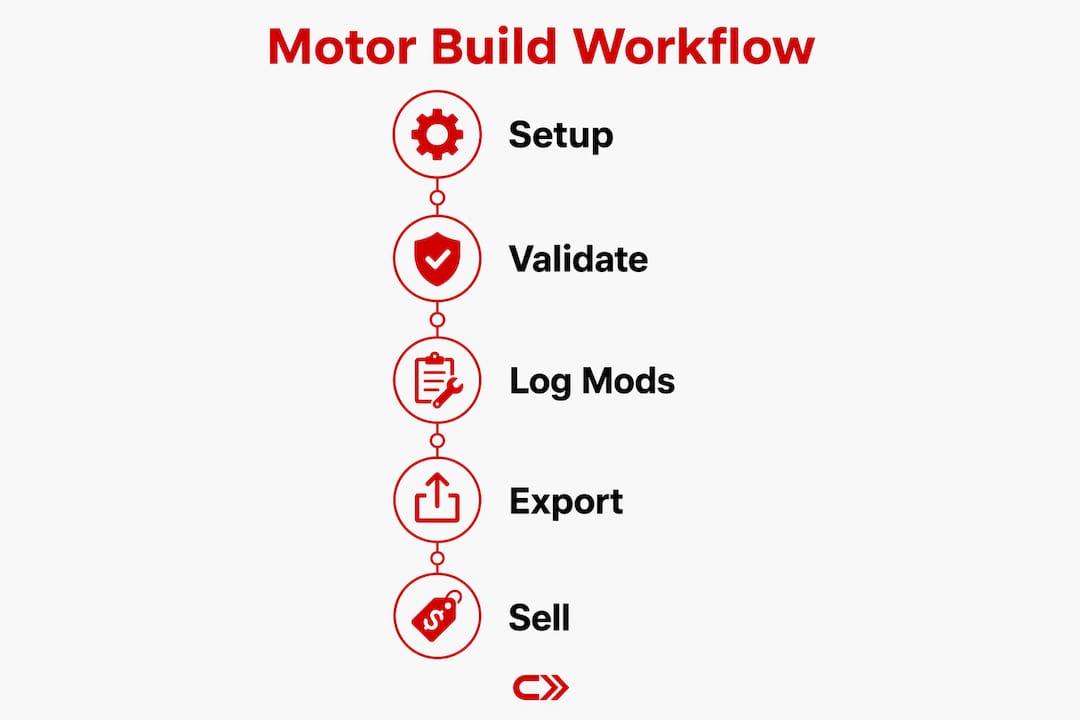
If you’re serious about your build, the workflow that actually works is this: use an AI-powered motor building app to log every modification, scan your receipts, and generate an exportable build book you can hand to a buyer or a dyno shop. Carjourney is built exactly for that workflow.
- Validated recommendations: AI suggestions cross-checked against engineering expectations, not forum guesses
- Exportable build book: timestamped PDF with receipts, mods, and baseline data ready for resale
- Automated reminders: service intervals tied to your specific build, not a generic schedule
Look for these trust signals before committing to any app: a named author with hands-on automotive experience (Carjourney’s contributor Chally), a team that validates AI outputs against real-world or dyno data, and OCR receipt scanning that captures vendor, date, and part number accurately.
Table of Contents
- What must a motor building app actually do?
- How should AI and validated data work for your build?
- How long does setup take, and what does it cost?
- Day-to-day workflow: logging mods and building your resale record
- What you need to know about data, backups, and U.S. privacy
- Key Takeaways
- What most owners get wrong about build documentation
- Carjourney gives you the build workflow in one place
- Sources and further reading
What must a motor building app actually do?
Not every app that calls itself a motor building app earns the label. Here’s the checklist that separates useful tools from glorified note-taking apps.
- Vehicle profile with VIN import: the app should pull make, model, engine type, and trim automatically. Manual entry for every field is a red flag.
- Modification log: parts, costs, install dates, photos, and supplier info in one place. A car modification log that can’t attach a receipt is half a tool.
- Maintenance scheduler: recurring reminders tied to mileage or calendar intervals, specific to your build’s service needs.
- Receipt and doc scanning with OCR: the app should extract vendor, date, cost, and part number automatically. Manual re-entry defeats the purpose.
- Dyno or validation data support: at minimum, the app should accept dyno curve uploads or baseline performance notes you can correlate with later runs.
- Exportable build book: PDF or CSV export with full parts ledger, receipts, and service history. This is what resale documentation actually looks like.
- Multi-vehicle support: if you run more than one build, the app needs to keep profiles cleanly separated.
- Security basics: encryption at rest, two-factor authentication, and granular sharing controls so you decide who sees your service docs.
Pro Tip: Before you commit to any app, export a test PDF from a dummy vehicle profile. If the export is ugly, incomplete, or locked behind a paywall you didn’t expect, you’ll find out before you’ve logged 200 receipts.

How should AI and validated data work for your build?
“Validated data” is a specific claim. It means the app’s outputs correlate with real-world dyno results or established engineering principles, not community speculation. PISTON’s thermodynamic simulation uses SAE J1349 correction factors and reports less than 7% error against certified GM dyno data. That’s the standard worth comparing against.
Multi-model AI verification matters because a single model can confidently produce a wrong answer. When two or more independent AI models agree on a recommendation, the probability of a systematic error drops. Carjourney’s approach runs recommendations through multiple AI models before surfacing them to you.
Validation signals worth checking in any app:
- Does it reference SAE-corrected figures rather than raw uncorrected outputs?
- Can it accept a dyno curve upload and flag deviations from expected power bands?
- Does it check parts compatibility against a reference database, or just suggest parts based on popularity?
- Are its horsepower estimates tied to documented physics models (two-zone combustion, friction modeling) like those used by Engine Simulator and professional tools?
The practical verification step most owners skip: run a baseline sensor check or dyno pull before any modification, log it in the app, then run another after. That before/after delta is the only honest measure of what a part actually did on your specific engine.
How long does setup take, and what does it cost?
Setup is faster than most owners expect. Here’s a realistic breakdown:
- Create your vehicle profile (5 minutes): enter VIN, engine type, current mileage. A VIN import cuts this to under two minutes.
- Import or scan existing service history (20–60 minutes): scan receipts in batches. OCR handles the metadata; you review and confirm.
- Add baseline measurements (10 minutes): log current mileage, note any known issues, upload a baseline dyno sheet if you have one.
- Configure maintenance reminders (5 minutes): set intervals for oil, filters, and any build-specific services.
Total time to a usable build profile: roughly 45 minutes for a well-documented vehicle, longer if your service history is scattered across paper receipts.
Pricing shapes to expect:
- Free tier: single vehicle profile, basic maintenance log, limited AI queries. Good for casual owners.
- Pro subscription: unlimited vehicles, full AI build chat, PDF build book export, priority support, and cloud backup. Available monthly, annually, or as a one-time lifetime payment on Carjourney.
The lifetime payment option is worth noting for owners who plan to track multiple builds over several years. It eliminates recurring billing entirely.
Pro Tip: Use the receipt scanning feature on your phone the same day you get a service done. Batch-scanning a year of paper receipts later takes three times as long and introduces more OCR errors.
Day-to-day workflow: logging mods and building your resale record
A car build tracker is only as good as the habit you build around it. Here’s how a turbo swap looks in practice:
- Plan the swap: open the app, create a new modification entry, tag the turbo part number, estimated cost, and target power goal.
- Log the baseline: record current dyno figures or OBD sensor readings before touching anything.
- Attach receipts as you buy parts: scan the invoice the day it arrives. The OCR captures vendor and cost automatically.
- Document the install: add photos, note the install date, and flag any fitment issues in the modification notes.
- Run a post-install validation: new dyno pull or OBD data log. Attach it to the same modification entry.
- Use AI to cross-check: ask the app’s AI whether the power gain aligns with what the turbo’s specs predict. Flag anomalies in the record.
Linking OBD readouts directly to modification entries is where the aftermarket parts inventory picture gets complete. You’re not just logging what you installed. You’re logging what it actually did.
What you need to know about data, backups, and U.S. privacy
Your build data includes sensitive financial records and vehicle identification details. Treat it accordingly.
- Encryption at rest: any app storing service documents should encrypt them on the server. Confirm this before uploading anything.
- Two-factor authentication: non-negotiable for an account that holds your vehicle’s full service history.
- Export before you cancel: always download a full PDF build book and CSV parts ledger before ending a subscription. Don’t assume the data stays accessible.
- US data storage: confirm the app stores data on US-based servers if that matters to your privacy posture. Carjourney is built and operated by Blue Shed Digital, LLC in Virginia.
- OCR accuracy check: before sharing a scanned receipt with a buyer or insurance company, open the extracted metadata and verify the part number and cost match the original document.
For local backups, export a full PDF build book monthly and store it somewhere outside the app. A cloud backup inside the same platform is not a backup if the platform goes down.
Key Takeaways
A well-documented build tracked in an AI-validated motor building app is worth more at resale and costs less to maintain than one pieced together from memory and paper receipts.
| Point | Details |
|---|---|
| Start with a baseline | Log a dyno pull or OBD sensor snapshot before any modification so you have a real before/after comparison. |
| Scan receipts immediately | Capture vendor, date, cost, and part number the day parts arrive to avoid OCR errors from aging paper. |
| Validate AI outputs | Cross-check any horsepower estimate against a real dyno run before trusting it for tuning decisions. |
| Export your build book | Generate a PDF build book with timestamps and receipts before listing a vehicle for sale. |
| Carjourney for the full workflow | Free tier covers one vehicle; Pro unlocks unlimited builds, AI chat, PDF export, and cloud backup. |
What most owners get wrong about build documentation
The conventional wisdom says “just keep your receipts.” That’s not wrong, but it’s about 20% of the answer. A stack of receipts with no timestamps, no baseline measurements, and no modification sequence tells a buyer almost nothing useful. What actually moves the needle at resale is a build book that shows the order of modifications, the before/after performance data for each one, and the service history that proves the engine was maintained between builds.
The other thing owners consistently underestimate is how much AI recommendations vary in quality depending on what data you feed them. An AI that only knows your VIN and a parts list will give you generic advice. One that has your baseline dyno curve, your OBD logs, and your full modification history can flag a real compatibility issue before you buy the wrong part. That’s the gap Carjourney’s multi-model verification is designed to close. The team at Blue Shed Digital built the platform specifically because scattered receipts and buried forum threads were the norm, and they believed owners deserved better than that. The CarJourney company page documents the product focus and team background for anyone who wants to verify the credentials behind the recommendations.
Carjourney gives you the build workflow in one place
Most owners piece together three or four separate tools to do what Carjourney handles in one account. The free plan covers a single vehicle profile, basic maintenance logging, and limited AI queries. That’s enough to test the workflow before committing.
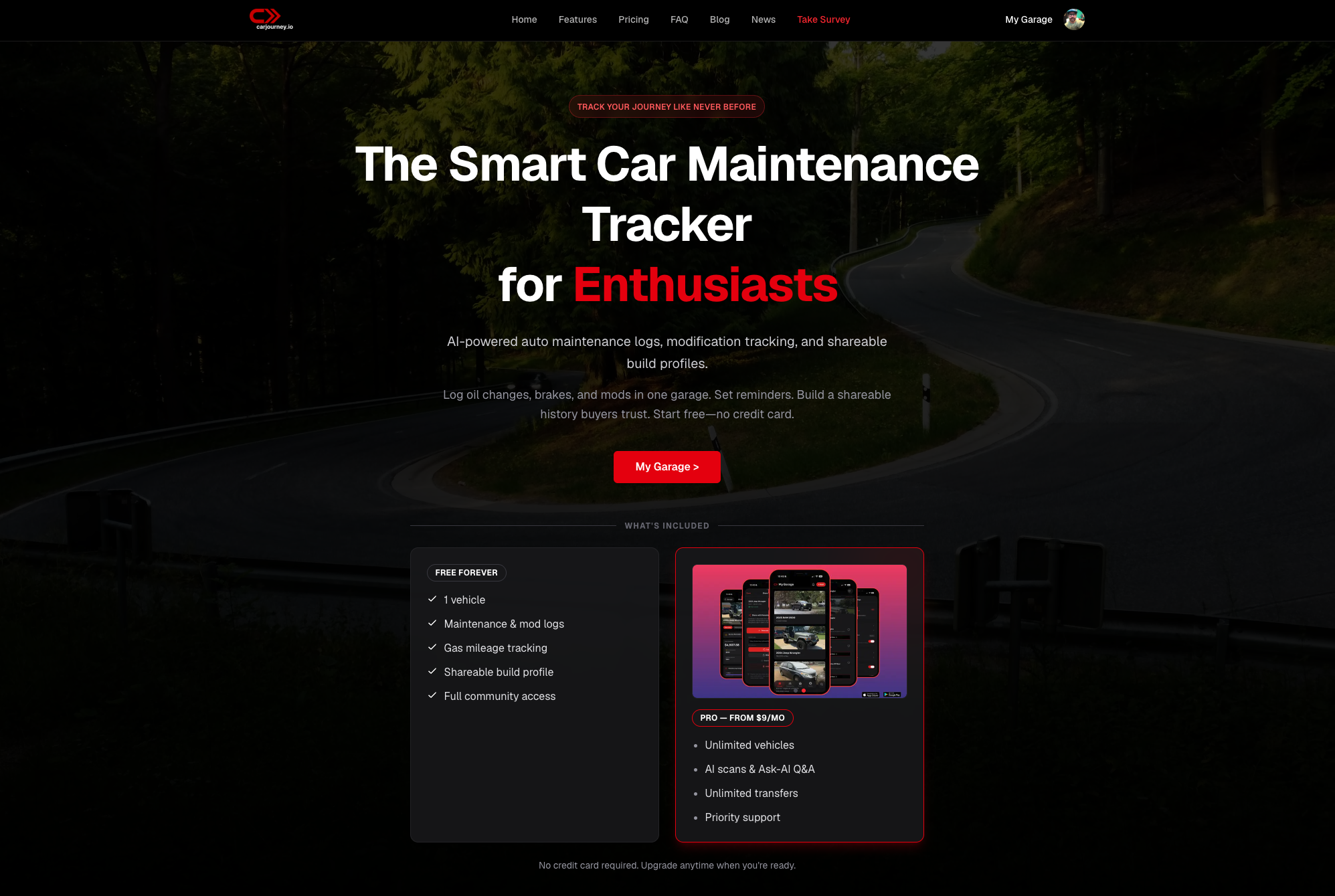
The Pro plan unlocks unlimited vehicle profiles, full AI build chat with multi-model verification, PDF build book export, priority support, and cloud backup. It’s available monthly, annually, or as a one-time lifetime payment. One honest limitation: Carjourney does not connect to dyno hardware directly. You’ll still need a third-party dyno shop for physical pulls. What Carjourney does is give you a place to log those results, attach them to specific modifications, and let the AI flag whether the numbers make sense for your build.
Create your free Carjourney account and import your first VIN today. The setup takes under an hour, and your first AI recommendation is waiting on the other side.
Sources and further reading
- PISTON Professional Engine Simulation: physics-based thermodynamic modeling with SAE J1349 correction; useful for understanding what validated dyno simulation actually means.
- Engine Simulator (App Store): on-device rigid-body engine sandbox with live dyno output; good reference for mobile-first simulation capabilities.
- Engine Pro on Google Play: covers compression ratio, BMEP, BSFC, turbo, and nitrous calculations; shows the range of computational features a serious engine design app can include.
- My Builds on Google Play: offline-first build tracker with receipt scanning and LLM-agnostic AI; useful contrast for privacy-focused owners.
- CarJourney Digital Garage App Review: Chally’s editorial coverage of motor building apps and owner-experience findings.
- CarJourney company page: documents the Blue Shed Digital team, AI scanning capabilities, and product focus.
Always verify simulator horsepower estimates against a documented dyno run with correction factors applied before using those numbers for tuning decisions.