 carjourney
From the CarJourney journal
Alignment Settings Log for Track and Street Builds
An alignment settings log is a running record that compares your car’s “initial” alignment numbers against the “final” numbers after every adjustment, so you can track how the geometry moves over time. The first thing to do after any alignment visit: ask the shop for the formal diagnostic report, the printout that lists both initial and final readings for camber, caster, toe, and thrust angle. Without that paper, you’re logging half the story.
Enthusiasts who skip the initial numbers lose the most useful part of the data. A camber reading that drifted from 0.2 degrees negative to 1.1 degrees negative over 8,000 miles tells you something a single final number never will. That drift is a signal, and it’s the kind of signal that predicts worn control-arm bushings or a tweaked subframe long before you feel it in the steering wheel.
Three things worth anchoring your log to right away:
- Toe, camber, and caster per wheel, not just the front axle averages most shops hand you verbally.
- CSV export from your spreadsheet or shop software, so the numbers stay searchable instead of buried in a glovebox folder.
- A storage system like Carjourney that keeps scanned reports and CSV rows attached to the same vehicle profile, instead of scattered across email and paper.
Ask for the diagnostic printout every time, even if the tech says “it’s all good.” The initial numbers on that sheet are the only record of how your suspension geometry looked before anyone touched it.
Key Takeaways
Consistent logging of both initial and final alignment readings, paired with matching setup metadata, is what turns a stack of shop receipts into a diagnostic tool.
| Point | Details |
|---|---|
| Get the full printout | Always request the shop’s formal diagnostic report showing both initial and final numbers, not a verbal summary. |
| Log per-wheel, not just totals | Camber, toe, and thrust angle per wheel catch asymmetry that averaged totals hide. |
| Match the conditions every time | Record tire pressure, ride height, and load so readings across visits are actually comparable. |
| Watch the initial numbers over time | Progressive drift on one corner usually points to worn bushings or a bent component, not normal wear. |
| Store it somewhere searchable | Carjourney lets you scan diagnostic reports, import CSV logs, and attach handling notes to one vehicle profile. |
Table of Contents
- What to Record in Your Alignment Configuration Log
- Why the Initial Reading Tells You More Than the Final One
- How to Ask a Shop for the Formal Diagnostic Report
- A Copyable Alignment Log Template
- How Often Should You Re-Check Alignment?
- Reading the Red Flags in Your Log
- Keeping Alignment Readings Comparable Over Time
- Why Carjourney Logs Alignment Data the Way We Do
- Store Your Alignment Reports Where You Can Actually Find Them
- Frequently Asked Questions
- Sources
What to Record in Your Alignment Configuration Log
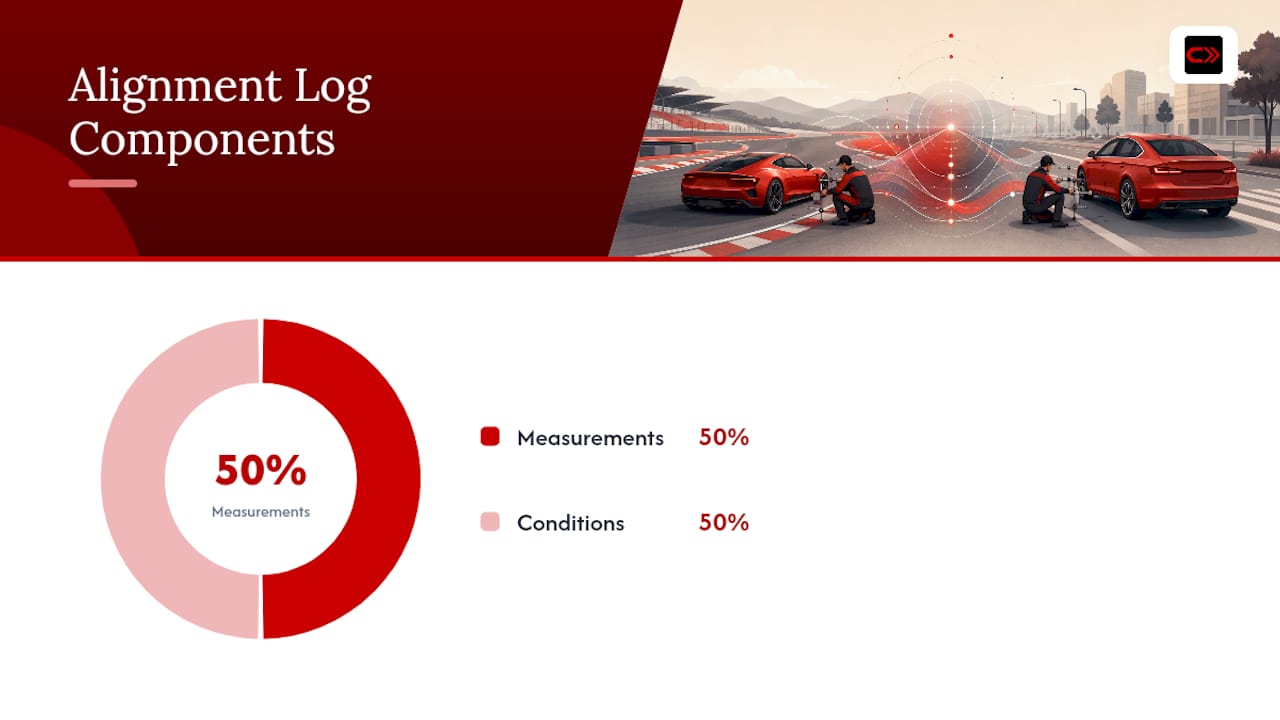
A usable alignment configuration log has two halves: the alignment numbers themselves, and the conditions under which they were measured. Miss either half and the entries become hard to compare six months later.
Here’s the core measurement set worth tracking on every visit:
| Measurement | Why it matters |
|---|---|
| Camber (front left/right, rear left/right) | Reveals tire wear bias and detects bent or worn suspension arms |
| Toe (per wheel and total toe) | Directly affects tire wear rate and straight-line stability |
| Caster (where adjustable) | Impacts steering feel, self-centering, and high-speed stability |
| Thrust angle | Flags a rear axle that’s not square to the chassis, often from a collision or bushing failure |
Total toe and per-wheel toe are not the same thing, and logging only the total hides asymmetry. A car can show a perfectly acceptable total toe reading while one side sits well outside spec and the other overcorrects for it. That kind of asymmetry is exactly what a per-wheel breakdown catches and a summary number buries.
Beyond the geometry itself, log the setup metadata every time:
- Date and odometer mileage
- Tire brand, size, and pressure at time of measurement
- Ride height (measured, not eyeballed)
- Fuel or cargo load in the car
- Any suspension components replaced or modifications installed recently
Pro Tip: Photograph the tire tread pattern at each alignment visit. Wear patterns lag behind alignment changes by weeks, so a photo taken today often explains a camber reading you logged a month ago.
Why the Initial Reading Tells You More Than the Final One
Most people only care about the final numbers, the ones that confirm the shop did its job. That’s backwards for anyone tracking a build over time. The initial reading, the geometry as the car rolled onto the rack before anyone touched an adjustment bolt, is the diagnostic gold in your alignment settings log.
Initial readings show how the suspension has drifted since the last visit. A small, even shift across all four corners usually just means normal component settling or a bushing bedding in. A large, one-sided shift is different territory entirely.
A few patterns worth watching for:
- Progressive camber drift on one corner only often points to a worn control-arm bushing or a bent arm from a curb strike.
- Toe that keeps creeping outward between visits despite no mileage-related excuse usually means a loose tie rod end or worn rack bushing.
- A thrust angle that shows up out of nowhere after a clean history suggests recent subframe movement, frequently from an impact you might not remember as significant.
Losing the initial numbers means losing this entire diagnostic thread. You’re left comparing final-to-final, which mostly just tells you the shop is competent, not what your car is doing to itself between visits.
Pro Tip: Write a one-line handling note next to every initial reading, something like “slight darty feeling above 60 mph” or “mild understeer on cold tires.” Numbers alone rarely tell you which change actually fixed the feel you didn’t like.
How to Ask a Shop for the Formal Diagnostic Report
Most alignment machines print a full diagnostic sheet automatically, but plenty of shops only hand you a verbal summary unless you ask. Getting the actual paper takes about ten seconds of conversation.
- Before the tech starts, say you want the printed diagnostic report, both initial and final readings, not just a summary.
- Confirm the units on the sheet, degrees for camber and caster, and either millimeters, inches, or degrees for toe, depending on the machine.
- Ask for a PDF or a phone photo of the printout if a physical copy isn’t offered.
- Check the sheet before you leave: it should show a shop stamp or technician initials, and ideally the alignment machine model, since that helps explain any small systematic offsets between visits at different shops.
Two scripts that work well depending on how technical you want to sound:
- Polite enthusiast: “Could I get a copy of the alignment printout, both before and after numbers? I keep a log on my car.”
- Technical enthusiast: “I’d like the full diagnostic report with initial and final camber, caster, toe, and thrust angle per wheel, plus a CSV export if your system supports it.”
Many shops can generate a CSV directly from the alignment machine if you ask, which saves you from retyping numbers off a photo later.
A Copyable Alignment Log Template
A spreadsheet beats a shoebox of receipts every time. Here’s a column structure that covers the essentials without becoming a chore to fill out after every visit.
| Column | What goes here |
|---|---|
| date | Visit date (YYYY-MM-DD) |
| mileage | Odometer reading |
| shop_name | Shop or technician name |
| fl_camber, fr_camber, rl_camber, rr_camber | Per-wheel camber in degrees |
| fl_toe, fr_toe, rl_toe, rr_toe | Per-wheel toe |
| total_toe_front, total_toe_rear | Combined toe per axle |
| thrust_angle | Degrees off centerline |
| tire_pressure | PSI at time of measurement |
| ride_height | Measured fender-to-ground or similar reference |
| notes | Handling impressions, recent mods, tire condition |
A sample row, ready to paste into a spreadsheet or import as CSV:
2026-03-14,42,180,QuickAlign Shop,-0.8,-0.9,-1.1,-1.0,0.05,0.06,0.08,0.09,0.11,0.17,0.02,32,13.5,"new front tires, slight tramlining at speed"
For file naming, something like [vehicle]_alignment_2026-03-14_v1.csv keeps versions sortable by date without guessing which file is current. Scanned shop reports pair well with a matching name, like [vehicle]_alignment_diagnostic_2026-03-14.pdf, so the CSV row and the source document sit next to each other. Structured logging setups in technical projects like AlignTune’s configuration approach follow the same logic: consistent paths and naming make automated backups and comparisons far easier down the line.
Pro Tip: Add a version suffix (v1, v2) any time you re-measure after a fix, rather than overwriting the old row. Overwritten history is the fastest way to lose the exact drift pattern you were trying to catch.
How Often Should You Re-Check Alignment?
There’s no single mileage number that fits every build, but a few triggers apply almost universally. Street cars that haven’t been modified usually hold alignment reasonably well for 12,000 to 15,000 miles. Track cars under regular curb strikes, aggressive camber settings, or stiff coilovers often drift enough to need a check every one to three track days.
Triggers that should send you back to the shop regardless of mileage:
- New tires installed, since this is the cheapest time to correct geometry before wear starts.
- Any suspension modification: coilovers, control arms, subframe bushings, or ride height changes.
- Visible or felt symptoms: pulling to one side, steering wheel off-center, unusual tire wear, or a new vibration.
- A curb strike, pothole impact, or minor collision, even one that seemed harmless.
- Before and after a track season, so you have a clean baseline going in and know what shifted coming out.
A seasonal track and street enthusiast might log alignment three times a year: pre-season baseline in the spring, a mid-season check after the first few track days, and a post-season check before winter storage to catch anything that needs fixing over the off-months.
Reading the Red Flags in Your Log
Once you have two or three entries, patterns start to matter more than any single reading. A handful of trends are worth flagging immediately.
- Camber or toe that shifts noticeably between consecutive visits with no obvious cause.
- Left versus right asymmetry that persists across multiple alignments, even after correction.
- Tire wear that doesn’t match what the numbers say should be happening.
- A large gap between initial and final readings at the same shop, session after session.
When something looks off, work through it in order:
- Check tire pressure and tread condition first. This is the cheapest variable to rule out and the most commonly overlooked.
- Inspect suspension bushings and ball joints for play, since worn rubber is the most common cause of progressive drift.
- Move to wheel bearings and subframe alignment only after ruling out the simpler parts, since these repairs cost more and take longer.
Pro Tip: A drift under roughly a quarter degree of camber between visits is usually just normal settling. Anything larger, especially paired with a thrust angle that’s moved, is worth a suspension inspection before you just re-align and hope it holds.
Magnitude matters here. Small, even shifts across all four corners are a tuning matter. Large, one-sided shifts are a parts matter, and no amount of re-alignment fixes a bent arm or a worn bushing.
Keeping Alignment Readings Comparable Over Time
Alignment numbers are only comparable if the conditions around them stay consistent. This is the part most logs get wrong, and it’s why two readings taken a month apart can look like a mystery when the real explanation is a 10 PSI difference in tire pressure.
Before treating any two readings as comparable, confirm:
- Tire pressures match within a pound or two of the last measurement.
- Ride height is measured the same way each time (same reference points).
- Fuel and cargo load are roughly similar, since a full tank and a set of track tools shift geometry more than people expect.
- Wheels were torqued to spec, since an unevenly torqued wheel can throw off toe readings slightly.
- You’re comparing the same units. Camber and caster are typically in degrees, but toe shows up in degrees, millimeters, or inches depending on the machine, so pick one format for your log and convert everything else to match.
Professional alignment documentation deals with this same consistency problem at a much larger scale. Track alignment standards under 49 CFR 213.327 define uniformity by averaging nine consecutive mid-chord offset measurements rather than trusting a single reading, and Amtrak’s own track safety specifications apply the same averaging logic to define acceptable deviation. Your car’s alignment log doesn’t need nine data points per session, but the underlying principle holds: one reading in isolation tells you less than a pattern across several.
Noting the alignment machine model or technician name in your log also helps explain small, systematic offsets. Two shops running different equipment can report slightly different numbers for the exact same suspension geometry, and that’s a machine calibration quirk, not a sign your car changed overnight.
Why Carjourney Logs Alignment Data the Way We Do
We built alignment tracking into Carjourney because too many builds lose their history to a folder of loose receipts. Chally, who works on the Carjourney team, has watched enough forum threads where someone asks “did my camber always sit like this?” with zero way to answer, because nobody wrote down the initial numbers three years and two alignments ago.
The team leans hard on initial readings for a reason: they’re the only record of what your suspension geometry looked like before intervention. One build we’ve seen tracked through Carjourney showed a slow, one-sided caster drift across four separate alignment visits over two seasons of autocross. Nobody caught it because each shop only compared their own before-and-after numbers. Stacked together across visits, the pattern pointed straight to a worn upper control arm mount that a single visit’s data never would have flagged.
That’s the case for treating an alignment log as a running record, not a one-off receipt. Annotated handling notes, consistent metadata, and both sets of numbers turn a stack of shop printouts into something you can actually diagnose from.
Store Your Alignment Reports Where You Can Actually Find Them
A perfect spreadsheet is only useful if you can find it when a tire shop asks about your specs or a buyer asks about your maintenance history. That’s the gap Carjourney fills for enthusiasts who’d rather not manage a folder of PDFs and a separate CSV file.
Carjourney lets you scan and store your shop’s diagnostic reports directly against your vehicle profile, so the initial and final readings live next to the mileage, mods, and maintenance history from that same visit. You can import your CSV alignment log, attach handling notes to specific entries, and build a searchable history instead of digging through email attachments. That history doubles as proof for a future buyer, since documented maintenance and alignment records tend to build more confidence at resale than a verbal “yeah, it’s been aligned.”
If you’re tracking mods alongside alignment changes, tagging entries to specific modifications keeps the geometry shifts tied to whatever caused them, lowered springs, new control arms, a wheel change. Create a free Carjourney account and upload your next alignment report before it ends up buried in a glovebox.
Frequently Asked Questions
What should I ask for after getting my car aligned? Ask for the formal diagnostic printout showing both initial and final readings for camber, toe, caster, and thrust angle, plus a PDF or photo if a paper copy isn’t automatic.
How often should I update my alignment settings log? Add an entry after every alignment visit, and re-check sooner if you install suspension mods, change tires, hit a curb, or notice pulling or unusual steering feel.
Why do my alignment numbers look different at every shop? Different alignment machines and technicians can produce slightly different baseline readings even on an unchanged car. Noting the machine model or shop name in your log helps explain small, consistent offsets.
What’s the difference between total toe and per-wheel toe? Total toe combines both wheels on an axle into one number, while per-wheel toe shows each side individually. A car can show acceptable total toe while one wheel sits well outside spec, which only the per-wheel figure reveals.
Can I store my alignment reports digitally instead of keeping paper printouts? Yes. Scanning your shop’s diagnostic report and storing it alongside a CSV log, either in a spreadsheet or a tool like Carjourney, keeps your history searchable and easier to reference at resale or during troubleshooting.
Sources
- Amtrak Limits and Specifications for Track Safety, Maintenance and Construction
- § 213.327 Track alinement. | eCFR
- Configuration - AlignTune (Getting Started)
These sources address measurement method and logging structure. Your car’s actual alignment specs always come from the manufacturer and the shop performing the work, not from any general logging reference.
Note: This article provides general information for tracking and documenting vehicle alignment data. It is not a substitute for guidance from a qualified alignment technician regarding your specific vehicle’s specifications or safety-related suspension issues.