 carjourney
From the CarJourney journal
Top 4 Autozis.com Alternatives for Vehicle Maintenance 2026

Tracking vehicle maintenance across multiple vehicles and drivers without losing records or missing reminders creates confusion. Many tools block key features with paid tiers, limit cross-device access, or lack detailed logging for modifications and expenses. This comparison explains alternatives for price, access, and tracking features so vehicle owners and fleet managers can pick a tool that fits their real needs.
Table of Contents
CarJourney
At a Glance
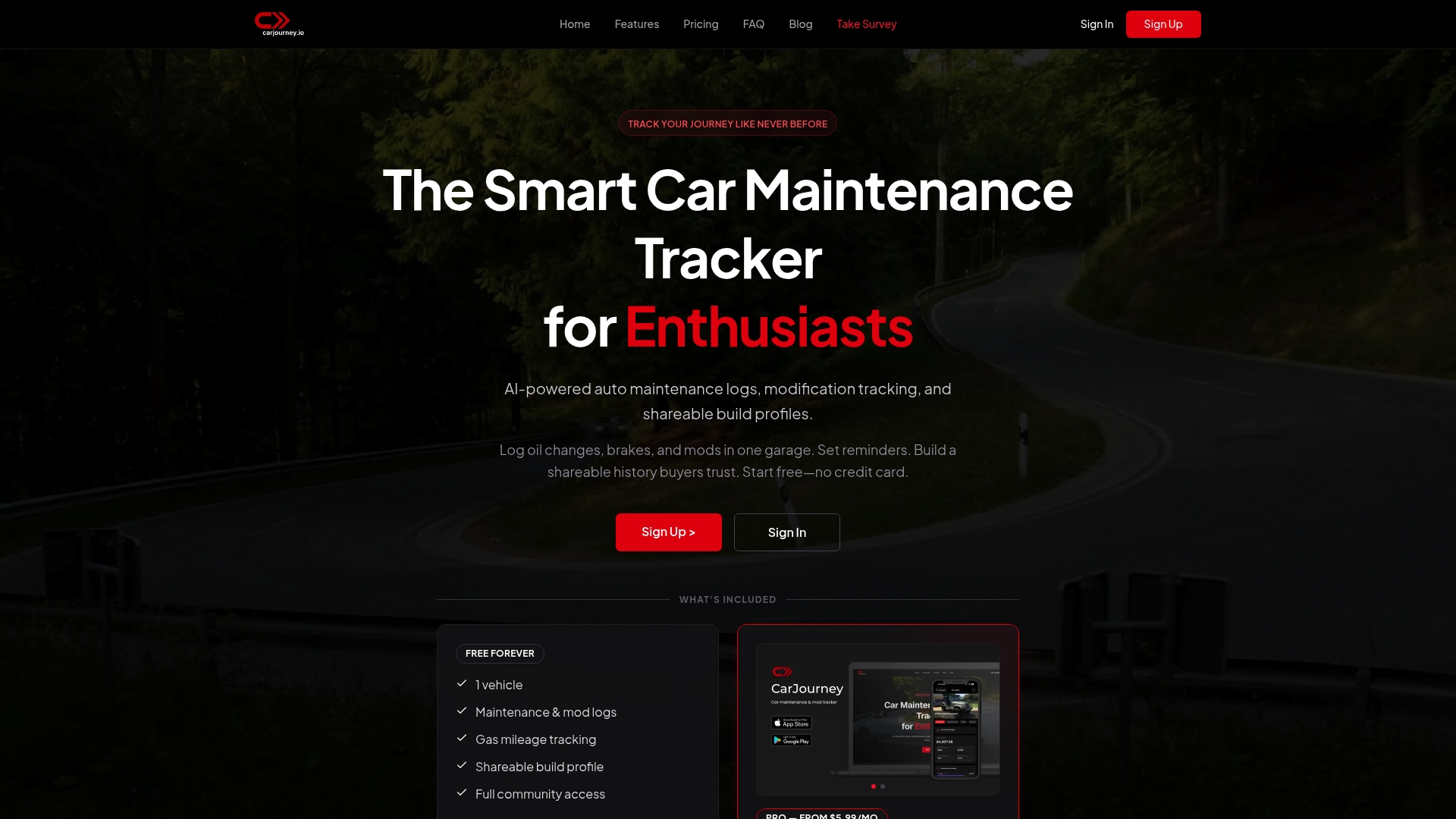
No credit card is required to start using CarJourney, and the platform offers a free tier with optional paid upgrades. The product was built and is owned by Blue Shed Digital, LLC, a small team of gearheads and engineers based in Virginia. That origin shows up in features aimed at hobbyists and collectors rather than enterprise fleets.
Core Features
CarJourney combines a digital garage with automated service reminders and journal entry logging that accepts receipts and photos. The platform runs AI powered maintenance logs and an AI Q&A tool that scans service documents and answers vehicle specific questions. It also supports modification tracking, shareable build profiles, product discovery for builds, and vehicle transfer and sharing capabilities across web and mobile.
Key Differentiator
The single standout is the AI powered multimedia logs tied to community build sharing. The AI reads receipts, service records, and photos to populate maintenance history and suggest schedules. Community build pages let other enthusiasts view parts, notes, and verified work tied to each vehicle.
Pros
CarJourney centralizes maintenance and modification records in one place, which reduces scattered receipts and forum threads. The AI powered logs cut manual entry by extracting data from uploaded documents and photos. Community features let you publish a build profile and shop parts that match a specific car. Mobile apps keep entries current while you work in the garage. Flexible purchase options include a modest monthly Pro plan and a lifetime purchase for people who prefer one payment.
Cons
- Premium plans are required for unlimited vehicles and access to advanced AI features, which means serious collectors may need to pay to manage large garages.
Who It’s For
This tool fits car enthusiasts, hobbyists, and collectors who want detailed records of maintenance and modifications. It also suits private sellers who want tidy, shareable histories for buyers. Mechanics who coordinate work across client vehicles can use the record keeping and document scanning features.
Unique Value Proposition
AI powered multimedia logs that scan receipts, photos, and service documents set CarJourney apart by turning scattered paperwork into searchable records. That capability reduces the time you spend typing service entries after a shop visit. For sellers and buyers, having readable, date stamped records directly attached to a build profile changes how trust is presented in classifieds.
Real World Use Case
A collector documents maintenance and upgrades for several vintage cars, uploading invoices and photos after each service visit. The AI extracts dates, odometer readings, and part names and fills the entries automatically. The collector then shares build profiles with prospective buyers to speed up sales and reduce questions.
Pricing
CarJourney offers a free starter option with no credit card required. Pro plans begin at $5.99/month and there are yearly subscriptions. A lifetime license is available at $299 for users who prefer a single purchase.
Website: https://carjourney.io
Drivvo
At a Glance
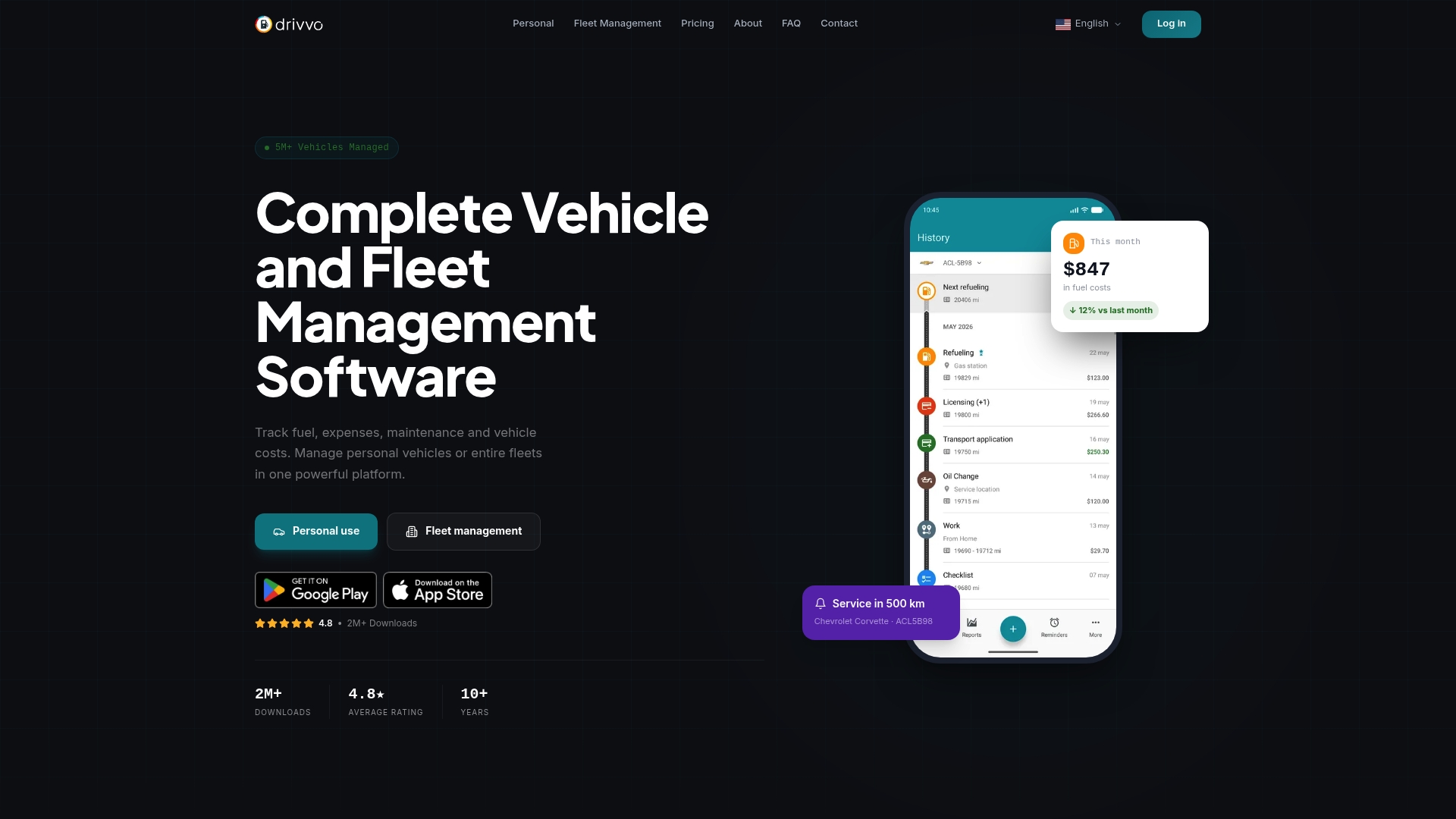
Drivvo reports it has been used by millions worldwide since 2012. The app synchronizes vehicle data across phones and web browsers, and it tracks fuel, expenses, and maintenance. Its combination of personal and fleet features makes it usable by single owners and fleet operators.
Core Features
Drivvo records fuel consumption tracking, expense and income entries, and vehicle registration history so you can see total operating cost. It issues vehicle maintenance reminders and produces operational reports and analytics to help with scheduling and cost review. The platform syncs data in real time across multiple devices for shared visibility.
Key Differentiator
Drivvo supports both personal vehicles and fleet operations while handling many vehicle types. That dual focus and the platform’s real-time synchronization across devices separate it from single-purpose mileage or expense apps. Companies can use the same feature set that individual owners use for everyday cost tracking.
Pros
Drivvo is easy to use across smartphones and web browsers, which lowers the training burden for drivers and office staff. Its reporting tools produce clear operational reports that help with maintenance planning and cost decisions. The product is Free for personal use, and paid fleet plans add centralized management without changing the core tracking workflow.
Cons
- Limited advanced fleet features remain behind paid plans, which can slow adoption for larger operations.
- Some users report problems with data synchronization on certain devices, affecting shared visibility.
- Fleet pricing can add up when managing many vehicles, increasing total cost of ownership.
When It May Not Fit
Drivvo is not designed for critical real-time decision making where instant telemetry matters. Organizations needing deep third-party integrations will find limited options in the free version. Large fleets that require advanced telematics or custom system hooks may need a different vendor.
Who It’s For
Vehicle owners who want a single place to track fuel, service, and costs will find Drivvo useful. Small to mid-size fleet managers who value cross-device access and basic reporting will also benefit. Large fleets that need bespoke integrations or hard real-time telemetry may look elsewhere.
Real World Use Case
A logistics operator runs Drivvo across 200 trucks to centralize fuel and maintenance records. Dispatchers view expenses and schedule service before faults cause downtime. The shared data reduces unplanned stops and clarifies monthly operating costs.
Pricing
Drivvo is free for personal use with optional paid plans for fleets. Fleet management plans start at $42 per vehicle per year, billed per vehicle. Larger deployments should budget for the per-vehicle fee as fleet size increases.
Website: https://drivvo.com
Simply Auto
At a Glance
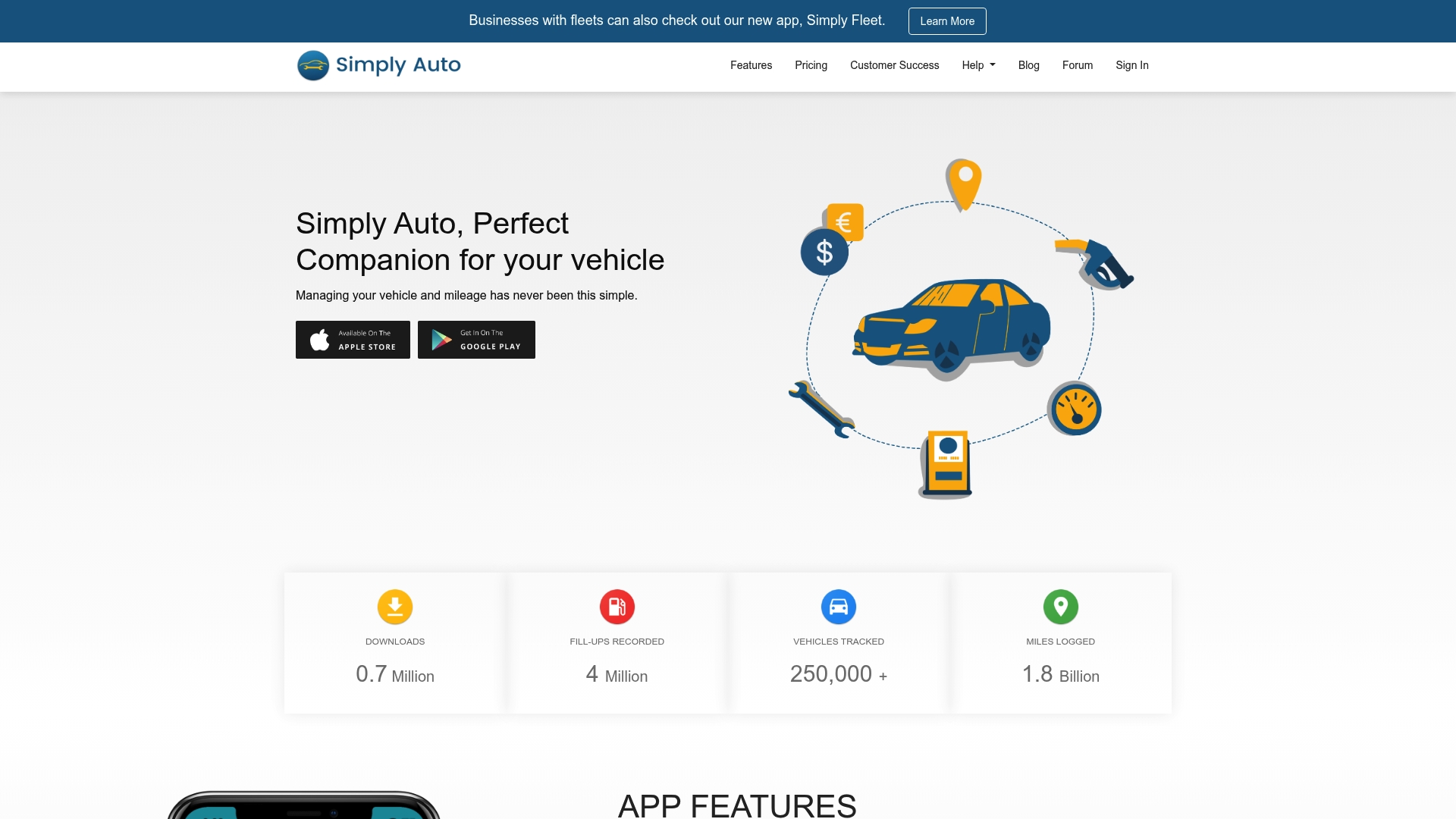
The app detects trips automatically and performs background mileage tracking on smartphones and fleet devices. It records fuel, service events, and expenses while offering scheduled report exports and cloud backups. That mix makes it useful for owners who need logged mileage for taxes or reimbursement.
Core Features
Simply Auto records fuel fill ups and monitors consumption, and it logs trips automatically while still allowing manual entries. The app tracks service and maintenance reminders, captures expenses for each vehicle, and offers secure cloud backup with web access for paid users. It also supports data import and export for offline analysis.
Key Differentiator
The standout feature is automatic trip detection with background mileage tracking across phones and fleet devices, combined with cloud backup and optional web access for pro users. That pairing reduces manual entry and keeps a central copy of vehicle records. For small fleets, that lowers paperwork while keeping records available from multiple devices.
Pros
Simply Auto has an easy-to-use interface that makes setup and daily logging straightforward for most drivers. The app bundles fuel tracking, expense logging, maintenance reminders, and trip history into a single place so owners do not juggle separate spreadsheets. Cloud backup and multi device access protect data when you switch phones or manage multiple vehicles, and the pro plans include scheduled reports useful for tax or reimbursement workflows.
Cons
- Free version limits trip logs and blocks web access, which restricts reporting for some users.
- Some users report login problems that relate to third party cookie settings or browser configuration.
- Full cloud backup and multi device web access require the pro plan, adding cost for heavy users.
- Reliance on background tracking can increase battery use on older phones.
When It May Not Fit
If you need unlimited web based fleet management features without paying, the free tier will feel restrictive. Operations that require deep telematics or OEM grade vehicle diagnostics will need a dedicated fleet telematics vendor. Teams that cannot tolerate occasional login hiccups tied to cookie policies should test account setup before committing.
Notable Integrations
- Google Drive for cloud backups and archive storage.
- Apple Sign in and Google Sign in options for account access.
Who It’s For
Vehicle owners who want an easy way to log fuel, maintenance, and mileage for tax or reimbursement will find this app practical. Small business owners and fleet managers with a handful of vehicles can use the background tracking and scheduled reports to simplify record keeping. Commuters or contractors needing mileage proof for taxes will value the trip logs.
Real World Use Case
A small business owner assigns company cars to employees and uses the app to log fuel purchases and maintenance schedules. The owner schedules monthly report exports to prepare expense reports and tax filings. Background trip logging captures mileage without manual entry, and cloud backup keeps records when phones change.
Pricing
The app is free to start and includes core logging features. Premium access unlocks web access, expanded trip history, and cloud backup, available as a one time purchase or an annual plan. The vendor lists both lifetime and yearly options on its pricing page.
Website: https://simplyauto.app
Road Trip
At a Glance
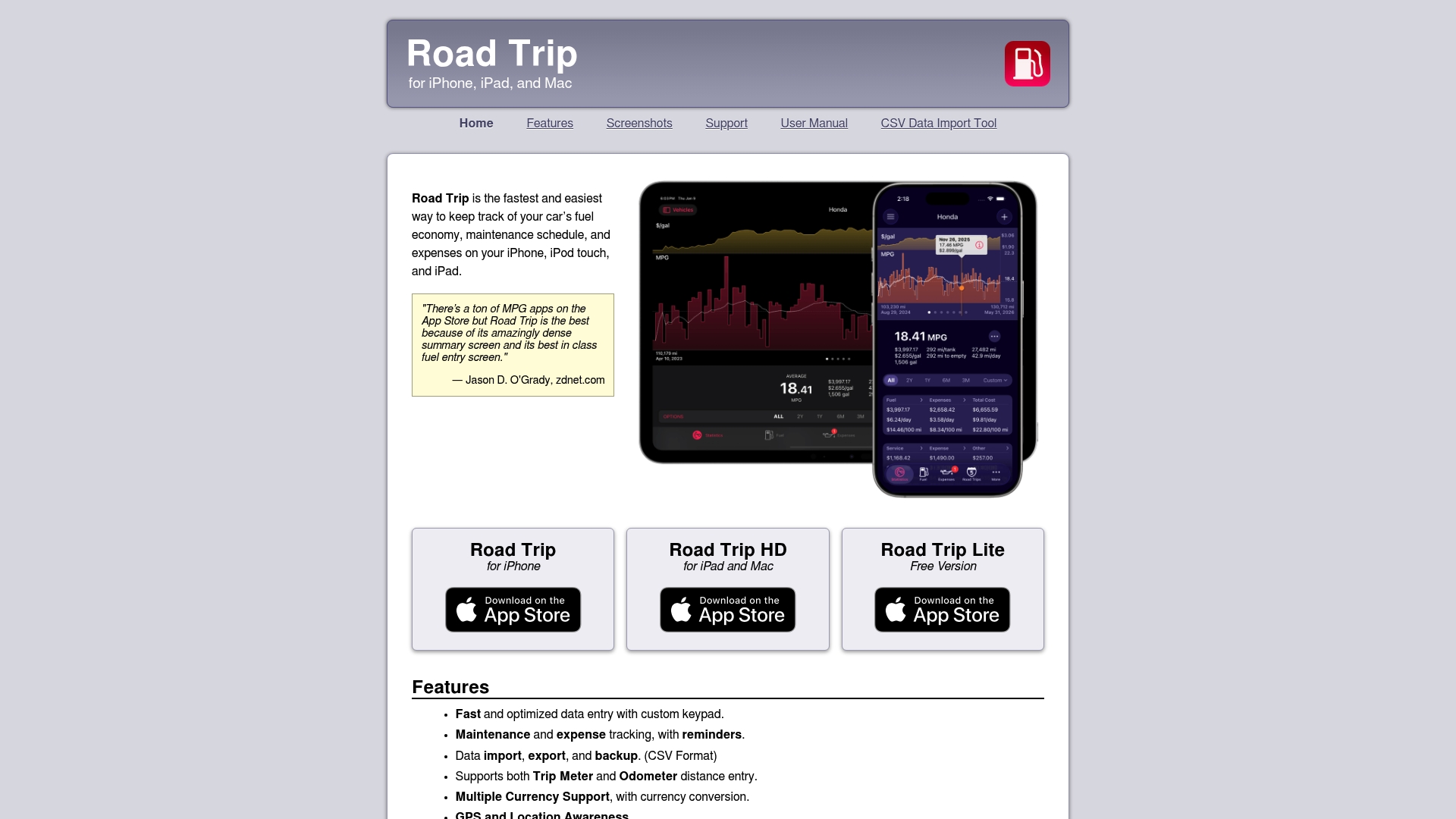
Supports logging for machinery, home heating oil, and vacations, not just cars. The app centers on very quick fuel entry using a custom keypad and a dense summary screen. Recent updates added multi color schemes and resizable windows for iPad and Mac.
Core Features
Road Trip focuses on rapid, compact data entry with a custom keypad that cuts keystrokes when you log fuel or expenses. It tracks maintenance, reminders, trip meter or odometer entries, and supports multiple vehicles and scenarios. The app exports and imports CSV files, offers multiple currency handling, and shows comprehensive statistics and graphs on one screen.
Key Differentiator
The vendor advertises a dense, quick access summary screen and a fuel entry interface aimed at speed. That design reduces time per entry and keeps statistics visible without switching views. For owners who log fill ups frequently, the UI choices favor short, repeated interactions over long setup flows.
Pros
Users praise the dense summary screen and the way fuel entries load fast, which speeds routine logging. The app supports multiple vehicles and unusual tracking cases such as machinery and home heating oil. Regular updates add UI options and small refinements while CSV import and export preserve data portability.
Cons
- Limited to Apple devices. No Android or Windows clients exist, so cross platform users cannot use the app on all their devices.
- Syncing is restricted to Dropbox and iCloud, and there is no multi user account sharing for teams or family fleets.
- Some advanced features require manual reading. A few users report confusion over nonstandard settings and reminders.
When It May Not Fit
If you use Android or need a Windows or web client, this app will not work for your setup. If you need multi user fleet sharing or a central, shared account, Road Trip lacks that capability. If your team depends on enterprise sync or third party account sharing, look elsewhere.
Who It’s For
Car owners and enthusiasts who keep frequent logs and who use Apple hardware will get the most from Road Trip. Travelers who want to log vacations and people running seasonal machinery also benefit. Owners who prioritize fast entry and deep per vehicle statistics will find the app useful.
Real World Use Case
A driver records every fill up for three cars, logs oil changes, and sets maintenance reminders per vehicle. They export CSV files quarterly to run cost comparisons in a spreadsheet. Over months they use the graphs to spot a car that uses more fuel than expected and schedule a check.
Website: https://darrensoft.ca/roadtrip
Comparison of alternatives
CarJourney stands out through its AI-powered features that streamline vehicle record maintenance and modification tracking. However, alternatives like Drivvo, Simply Auto, and Road Trip provide unique capabilities catering to various vehicle management needs. Readers deciding on a platform should consider their specific workflows and requirements when evaluating these options.
AI-assisted record management
CarJourney excels in its use of AI for managing maintenance history. Its multimedia logs automatically process receipts and photos, making data entry efficient. Users also benefit from community-driven features, such as shared build pages ideal for hobbyists and private sellers. Drivvo offers detailed fleet management but does not integrate AI in its capabilities, making its offerings more suitable for operational tracking rather than data interpretation.
Fleet and business utility
Drivvo wins for fleets needing shared visibility across operators. It supports centralized data for managing multiple vehicles, issuing reminders, and generating insightful operational reports. Simply Auto also supports operations with automatic trip logging and exportable reports for tax purposes. However, these tools are better suited for practicality over engagement with vehicle narratives.
Best fit
- For enthusiasts maintaining detailed vehicle profiles with photos, CarJourney provides the best AI tools for combining visuals, records, and modifications in shared build profiles.
- For businesses managing medium-size fleets with shared visibility needs, Drivvo handles synchronized expenses and maintenance with ease, supported by polished reporting features.
- For small operations needing automatic trip detection and expense logging, Simply Auto pairs scheduled reporting with background mileage tracking for lightweight yet effective fleet handling.
Our pick
CarJourney makes the most sense for hobbyists or collectors who prioritize detailed, AI-supported maintenance logs. Its capacity to digitize and organize documentation and share engaging, trust-building vehicle profiles sets it apart for enthusiasts. However, businesses focused on operational metrics or synchronization might consider Drivvo or Simply Auto instead.
Discover the vehicle maintenance tracking platform that best matches your needs by exploring key features and unique capabilities across various popular options.
| Product | Core Feature | Key Differentiator | Best For | Pricing | Notable Limitation |
|---|---|---|---|---|---|
| CarJourney | Digital garage and AI multimedia logs | Community build sharing with AI-based logs | Enthusiasts, hobbyists, collectors | Free tier, Pro $5.99/mo, $299 lifetime | Premium required for unlimited vehicles and advanced features |
| Drivvo | Fuel, expense, and maintenance tracking | Sync across devices, personal and fleet support | Individual owners and small fleets | Free, Fleet $42/vehicle/year | Data synchronization issues reported by users |
| Simply Auto | Mileage tracking and cloud backup | Automatic trip detection and secure backups | Tax filers and small business owners | Free tier, Premium plans available | Background tracking increases battery use on older devices |
| Road Trip | Rapid data entry with custom keypad | Dense summary screen and customizable UI | Apple device users logging frequent entries | Price not published | Limited to Apple users, lacks cross-platform support |
Which Vehicle Maintenance Tool Fits Your Needs Best?
Managing vehicle maintenance records and modifications can quickly become confusing. Many tools separate receipts, service notes, and build stories, making it hard for enthusiasts and collectors to keep clear, shareable histories. Carjourney addresses common obstacles that owners and hobbyists face by using AI to scan and organize your service documents, photos, and receipts into detailed logs. It also connects you with a community that shares verified product and build knowledge.
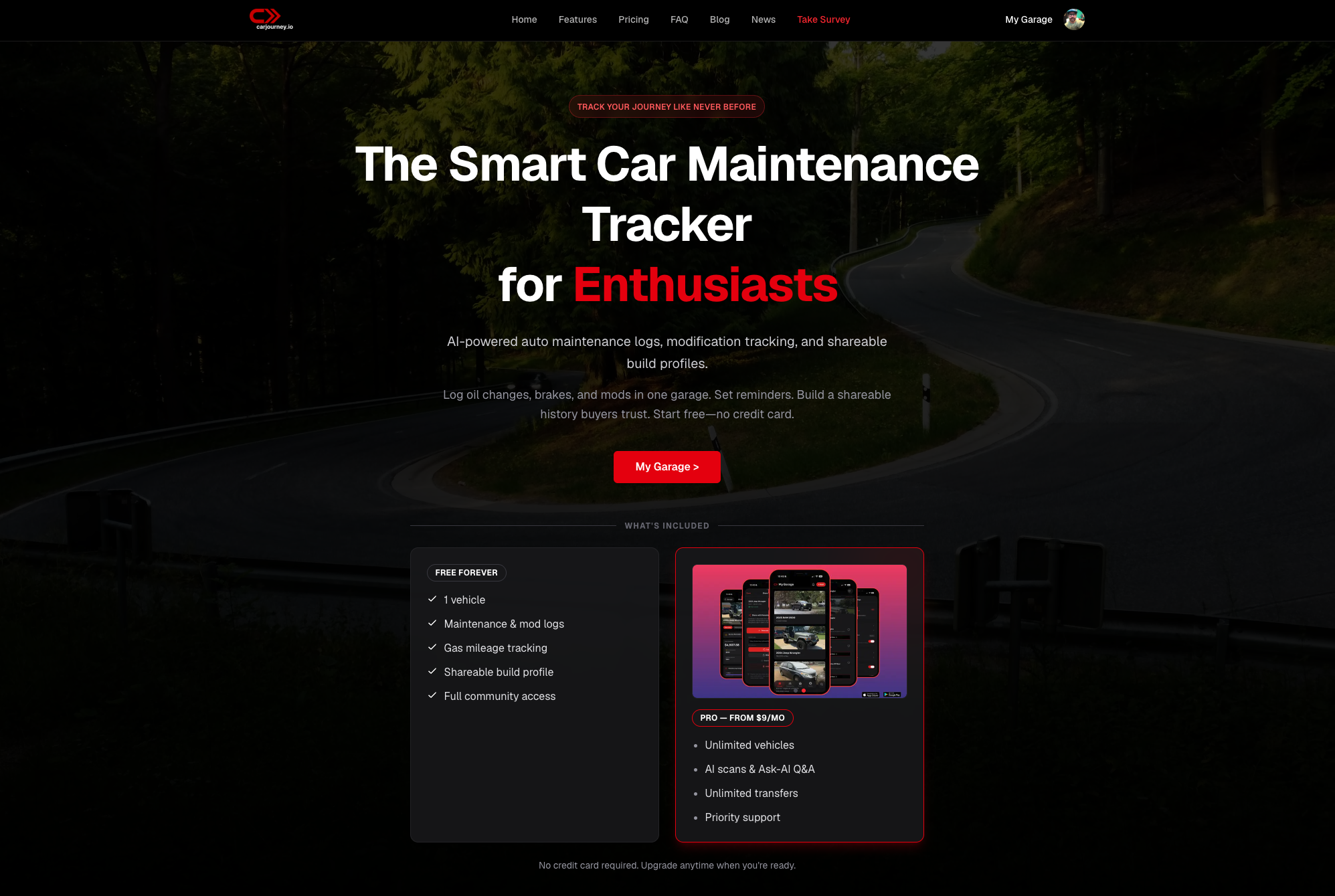
If you want to reduce manual entry while maintaining accurate, searchable records tailored to your vehicle, explore how Carjourney fits car enthusiasts and private sellers alike. Visit the site to upload your first documents and instantly generate a clear maintenance profile you can share with buyers or keep for your collection.
FAQ
How does CarJourney support vehicle maintenance tracking?
CarJourney centrally tracks maintenance and modification records for your vehicles. It offers features like AI powered maintenance logs and automated service reminders, making it easier to keep detailed records. You can manage all your vehicle information in one convenient platform, which simplifies your maintenance tracking process.
What is the difference between CarJourney and Drivvo in terms of compatibility?
Drivvo synchronizes vehicle data across phones and web browsers, making it versatile for both personal and fleet use. In contrast, CarJourney focuses primarily on features for hobbyists and collectors, which may appeal more to individual car enthusiasts rather than fleet operators. Consider your specific needs when choosing between the two platforms.
Can I track modifications with CarJourney?
Yes, CarJourney allows users to track modifications easily. It includes features for controlling modification records and sharing build profiles with others, providing a comprehensive view of your vehicle’s history and enhancements. This functionality is particularly useful for car enthusiasts who want to document their builds.
Does Simply Auto offer automatic trip tracking like CarJourney?
Simply Auto excels in automatic trip detection and background mileage tracking but lacks some of the advanced community features found in CarJourney. If you prioritize community-driven features and AI powered logs, CarJourney would be a better fit.
How does CarJourney’s pricing compare to Drivvo’s?
CarJourney begins with a free starter option and offers a Pro plan at $5.99 per month, while Drivvo is free for personal use, with fleet plans that start at $42 per vehicle per year. Depending on how many vehicles you need to manage, one platform may be more economically beneficial than the other.
Recommended
- Top 6 karupkeep.com Alternatives for Vehicle Maintenance 2026 – CarJourney Blog
- Top 6 carmaintenance.app Vehicle Maintenance Alternatives 2026 – CarJourney Blog
- Top 5 motormia.co Vehicle Maintenance Tracking Alternatives 2026 – CarJourney Blog
- Top 5 Autoservicelogger.com Alternatives 2026 – CarJourney Blog