 carjourney
From the CarJourney journal
How to Track Gas Mileage Manually: Step-by-Step Guide
Table of Contents
- Why Manual Gas Mileage Tracking Matters More Than You Think
- What You'll Need to Track Gas Mileage Manually
- The Gas Mileage Calculator Formula Explained
- Step-by-Step: How to Track Gas Mileage Manually
- How to Calculate MPG with Partial Tank Fill-ups
- Best Gas Mileage Tracking Log Template and Tools
- Why Is My Car Getting Bad Gas Mileage: Tracking Habits and Maintenance
- Common Mistakes When Tracking Gas Mileage Manually
How to Track Gas Mileage Manually: Step-by-Step Guide
Last Updated: August 4, 2026
Learning how to track gas mileage manually helps you understand your vehicle's performance and catch maintenance issues before they become expensive problems. Manual tracking eliminates dashboard computer estimates and captures real data: your actual odometer reading and exact gallons pumped. This matters because fuel economy fluctuations often signal underlying problems, a failing oxygen sensor, clogged air filter, worn spark plugs, or low tire pressure, weeks before a check engine light appears. Documented fuel economy also builds buyer trust when selling a used vehicle, justifying a higher asking price.
Pro Tip Track fuel economy for at least three full tanks before drawing conclusions. Three consecutive fill-ups give you a reliable baseline for comparison.What You'll Need to Track Gas Mileage Manually
Essential Tools and Information
You don't need expensive equipment. A notebook and pen work perfectly, though a spreadsheet on your phone or computer is superior for long-term organization. You need:
- Odometer readings at each fill-up
- Exact gallons added (from pump display or receipt)
- A consistent record-keeping method (notebook, spreadsheet, or fuel log app)
The most important element is consistency. Accuracy compounds over time; three months of perfect records beats six months of spotty notes. For long-term tracking, a spreadsheet is superior because it calculates miles per gallon automatically and lets you spot trends across seasons and maintenance cycles.
The Gas Mileage Calculator Formula Explained
Miles Driven = Current Odometer Reading - Previous Odometer Reading
Gallons Used = Total Gallons Pumped at Current Fill-up
MPG = Miles Driven ÷ Gallons Used
Example: Your odometer reads 24,500 miles at your last fill-up. Today, it reads 24,850 miles. You pump 14 gallons. Your calculation: (24,850 - 24,500) ÷ 14 = 350 ÷ 14 = 25 MPG.
Always use the trip odometer for the most accurate measurement. Your vehicle's trip counter resets to zero, so you're measuring exact distance traveled between fill-ups.
Watch Out Never estimate gallons pumped. If your pump shuts off at $50 but you don't see the gallon count, ask the attendant or check your receipt. Estimating introduces error that compounds across months of tracking.Step-by-Step: How to Track Gas Mileage Manually
Recording Your Odometer Readings
Step 1: Reset your trip odometer before your first tracked fill-up. This gives you a clean starting point.
Step 2: Fill your tank to the same level each time. Most drivers fill until the pump clicks off automatically. This consistency matters more than absolute fullness.
Step 3: Record your odometer reading immediately after filling. Write down the exact number displayed. If your trip odometer reads 247.3 miles, write "247.3", don't round.
Step 4: Photograph your odometer reading. This creates a backup record and prevents transcription errors.
Step 5: Note the date and time. This helps you correlate fuel economy with driving conditions. Highway trips show different MPG than city driving. Seasonal changes also affect efficiency; winter driving typically shows 5-10% worse fuel economy than summer.
Logging Fuel Fill-ups and Gallons Added
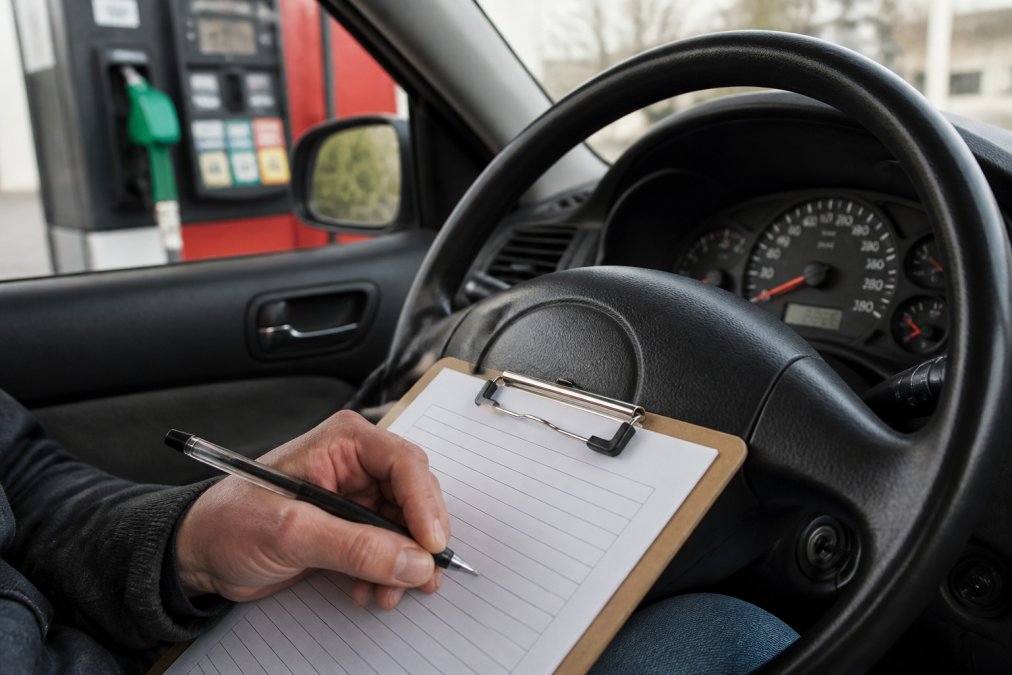
Step 1: Note the exact gallons pumped. The pump display shows this clearly. Write it down immediately.
Step 2: Record the date of the fill-up. This helps you track patterns and spot when fill-up intervals change, which might signal a fuel leak or efficiency drop.
Step 3: Keep your receipt or take a photo. The receipt shows the pump number, date, time, and exact gallons. If you later question a data point, you can reference it.
Step 4: Note any unusual fill-up conditions. If you're running on empty or partially filled up, write a note explaining the anomaly.
Step 5: Account for partial fill-ups in your tracking method. Some drivers skip partial fill-ups entirely and only count "full tank to full tank" fill-ups. Others note them but exclude them from their MPG average.
Calculating Your Miles Driven and Fuel Consumption
Step 1: Subtract your previous odometer reading from your current reading. If your last fill-up was at 24,500 miles and today's is 24,850 miles, your miles driven is 350 miles.
Step 2: Record the gallons pumped at the current fill-up. If you pumped 14 gallons, that's your fuel consumption for this period.
Step 3: Divide miles driven by gallons used. 350 miles ÷ 14 gallons = 25 MPG.
Step 4: Compare to your previous fill-up's MPG. If your last fill-up showed 24.2 MPG and this one shows 25 MPG, your efficiency improved slightly. A drop signals something changed.
Step 5: Track the trend over time. One fill-up tells you nothing. Three fill-ups show a pattern. Ten fill-ups show seasonal or maintenance-related trends.
How to Calculate MPG with Partial Tank Fill-ups
Partial fill-ups complicate fuel economy calculations because you're not measuring a complete consumption cycle.
Solution 1: Skip partial fill-ups in your averages. Record them for reference, but exclude them from your MPG calculations. Only count "full tank to full tank" fill-ups.
Solution 2: Adjust your baseline calculation. Reset your trip odometer at each fill-up and record the starting fuel level. Calculate MPG only between full fill-ups, using the sum of all partial fill-ups in between.
Solution 3: Use a consistent partial fill-up threshold. Fill up whenever the tank drops below one-quarter full. By keeping the starting point consistent, partial fill-ups become more predictable.
Key Takeaway For the clearest fuel economy data, always fill to the same level (full tank) and calculate MPG only between full fill-ups. Partial fill-ups introduce variables that obscure your actual efficiency trends.Best Gas Mileage Tracking Log Template and Tools
Spreadsheet Setup for Long-Term Tracking
A spreadsheet is the most flexible tool for tracking gas mileage manually. You control the format and easily spot trends across months or years.
Essential columns for a fuel economy spreadsheet:
| Column | Purpose | Example |
|---|---|---|
| Date | When you filled up | 08/04/2026 |
| Odometer Reading | Miles on the vehicle | 45,230 |
| Miles Driven | Distance since last fill-up | 287 |
| Gallons Pumped | Fuel added at pump | 12.5 |
| MPG | Miles per gallon (calculated) | 22.96 |
| Cost per Gallon | Price at pump | $3.45 |
| Total Cost | Gallons × Price | $43.13 |
| Notes | Maintenance, driving conditions | "Highway trip, new tires" |
Setup instructions:
- Create columns with headers as shown above.
- Enter your first fill-up data (date, odometer, gallons, cost).
- For the second fill-up, in the "Miles Driven" column, use a formula: =B3-B2 (subtract previous odometer from current).
- In the "MPG" column, use: =D3/C3 (divide miles driven by gallons pumped).
- For "Total Cost," use: =D3*E3 (gallons × price per gallon).
- Copy these formulas down for each new fill-up.
Optional advanced columns:
- Average MPG (Last 10 Fill-ups): Helps you spot short-term trends without seasonal noise.
- Cost per Mile: Tracks fuel spending efficiency.
- Maintenance Performed: Link fuel economy changes to specific repairs.
- Tire Pressure: Record PSI at each fill-up. Low pressure directly reduces MPG.
- Fuel Type: Note if you used premium vs. regular.

Digital Alternatives to Manual Logs
Dedicated fuel economy apps like Fuelly, MileIQ, and Drivvo let you log fill-ups from your phone, automatically calculate MPG, and generate reports showing efficiency trends. Vehicle maintenance platforms like CarJourney integrate fuel economy tracking with service history and maintenance reminders, letting you directly correlate fuel economy drops with specific repairs. The best tool is the one you'll actually use consistently.
Why Is My Car Getting Bad Gas Mileage: Tracking Habits and Maintenance
How Driving Habits Affect Your Manual Calculations
Your driving habits directly influence fuel economy, so understanding how they affect your numbers is critical to interpreting your data correctly.
Aggressive acceleration and braking consume significantly more fuel than smooth, gradual speed changes. A driver who accelerates hard from stops will show 15-20% worse MPG than a driver who accelerates gently.
Highway vs. city driving produces different MPG for the same vehicle. Highway driving typically shows better fuel economy (25-35 MPG) because the engine runs at steady RPM. City driving involves constant stops and starts, dropping efficiency to 18-25 MPG.
Vehicle load and cargo directly reduce efficiency. A vehicle carrying 500 pounds of tools or passengers uses more fuel than the same vehicle empty. Expect 5-10% worse MPG temporarily.
Tire pressure is one of the easiest variables to control and most impactful. Underinflated tires increase rolling resistance. A tire that's 5 PSI below spec can reduce fuel economy by 3-5%. Check tire pressure monthly and note it in your fuel log.
Idling and short trips skew your data. If you warm up your engine for 5 minutes before driving, or make multiple short trips under 5 miles, your average MPG will appear worse because you're burning fuel without traveling distance.
Correlating Maintenance Records with Fuel Economy Drops
The real power of manual fuel tracking emerges when you connect efficiency changes to maintenance events. A 2 MPG drop often signals a fixable problem.
Oxygen sensor failure is the most common cause of sudden MPG decline. A failing sensor causes the engine to run rich (too much fuel), dropping efficiency by 10-25%. If your MPG drops 3+ points and you haven't changed driving habits, an oxygen sensor test is worth the diagnostic fee.
Air filter clogging restricts airflow to the engine, reducing efficiency by 5-10%. If you haven't replaced your air filter in 15,000+ miles, a new one often improves MPG immediately.
Spark plug wear gradually reduces efficiency. Replacing spark plugs at manufacturer intervals (typically 30,000-100,000 miles) often improves MPG by 1-3 points.
Wheel alignment issues increase rolling resistance. Misalignment can reduce MPG by 5-10% until corrected.
Transmission problems cause noticeable efficiency drops. If your automatic transmission isn't shifting smoothly or stays in lower gears longer than normal, fuel economy suffers.
Record maintenance in the same log as fuel economy. When you see a 2-3 MPG improvement after replacing an air filter, you've proven the repair's value. This data-driven approach is invaluable when preparing to sell a vehicle.
Common Mistakes When Tracking Gas Mileage Manually
Estimating gallons instead of recording exact amounts is the most common error. Across 12 fill-ups, rounding introduces 3-5 gallons of error, skewing your annual average by 2-4 MPG.
Forgetting to reset the trip odometer means you're measuring distance against the main odometer, increasing arithmetic errors.
Including partial fill-ups in average calculations distorts your data. Exclude partials from your average, or only calculate MPG between full fill-ups.
Not accounting for seasonal changes leads to false conclusions. Winter fuel economy is naturally 5-10% worse than summer due to denser air and colder engine operation.
Skipping fill-ups or tracking inconsistently breaks your data chain. Commit to tracking every single fill-up.
Not documenting driving conditions or maintenance means you can't explain MPG changes. A 3 MPG drop might be due to worn spark plugs or a week of city driving. Without notes, you can't tell the difference.
Mixing fuel types without noting it obscures real efficiency changes. Premium fuel might show 1-2 MPG improvement in some vehicles, but only if you're consistent.
Tracking gas mileage manually transforms your relationship with your vehicle's performance. What starts as a simple habit, recording numbers at the pump, becomes a maintenance tool, a resale asset, and a window into your vehicle's health. Within three months, you'll have data that reveals your vehicle's true story.
Frequently Asked Questions
How do I calculate MPG if I forgot to record my odometer reading at a fill-up?
If you missed one fill-up, skip that data point and resume tracking from your next fill-up. Do not estimate the missing mileage. For accurate long-term fuel economy trends, consistency matters more than individual gaps. If you track gas mileage manually over several months, a single missed entry won't significantly skew your overall average MPG calculation.
What's the difference between manual tracking and my car's dashboard fuel economy display?
Dashboard displays estimate fuel economy using algorithms and may not reflect real-world conditions accurately. Manual tracking using the basic formula, miles driven divided by gallons added, provides a verifiable, accurate record. Manual calculation also helps you spot trends in your driving habits and maintenance that the dashboard misses. Many drivers find manual logs are more reliable for detecting fuel efficiency problems early.
How do I handle partial fill-ups when calculating fuel consumption?
The safest approach is to always fill your tank completely to the same level before recording. If you must use partial fill-ups, record the exact gallons added at each stop and track miles driven between each partial fill. Then calculate fuel consumption for each leg separately. Avoid mixing full and partial fills in the same calculation, as this introduces measurement error. Consistency in your fill-up method produces the most accurate fuel economy data.
Can manual gas mileage tracking help me identify maintenance issues?
Yes. A sudden drop in your average MPG often signals maintenance problems like worn spark plugs, low tire pressure, or a clogged air filter. By keeping a fuel log alongside your maintenance records, you can correlate drops in fuel efficiency with service intervals. This correlation helps you catch issues early and proves your vehicle's service history to potential buyers, making manual tracking valuable for both daily drivers and those preparing to sell.
Get Started TodayThis article was written using GrandRanker