 carjourney
From the CarJourney journal
Why Scan OBD Codes Before You Spend a Dime on Repairs
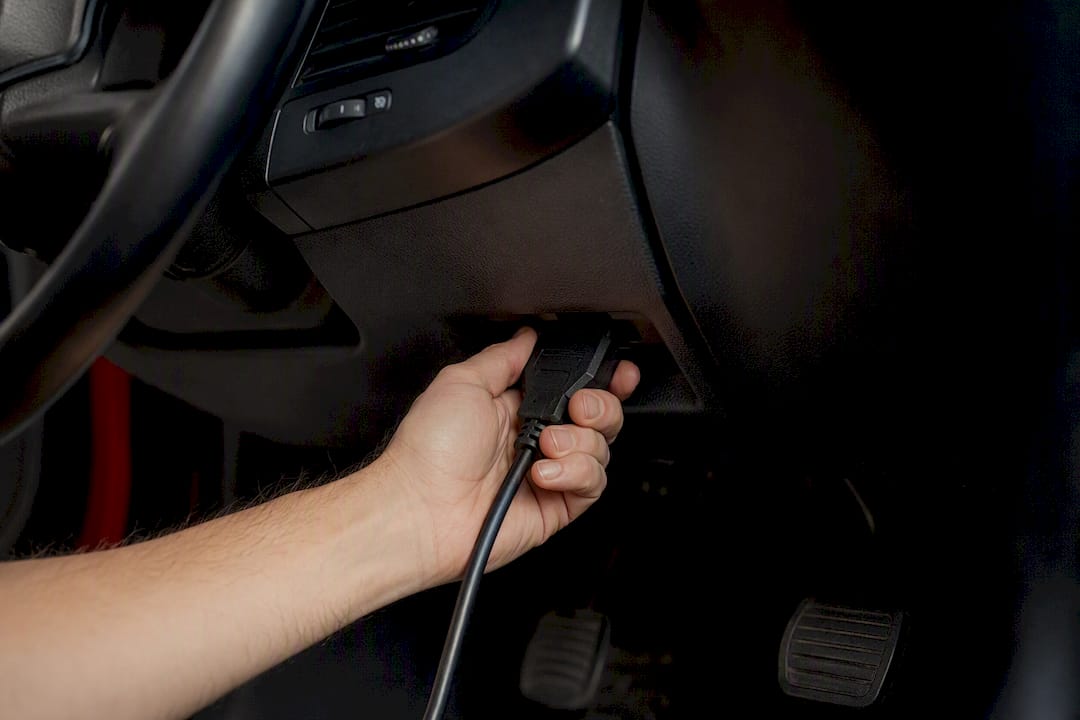
Scanning OBD codes gives you the exact diagnostic clues your car’s computer logged, so you can prioritize repairs, avoid guesswork, and often save real money on shop fees. The moment your check engine light comes on, your vehicle has already stored a code pointing to the system that triggered it. Reading that code first, before anyone touches a wrench, is the single fastest way to separate a $10 fix from a $1,000 one.
A handful of standards make this possible everywhere. SAE J2012 governs the diagnostic connector and protocols behind nearly every OBD-II port on the road, and the EPA’s I/M readiness monitors are the same emissions checks your state inspection uses. Logging what you find, whether in a notebook or an app like Carjourney, turns a one-time scan into a permanent record.
Here’s what a five-minute scan gets you:
- Prioritize repairs by knowing which system actually threw the fault, instead of guessing.
- Avoid “parts-darting,” the expensive habit of swapping components hoping one fixes the problem.
- Pre-check emissions readiness before you fail a smog test and pay for a retest.
- Verify a mechanic’s diagnosis against what the car’s computer actually reported.
- Confirm a repair worked by clearing the code and watching for it to return.
Key Takeaways
Scanning OBD codes gives you the specific diagnostic clue your car’s computer stored, turning guesswork into a targeted, prioritized repair plan.
| Point | Details |
|---|---|
| Codes point to systems, not parts | A code like P0302 flags cylinder 2, but the failed part could be a plug, coil, or injector. |
| Freeze-frame and live data matter | Sensor snapshots and real-time readings narrow down intermittent or running issues codes alone can’t explain. |
| Clearing codes has consequences | Clearing before confirming a fix resets readiness monitors and can cause a failed emissions retest. |
| Scan time is short | A basic code pull takes under five minutes; live-data troubleshooting runs 10 to 30 minutes. |
| Logging builds long-term value | Carjourney stores scan screenshots and repair receipts so recurring issues and verified fixes stay documented over time. |
Where to learn more
- SAE J2012: the standard behind every OBD-II connector and protocol.
- What is an OBD2 scanner and how it works: readiness monitors and scanner basics explained.
- How to diagnose car problems using an OBDII scan tool: freeze-frame and live-data walkthrough.
- How to read OBD-II trouble codes: a beginner-friendly scanning workflow.
- The good, the bad, and the ugly of OBD scanners: what scanners miss during a used-car check.
Table of Contents
- What OBD-II codes actually are
- How do you scan and read OBD codes?
- What codes can’t tell you
- When is scanning actually worth doing?
- Which scanner should you buy, and how long does a scan take?
- What to do the moment you get a code
- Track and log scan results (why it matters)
- Safety precautions before you plug in a scanner
- A simple way to keep every scan and receipt in one place
- Frequently asked questions
- Sources
What OBD-II codes actually are
Every vehicle built for the American market since 1996 runs OBD-II, a standardized onboard diagnostic system that watches sensors across the engine, transmission, emissions, and electrical systems. When something falls outside its expected range, the computer stores a Diagnostic Trouble Code (DTC), a short alphanumeric flag that tells you where to look. Thanks to standards like SAE J2012, that same $20 code reader works on a Honda, a Ford, or a BMW.
Codes follow a predictable format:
- P codes cover the powertrain (engine and transmission).
- B codes point to the body (airbags, lighting, climate control).
- C codes flag chassis issues (brakes, steering, suspension).
- U codes indicate network or communication faults between modules.
Alongside the code, most scanners pull freeze-frame data, a snapshot of engine conditions (RPM, load, temperature, speed) captured the instant the fault occurred. Take P0457, a common one: it means the EVAP system detected a leak, and freeze-frame data often shows it happened right after a fill-up, which usually points to nothing more than a loose gas cap.
How do you scan and read OBD codes?
Scanning is mechanically simple, but doing it in the right order keeps you from missing information you’ll want later.
- Locate the OBD-II port, typically under the dashboard near the steering column.
- Plug in the scanner and turn the ignition to the “on” position (engine doesn’t need to be running yet).
- Retrieve all codes, stored, pending, and permanent, not just the first one that pops up.
- Pull freeze-frame data and live-data streams where your scanner supports it.
- Write down every code and value, including freeze-frame numbers, before you touch anything.
- Look up each code’s likely causes in a reputable source rather than trusting a random forum thread.
- Do the obvious checks first: gas cap tightness, loose connectors, chewed wiring.
Live data is where scanning turns into real diagnosis. Watching RPM, O2 sensor switching, and fuel trims while the engine runs helps you catch intermittent problems a static code never explains, like a misfire that only shows up under load.
Pro Tip: Photograph the scanner screen every time, codes, freeze-frame, and live-data snapshots included. If you end up at a shop later, that photo proves what the car reported before anyone reset it.
What codes can’t tell you
A code tells you the affected system, not necessarily the exact failed part. P0302 means cylinder 2 is misfiring; P0303 means cylinder 3 is. Neither one tells you if the culprit is a spark plug, a coil, a fuel injector, or a vacuum leak. Scanners act as translators for the car’s computer, not oracles, and treating a code as a final answer is how people end up replacing parts that were never broken.
Some patterns worth knowing:
- P0457 usually means an EVAP leak, often just a loose or cracked gas cap.
- P0302/P0303 point to a cylinder-specific misfire, commonly plugs or coils, occasionally fuel delivery.
- P0420 flags catalytic converter efficiency, but the real cause is often upstream, like a failing O2 sensor.
Clear a code before you’ve confirmed the fix, and you also reset the readiness monitors your state emissions test relies on, which can force you into a failed inspection with “not ready” status. If the check engine light is flashing, or the fault involves brakes, steering, or airbags, stop diagnosing yourself and get a professional involved.
When is scanning actually worth doing?
Scanning earns its place in a handful of everyday situations, and each one changes what you do next.
- Check engine light just came on: scan immediately before assuming the worst.
- Buying a used car: a quick scan for pending codes or a suspiciously “too clean” history is a red flag either way.
- Before a smog test: check readiness monitors so you’re not turned away for an incomplete drive cycle.
- Intermittent drivability issues: pending codes often show up before symptoms become constant.
- After a repair: rescan and drive a few cycles to confirm the code doesn’t return.
- Fuel economy suddenly drops: a code like a lazy O2 sensor or misfire often explains the loss before you start throwing parts at it.
A P0457 hit before a smog check, for example, usually means: tighten the gas cap, drive a day or two, rescan, and retest.
Which scanner should you buy, and how long does a scan take?
Scanners break into three practical tiers. Entry-level code readers ($20 to $40) pull and clear basic codes, nothing fancy, but enough to catch something like a loose gas cap before you pay a shop’s diagnostic fee. Bluetooth dongles paired with an app ($30 to $100) add live data, code lookup, and freeze-frame viewing on your phone. Advanced handheld or professional tools ($150 and up) add live graphing, manufacturer-specific codes, and sometimes bidirectional control for actuator tests.
What actually matters when comparing them:
- Can it read pending and permanent codes, not just active ones?
- Does it show live data (fuel trims, O2 switching, RPM)?
- Can it capture freeze-frame snapshots?
- Does it support manufacturer-specific codes, useful for European and some Asian makes?
A basic pull-and-read takes under five minutes. Real live-data troubleshooting, watching sensors respond to throttle input or idle conditions, runs 10 to 30 minutes depending on what you’re chasing. If you’re diagnosing a misfire or a running issue, prioritize live-data and freeze-frame capability over a cheaper reader that only clears codes.
What to do the moment you get a code
- Write down the exact code(s), don’t paraphrase from memory.
- Photograph freeze-frame and live-data if your scanner captured any.
- Look up the code in a reputable beginner guide rather than the first forum result.
- Check the obvious: gas cap, vacuum hoses, loose connectors.
- Clear the code only after documenting it, and only once you plan to verify the fix.
- Schedule the targeted repair or test based on what you found.
Clearing a code before confirming the fix wipes readiness monitors and erases the diagnostic history you might need if the problem comes back.
Track and log scan results (why it matters)
A single scan is a snapshot. A logged history is a pattern. Keeping a timestamped record of every code, along with the conditions when it appeared, shows whether an intermittent issue is truly gone or just quiet for now, and it proves a repair held across multiple drive cycles.

Picture a P0302 misfire that clears on its own after a scan, then returns three weeks later. Without a log, that looks like two unrelated events. With dates and freeze-frame data attached to each occurrence, the pattern points straight to a failing injector rather than a random fluke, saving a second round of guesswork.
This is where a tool like Carjourney fits in. It’s built to store scan screenshots, repair receipts, and maintenance notes alongside your vehicle’s service history, so recurring codes stop looking like coincidences and your documentation is ready if you ever sell the car.
- Recurring codes become visible instead of forgotten.
- Repair verification across drive cycles is documented, not just remembered.
- Resale conversations get easier with a paper trail buyers can actually see.
Safety precautions before you plug in a scanner
Scanning is low-risk compared to actual wrench work, but a few precautions keep it that way. Always connect the OBD-II scanner with the ignition off first, then follow your device’s instructions for when to turn the key. Plugging or unplugging a scanner while the engine is running can occasionally cause communication errors, and on rare occasions, throw a false code of its own.
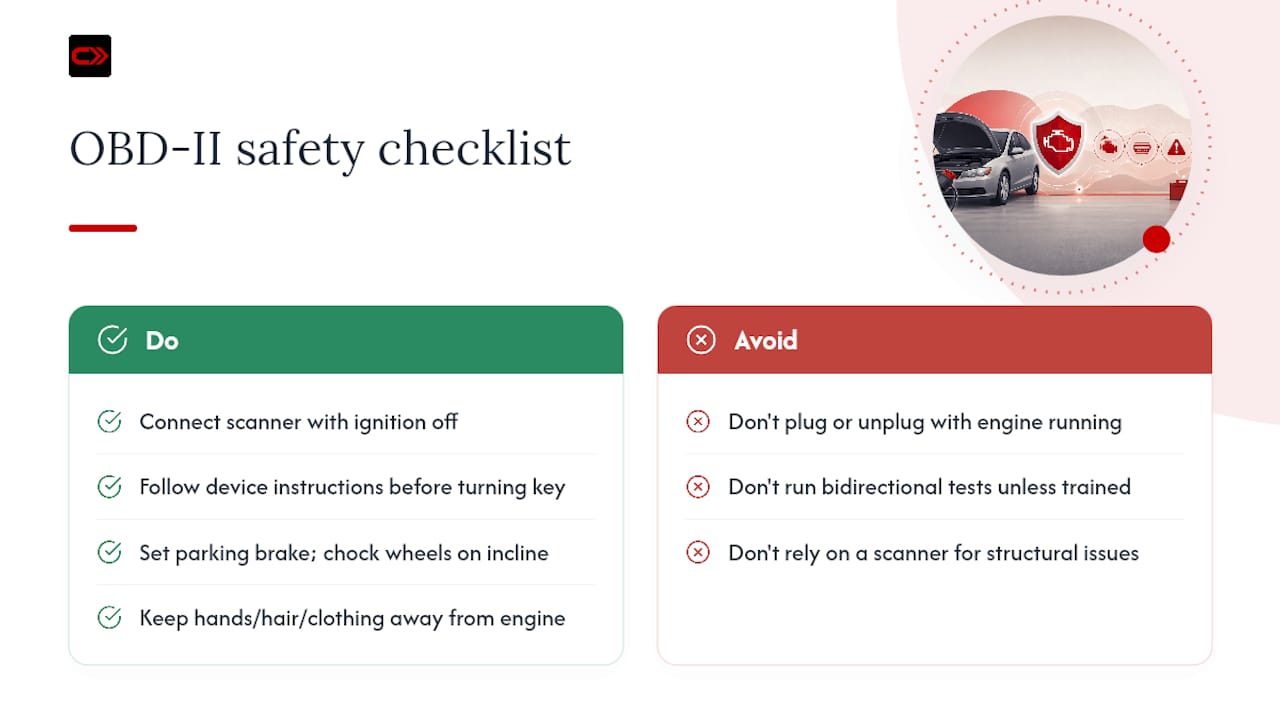
Keep hands, hair, and loose clothing away from the engine bay if you’re checking live data with the engine running. Fans can kick on without warning, and belts don’t care whether you meant to reach over them. If you’re diagnosing under the hood at all, set the parking brake and chock the wheels, especially on an incline.
Never attempt bidirectional tests, ones that actively command a component like a fuel pump or a solenoid, unless you understand exactly what that component does and where it’s positioned. Firing an actuator test blind can damage a part or, in some cases, create a safety hazard if the vehicle isn’t secured. If your code readout suggests anything touching brakes, steering, or airbags, treat that as your line: stop, and bring in a professional. A code reader is a screening tool, not a substitute for a trained inspection, and it won’t catch structural issues like frame rust or worn suspension bushings no matter how carefully you read the data.
A DIYer’s take on scanning before spending
I’ve watched a fifteen-minute scan save someone from replacing a perfectly good ignition coil because a code got misread without checking freeze-frame data first. The pattern repeats constantly: owners assume the code names the part, when it usually just names the neighborhood. My one-line take: own a basic scanner, learn to actually read what it tells you, and log every result somewhere you’ll find it again.
A simple way to keep every scan and receipt in one place
Scanning tells you what’s wrong today. Keeping that information organized is what makes the next diagnosis faster, whether that’s next month or next year. Carjourney stores your scan screenshots, repair receipts, and maintenance notes in one place tied to your specific vehicle, so a recurring code shows its full history instead of starting from zero every time.
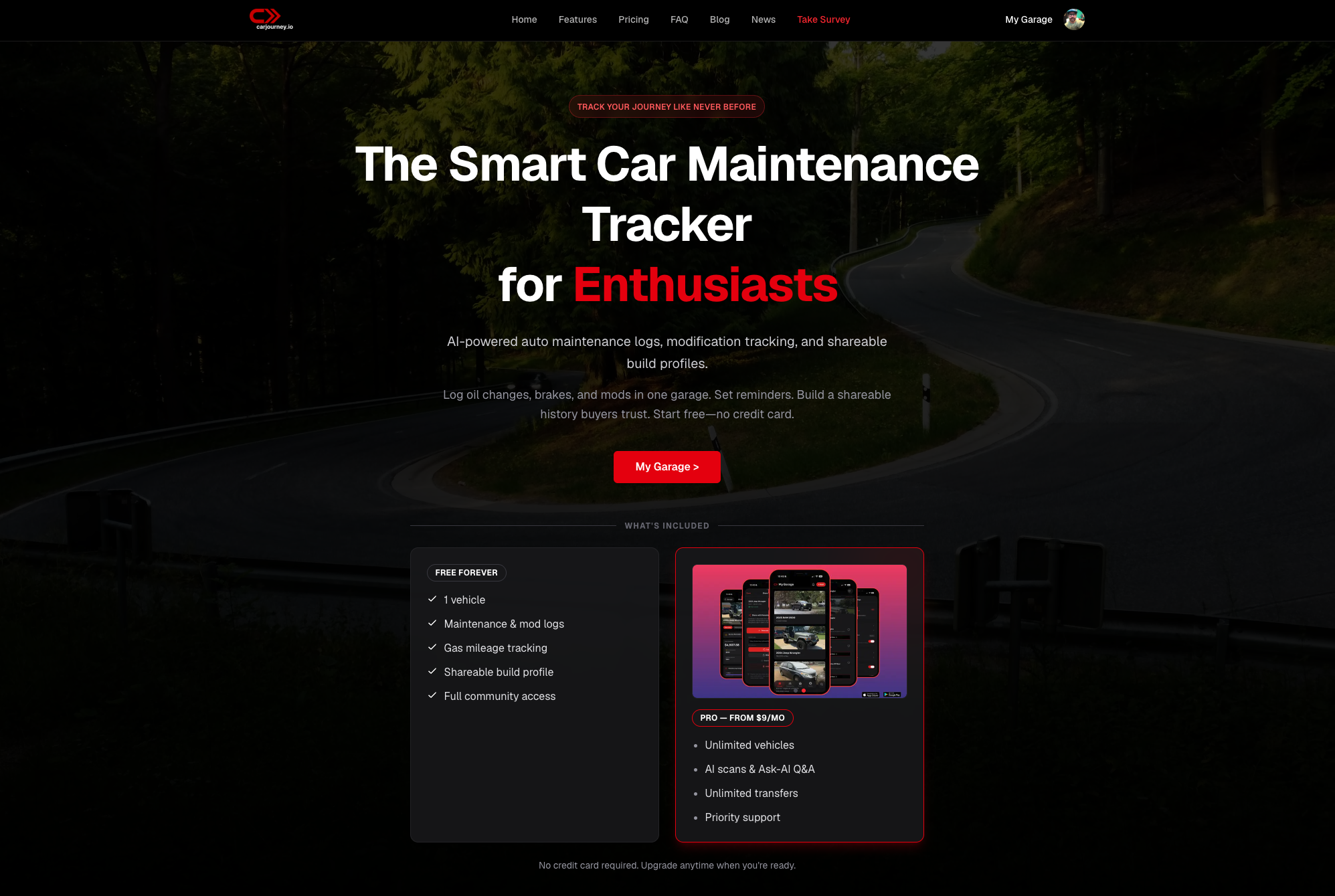
That matters most when you’re trying to prove a repair actually held, or when a buyer wants documentation before making an offer. Instead of digging through old texts and glovebox receipts, you pull up a timeline. If you want to see how it works for your own vehicle, check out Carjourney and start logging your next scan the moment you run it.
Frequently asked questions
Why should I scan OBD codes instead of just going to a mechanic? Scanning first gives you the same starting point a mechanic would use, so you can catch simple fixes yourself (like a loose gas cap) and avoid paying diagnostic fees for something you could’ve checked in five minutes.
What do OBD codes actually mean? Each code identifies the system that logged a fault, engine, transmission, emissions, or electrical, using a letter and number format standardized by SAE J2012. It’s a starting clue, not a repair order.
Can scanning a code tell me exactly what part is broken? Not always. A misfire code like P0303 confirms the cylinder but not whether the culprit is a plug, coil, or injector; that’s where basic checks and live data come in.
Is it safe to clear a code myself? Yes, but only after you’ve written down the code and freeze-frame data, and ideally after you’ve confirmed the fix. Clearing too early resets readiness monitors your emissions test relies on.
How much does a decent OBD-II scanner cost? Basic readers run $20 to $40, Bluetooth dongles with app support run $30 to $100, and advanced handheld tools with live graphing and manufacturer codes start around $150.
Sources
- SAE J2012 — Diagnostic connector and protocols
- How an OBD-II scanner saved unnecessary mechanic visits
- How to diagnose car problems using an OBDII scan tool
- How to read OBD-II trouble codes | full beginner OBD2 guide